

Integrate WooCommerce with Lightspeed (Vend)
Connect your Lightspeed Retail (X-Series) with WooCommerce - manage products in Lightspeed, inventory synchronization, sales and customer exports in r …
Plugin info
Maintenance & Compatibility
Maintenance score
Stale • Last updated 243 days ago • 5 reviews
Is Integrate WooCommerce with Lightspeed (Vend) abandoned?
Likely maintained (last update 243 days ago).
Compatibility
Similar & Alternatives
Explore plugins with similar tags, and compare key metrics like downloads, ratings, updates, support, and WP/PHP compatibility.
Description
This powerful integration plugin connects Lightspeed Retail (X-Series) with your WooCommerce store, offering:
✨ Free Features:
* Two-way inventory synchronization
* Simple product import
* Product updates from Lightspeed to WooCommerce
* Real-time order and customer from WooCommerce to Lightspeed
🌟 Premium Features:
* Automated product updates
* Automated inventory sync
* Lightspeed register selection for orders from WooCommerce
* Variable product support
* Lightspeed Brands integration
* Lightspeed Loyalty points tracking
* Priority support
Note: The premium features are only available in the Premium version of the plugin. You can get in touch with us or purchase from here: https://bit.ly/product-website
Limitations
- Composite products are not currently supported (planned for future release)
The Integration
Steps:
- Click “Lightspeed Integration” on left menu in WordPress admin.
- Enter Lightspeed Subdomain, Lightspeed Personal Token and Lightspeed Cashier User ID and Click “Save Settings”(Detailed instructions are in the page).
- Now you will be able to import products to WooCommerce by clicking the button “Import products to WooCommerce”.
Installation
This plugin requires you to have the WooCommerce plugin already installed and activated in WordPress. Otherwise you won’t be able to activate this plugin. It is recommended that you use this plugin in a staging environment before installing it on production.
From WordPress Admin
- Go to “Plugins” > “Add New”.
- Search for “Integrate WooCommerce With Lightspeed”.
- Once you find it click “Install” and after installing click “Activate”.
Manual
- Upload the folder “integrate-woocommerce-lightspeed” to
/wp-content/plugins/directory. - Activate the plugin through WordPress admin: Go to “Plugins” and click the “Activate” link corresponding to the plugin.
After Activation
Steps:
- Click “Lightspeed Integration” on left menu in WordPress admin.
- Enter Lightspeed Subdomain, Lightspeed Personal Token and Lightspeed Cashier User ID and Click “Save Settings”(Detailed instructions are in the page).
- Now you will be able to import products to WooCommerce by clicking the button “Import products to WooCommerce”.
Frequently Asked Questions
Yes, we regularly test and update the plugin for compatibility with the latest WooCommerce releases.
Free version: Manual sync
Premium version: Automatic sync within a few minutes (configurable)
The free version of the plugin will import all the Simple products and the premium version imports Variable products too.
Variable products are Premium feature. contact us here for purchasing: https://sujith123.wufoo.com/forms/z1xchp690scddy2/
Composite products are not currently supported.
Yes, the plugin is not dependent on WordPress themes.
You can use the form here: https://sujith123.wufoo.com/forms/z1xchp690scddy2/
Bugs can be reported in the support forum – Support link on the WordPress.org plugin page.
Review feed
Screenshots
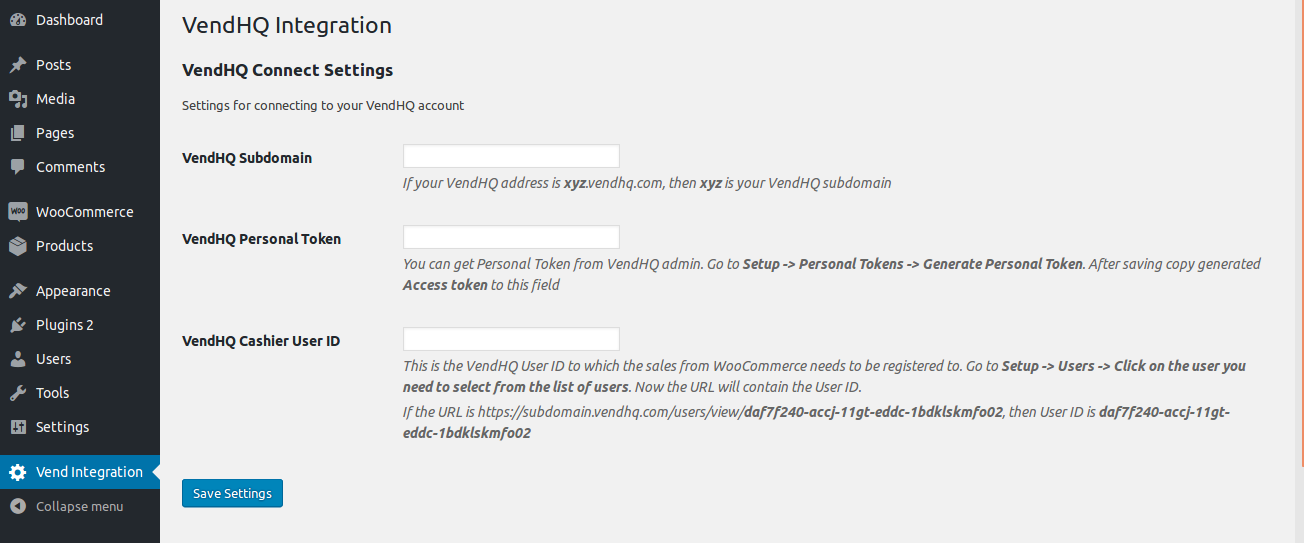
Settings screen.
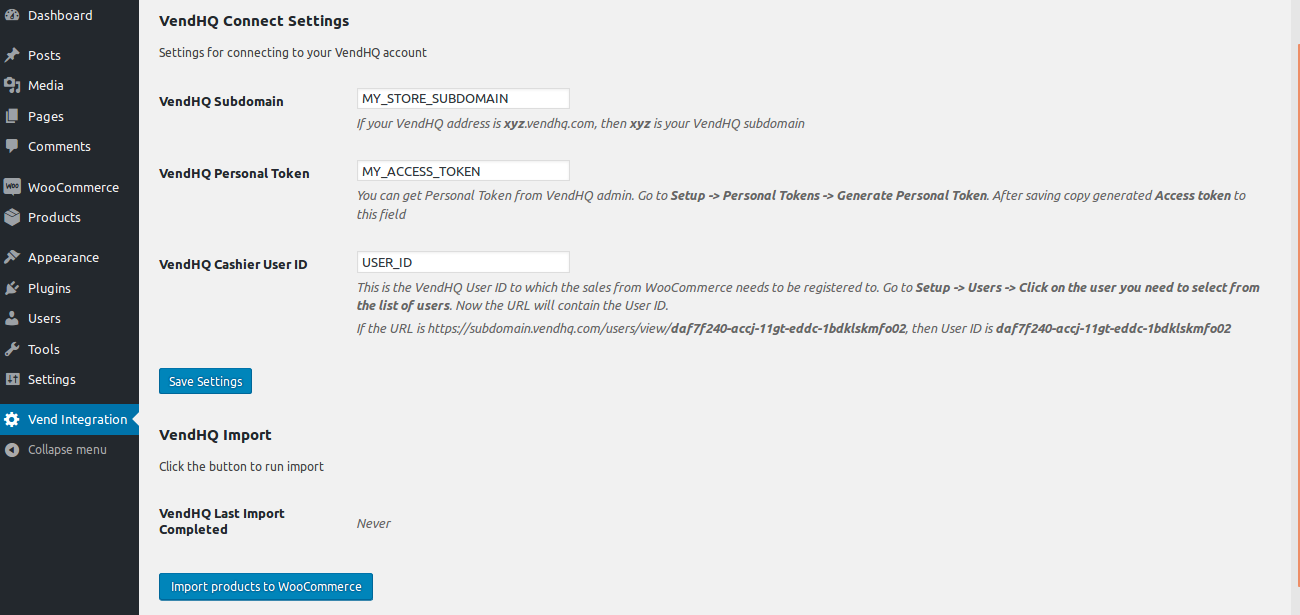
Settings screen with Lightspeed Connect settings filled and ready to import products.
Changelog
1.6
- Tax tracking is now available in free version
- Updated compatibility with WooCommerce 10.x
1.5
- User Experience improvements
1.4
- Updated individual product API version to 2.0
1.3.3
- Bug fix and User Experience improvements
1.3.2
- Bug fix.
1.3.1
- Bug fix and minor improvement.
1.3
- Bug fix.
1.2
- Fixed all identified bugs.
- Enhanced user experience.
1.1
- Bug fix.
1.0
- The initial release.