

Integration for Gravity Forms and Pipedrive
Gravity Forms Pipedrive Plugin allows you to quickly integrate Gravity Forms with Pipedrive.
Plugin info
Maintenance & Compatibility
Maintenance score
Maintained • Last updated 168 days ago • 11 reviews
Is Integration for Gravity Forms and Pipedrive abandoned?
Likely maintained (last update 168 days ago).
Compatibility
Similar & Alternatives
Explore plugins with similar tags, and compare key metrics like downloads, ratings, updates, support, and WP/PHP compatibility.
Description
Gravity Forms Pipedrive Add-on sends form submissions from Gravity Forms to Pipedrive CRM when anyone submits a form on your site. You can create a Contact, Organization OR Deal in Pipedrive. Learn more at crmperks.com
Gravity Forms Pipedrive Integration Setup
- Go to Forms -> Settings -> Pipedrive then add new account.
- Go to Forms -> select any form -> Settings -> Pipedrive then create new feed.
- Map required Pipedrive fields to Gravity Forms form fields.
- Send your test entry to Pipedrive CRM by clicking “Send to Pipedrive” button.
- Go to Forms -> select any form -> Settings -> Pipedrive Logs and verify status of previously sent entries.
Connect Pipedrive
You can connect Pipedrive account to any form by simply entering Pipedrive API key and URL. You can also connect multiple accounts.
Mapping Contact Fields
You can easily map Gravity Forms entry fields to any Pipedrive Contact/deal fields. You can also map custom Pipedrive fields.
Primary Key
Instead of creating new Object(Contact or Organization or Deal) in Pipedrive, you can update old object by setting Primary Key field.
Error Reporting
If there is an error while sending form data to Pipedrive CRM, an email containing the error details will be sent to the specified email address.
CRM Logs
Plugin saves a detailed log of each entry whether sent or not sent to Pipedrive. You can easily resend an entry to Pipedrive.
Export Logs
You can easily export Pipedrive Logs as a CSV file for bookkeeping, and accounting purposes.
Filter Entries
By default all entries are sent to the Pipedrive, but you can setup rules to limit the entries sent to Pipedrive.
Premium Version.
Gravity Forms Pipedrive Integration has a Premium version which comes with several additional benefits. Gravity Forms Pipedrive Integration Pro
- Pipedrive Custom fields field.
- Phone Number fields and Marketing Status field of Pipedrive CRM.
- Create Leads in Pipedrive CRM.
- Assign Organization to Contact and Deal.
- Create Organizations and Deals in Pipedrive.
- Assign Contact to Pipedrive Deal.
- Assign Owner to Contacts, Organizations and Deals in Pipedrive.
- Lookup customer’s email using email lookup apis. We support all good email lookup apis.
- 20+ premium addons
Need Pipedrive Plugin for Woocommerce ?
We have Pipedrive add-on for Woocommerce. Woocommerce Pipedrive Plugin
Need Pipedrive Plugin for Contact Form 7 ?
Premium Addons
We have 20+ premium addons and new ones being added regularly, it’s likely we have everything you’ll ever need.View All Add-ons
Want to send data to other crm
We have Premium Extensions for 20+ CRMs.View All CRM Extensions
Installation
Frequently Asked Questions
Our team provides free support at https://www.crmperks.com/contact-us/.
You can easily integrate Gravity Forms with Pipedrive by following these steps.
- Go to Pipedrive Accounts then connect your account.
- Go to Pipedrive Feeds , select desired Object then map gravity form fields to Pipedrive fields.
- Open any Gravity Forms entry and click “Send to Pipedrive” button , a new member will added in pipedrive.
- Go to Pipedrive logs and check if entry was successfully sent to Pipedrive CRM.
Review feed
Screenshots

Connecting Pipedrive Account to Gravity Forms.
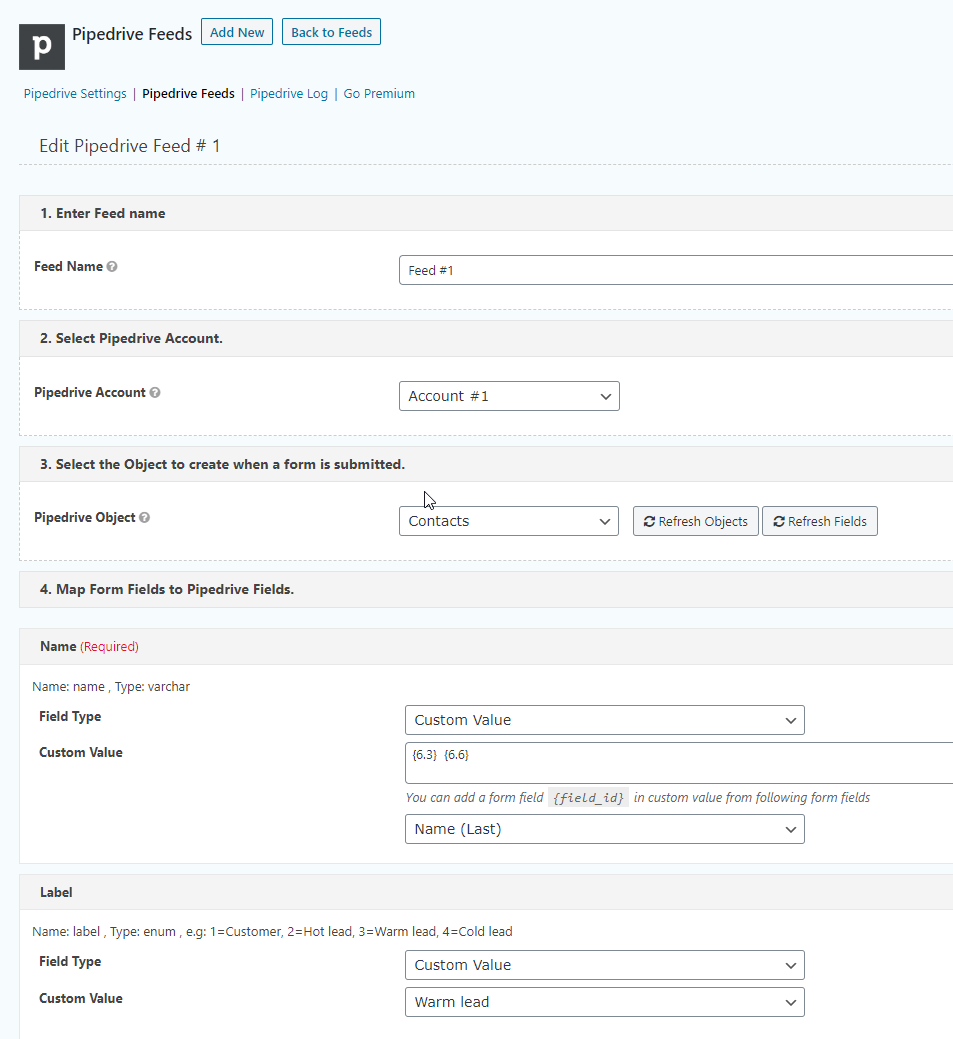
Mapping Pipedrive fields.
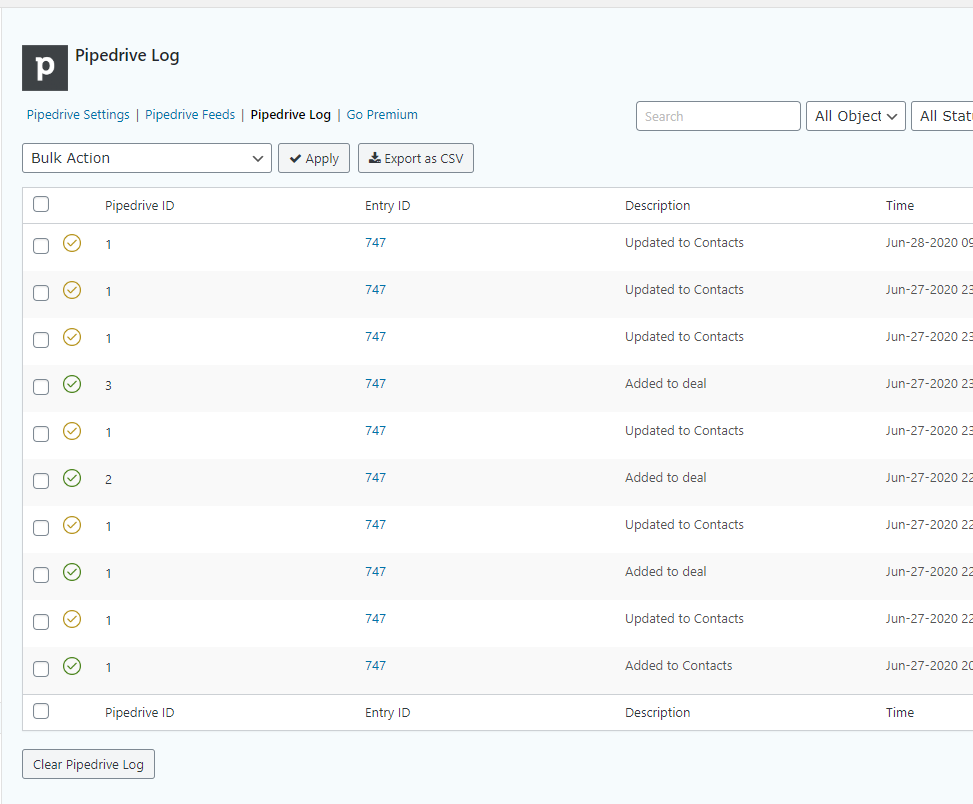
Gravity Forms Pipedrive crm logs.
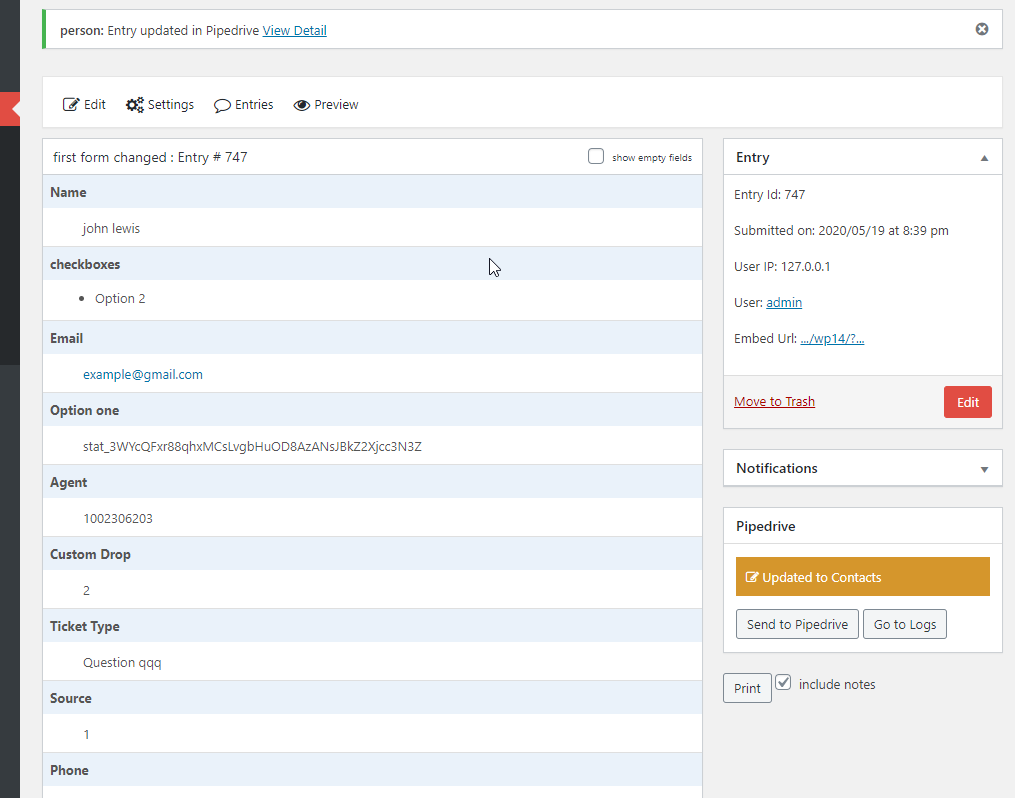
Manually Send Gravity Forms entry to Pipedrive crm.
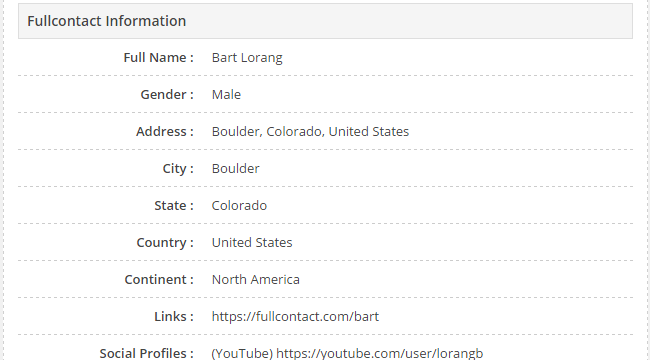
Get Customer's email and phone infomation from Full Contact(Premium feature).
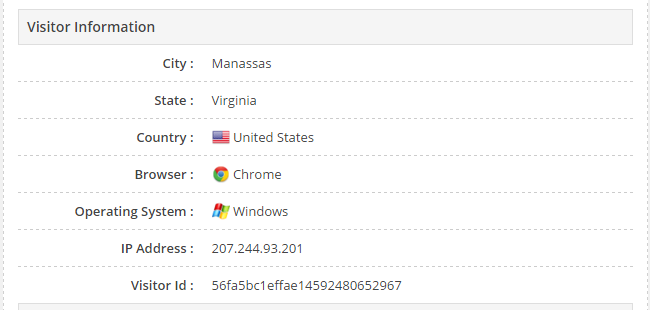
Get Customer's gclid, utm parameters , geolocation, browser and OS (Premium feature).
Changelog
1.1.9
- fixed “post_image field” issue.
1.1.8
- fixed “deal lines” issue.
1.1.7
- fixed “deal lines” issue.
1.1.6
- fixed “daterange field” issue.
1.1.5
- fixed “deal search” issue.
1.1.4
- fixed “org name empty” issue.
1.1.3
- fixed “org_id type string” issue.
- fixed “Marketing Status” issue.
- fixed “note title” issue.
1.1.2
- fixed “custom fields search” issue.
- added “only update empty fields” feature.
1.1.1
- fixed “product fields from deal feed” issue.
1.1.0
- fixed “overwrite multiselect field” issue.
1.0.9
- fixed “undefined post function” issue.
1.0.8
- added “lead notes” feature.
1.0.7
- fixed “debug xss” issue.
1.0.6
- fixed stage ID issue.
- fixed multiselect field issue.
1.0.5
- added file upload feature.
- fixed label id field.
1.0.4
- fixed “enum and set” fields.
- fixed “set” field.
1.0.3
- fixed lead label issue.
1.0.2
- fixed custom field options.
1.0.1
- fixed “assign owner” issue.
1.0.0
- Initial release.