

Interact: Embed A Quiz On Your Site
Use this plugin to generate a shortcode to embed your Interact Quiz, Poll, or Giveaway into your WordPress site.
Plugin info
Maintenance & Compatibility
Maintenance score
Stale • Last updated 183 days ago • 11 reviews
Is Interact: Embed A Quiz On Your Site abandoned?
Likely maintained (last update 183 days ago).
Compatibility
Similar & Alternatives
Explore plugins with similar tags, and compare key metrics like downloads, ratings, updates, support, and WP/PHP compatibility.
Description
Use this plugin to generate a shortcode to embed your Interact Quiz, Poll, or Giveaway into your WordPress site. Promote your quiz within a Popup or an Announcement Bar.
Check out some examples of how over 30,000 companies have utilized quizzes on their websites here
IMPORTANT: An Interact account is required for this plugin to work as intended.
Visit Interact, sign up, and create an Interact Quiz, Poll, or Giveaway before you embed it into your site.
Installing this plugin without signing up on Interact will result in a broken quiz experience on your site.
Questions? Email [email protected]
Installation
- Create a Quiz, Poll, or Giveaway for free at https://www.tryinteract.com
- Log in to your site’s Dashboard (e.g. http://www.example.com/wp-admin)
- In the left panel, click ‘Plugins’, then click ‘Add New’.
- Search for ‘Interact Quiz Embed’ — the latest version will appear at the top of the list of results.
- Click the ‘Install Now’ button.
- Wait for the installation to finish, then click the ‘Activate’ button.
- Generate shortcode for the quiz you wish to embed
- Add shortcode to any post or page in your WordPress site to embed Quiz, Poll, or Giveaway
Frequently Asked Questions
This can be found in your Interact Dashboard by viewing your quizzes and clicking ‘Share & Embed’.
For example, it should look something like: https://quiz.tryinteract.com/#/abcdefghijk0123456789
Review feed
Screenshots
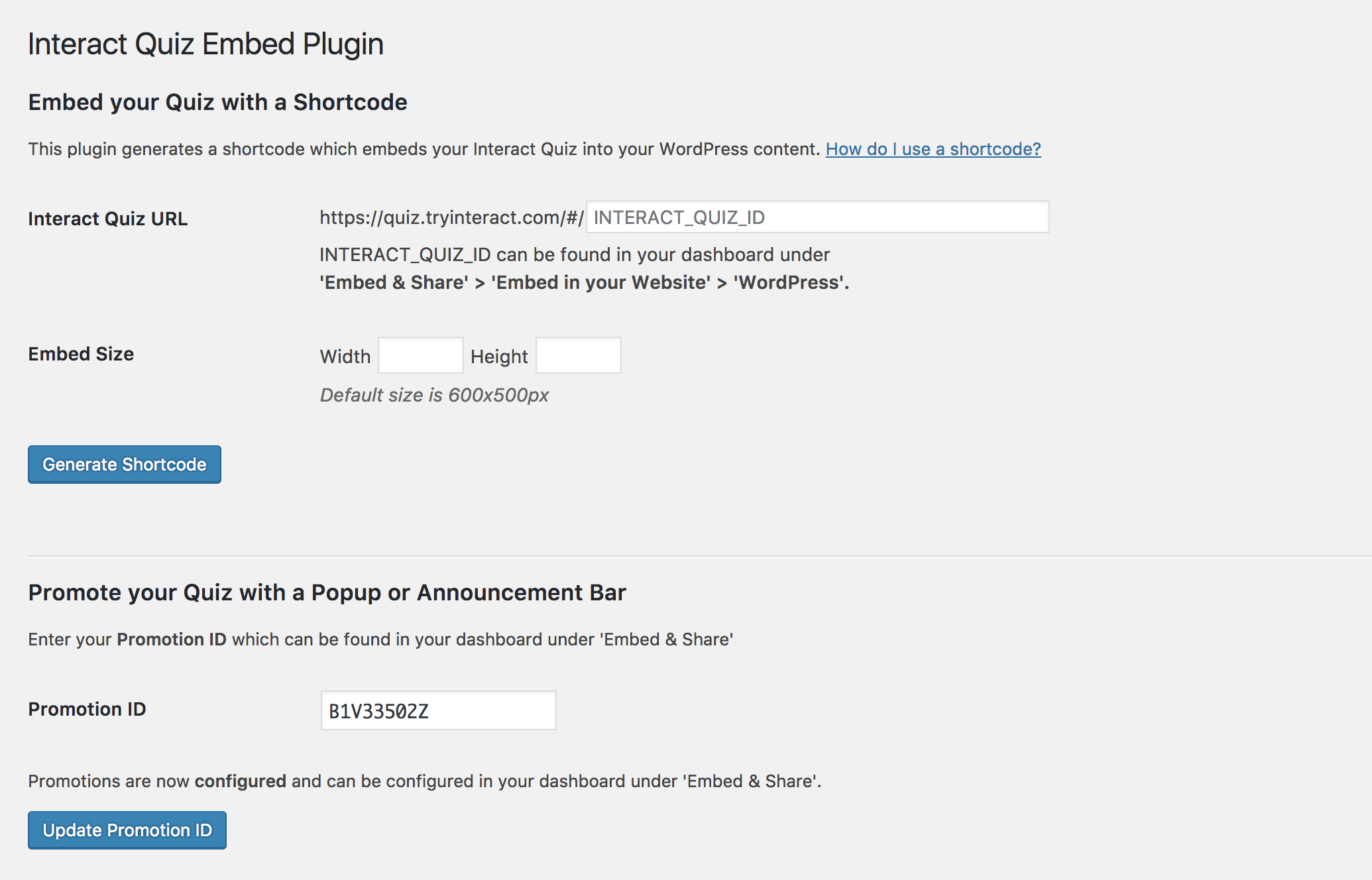
A screenshot of the shortcode generator inside WP dashboard.

An example quiz embed.

An example quiz embed.
Changelog
3.1
- Added input validation and sanitization for shortcode attributes.
3.0.7
- Bug fixes. Skipped 3.0.6 – please update to 3.0.7 if you have installed 3.0.6.
3.0.5
- Added shortcode attribute redirect=”host” to enable top-level browser redirection outside iframe.
3.0.4
- Added shortcode attribute align=”left|center|right”.
3.0.3
- Skipped 3.0.2 due to svn publishing issues, disregard skipped version number
- Added shortcode attribute mobile which allows quiz to remain embedded on the page and not redirect mobile devices.
3.0.1
- Added shortcode option to disable quiz cover page and start from first question.
3.0.0
- Added Promotions Feature (Announcement Bar & Popup)
- Auto-Resize Quiz by Default
- Supports Polls and Giveaways in addition to Quizzes
2.0.1
- Bug fixes. Removes link tag for shortcodes.
2.0
- Support for new quiz URLs using the quiz ID.
1.0
- Initial upload of plugin.