
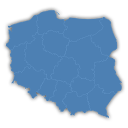
Interactive Polish Map
Interactive map of Poland, which allows you to attach links to the region.
Maintenance 28/100404d since update
Active installs
700
Downloads
15,091
Reviews
3
Age
15.2y
Plugin info
Total downloads: 15,091
Active installs: 700
Total reviews: 3
Average rating: 4.7
Support threads opened: 0
Support threads resolved: 0 (0%)
Available in: 1 language(s)
Contributors: 2
Last updated: 2/22/2025 (404 days ago)
Added to WordPress: 1/30/2011 (15 years old)
Minimum WordPress version: 6.0
Tested up to WordPress version: 6.7.4
Minimum PHP version: f
Maintenance & Compatibility
Maintenance score
Possibly abandoned • Last updated 404 days ago • 3 reviews
28/100
Is Interactive Polish Map abandoned?
Possibly abandoned (last update 404 days ago).
Compatibility
Requires WordPress: 6.0
Tested up to: 6.7.4
Requires PHP: f
Similar & Alternatives
Explore plugins with similar tags, and compare key metrics like downloads, ratings, updates, support, and WP/PHP compatibility.
No similar plugins found yet.
Description
The best way to convert a list of Polish regions into stylish clickable map.
It doesn’t need Flash Player or any additional plug-ins!
- hand coded, valid xHTML and CSS
- preloader
- quasi-tooltips or list of countries
- no flash player required!
- on author page available full editable PSD with source file
Plugin based on: Poland – CSSMap plugin.
Installation
There are 3 ways to install this plugin:
The super easy way
- Log in to your WordPress Admin panel.
- Go to: Plugins > Add New.
- Type ‘Interactive Polish Map’ into the Search Plugins field and hit Enter. Once found, you can view details such as the point release, rating and description.
- Click Install Now. After clicking the link, you’ll be asked if you’re sure you want to install the plugin.
- Click Yes, and WordPress completes the installation.
- Activate the plugin.
- A new menu
Interactive Polish MapinSettingswill appear in your Admin Menu. - Place [mapa-polski] in your post or page.
The easy way
- Download the plugin (.zip file) on the right column of this page
- In your Admin, go to menu Plugins > Add
- Select button
Upload Plugin - Upload the .zip file you just downloaded
- Activate the plugin
- A new menu
Interactive Polish MapinSettingswill appear in your Admin Menu. - Place [mapa-polski] in your post or page.
The old and reliable way (FTP)
- Upload
interactive-polish-mapfolder to the/wp-content/plugins/directory - Activate the plugin through the ‘Plugins’ menu in WordPress
- A new menu
Interactive Polish MapinSettingswill appear in your Admin Menu. - Place [mapa-polski] in your post or page.
Frequently Asked Questions
No FAQ available
Review feed
No reviews available
Screenshots
No screenshots available
Changelog
1.2.1 – 2023-01-18
- Fixed vulnerable to Cross Site Scripting (XSS). Props for Rio Darmawan.
1.2 – 2018-04-21
- BUGFIX: Implement proper localization.
- IMPROVEMENT: Moved assets to assets directory.
1.1 – 2015-08-08
- IMPROVEMENT: Update method of WP_Widget – remove deprecated constructor.
- BUGFIX: Handle some notices about undefined variables.
1.0.2 – 2012-03-03
- BUGFIX: Shortcode always place map on top of entry (echo was used instead of return)
1.0.1 – 2011-02-04
- BUGFIX: Shortcode always place map on top of entry (echo was used instead of return)
1.0 – 2011-02-04
- NEW: Added widget.
- NEW: Added option to choose list.
- NEW: Added Polish translation.
- NEW: Created POT file.
- Changed: js files was merged to one.
- Changed: css files was merged to one.
0.1 – 2011-01-29
- NEW : Init revision.