

Interactive Tour Builder
Build interactive tours for your website with guided highlights, tooltips, and step-by-step walkthroughs. No coding required!
Plugin info
Maintenance & Compatibility
Maintenance score
Stale • Last updated 308 days ago • Support resolved 0% • 3 reviews
Is Interactive Tour Builder abandoned?
Likely maintained (last update 308 days ago).
Compatibility
Languages
Similar & Alternatives
Explore plugins with similar tags, and compare key metrics like downloads, ratings, updates, support, and WP/PHP compatibility.
Description
Interactive Tour Builder is a powerful WordPress plugin that lets you create engaging and interactive tours for your website. It’s perfect for highlighting key features, products, or areas with step-by-step guidance, making it ideal for onboarding, product showcases, and more.
Presentation
Premium | Demo | Documentation
🚀 Free Features
⭐ Create unlimited interactive tours with step-by-step walkthroughs
⭐ Add tooltips, popovers, and highlights to guide users
⭐ Smooth scroll animation between tour steps
⭐ Show progress indicator bar for step tracking
⭐ Enable keyboard navigation support for accessibility
⭐ Add Next, Previous, and Done buttons with custom text
⭐ Display Close button to exit the tour at any time
⭐ Customize popup style using your own CSS class
⭐ Set custom overlay color and opacity
⭐ Control popover position: top, bottom, left, right, auto
⭐ Adjust stage padding and add rounded corners for a modern look
⭐ Limit tour display using cookies for returning users
⭐ Delay tour display after page load with customizable timing
⭐ Auto-display tours on specific pages, posts, or taxonomies
⭐ Fully responsive and mobile-friendly
⭐ Compatible with all WordPress themes and page builders
⭐ Lightweight and optimized for performance
⭐ Beginner-friendly settings panel—no coding needed
🚀 Pro Features
⭐ Insert dynamic content in tour steps using smart placeholders (e.g., {username}, {post_title})
⭐ Display tours based on user roles, post types, or conditional logic
⭐ Style each tour with multiple pre-designed visual layouts
⭐ Trigger specific steps on scroll for improved engagement
⭐ Show tour steps on click of buttons, links, or custom elements
⭐ Build and run tours in the WordPress admin dashboard
⭐ Create different tours for different user roles (Admin, Editor, Subscriber, etc.)
⭐ Filter and control which tour steps display using advanced logic
⭐ Highlight key areas or elements with enhanced visual effects
⭐ Customize overlay color, shape, and animation per step
⭐ Support for dynamic content updates without page reload
⭐ Priority 24×7 premium customer support
Watch a Quick Tutorial
License
This plugin is licensed under the GNU General Public License v2.0 or later. For more details, visit GPL-2.0+ License URI.
Installation
- Upload the plugin files to the
/wp-content/plugins/interactive-tour-builderdirectory, or install the plugin through the WordPress plugins screen directly. - Activate the plugin through the ‘Plugins’ screen in WordPress.
- Navigate to Admin Dashboarc > Tour Builder to configure the plugin settings.
Frequently Asked Questions
A: Yes, the plugin is designed to work seamlessly with any WordPress theme, ensuring compatibility across different setups.
A: No, the plugin is lightweight and optimized for performance.
A: Yes, the plugin is fully responsive and optimized for all devices, including desktops, tablets, and smartphones.
Review feed
Screenshots
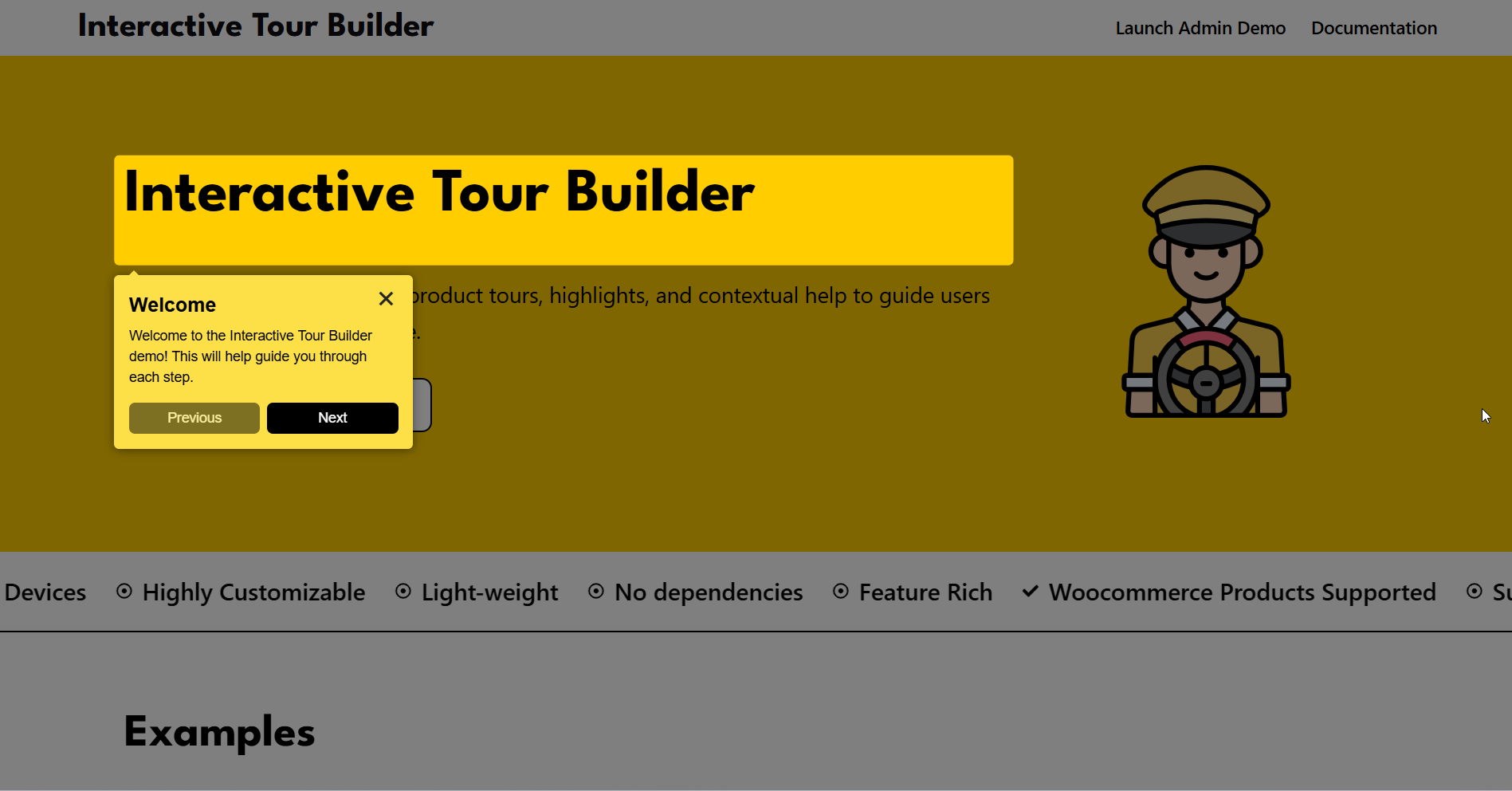
Interactive Tour Popup: Preview of the interactive tour popup as displayed to users, showcasing the guided steps during the tour.
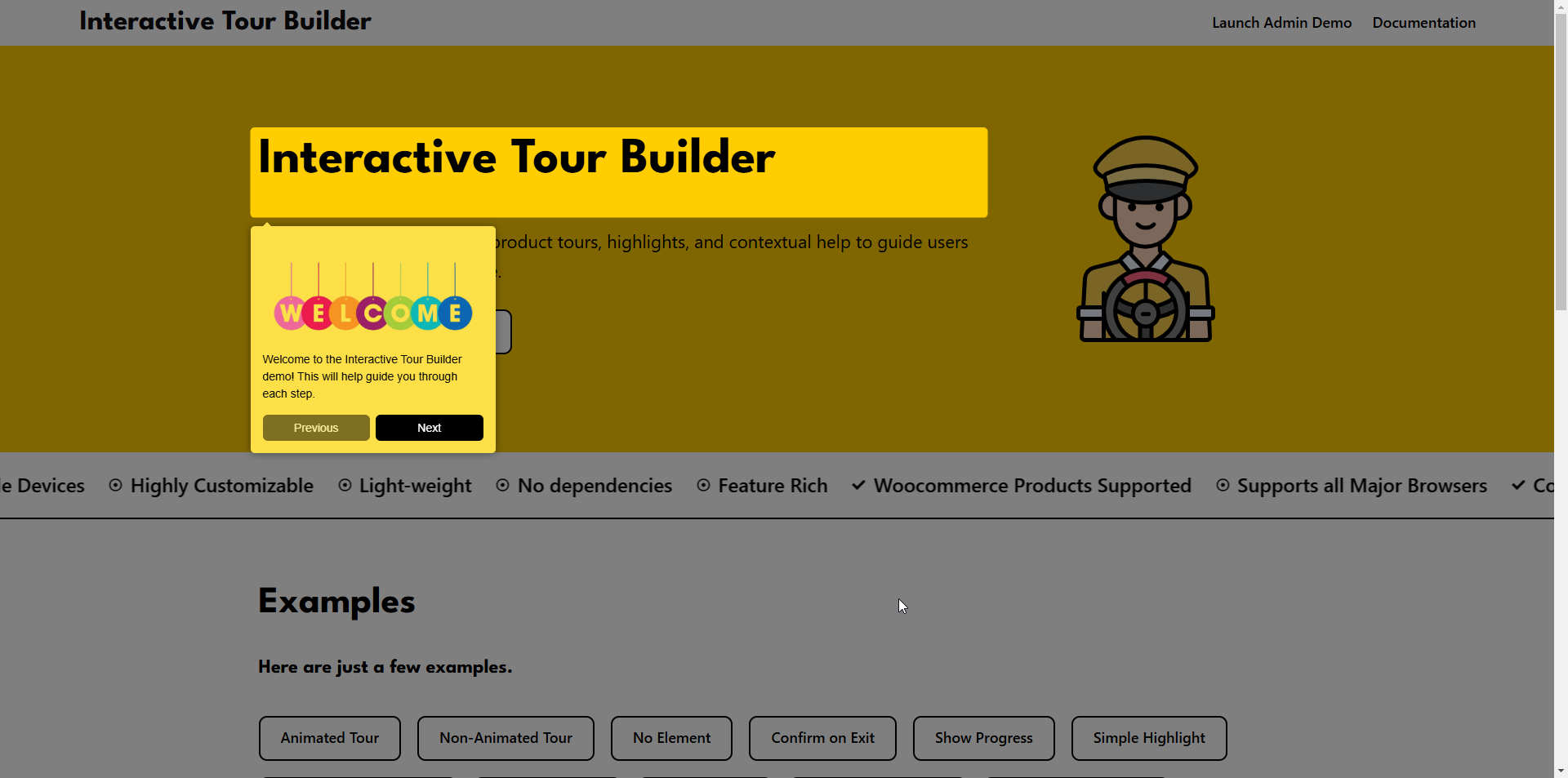
Tour Popup with Image: Screenshot of the tour popup featuring an image, enhancing the visual presentation of the guided tour.
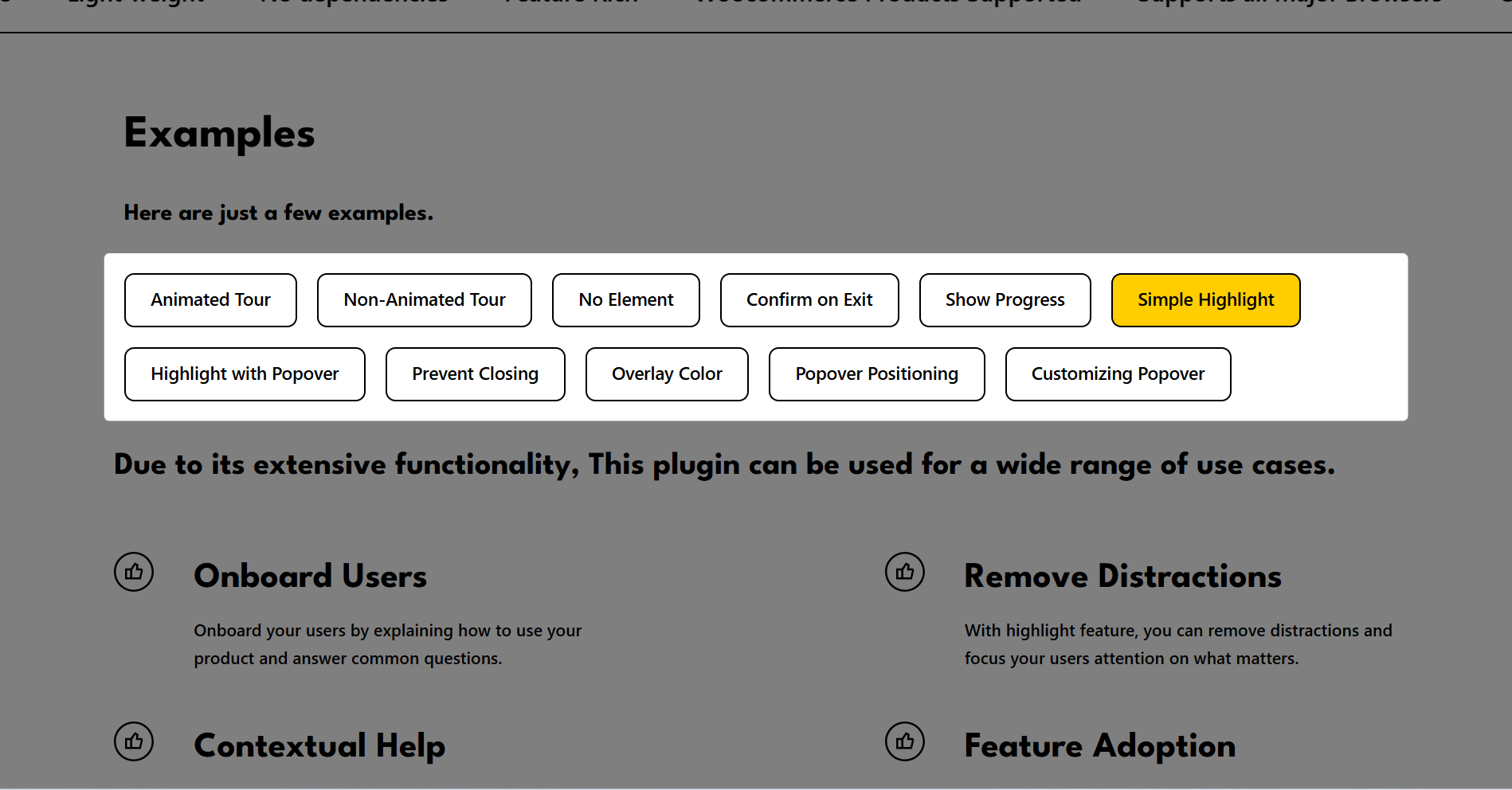
Popup with Simple Highlight: Screenshot of a basic highlight effect used to draw attention to a specific area without additional popups.
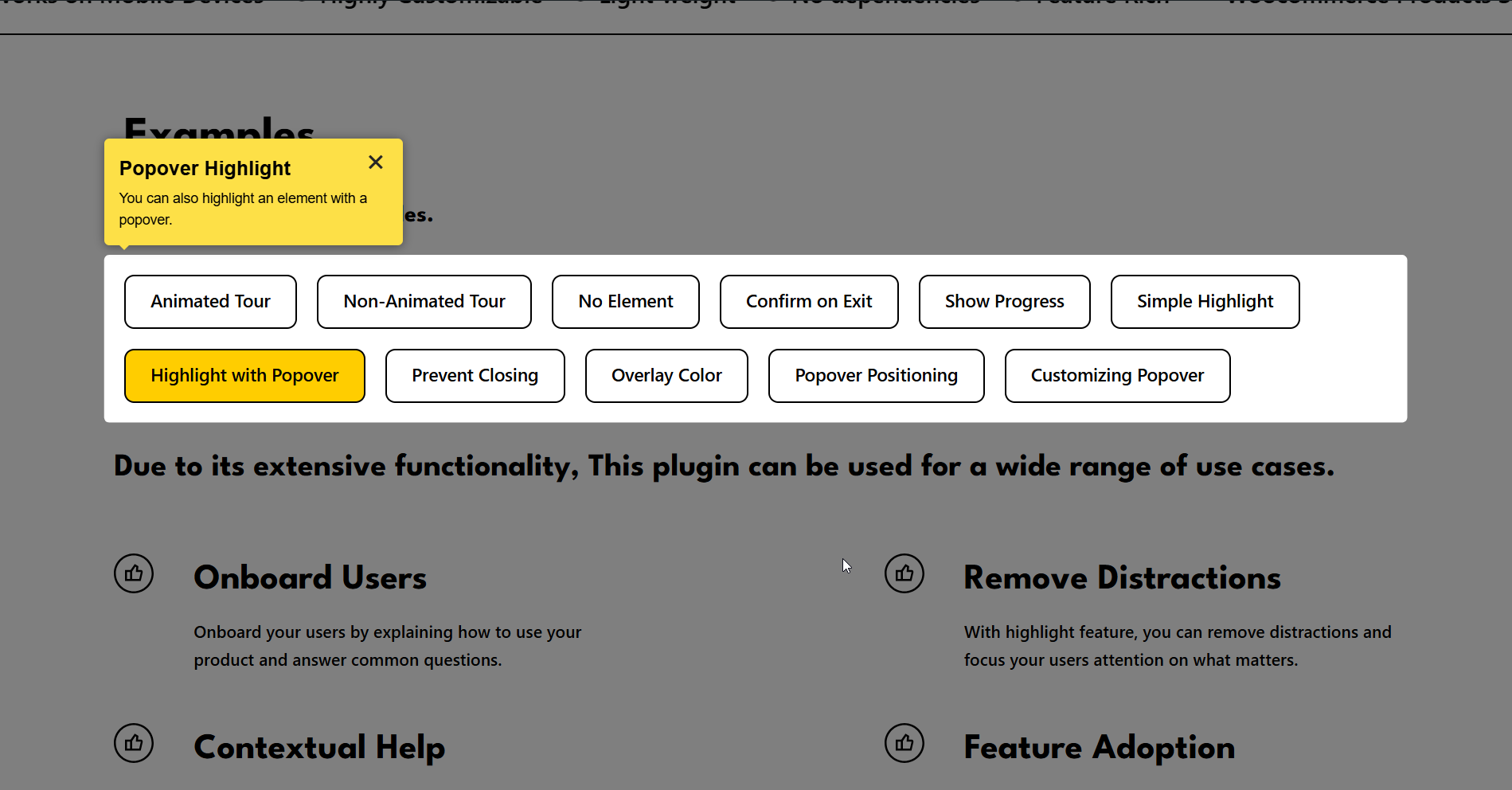
Highlight with Popover: Screenshot of an element highlight combined with a popover, offering additional contextual information.
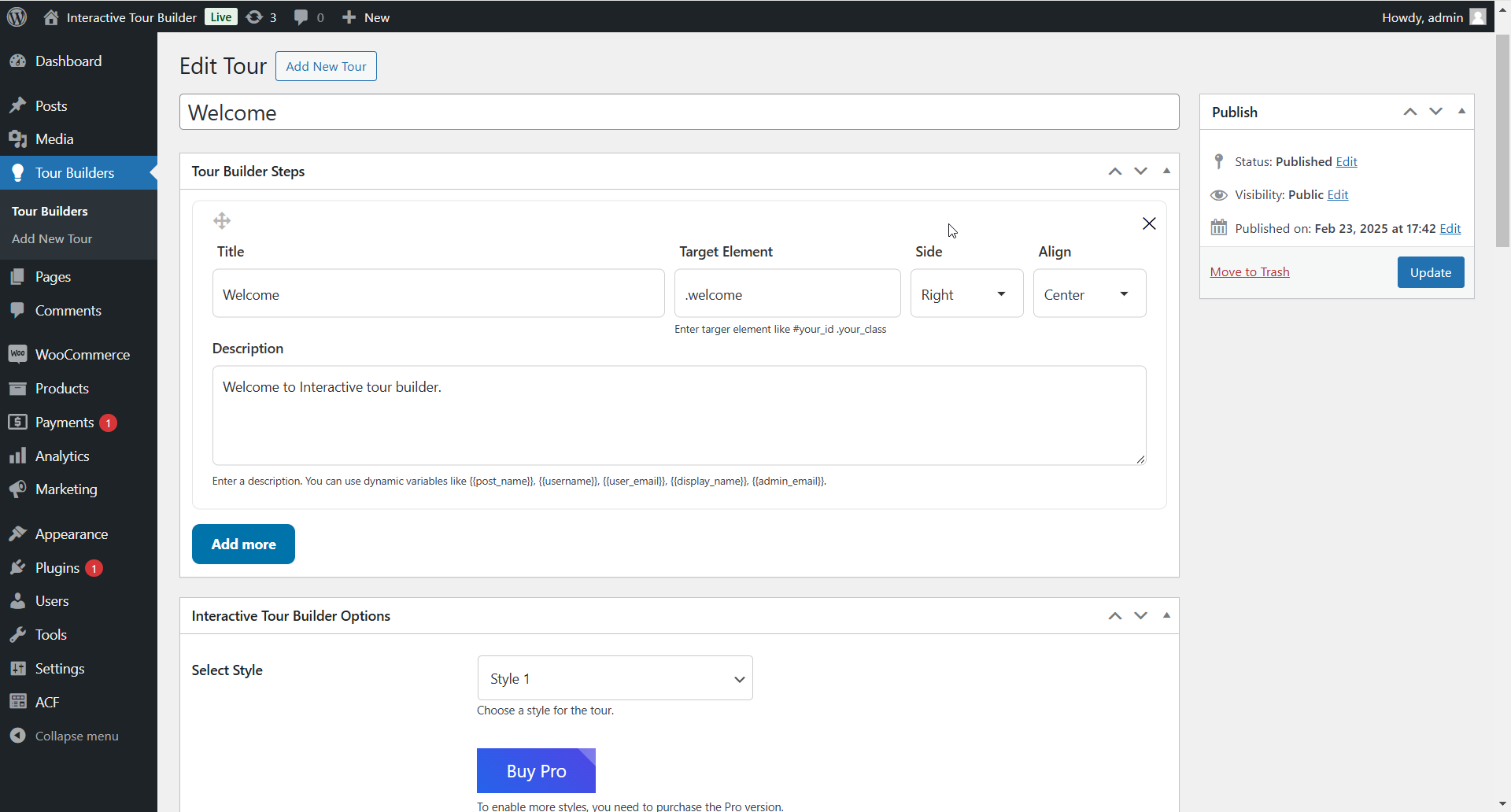
Tour Builder Steps: Screenshot of the plugin settings page where you can configure each step of the interactive tour.
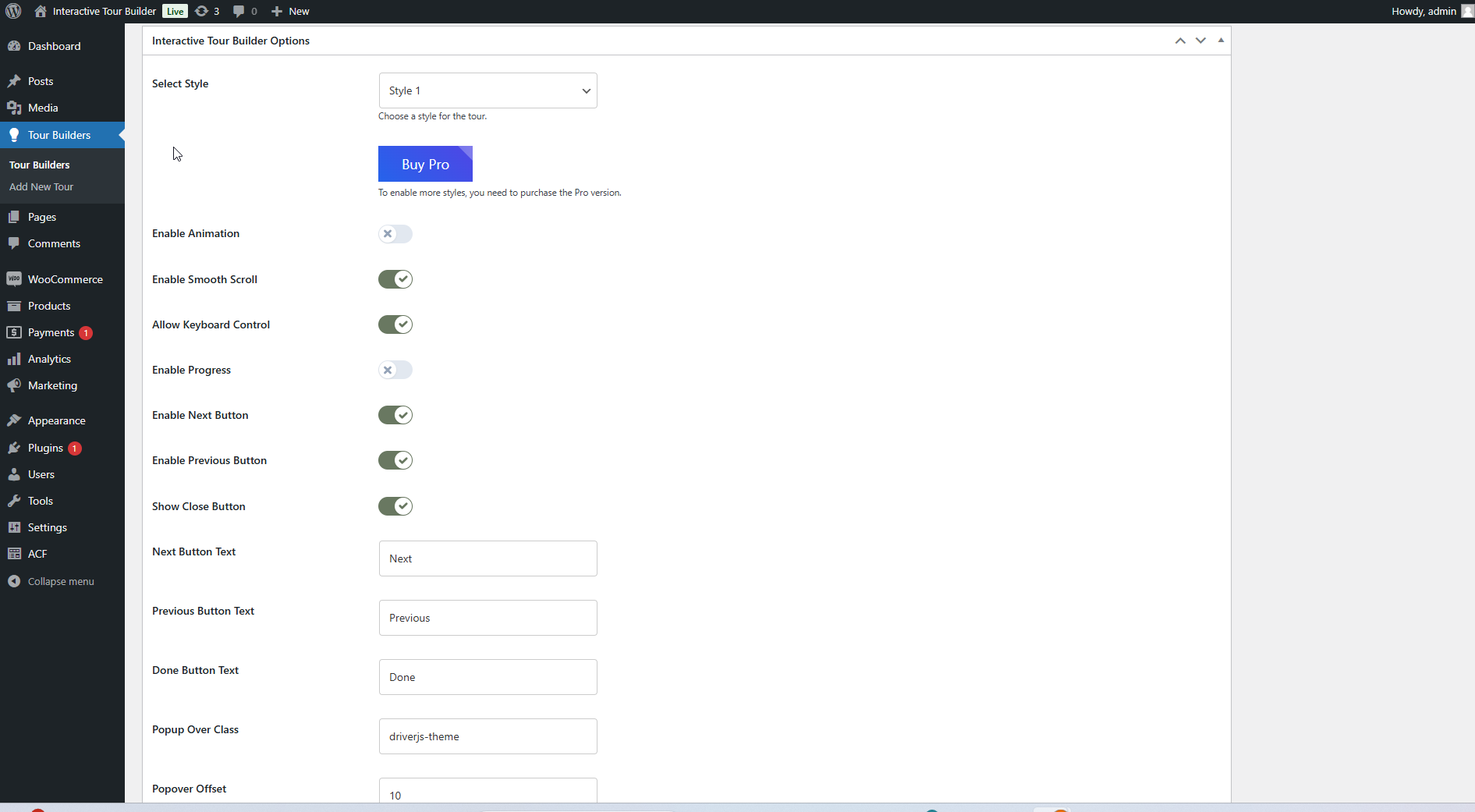
Interactive Tour Builder Options: Screenshot of the plugin settings page where you can configure options related to the tour's flow and appearance.
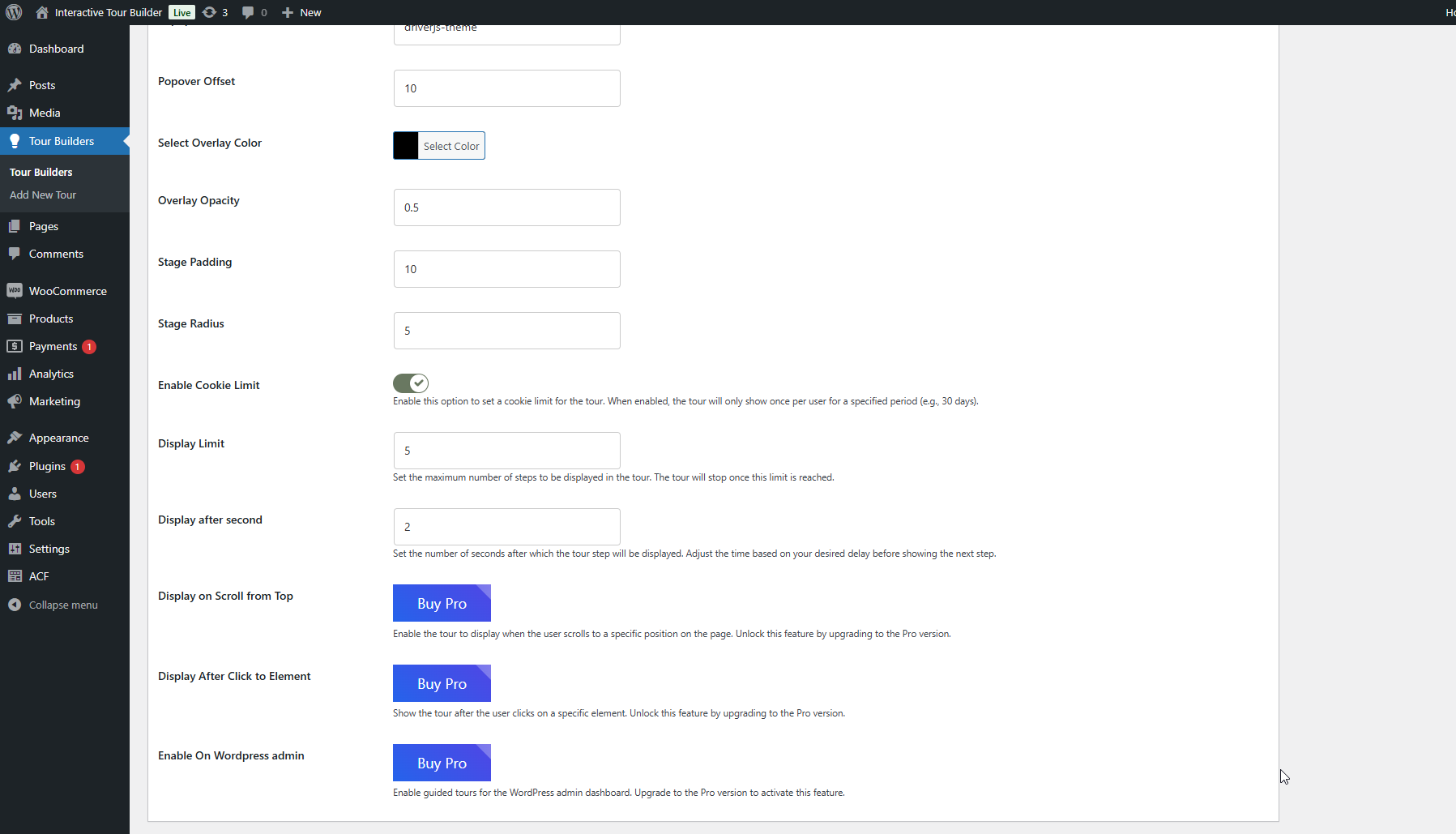
Interactive Tour Builder Options: Screenshot displaying the settings page for customizing additional aspects of the interactive tour, such as step content and layout.
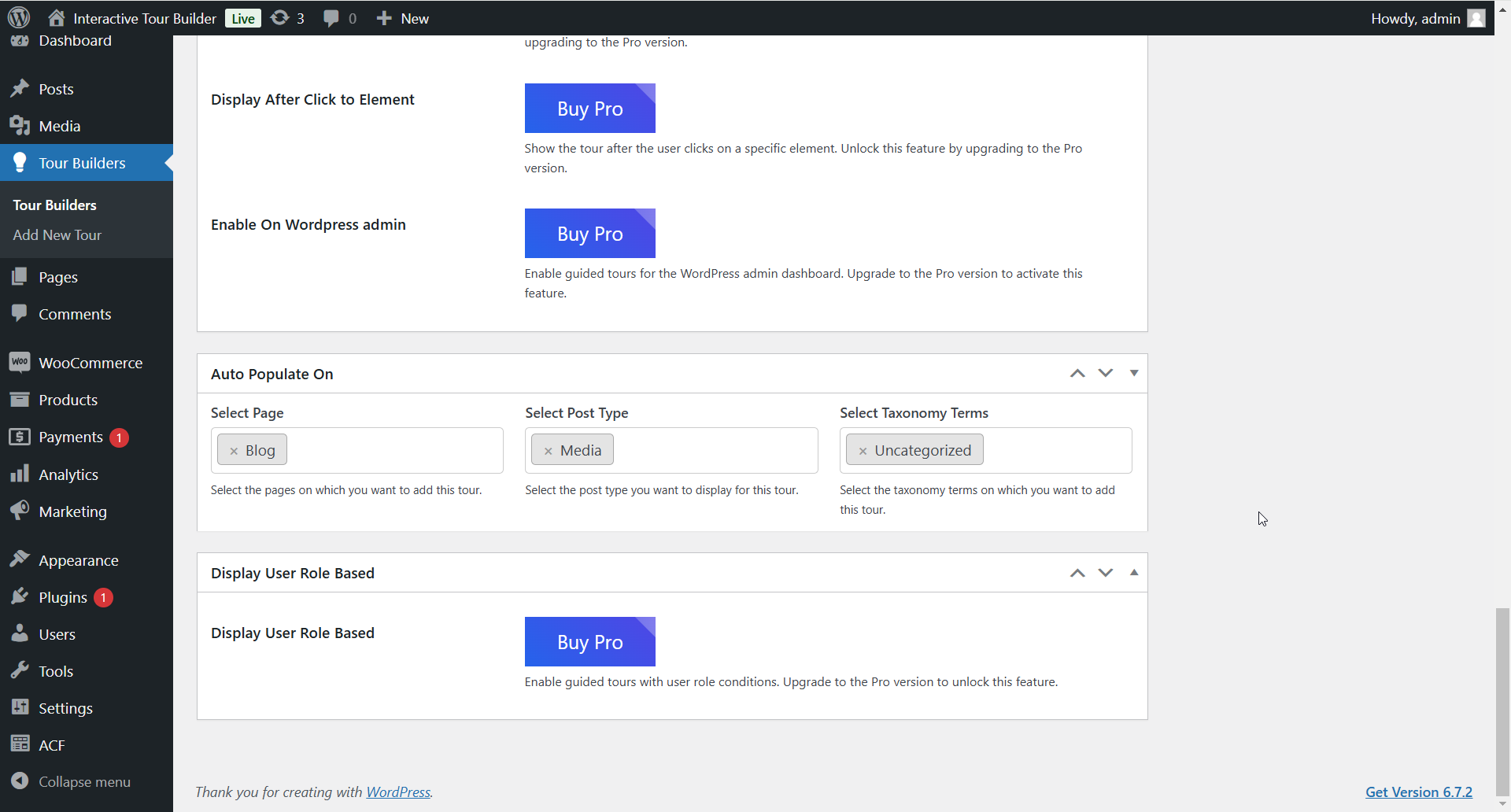
Auto Populate On: Screenshot of the plugin settings page where you can configure automatic population of specific tour elements, streamlining the user experience.
Changelog
1.1.0
- Introduced the option to display tours on search results page
1.0.10
- Removed Font Awesome to reduce dependency and improve performance
1.0.9
- Introduced a new premium tour style
- Verified compatibility with WordPress 6.8.1
1.0.3
- Add ability to upload image in popup
1.0.0
- Initial release.