

Interledger Web Monetization Integration
Add a web monetization-compatible wallet address to monetize your site, posts, and pages. Receiving micropayments. No tracking.
Plugin info
Maintenance & Compatibility
Maintenance score
Maintained • Last updated 135 days ago
Is Interledger Web Monetization Integration abandoned?
Likely maintained (last update 135 days ago).
Compatibility
Similar & Alternatives
Explore plugins with similar tags, and compare key metrics like downloads, ratings, updates, support, and WP/PHP compatibility.
Description
Web Monetization connects you with your audience, turning engagement into revenue. No friction, no barriers, no limits. Interledger Web Monetization Integration adds a tag to your site’s – or more- and lets you define which wallet gets paid at the site-wide, author, or per-post level. It’s built to work with Interledger-compatible wallets and is designed for performance, clarity, and extensibility.
Highlights
– Add a Web Monetization tag to your pages automatically
– Configure a default site wallet, allow author wallets, and override per post/page
– Multi-wallet mode: output all configured wallets or only the top-priority one
– Visual admin indicator for wallet connection/availability
– Exclude specific users from being monetized
– Developer-friendly hooks & filters
– Fully translatable (.pot included)
– No tracking, no external requests by default
What is Web Monetization?
Web Monetization is an open web standard. It connects publishers with their audiences and enables continuous payments to their websites.
Privacy
- No user data is collected or stored by this plugin.
- No cookies are set.
- Extension download links include analytics parameters (UTM tags) to track aggregate click sources. No personal information is transmitted.
- Optional country targeting requires the GeoIP Detection plugin.
Performance
- Minimal footprint: a single or multiple
tags are added to the head. - Built to play nicely with caching and modern themes.
Features
- ✅ Site-wide wallet (global default)
- ✅ Author-specific wallets (optional)
- ✅ Per-post/per-page wallet override
- ✅ Multi-wallet output (all vs. highest-priority)
- ✅ Exclude selected users from monetization
- ✅ Admin UI status indicator for wallet connection
- ✅ Hooks & filters for developers
- ✅ Translation-ready
Developer Notes
- Built with an OOP architecture and Composer autoloading.
- Hooks & filters are available for customizing wallet selection and output.
- Designed to work cleanly with themes that call
wp_head()and with popular caching setups.
License
This plugin is licensed under the Apache-2.0.
Installation
From your WordPress Dashboard
- Go to Plugins Add New.
- Search for “Interledger Web Monetization Integration”.
- Install and Activate.
Manual Installation
- Upload the plugin folder to
/wp-content/plugins/. - Go to Plugins and Activate.
- Open Settings Web Monetization to configure your wallet(s).
Frequently Asked Questions
No. By default the plugin adds markup only. You’ll configure your Interledger-compatible wallet address (often named a “payment pointer”).
Go to Settings Web Monetization. You can set a site-wide wallet, allow authors to set their own, and override per post/page.
When enabled, the plugin can output all configured wallets (e.g., site + author + post) or only the top-priority wallet, depending on your preference.
Yes. There’s an option to exclude specific users; their content won’t output monetization tags.
Yes. The plugin is designed to be extensible; custom post types that support meta boxes can be integrated.
No. There’s no tracking and no external requests by default.
Yes. A .pot file is included.
Review feed
Screenshots
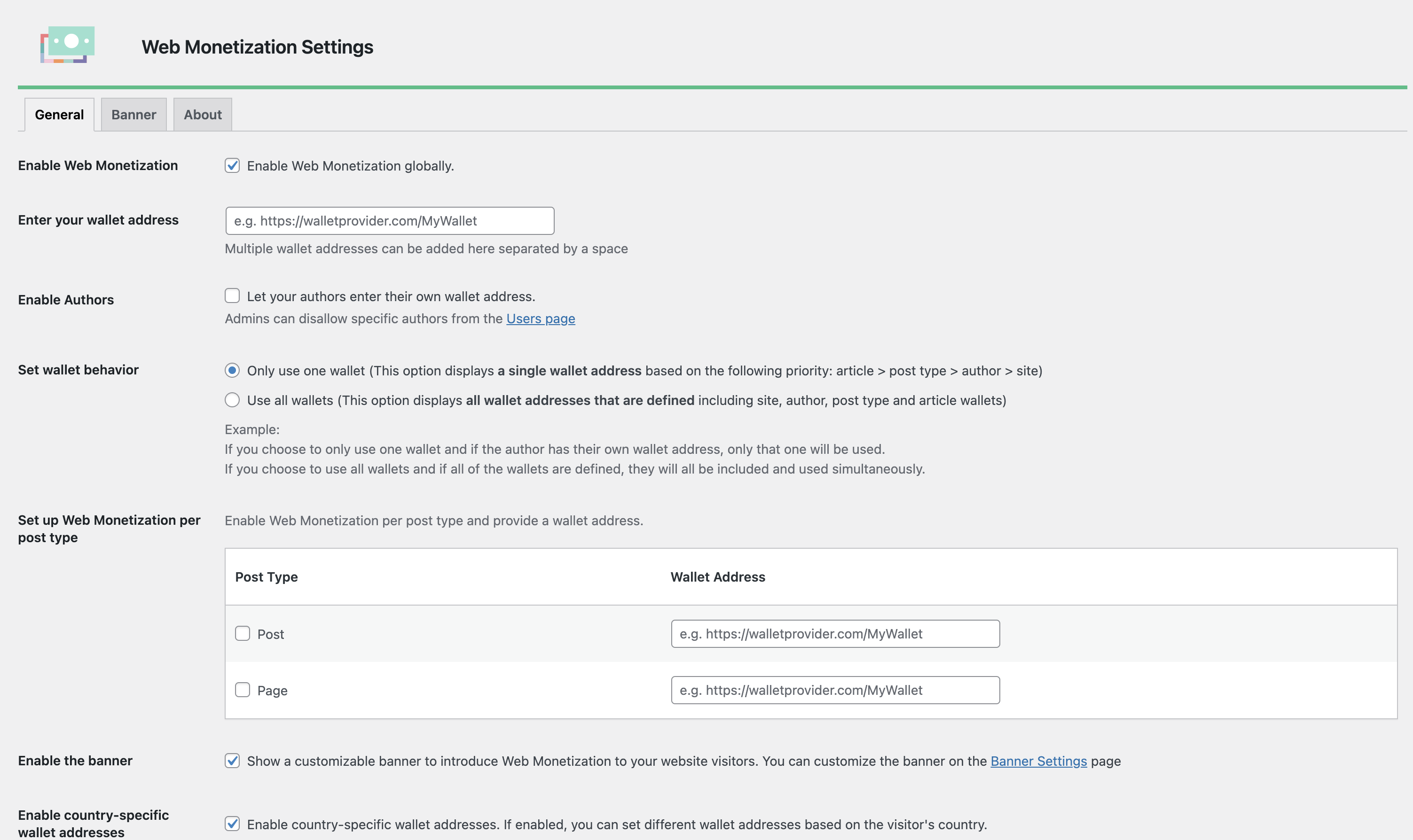
Settings screen: site-wide wallet and author/post-level options.
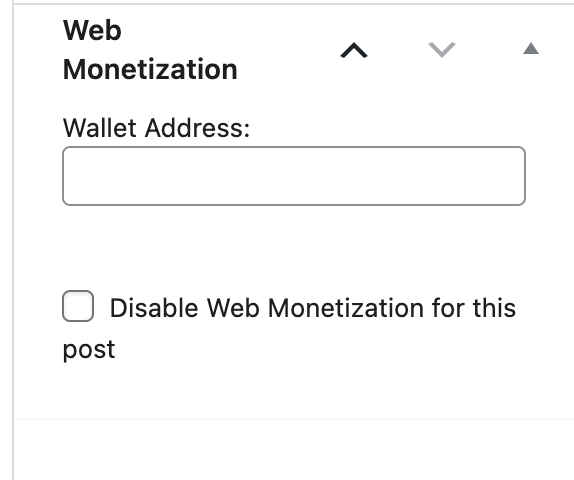
Per-post wallet override meta box.
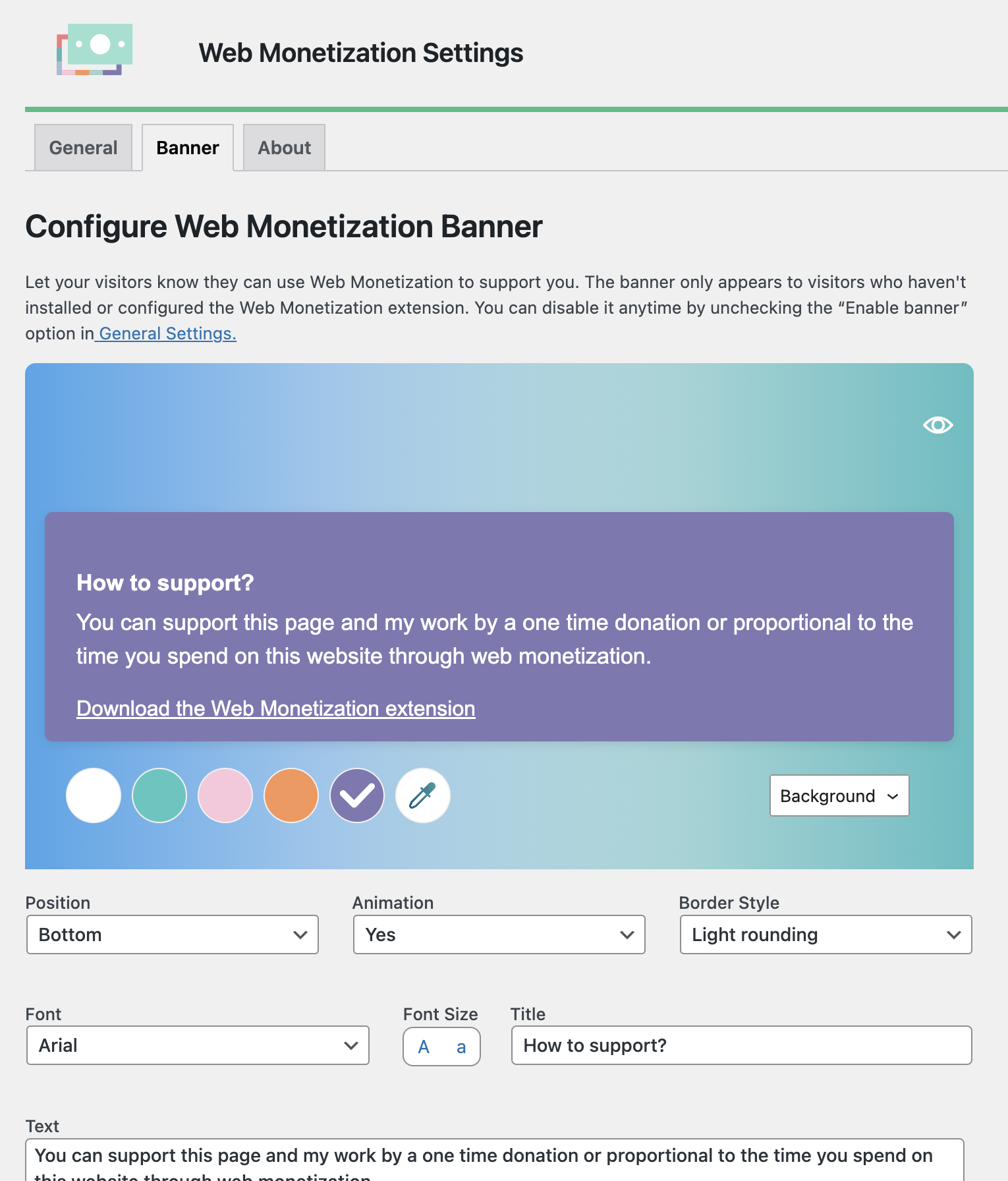
Banner configuration page.
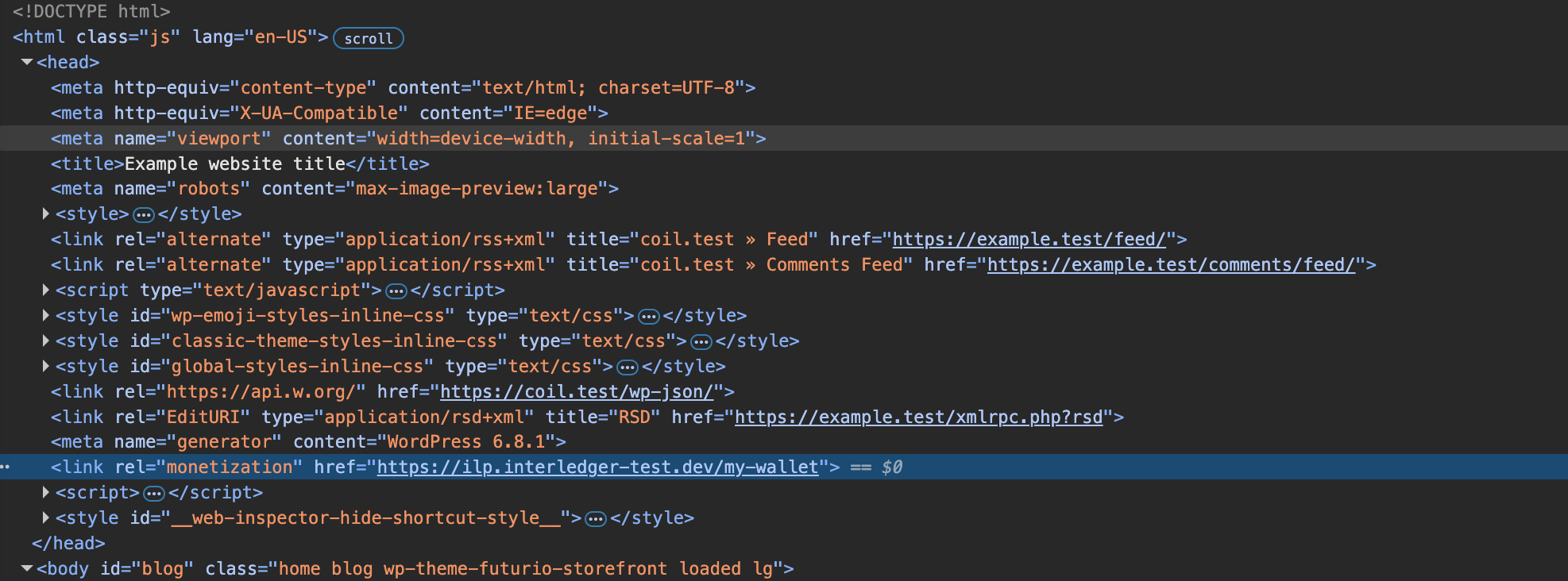
Example
<link rel="monetization">rendered in the page head.
Changelog
1.0.1
- Improved banner close button accessibility with semantic button element and SVG icon.
- Added Safari browser support for Web Monetization extension download links.
- Added UTM tracking parameters to extension download links for analytics.
1.0.0
- Initial release.
- Site-wide, author, and per-post wallet configuration.
- Multi-wallet mode (all vs. top-priority).
- Exclude users from monetization.
- Admin UI status indicator.
- Hooks & filters for developers.
- Translation-ready.