

Intuitive Custom Post Order
Intuitively reorder Posts, Pages, Custom Post Types, Taxonomies, and Sites with a simple drag-and-drop interface.
Plugin info
Maintenance & Compatibility
Maintenance score
Stale • Last updated 198 days ago • Support resolved 0% • 138 reviews
Is Intuitive Custom Post Order abandoned?
Likely maintained (last update 198 days ago).
Compatibility
Developers
Languages
Similar & Alternatives
Explore plugins with similar tags, and compare key metrics like downloads, ratings, updates, support, and WP/PHP compatibility.
Description
Intuitively reorder Posts, Pages, Custom Post Types, Taxonomies, and Sites with a simple drag-and-drop interface.
Intuitive Custom Post Order lets you reorder items with simple drag and drop in the WordPress admin.
You can sort Posts, Pages, Custom Post Types, Taxonomies, and (on Multisite) Sites.
Go to Settings Intuitive CPO and select which content types you want to make sortable.
Once enabled, just drag and drop items in the list tables—no extra setup is required.
If you create custom queries in your theme or plugins, set orderby=menu_order and order=ASC to respect the drag-and-drop order.
To keep the default WordPress order (by date), explicitly set orderby=date and order=DESC.
Source code and development are available on GitHub.
Installation
- Upload the ‘intuitive-custom-post-order’ folder to the
/wp-content/plugins/directory. - Activate the plugin through the ‘Plugins’ menu in WordPress.
- Go to Settings Intuitive CPO and choose which post types or taxonomies you want to make sortable.
- Simply drag and drop items in the list tables to reorder them.
Frequently Asked Questions
No. After activation, items are sortable in the admin UI, and front-end queries for enabled post types are ordered by menu_order ASC automatically—unless you explicitly pass your own orderby.
Specify orderby=menu_order and order=ASC in your query args.
WP_Query:
<?php
new WP_Query( array(
    'post_type' => 'your_cpt',
    'orderby'   => 'menu_order',
    'order'     => 'ASC',
) );
?>
get_posts():
<?php
get_posts( array(
    'post_type' => 'your_cpt',
    'orderby'   => 'menu_order',
    'order'     => 'ASC',
) );
?>
Explicitly set:
<?php
new WP_Query( array(
    'orderby' => 'date',
    'order'   => 'DESC',
) );
?>
For get_posts(), the plugin supports a small switch:
<?php
get_posts( array(
    'orderby' => 'default_date',
    'order'   => 'DESC',
) );
?>
query_posts() is discouraged by WordPress core because it alters the main query in a fragile way.
Use pre_get_posts (recommended) or WP_Query instead.
Example with pre_get_posts to force date order on the main blog page:
<?php
add_action( 'pre_get_posts', function( $q ) {
    if ( is_admin() || ! $q->is_main_query() ) {
        return;
    }
    if ( is_home() ) {
        $q->set( 'orderby', 'date' );
        $q->set( 'order', 'DESC' );
    }
} );
?>
Yes. For enabled taxonomies, terms can be reordered and are returned in that order on the front end.
When you build custom term queries, make sure you don’t override the order unless you intend to.
Yes. When enabled in Network settings, Sites are ordered by menu_order ASC. Drag & drop in Network Admin updates the order.
Go to the “Screen Options” tab at the top right of the list table and increase the “Number of items per page”.
This way, all items you want to reorder will appear on the same page and can be dragged to the desired position.
Review feed
Awesome plugin
Critical bug
Great for 100 Posts bad for 150000
Awesome Plugin
Security vulnerability reported 2 months ago unattended
Screenshots
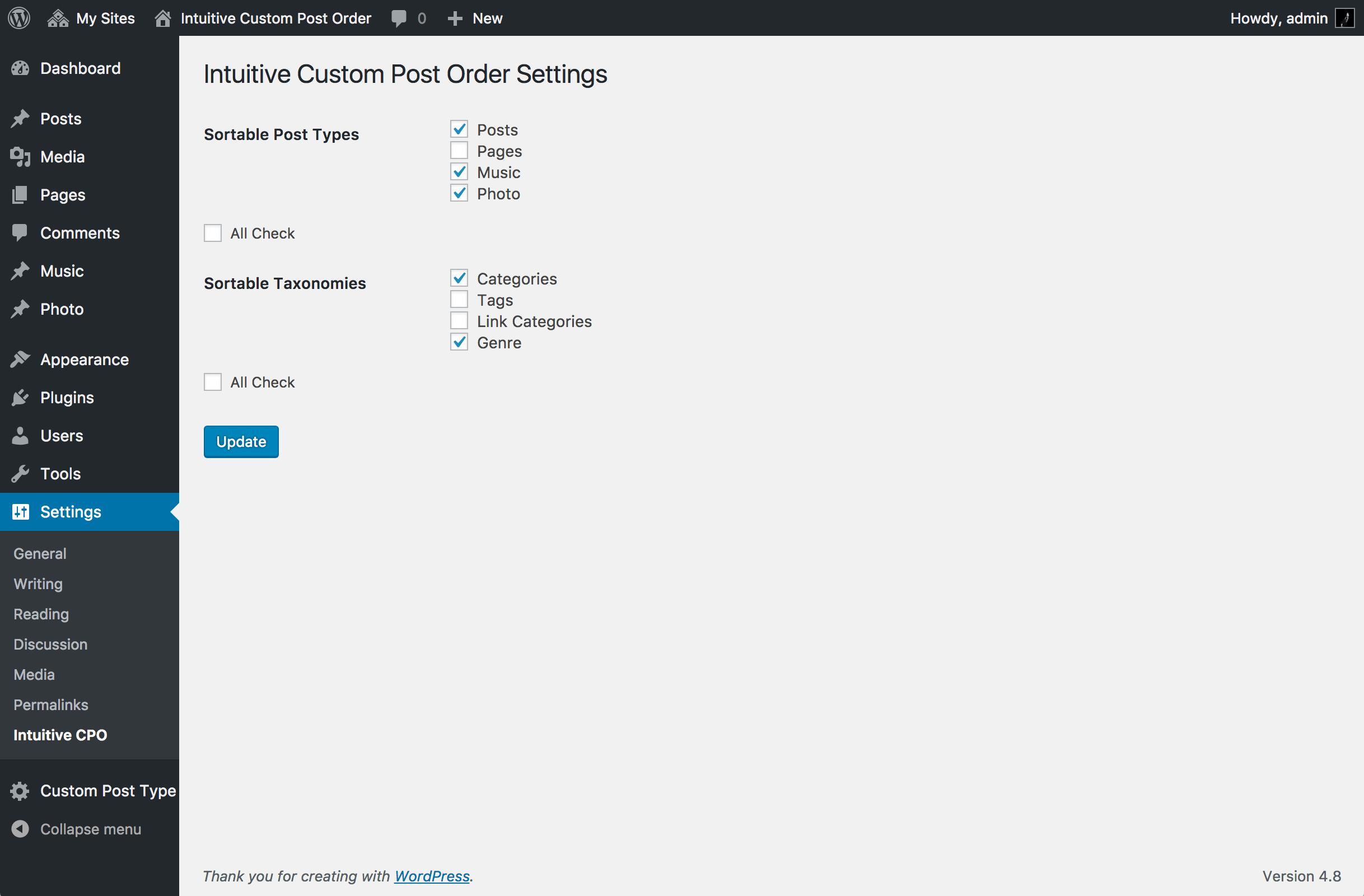
Settings screen (choose sortable post types and taxonomies).

Reordering posts with drag and drop.
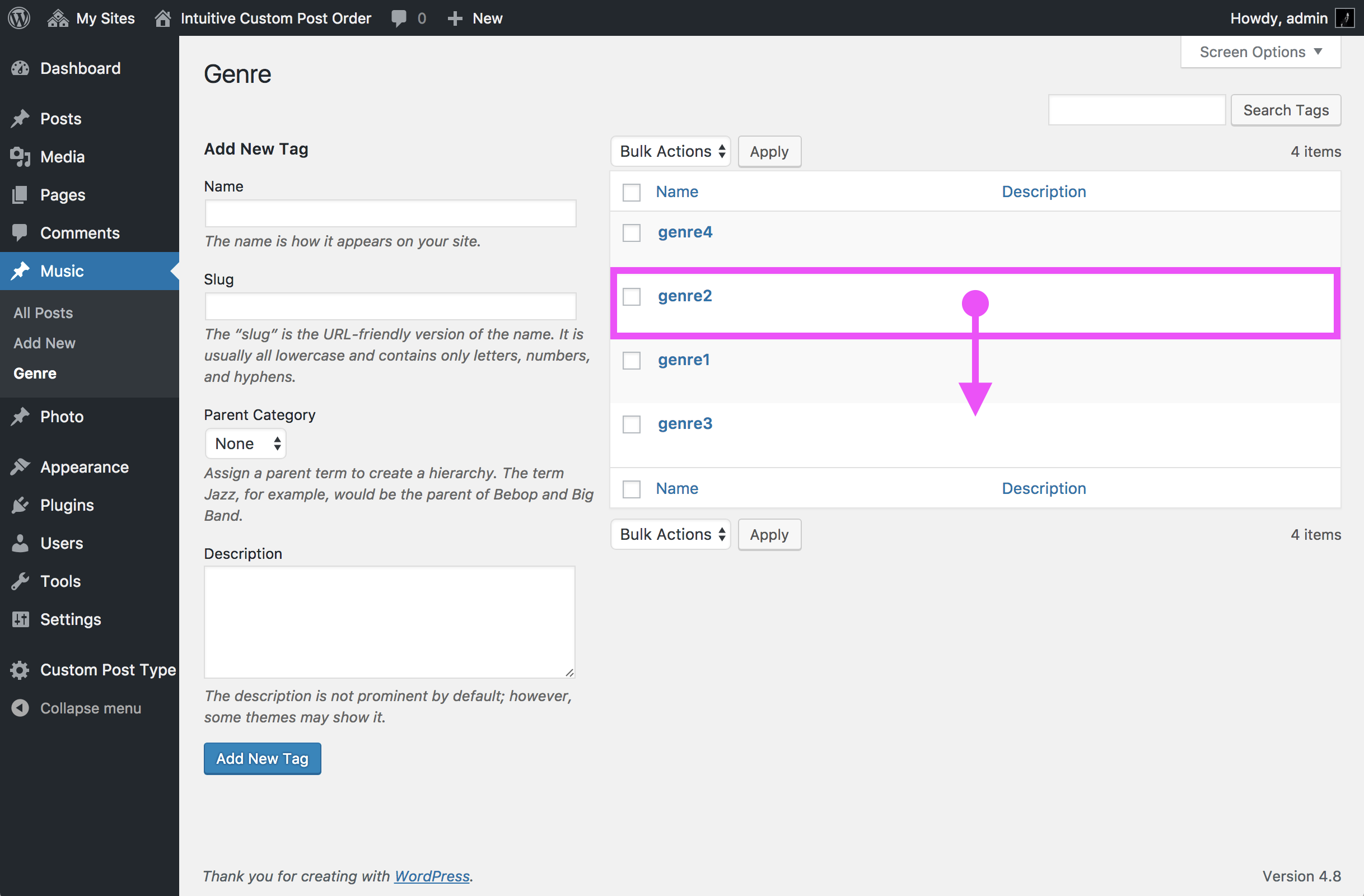
Reordering taxonomy terms.

Network settings (for Multisite).
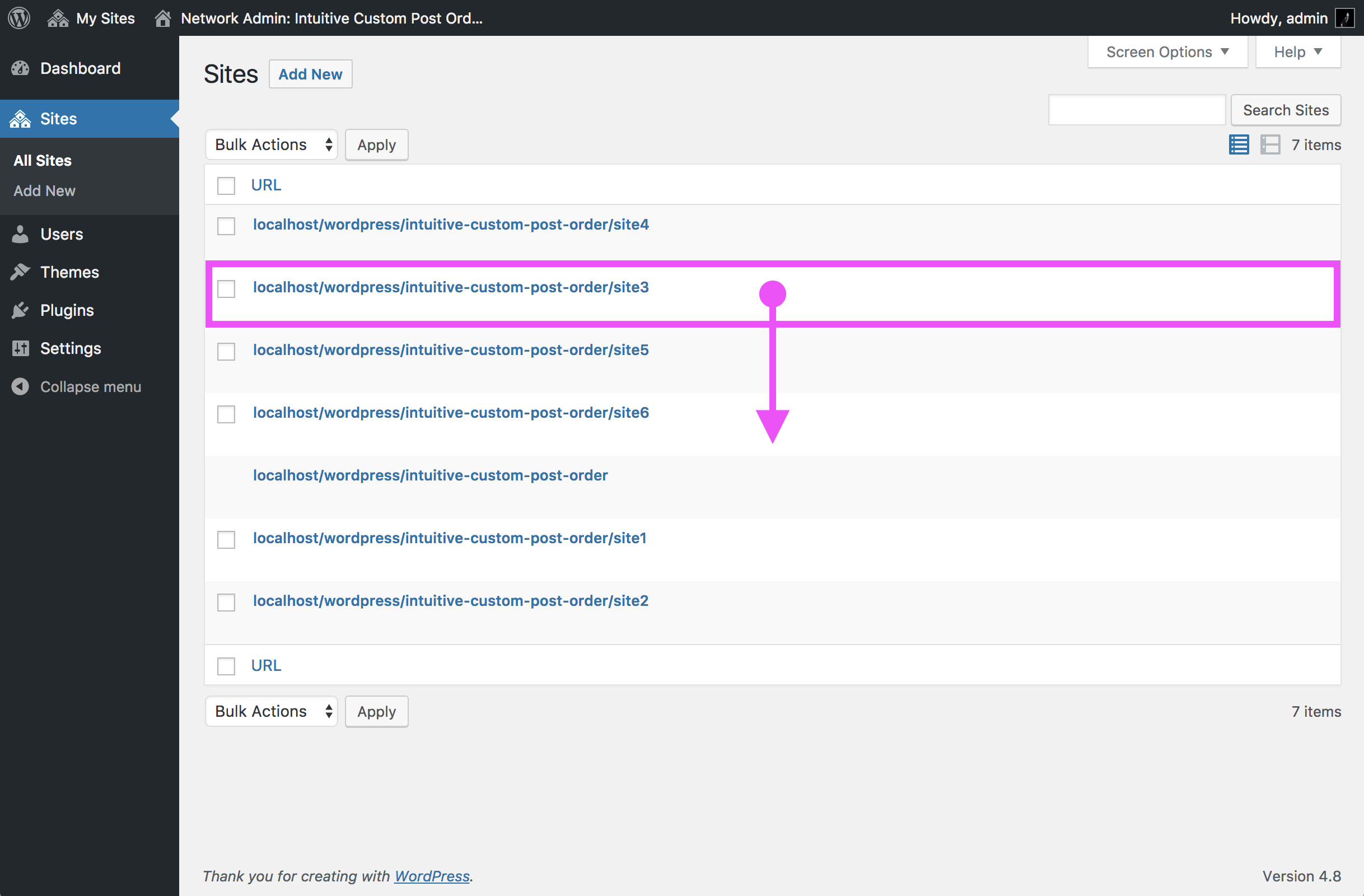
Reordering Sites in Network Admin (for Multisite).
Changelog
3.2.0
- Security hardening: unified CSRF/nonces, capability checks, and standardized JSON responses in all AJAX handlers.
- Network admin: switched to
manage_network_optionscapability and*_site_optionAPIs for multisite settings. - Improved redirect handling: use
admin_url()/network_admin_url()and ensureexit;after redirects. - Input sanitization: strengthened handling of
$_GET,$_POST, and$_SERVERvalues with strict comparisons. - Code refactoring: replaced custom version parsing with
get_file_data(), cleaned uppre_get_postsreturn values. - JavaScript: improved sortable behavior with clear success/failure feedback, disabled UI while saving, and accessibility notifications via
wp.a11y.speak. - UI/UX: added saving indicator (semi-transparent rows + central spinner) during drag & drop reorder operations.
- WordPress compatibility: tested up to WP 6.4+ and aligned with WordPress Coding Standards (WPCS).
3.1.5.1
- Fixed bug
3.1.4.1
- fixed hicpo_add_capabilities: add capabilities only when role exists.
3.1.4
- fixed current security issues. (Thank you @timohubois)
Arbitrary Menu Order Update via CSRF.
Subscriber+ Arbitrary Menu Order Update.
3.1.3
- Added the ability to repair duplicate orders.
3.1.2.1
- Update the WordPress version this plugin was tested.
3.1.2
- Solved the problem of layout collapse during drag and drop sorting.
3.1.1
- Remove deprecated function ‘secreen_icon()’.
3.1.0
- Support the Sites.
- Improved Activation.
3.0.8
- Even for ‘get_posts()’, Your custom Query which uses the ‘order’ or ‘orderby’ parameters is preferred.
ATTENTION: Only if you use ‘get_posts()’ to re-overwrite to the default order( orderby=date, order=DESC ), You need to use own custom parameter ‘orderby=default_date’.
3.0.7
- This plugin will imported listed above into the translate.wordpress.org translation system. Language packs will also be enabled for this plugin, for any locales that are fully translated (at 100%).
3.0.6
- Support ‘next_post_link()’ and ‘previous_post_link(), etc.
- Parameters( $in_same_term, $excluded_terms, $taxonomy ) works perfectly.
3.0.5
- Fixed bug
- Initialize of menu_order of pages.( orderby=menu_order, post_title, order=asc )
3.0.4
- Your custom Query which uses the ‘order’ or ‘orderby’ parameters is preferred.
In order to prefer the parameters of your query, You must use the ‘WP_Query()’ or ‘query_posts()’.
Excluded ‘get_posts()’. - Fixed bug
- Decision of Enabling Sortable JavaScript.
- Initialize of menu_order of pages.( orderby=post_title, order=asc )
3.0.3
- Performance improvement for Activation.
- Add Initialize of Custom Taxonomy Order.
- Fixed bug of refresh method.
- Overwirting orderby, order improved.(Thanks @newash and @anriettec)
3.0.1 & 3.0.2
- Fixed bug
3.0.0
- Support the Custom Taxonomy Order!!
( wp_list_categories, get_categories, the_terms, the_tags, get_terms, get_the_terms, get_the_term_list, the_category, wp_dropdown_categories, the_taxonomies ) - Support the sorting in admin UI.
While having sorted, Drag and Drop Sortable Javascript don’t run. - Support non public objects( show_ui=true, show_in_menu=true )
- Add Japanese Translations.
2.1.0
- Fixed bug: Custom Query which uses ‘order’ or ‘orderby’ parameters is preferred.
- It does not depend on the designation manner of arguments( Parameters ).
( $args = ‘orderby=&order=’ or $args = array( ‘orderby’ => ”, ‘order’ => ” ) ) - The trouble which exists in 2.0.7, 2.0.8, 2.0.9 was improved!
- From 2.0.6 please update in 2.1.0.
2.0.9
- Performance improvement for Admin.
Fatal performance problem was improved dramatically. - Fixed bug: Attachment objects are not broken.
- Fixed bug: Alert warning on the multisite was solved.
- Fixed bug: First when enabling items, ‘menu order’ of items are not broken.
- Custom Query which uses ‘order’ or ‘orderby’ parameters is preferred.
2.0.8
- Performance improvement for Admin.
Refresh method( re-constructing all menu order) run on only active object’s List page.
2.0.7
- Fixed bug: for WordPress 3.8
- Add Swedish Translations.(by Thomas)
2.0.6
- ver.2.0.5 fixed.
2.0.5
- Support ‘next_post_link()’ and ‘previous_post_link()'(single to single).
2.0.4
- Fixed bug
2.0.3
- Intuitive CPO Settings Page was moved to Settings menu.
2.0.2
- Fixed bug
2.0.0
- Select Sortable Objects. (Posts, Pages, and Custom Post Types)
- Support Pages and hierarchical Custom Post Types.
- Sortable Item’s status is not only ‘publish’ but also other all status(‘pending’, ‘draft’, ‘private’, ‘future’).
- In Paging, it’s all activated normaly. So, ‘screen-per-page’ is User like.
- In Lists which sorted any category(Category, Tag, Taxonomy), it’s all activated normaly.
- Support Child posts and Child pages. When you sort any item, Relation of parent item between it’s child items is maintained.
1.2.1
- Bug fixed
1.2.0
- Sortable UI that Visually cleared. (Change cursor, and so on.)
- Sortable items can be dragged only vertically.
- Quick Edit Menu was enabled.
- It is not collapse of the cell widths any more whenever dragging any items.
1.1.1
- Fixed bug
1.1.0
- screen-per-page is configurated to ‘999’ automatically to prevent the trouble due to not setting it.
- Excluding custom query which uses ‘order’ or ‘orderby’ parameters, in ‘get_posts’ or ‘query_posts’ and so on.
1.0.0
Initial Release