

Invoize PDF Invoices & Quotes with Payment Integration
Use Invoize with or without WooCommerce. Create PDF invoices, quotes, and payment links. Numbering, templates, VAT/PPN, exports.
Plugin info
Maintenance & Compatibility
Maintenance score
Maintained • Last updated 124 days ago • 2 reviews
Is Invoize PDF Invoices & Quotes with Payment Integration abandoned?
Likely maintained (last update 124 days ago).
Compatibility
Similar & Alternatives
Explore plugins with similar tags, and compare key metrics like downloads, ratings, updates, support, and WP/PHP compatibility.
Description
Use Invoize with or without WooCommerce. Create PDF invoices, quotes, and payment links. Numbering, templates, VAT/PPN, exports.
Introduction
Invoize helps you create professional invoices that match your brand and workflow created by wpsora.com. Generate PDF invoices with clean templates, track statuses, let customers preview securely, and keep numbering consistent. Receipts are created when invoices are paid, and everything works with multiple currencies so your records stay accurate.
What you can do with Invoize Free
Invoize Free lets you create and email professional PDF invoices and receipts with sequential numbering, VAT or PPN, custom items, and clean templates you can brand with your logo and colors. Customers can preview securely, pay on a single payment page, and download documents from My Account. You can add QR codes, manage clients and saved products or services, schedule polite payment reminders, and view key totals from a dashboard widget with simple revenue summaries. It works with WooCommerce
Create reliable invoices and receipts
Create, edit, duplicate, and regenerate invoices. Use sequential numbers with prefixes and date tags, generate professional PDFs, and share secure public previews.
Accept payments on a unified payment page
Offer bank transfer and PayPal out of the box. Use one payment page for all methods. After payment, invoice status updates automatically.
Send smart emails and reminders
Use ready templates for unpaid, paid, expired, and cancelled invoices. Attach PDFs, add your logo, and CC or BCC teammates. Schedule reminders before or after the due date.
Manage clients and your business profile
Store client details, control preview access, sync WooCommerce customers, and support guest clients. Keep multiple business profiles with logos and defaults for a professional look on every document.
Built for WooCommerce
Auto-create invoices from orders, map order statuses to invoice statuses, and sync products, taxes, discounts, and shipping. Reduce stock when an invoice is paid.
See what matters at a glance
Use the dashboard widget to view unpaid and soon-to-expire invoices and mark paid quickly. Track monthly and yearly revenue with analytics .
Customize everything important
Control Bill To, product lines, discounts, multiple taxes, notes, and key dates. Set defaults for due intervals, numbering prefixes, payment methods, email templates, and currency.
Automate routine work
Cron jobs handle reminders, log cleanup, and other recurring tasks. Statuses update from due dates and from payment gateways so your records stay correct.
Invoize Pro Feature
Automate your invoicing from quote to paid. Invoize Pro adds recurring schedules, one-click quotation to invoice, advanced reminders, rich templates, analytics, and payment integration on a single page. Get faster approvals, fewer manual steps, and clear cash flow.
- Recurring invoices with flexible schedules and cron based auto creation
- Quotations you can preview publicly and convert to invoices in one click, with their own emails and reminders, quotation can convert to invoice with oneclicks.
- Xendit Payment gateway Integration Accept payments faster with Xendit inside Invoize. Customers pay on a single payment page, invoice status updates automatically, and receipts are sent with the correct numbering. Support popular methods like QRIS, virtual accounts, and cards
- Payment auto confirmation and additional Paypal, payment integration to accept cards and regional methods, with multi currency support.
How it works
- Install and activate Invoize
- Configure business profile, numbering, and email templates
- Add clients and items or sync from WooCommerce
- Create an invoice and send it with a PDF attachment
- Enable the payment page and preferred methods
- Turn on reminders and let cron handle follow ups
Invoize is an intuitive and user-friendly WordPress plugin designed for effortless invoice creation. With a focus on ease of use, allowing you to create and manage invoices efficiently directly from your WordPress. Ideal for freelancers, small businesses, and online shops, Invoize helps you streamline your billing process with customizable templates and easy integration.
Open Source: Invoize is open source software. You can find the complete source code on our GitHub repository, ensuring transparency and allowing you to review, contribute, or customize the plugin according to your needs.
Features
- Recurring Invoices: Create recurring invoices for your clients and automate your billing process.
- Reminder Emails: Send automatic reminders to your clients for overdue invoices.
- Multi-Currency Support: Create invoices in multiple currencies and accept payments in your preferred currency.
- Discount and Tax: Add discounts and taxes to your invoices to reflect the accurate amount.
Integrations
- WooCommerce Integration: Seamlessly create invoices for your WooCommerce orders automatically.
- PayPal Integration: Enable clients to pay invoices directly through Paypal. For details, see Privacy Policy and User Agreement.
- Xendit Integration: Accept payments conveniently via Xendit, a payment gateway popular in Indonesia that supports various payment methods. Learn more by reviewing their Terms of Service and Privacy Policy.
Installation
Frequently Asked Questions
Review feed
Screenshots
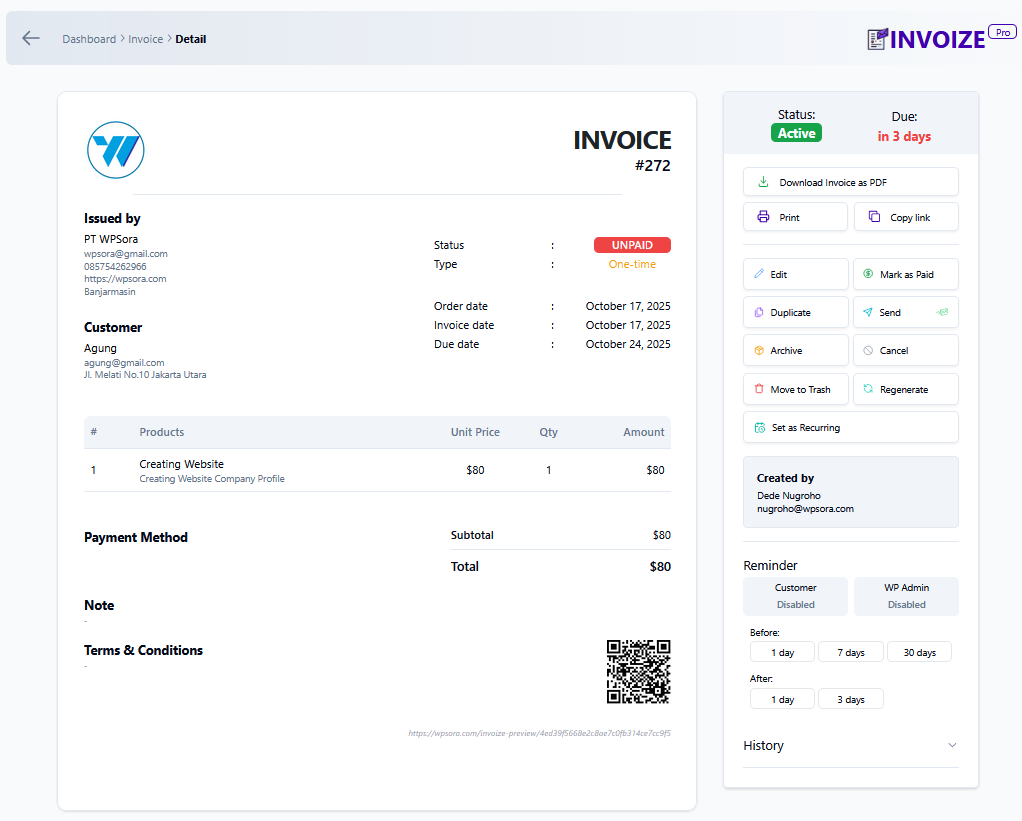
Invoize Preview
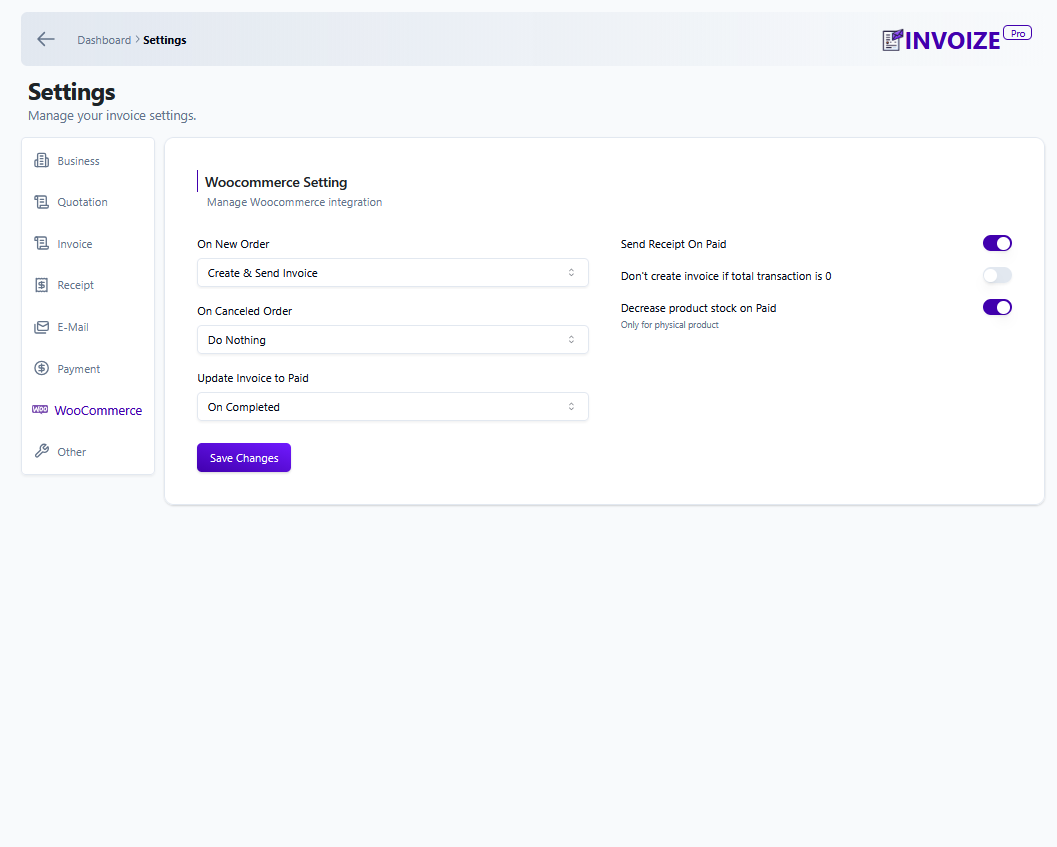
Invoize Woocommerce Integration
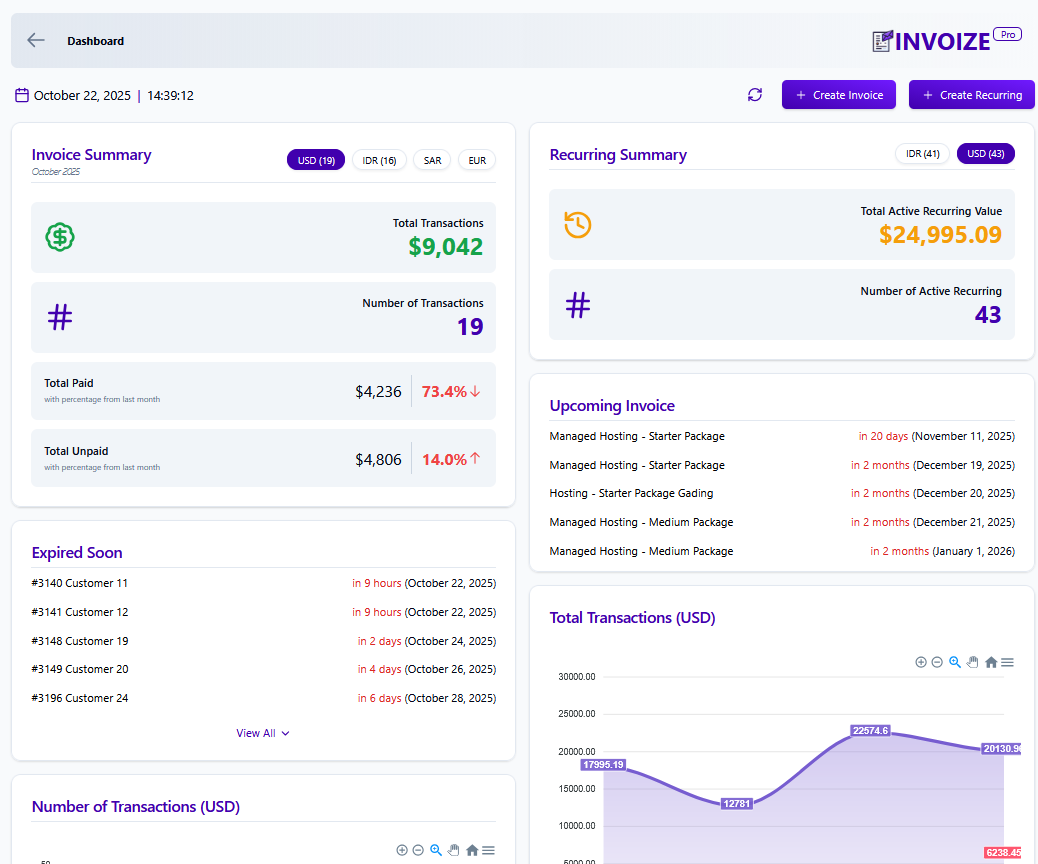
Dashboard Invoize
Changelog
1.13.1 | 4 October 2025
- Fixed business icon on email
- Added documentation link for Paypal payment in the settings
1.13.0 | 25 September 2025
- Added invoice paid method data after invoice is paid
- Added ability to reduce Woocommerce product stock if product is non digital and can be turn off in settings
- Fixed downloaded invoice not able to display some latin characters
- Fixed recurring invoice not created correctly that may create duplicate
- Fixed table column in invoice list
- Fixed pagination when searching invoice
- Added invoice tab location information when searching invoice
- Payment page is now the default for all invoice payment and will show all available payment
- Invoice from woocommerce now will use invoize payment setting and no longer use woocommerce payment setting
- Added invoice paid method on paid invoice