

IP Logger for WP Job Manager
Logs the IP address of job posters in WP Job Manager and displays it in the admin area.
Plugin info
Maintenance & Compatibility
Maintenance score
Stale • Last updated 296 days ago
Is IP Logger for WP Job Manager abandoned?
Likely maintained (last update 296 days ago).
Compatibility
Similar & Alternatives
Explore plugins with similar tags, and compare key metrics like downloads, ratings, updates, support, and WP/PHP compatibility.
Description
IP Logger for WP Job Manager captures and records the IP address of users who submit job listings through the WP Job Manager plugin. The IP address is stored as post meta and displayed in a custom meta box on the job listing edit screen in the WordPress admin.
Key Features:
– Automatically logs the IP address of job submitters.
– Displays the recorded IP in the WordPress admin interface.
– Lightweight, secure, and developer-friendly.
– Fully translatable with a .pot file included.
Installation
- Upload the
/ip-logger-for-wp-job-manager/folder to the/wp-content/plugins/directory. - Activate the plugin through the ‘Plugins’ screen in WordPress.
- Make sure WP Job Manager is installed and activated.
- Submit a test job to confirm IP logging works. You’ll see the IP in the job listing edit screen.
Frequently Asked Questions
Edit a job listing in the WordPress admin. You’ll find the “Job Submission IP Address” meta box in the right sidebar.
Yes. The plugin uses the ip-logger-for-wp-job-manager text domain. A .pot file is included in the plugin ZIP for creating translations.
Review feed
Screenshots
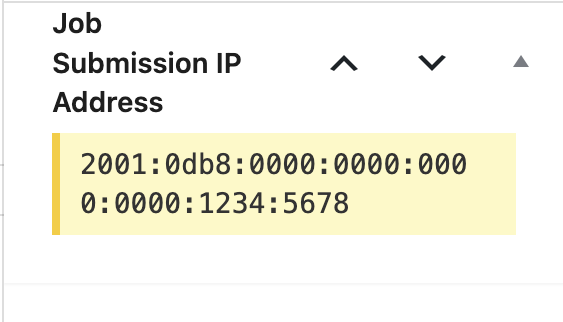
Meta Box – Displays the captured IP address on the job listing edit screen.
Changelog
1.0
- Initial release. Logs and displays the IP address of job submissions.