

Islamic Content Archive
Islamic Content Archive is a plugin that allows you to get the content (articles, videos, audios) of 27 Islamic websites in different languages.
Plugin info
Maintenance & Compatibility
Maintenance score
Possibly abandoned • Last updated 690 days ago • 1 reviews
Is Islamic Content Archive abandoned?
Possibly abandoned (last update 690 days ago).
Compatibility
Similar & Alternatives
Explore plugins with similar tags, and compare key metrics like downloads, ratings, updates, support, and WP/PHP compatibility.
Description
Islamic Content Archive is a plugin that allows you to get the content (articles, videos, audios) of 27 Islamic websites in different languages using Json API. The data is stored directly in the database of your site according to the category and the language.
All what you have to do is to install the Plugin, select the language, choose the site, then the content will be stored automatically in your database under the category you choose or according to the original category. Afterwards, the plugin will work automatically using Cron Job to get the recent updates daily or according to the time you set.
Features:
- Get the content (articles, videos, audios) of 27 Islamic websites in different languages
- More than 25 Islamic websites
- Using Json API
- Using Cron Job.
PS: All the websites owned by EDC (E-Da`wah Committee), For Support click to Islam.com.kw.
2.3.3
- Fixed errors.
2.3.2
- Update: import all Attachments.
2.3
- Update: Functions.
- fixed get data error and using function wp_remote_get
- Update: cronjob functions
2.3
- Update: cron jobFunctions.
- Update: urls
- Update: Functions.
2.2
- Update: Functions.
2.1
- Update: Functions.
2.0
- Fixed: Define problems.
- Fixed: Get data.
1.0
- Added: it is new plugin.
Installation
- Upload the Plugin to your blog, Activate it.
- Select the language.
- Choose the site.
- Then the content will be stored automatically in your database under the category you choose or according to the original category.
- The plugin will work automatically using Cron Job to get the recent updates daily or according to the time you set.
Frequently Asked Questions
Review feed
Screenshots
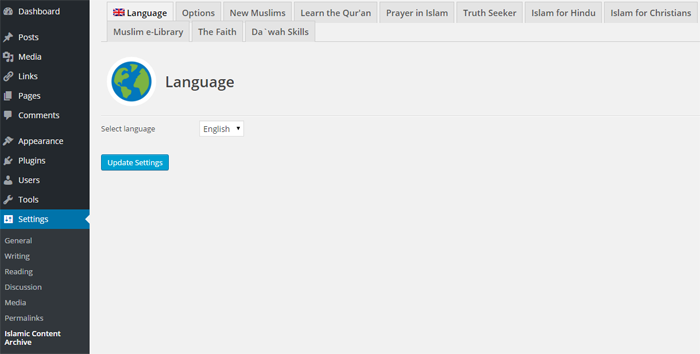
Update: Functions.

Setting