

Media Cleaner and Database Optimizer for WordPress
The most powerful tool for clearing unused media from your website and optimizing your database to boost site performance
Plugin info
Maintenance & Compatibility
Maintenance score
Stale • Last updated 313 days ago
Is Media Cleaner and Database Optimizer for WordPress abandoned?
Likely maintained (last update 313 days ago).
Compatibility
Languages
Similar & Alternatives
Explore plugins with similar tags, and compare key metrics like downloads, ratings, updates, support, and WP/PHP compatibility.
Description
The most powerful tool for clearing unused media from your website and optimizing your database to boost site performance
This plugin efficiently optimizes your media files and database, enhancing site performance to deliver a faster, smoother user experience.
Experience streamlined cleaning and optimization within a single powerful tool, elevating your website’s speed and responsiveness to new heights.
Features
-
Media Cleaner
- View all media files utilized on your site.
- Easily clear unused media not associated with any posts or pages.
- Streamline media management by deleting unused files.
- Detect media usage across your website effortlessly.
- Save time by skipping the cleanup process for media files that are in use.
-
Database Cleaner
- Inactive & unused Plugins cleaner
- Inactive & unused Themes cleaner
- Revision clean up
- Draft clean up
- Auto draft clean up
- Post meta clean up
- Comment meta clean up
- All comments clean up
- User meta clean up
- Term meta clean up
- Trashed post & product clean ip
- Trashed post / product clean up
- Transients clean up
- Pingback & trackback clean up
Installation
This section describes how to install the plugin and get it working.
- Upload
itpathsolutions-media-cleaner-and-database-optimizerto the/wp-content/plugins/directory. - Activate the plugin through the
Pluginsmenu in WordPress. - You will find WP Optimizer in your WordPress admin screen.
Frequently Asked Questions
Review feed
Screenshots
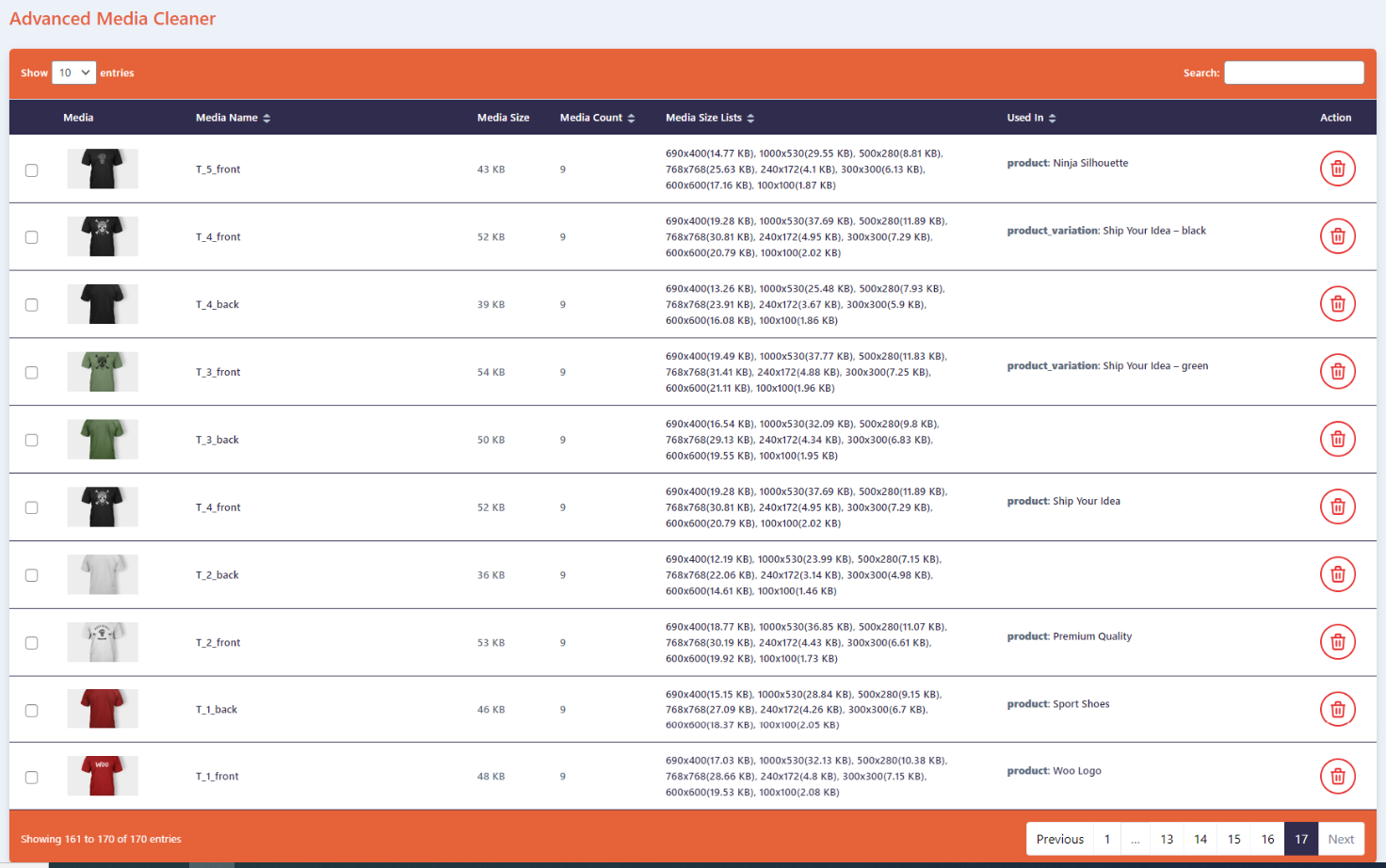
Media Cleaner

Database Cleaner

Media and Database Cleaner
Changelog
1.0.4
Release Date 26 May 2025
- Compatibility – Fully compatible with WordPress version 6.8.
- Enhancement – Improved internationalization (i18n) support.
- New – Added a new .pot file for translations.
1.0.3
- Fix – UI Updates
- Fix – Multiple images delete option added
1.0.2
- Fix – Delete All button issue
- Improvement – UI Updates
1.0.1
- New – Media table column sortable
- New – Multiple media delete
- Fix – Layout improve and fix changes
1.0.0
- Initial Release