

JC Ajax Search for WooCommerce
JC Ajax Search for WooCommerce allows you to create search forms with different settings to search for products without refreshing the page
Plugin info
Maintenance & Compatibility
Maintenance score
Possibly abandoned • Last updated 841 days ago
Is JC Ajax Search for WooCommerce abandoned?
Possibly abandoned (last update 841 days ago).
Compatibility
Similar & Alternatives
Explore plugins with similar tags, and compare key metrics like downloads, ratings, updates, support, and WP/PHP compatibility.
Description
JC Ajax Search for WooCommerce allows you to create search forms with different settings to search for products without refreshing the page
Installation
Minimum Requirements
- PHP 7.2 or greater is recommended
- MySQL 5.6 or greater is recommended
- Upload
jc-ajax-search-for-woocommercefolder to the/wp-content/plugins/directory - Activate the plugin through the ‘Plugins’ menu in WordPress
- Create the form with the desired settings
-
Copy the generated shortcode and add it where you want the search form to display
To add the shortcode in any template use
Frequently Asked Questions
First you need to create the form in the plugin admin area, the process is easy and intuitive.
Review feed
Screenshots
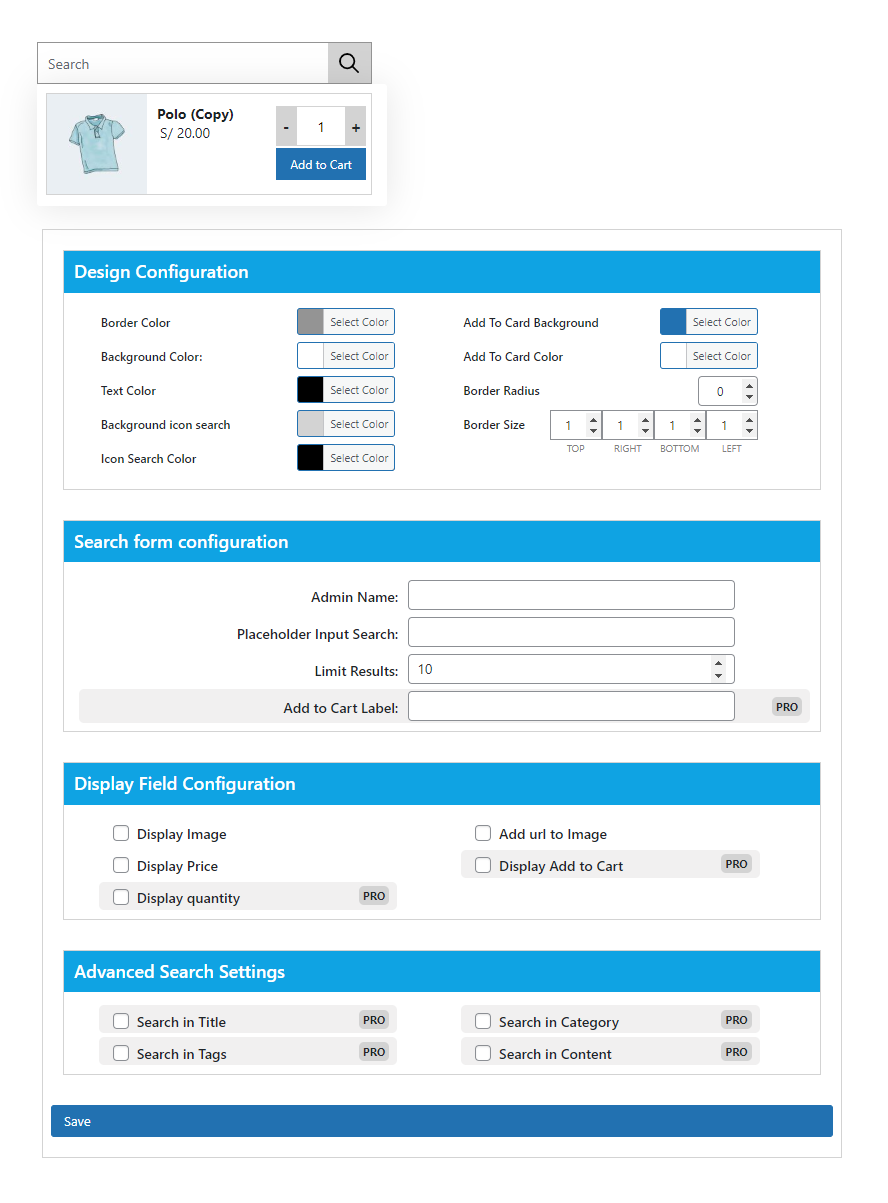
Form to configure options
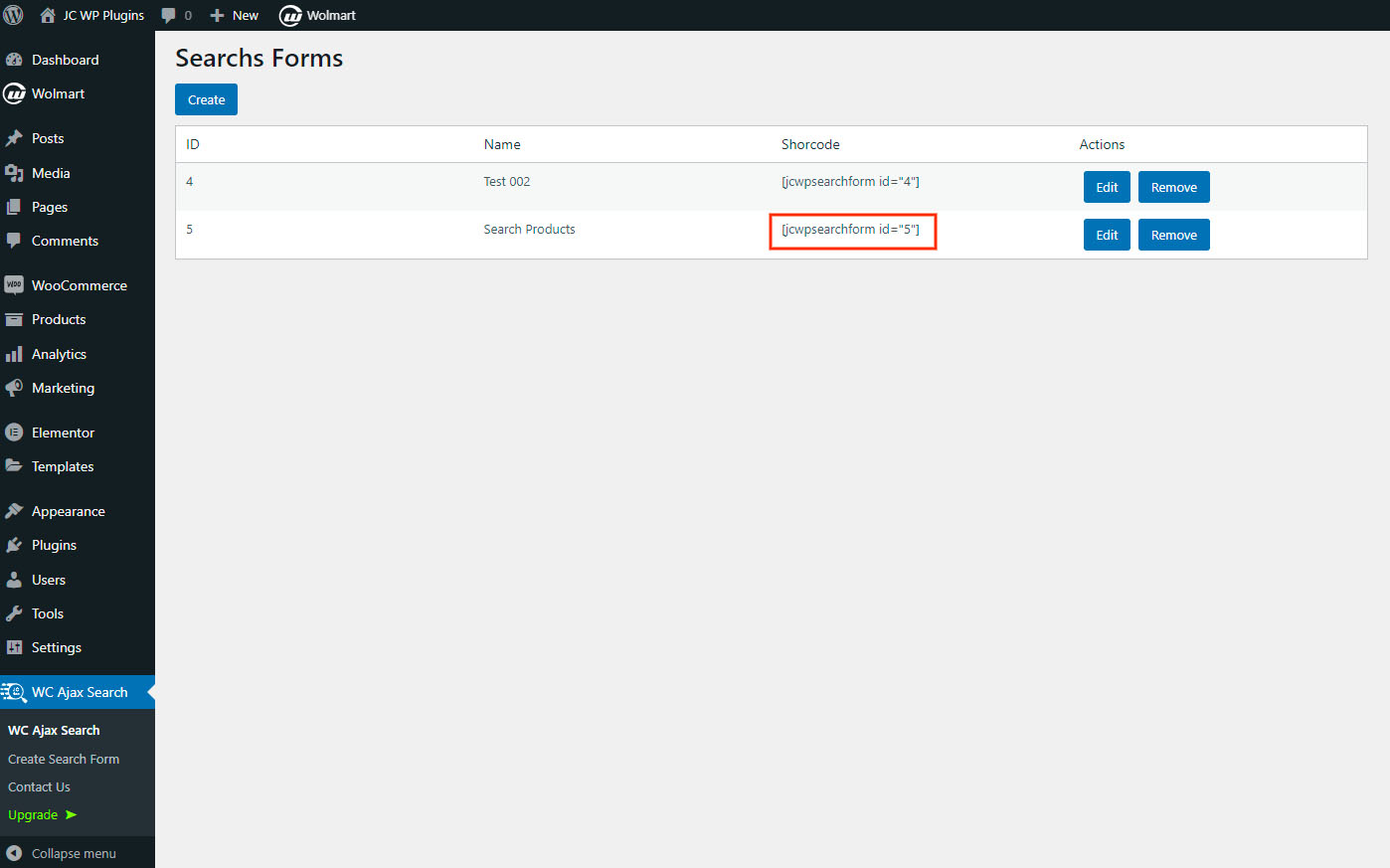
Shortcode List
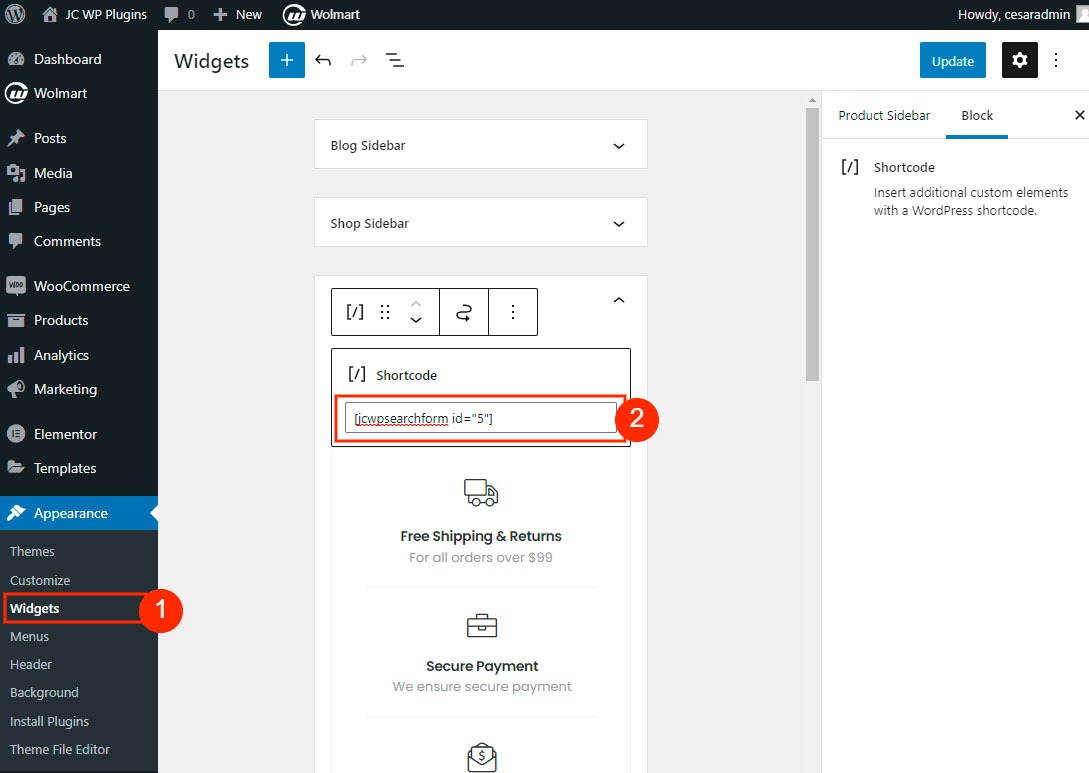
Search Form Example

Result Example
Changelog
1.0.3
- Remove freemius SDK
1.0.2
- Add configuration options for layout colors
1.0.1
- Styles are added in configuration form
1.0.0
- Initial Plugin release