

JennyStudio Identicons
Replace the default Gravatar avatars on WordPress, BuddyPress, and bbPress with Material Design-style Identicons avatars.
Plugin info
Maintenance & Compatibility
Maintenance score
Stale • Last updated 272 days ago • 1 reviews
Is JennyStudio Identicons abandoned?
Likely maintained (last update 272 days ago).
Compatibility
Similar & Alternatives
Explore plugins with similar tags, and compare key metrics like downloads, ratings, updates, support, and WP/PHP compatibility.
Description
JennyStudio Identicons Is a lightweight plug-in that generates Material Design-style avatars based on user names. It automatically replaces WordPress’s default “mystery man” avatars, BuddyPress user avatars, and bbPress forum avatars without relying on Gravatar.
Main functions:
– Material Design Styles – Generates beautiful, consistent vector avatars.
– Color configurable – Avatar colors are configurable.
– Seamless integration – Compatible with WordPress Core, BuddyPress and bbPress.
– Disable Gravatar – Avoid privacy issues and improve loading speed, especially for users in the mainland of China to avoid page jams caused by Gravatar loading.
– Base64 inline image – Without additional HTTP requests, avatars are directly embedded in HTML.
Installation
- Upload the plug-in ZIP file to the
/wp-content/plugins/directory, or install it directly in the WordPress backend. - Activate **JennyStudio Identifications ** on the Plugins page.
- Configurations are not required, it takes effect automatically!
Frequently Asked Questions
No. If the user has uploaded an avatar (via BuddyPress or WordPress default), the plug-in will give priority to the uploaded avatar.
By default, the avatar style is automatically generated by the plugin and requires no setup. You can configure the avatar’s background color and text color in the Settings Discussion page in the admin panel.
Yes, the plug-in is compatible with the WordPress Multisite environment.
Review feed
Please leave your review for this plugin
Screenshots
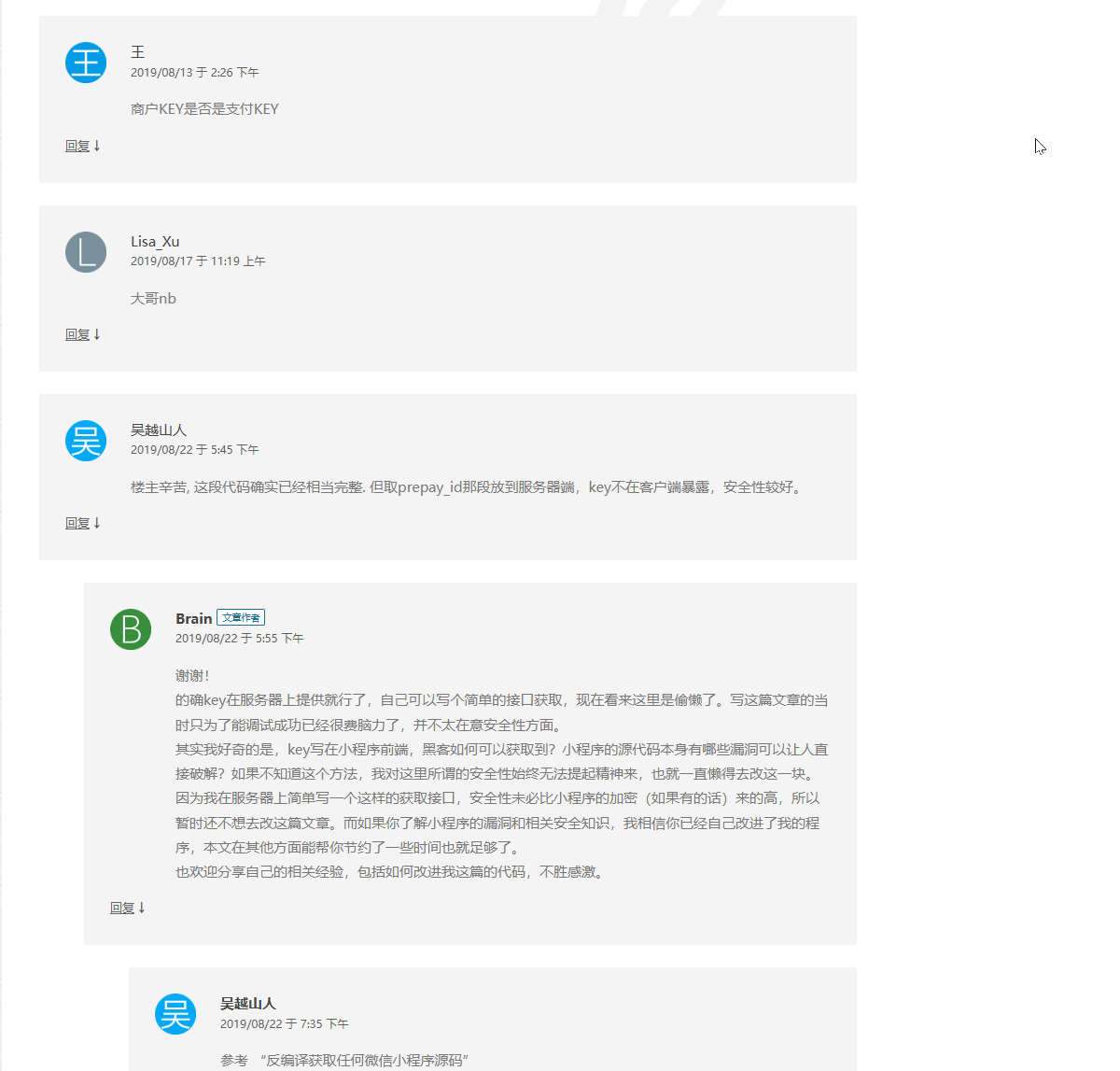
Material Design style avatars are shown in the general comment area.

Material Design style avatars are shown in user list.

Material Design style avatars are shown in BuddyPress profile page.

Color Options from backend.
Changelog
1.3
- Added 2 setting fields on discussion page. Now avatar background color and font color are configurable.
1.2
- Fixed Optimize and correct the occupancy ratio of Chinese avatar text and the background text color under light colors..
1.1
- Fixed BuddyPress avatar caching issue.
- Optimize Base64 generation performance.
- When modifying MDAvatars, the background color of the Avatar generated by the original library is random. After this plug-in is modified, the background color is fixed according to the user name string to avoid the problem of different colors each time it is refreshed.
1.0
- Initial release.