

JHMG Converter For Elementor to Divi
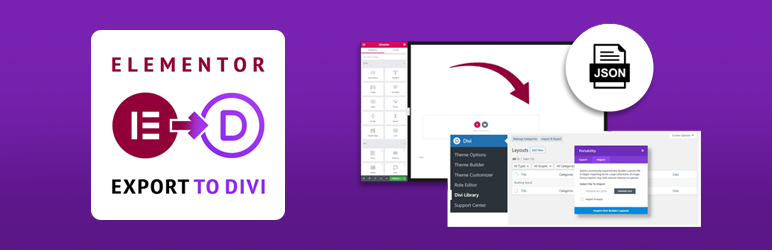
Convert and export your Elementor-built pages to Divi with precision and ease. Save hours of rebuilding work with this migration tool.
Plugin info
Maintenance & Compatibility
Maintenance score
Stale • Last updated 360 days ago
Is JHMG Converter For Elementor to Divi abandoned?
Likely maintained (last update 360 days ago).
Compatibility
Similar & Alternatives
Explore plugins with similar tags, and compare key metrics like downloads, ratings, updates, support, and WP/PHP compatibility.
Description
Convert and export your Elementor-built pages to Divi with precision and ease. This powerful migration tool preserves layouts, styling, and content while transforming Elementor elements into their Divi equivalents, saving you hours of manual rebuilding work.
The JHMG Converter For Elementor to Divi bridges the gap between two popular page builders, making it simple to switch your website from Elementor to Divi without starting from scratch.
Why Choose This Converter Tool
- Preserve Your Design Work: Maintain your layout structure, content placement, and design elements
- Save Countless Hours: Avoid manually rebuilding each page from scratch
- Smooth Migration Path: Create a stress-free transition from Elementor to Divi
- Maintain SEO Value: Keep your content intact without rebuilding, preserving SEO signals
- Precision Mapping: Accurate conversion of Elementor widgets to their Divi equivalents
- User-Friendly Process: Simple export and import with clear instructions
- Layout Integrity: Sections, columns, and nested structures remain intact
- Complete Content Transfer: Text, images, videos, and other media elements preserved
Complete Migration Solution
This plugin solves the frustrating incompatibility between Elementor and Divi page builders by:
- Analyzing your existing Elementor page structure
- Converting each Elementor section, column, and widget
- Mapping to the appropriate Divi modules and settings
- Generating a Divi-compatible JSON file
- Providing a one-click export/import workflow
Supported Elementor Components
The plugin supports conversion of these essential Elementor elements:
- Layout Structures: Sections, columns, inner sections, and containers
- Basic Elements: Heading, text editor, image, video, button, spacer, divider
- Media Elements: Image galleries, carousels, audio players
- Advanced Components: Tabs, accordions, testimonials, pricing tables
- Interactive Elements: Maps, icons, counters, progress bars, forms
- Dynamic Content: Posts, social media feeds, sidebars
ElementsKit Support
For users of the popular ElementsKit plugin, we provide specialized conversion for their widgets including:
- Accordions, tabs, testimonials, and team members
- Pricing tables, FAQs, and galleries
- Countdown timers, maps, and social media elements
- And many more ElementsKit-specific components
Migration Process
- Prepare: Ensure both Elementor and Divi are installed and activated
- Select: Choose the Elementor page you want to convert from the dropdown
- Export: Click the ‘Export to Divi JSON’ button to generate and download the conversion file
- Import: In Divi Builder, use the Import function to upload your JSON file
- Review: Check your page in Divi Builder and make any necessary adjustments
- Publish: Update your page to make it live with the new Divi version
Additional Notes
This plugin is specifically designed for migrating content from Elementor to Divi. It provides a bridge between these two popular page builders to facilitate website migrations or design system changes.
For best results, we recommend converting simpler pages first, then proceeding to more complex layouts. This allows you to become familiar with the conversion patterns and any adjustments that might be needed.
Installation
- Upload the plugin files to the
/wp-content/plugins/jhmg-converter-for-elementor-to-dividirectory, or install the plugin through the WordPress plugins screen - Activate the plugin through the ‘Plugins’ screen in WordPress
- Go to ‘ED Exporter’ in the admin menu to begin using the converter
Frequently Asked Questions
Most standard layouts convert with 85-95% accuracy. Complex or custom-coded Elementor pages may require some manual adjustments after import into Divi.
The plugin preserves all text, images, videos, and basic styling. Some advanced Elementor-specific animations or effects might need recreation in Divi.
Yes, the plugin supports many Elementor Pro widgets including form builders, pricing tables, and portfolio elements. Some highly specialized Pro features may convert to simplified equivalents.
No, this plugin only reads your Elementor data and exports it. Your original Elementor pages remain untouched and functional.
Basic inline styles are converted. Custom CSS classes and complex styling may need manual recreation in Divi after conversion.
Currently, the plugin exports one page at a time. This provides better control and allows for page-by-page quality assurance during migration.
You need Elementor installed to access the page data for conversion. You need Divi installed to import the generated JSON files.
Unconverted elements will appear as text modules in Divi with information about the original Elementor widget, allowing you to manually recreate them.
Review feed
Screenshots
Migration dashboard showing available Elementor pages
Changelog
1.1
- Improved background color handling to properly apply colors to sections
- Enhanced color extraction from Elementor global colors
- Changed default fallback color from white to transparent for better layout fidelity
- Improved placeholder text for heading and text modules with more realistic content
- Updated container and section processing for more accurate layout conversion
- Enhanced style processing to maintain visual consistency between Elementor and Divi
- Added detailed diagnostic logging for color mapping issues
1.0
- Initial release with support for core Elementor widgets
- ElementsKit integration for specialized widget conversion
- Divi JSON export functionality
- Migration statistics dashboard
- Detailed conversion logging