

Plugin info
Maintenance & Compatibility
Maintenance score
Stale • Last updated 352 days ago • 3 reviews
Is Just Events abandoned?
Likely maintained (last update 352 days ago).
Compatibility
Similar & Alternatives
Explore plugins with similar tags, and compare key metrics like downloads, ratings, updates, support, and WP/PHP compatibility.
Description
The Just Events plugin registers a new event post type (just_event) to your WordPress site for easily adding events. The plugin provides the basic functionality to add events to your site for those looking for a very minimal solution without all the extra bloat of “traditional” event/calendar plugins. For this reason you won’t find features like calendars, repeating events, tons of shortcodes, tickets, custom templates, etc.
This plugin works best with a “Full Site Editing” block theme so you can easily create your archives and single event templates using the included Event Date, Event Time, Event Status and Event Link blocks or with a compatible Classic WordPress theme such as our Total WordPress theme.
Features
- Event post type.
- Event fields for setting event details (all day, start date, end date, start time, end time and link).
- Works with Block and Classic themes.
- Uses theme templates and styles for a slim, fast and more compatible plugin.
- Four useful blocks: Event Date, Event Time, Event Link and Event Status.
- Two useful shortcodes: [just_events_event_date] and [just_events_event_time].
- Option to hide past events from event archives.
- Options to customize the event post type single and archive slugs.
- Options to set your default event date and time format.
- Options to modify the default formatted date and time separator.
Installation
- Go to your WordPress website admin panel
- Select Plugins > Add New
- Search for “Just Events”
- Click Install
- Activate the plugin
- You will now see an “Events” tab in your WordPress admin for adding your events.
- If using a Full Site Editing theme go to Appearance > Editor and create your single and archive templates (see FAQ).
Frequently Asked Questions
Yes. The plugin is completely free of charge under the GPL license.
No.
Just Events should work with any theme, however, not all themes may have a system to easily display your events. The plugin works best with FSE (Full Site Editing) block themes or classic theme’s that include built-in integration (ask the theme developer).
After activating the plugin simply go to Events > Add New and you can start adding your events.
By default your Event archives will exist at yoursite.com/events/ which will automatically display your events. You can modify the URL slug (events) via the settings panel at Events > Settings > Archive Slug.
If you wish to customize this page and you are using a full site editing block theme you can do so via Appearance > Editor. From here you can click the plus icon to “Add New Template” and click the “Archive: Event” option. If you are using a classic theme you will need to contact the theme developer and ask how to modify the layout as this will be dependent on the theme you are using.
By default the event posts will take on the default post template layout of your theme. If you are using a full site editing block theme simply go to Appearance > Editor > Templates and click on the plus icon to “Add New Template” then select the “Single item: Event” option. Now you can create your custom event template and use the included Event Date, Event Time, Event Status and/or Event Link blocks to display your event data.
If you are using a classic WordPress theme you will need to contact the theme developer and ask how to modify the layout as this will be dependent on the theme you are using.
Review feed
Superb Plugin for Simple Events
Screenshots
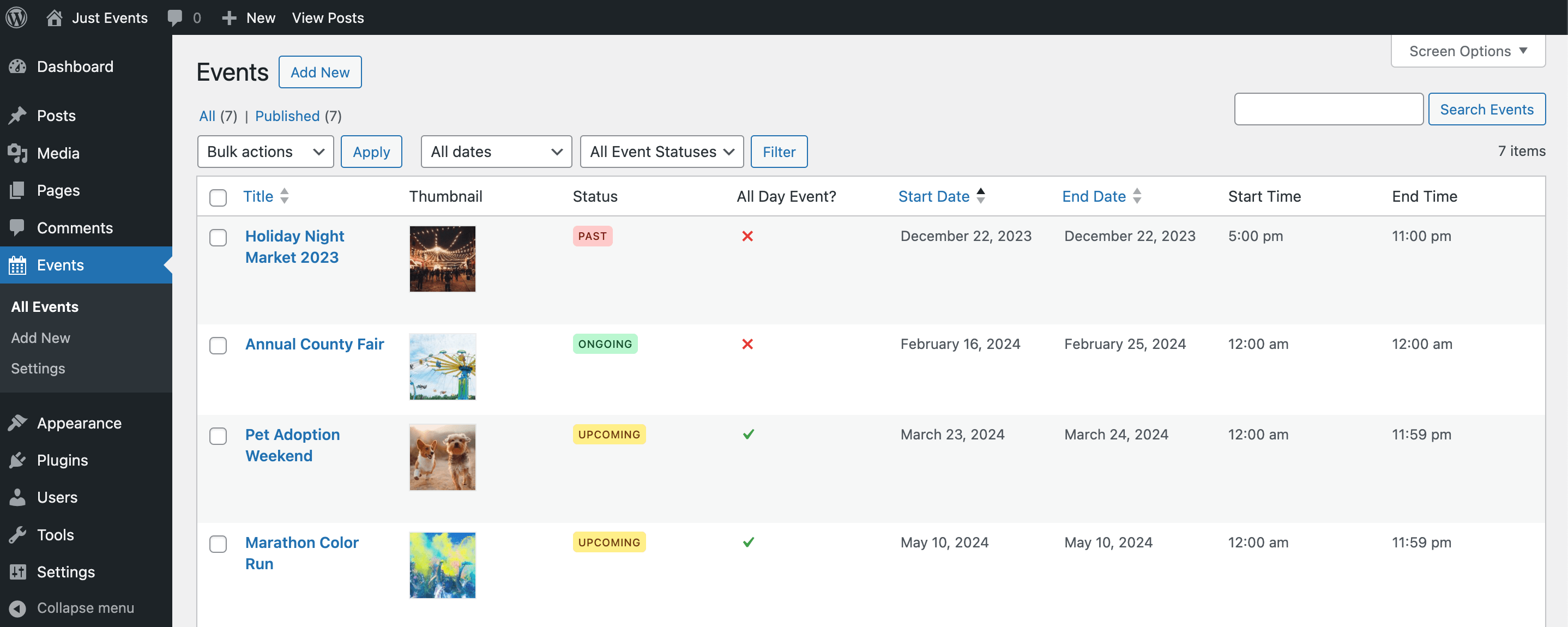
Events dashboard.
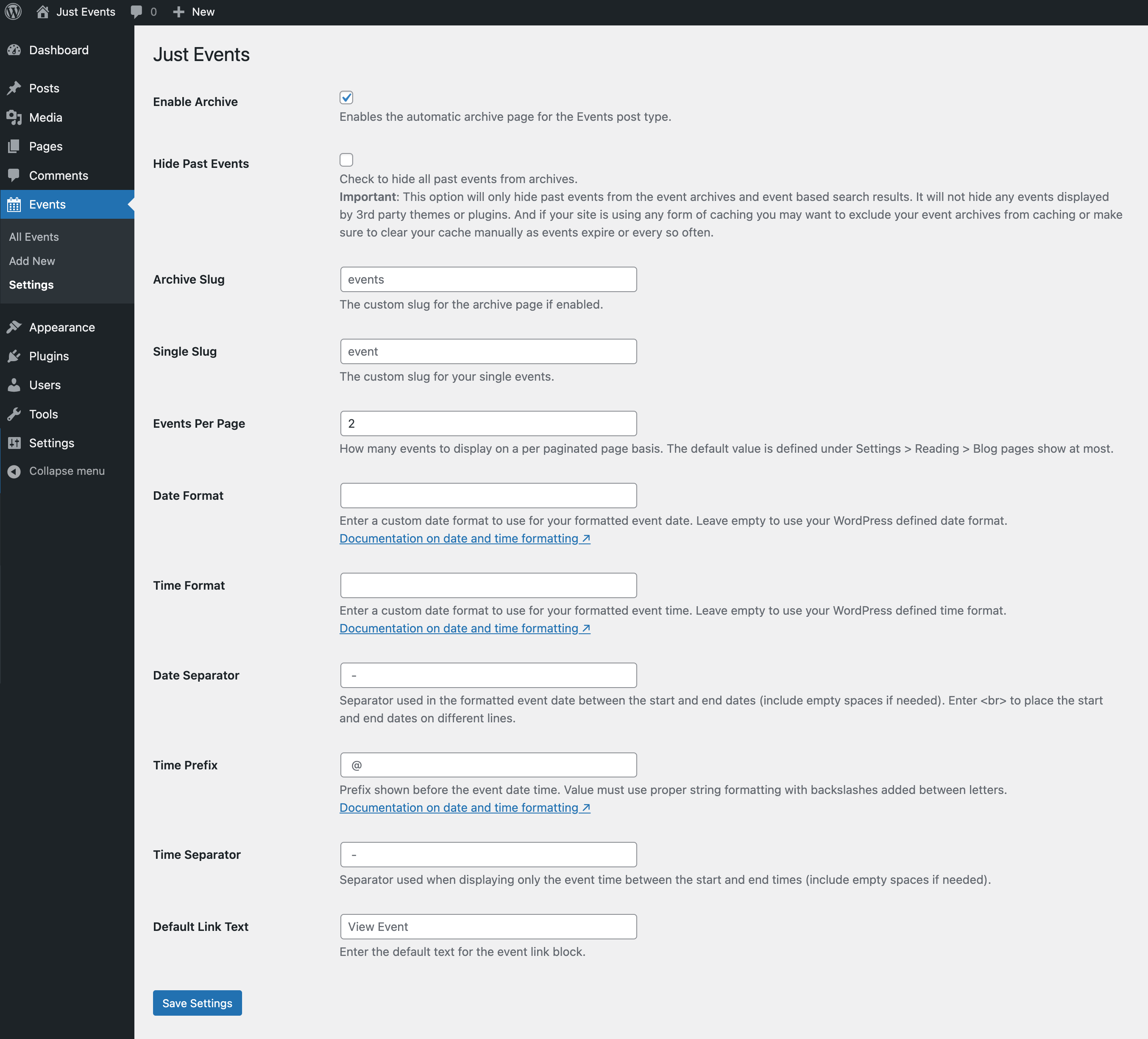
Settings page. Minimal options.
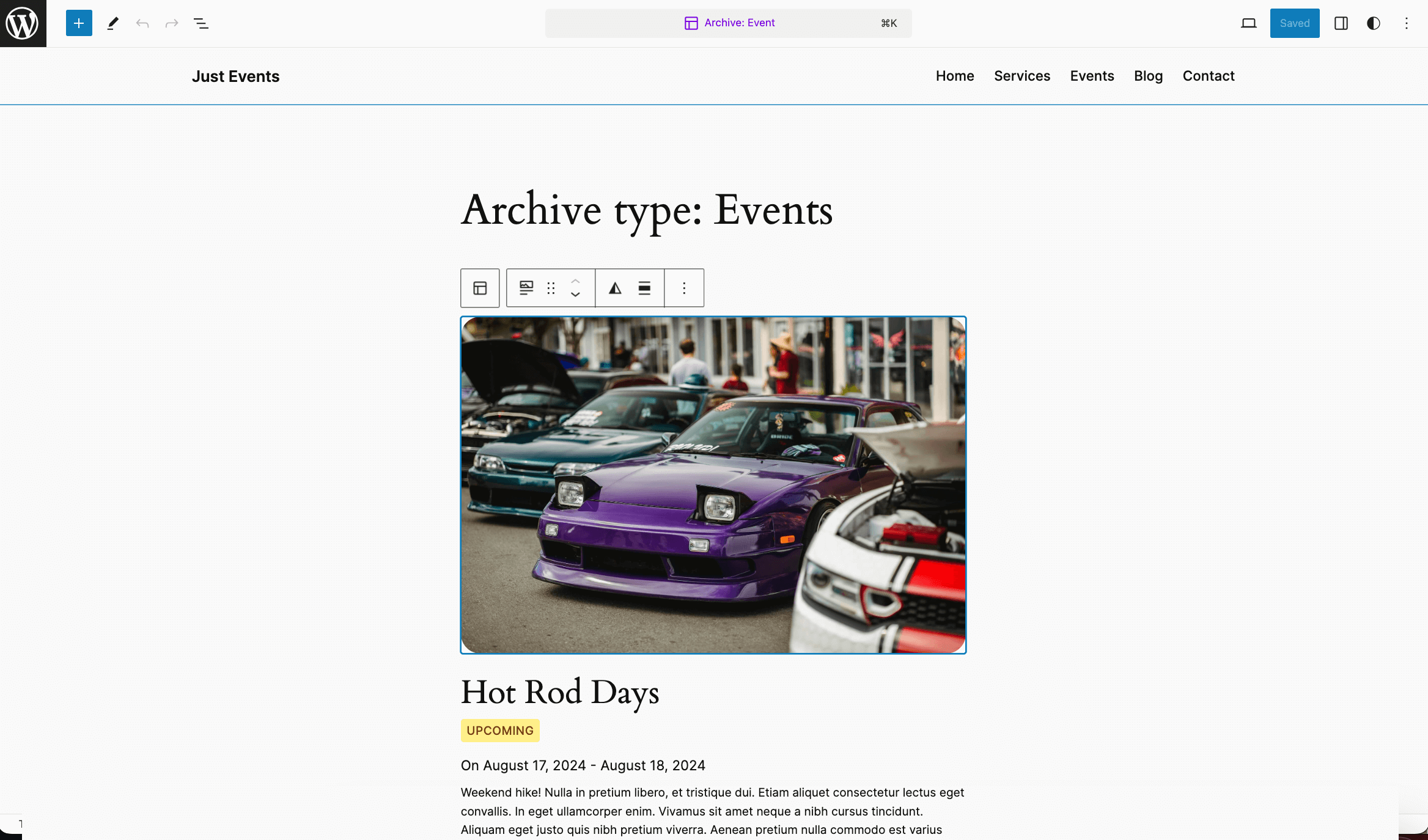
Event Archive template using the WordPress theme block editor.
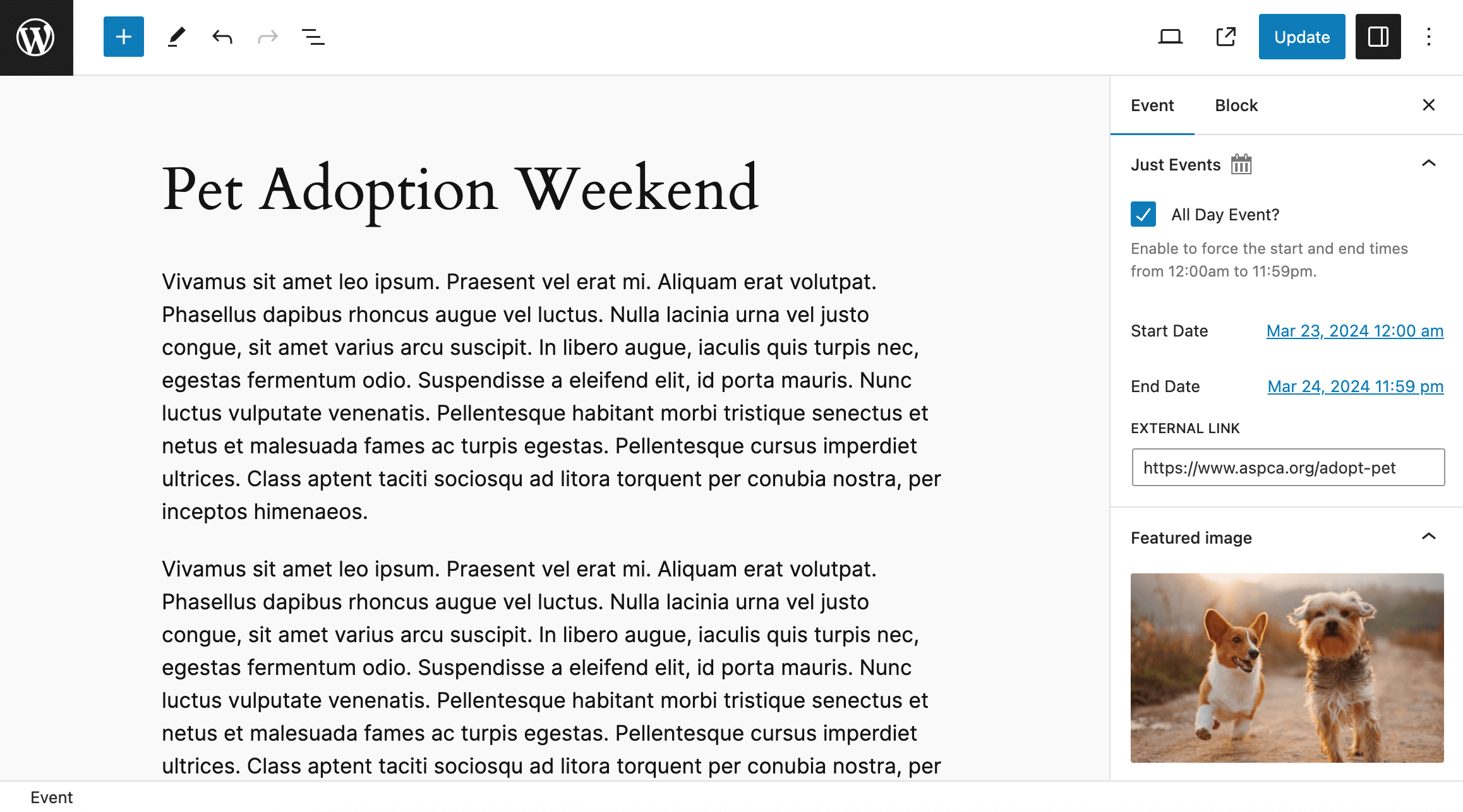
Single Event meta settings (Gutenberg editor).
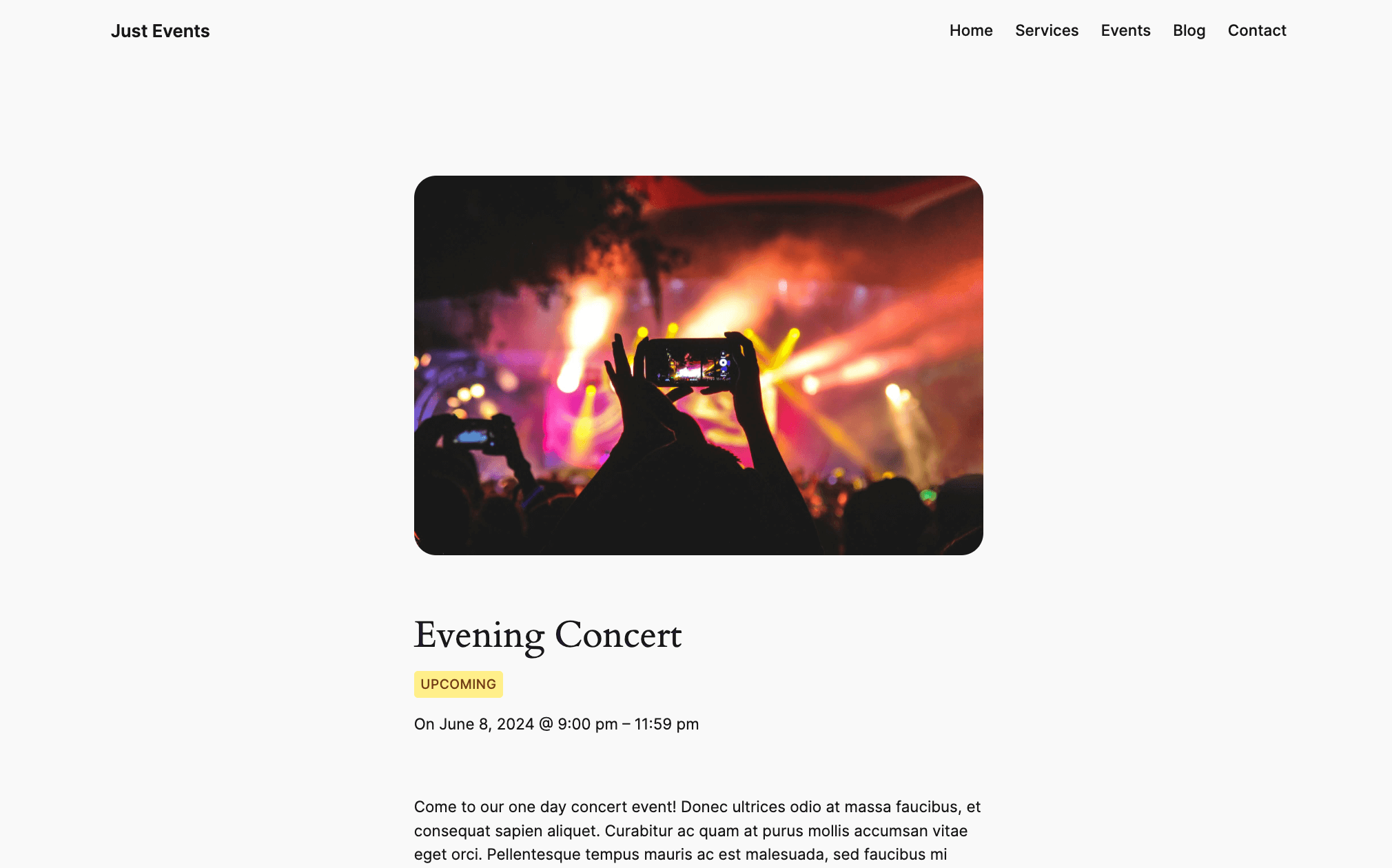
Example of a customized single event template using the Twenty Twenty Four theme.
Changelog
1.0.6
- Updated the tested up to WP version number.
- Added short description to the readme.txt file.
1.0.5
- Updated the tested up to WP version number.
- Fixed when disabling the “Enable Archive” or “Hide Past Events” settings they were not actually being disabled.
1.0.4
- Fixed render_block instance was not escaped.
1.0.3
- Fixed unescaped nonce check.
1.0.2
- Updated namespace from WPExplorer/Just_Events to Just_Events.
- Updated some code to use late escaping for variables.
- Updated class file names to be prepended with “class-“.
- Updated renamed the “inc” folder to “includes”.
- Updated moved inline script from class-admin.php to settings.js and removed inline style tag.
- Added extra validation to the admin settings fields.
- Added License, License URI and License comment block to main plugin file.
1.0.1
- Updated the “Tested up to” value.
- Updated code to use late escaping for variables.
- Added alignment options added to the “Event Status” and “Event Link” blocks.
1.0
- First official release