

Plugin info
Maintenance & Compatibility
Maintenance score
Stale • Last updated 309 days ago
Is Just SMTP abandoned?
Likely maintained (last update 309 days ago).
Compatibility
Developers
Languages
Similar & Alternatives
Explore plugins with similar tags, and compare key metrics like downloads, ratings, updates, support, and WP/PHP compatibility.
Description
- Just SMTP allows you to set up mail delivery via SMTP.
- Input your server, user, password data and you’re good to go.
- This plugin doesn’t add a top-level menu item, has no ads, nags or other clutter.
- Just SMTP does just that: SMTP.
What this plugin does not provide
- Mail delivery without SMTP authorization (i.e. without username and password). You shouldn’t want to anyway.
- Mail delivery without TLS or SSL encryption. That’s just not a thing anymore.
- Mail delivery via Exchange, Google Workspace or similar services that require more complex authorization.
- Error logging or any sophisticated debugging. It does have a mail tester though.
Installation
- Upload the plugin files to the
/wp-content/plugins/just-smtpdirectory, or install the plugin through the WordPress plugins screen directly - Activate the plugin through the ‘Plugins’ screen in WordPress
- Configure your settings using the Settings->SMTP screen
Frequently Asked Questions
Use the Tester to send a test mail. The resulting PHPMailer log of that test mail will be output for you to review.
If a constant ‘JUST_SMTP_ENCRYPTION_KEY’ is set, the password will be stored encrypted.
You can define this constant in your wp-config.php file like so (switch out the random string with your own):
define( ‘JUST_SMTP_ENCRYPTION_KEY’, ‘randomstring’ );
Make sure to re-save the password after adding this constant. If the constant value gets changed, the passwords needs to be saved again.
Review feed
Screenshots
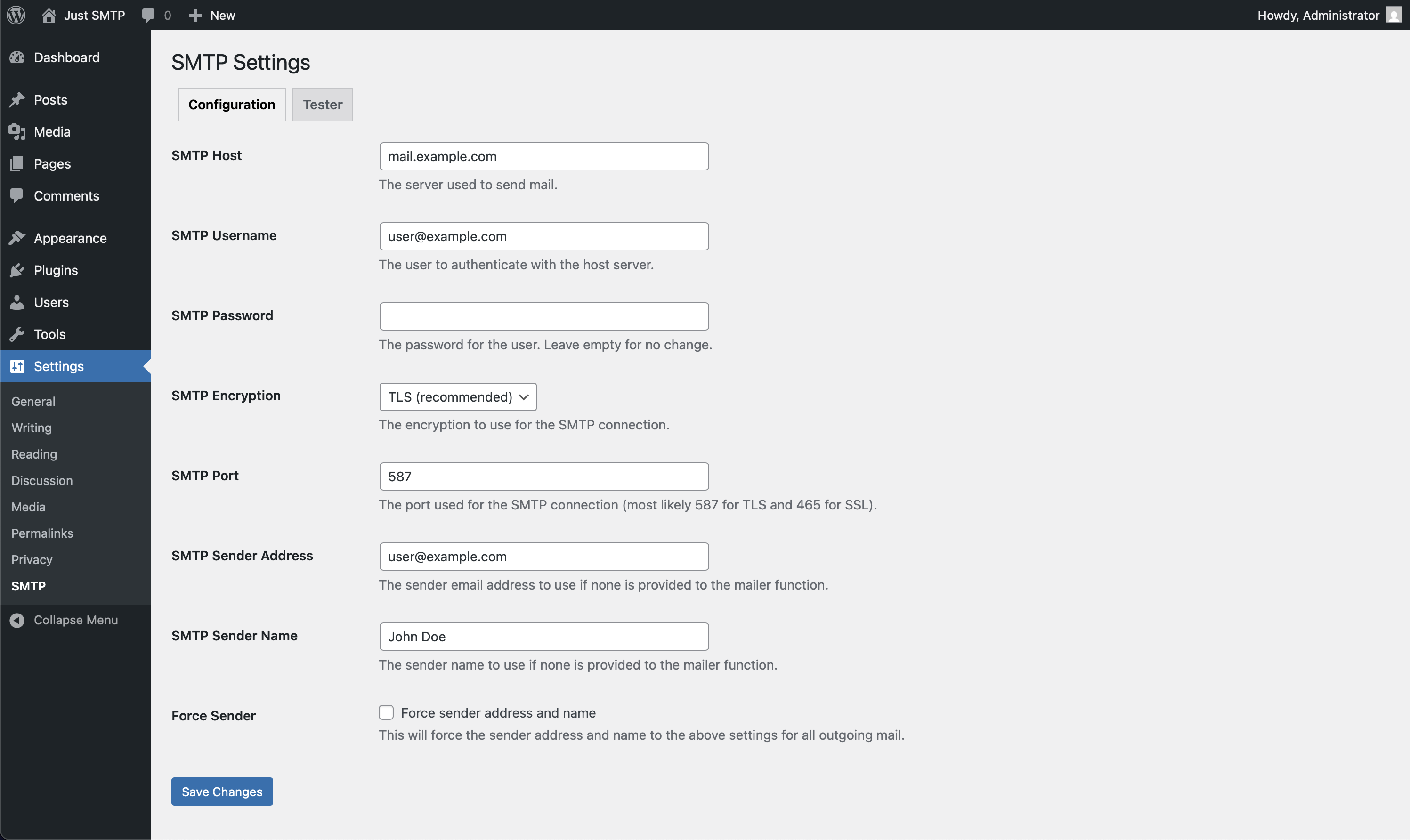
SMTP configuration

Tester screen

Tester protocol
Changelog
1.0.0
- Initial release