

Kabook Auto Schema & Accordion for Rank Math
Automatically injects Rank Math FAQ schema and converts it to a stylish, customizable accordion on the frontend.
Plugin info
Maintenance & Compatibility
Maintenance score
Maintained • Last updated 118 days ago • 1 reviews
Is Kabook Auto Schema & Accordion for Rank Math abandoned?
Likely maintained (last update 118 days ago).
Compatibility
Similar & Alternatives
Explore plugins with similar tags, and compare key metrics like downloads, ratings, updates, support, and WP/PHP compatibility.
Description
This plugin is a power-up for Rank Math SEO PRO users.
It solves two common problems:
1. Forgetting to insert the FAQ schema shortcode into posts.
2. The default, plain look of the FAQ schema output.
Key Features:
- Auto Injection: Automatically adds the
[rank_math_rich_snippet]shortcode to your single posts if you have defined an FAQ schema but forgot to insert the block. - Smart Detection: Checks the raw database content to ensure the shortcode is never duplicated if you manually added it.
- Stylish Accordion: Converts the boring list format into a beautiful, interactive accordion.
- Fully Customizable: Change colors, fonts, borders, and alignment via a simple settings panel.
- Lightweight: Uses minimal CSS and JS only when needed.
- RTL Support: Fully supports Right-to-Left languages like Persian and Arabic.
Note: This plugin relies on the schema data generated by the Rank Math SEO PRO plugin. Please ensure it is installed and active.
Installation
- Upload the plugin files to the
/wp-content/plugins/kabook-auto-rank-math-snippetdirectory, or install the plugin through the WordPress plugins screen directly. - Activate the plugin through the ‘Plugins’ screen in WordPress.
- Go to Settings > Kabook RM Snippet to configure the styling options.
Frequently Asked Questions
No. This plugin acts as an add-on. It depends on the schema data generated by the Rank Math SEO PRO plugin to function.
No. The plugin is optimized for performance and only loads assets (CSS/JS) on pages where an FAQ schema is detected.
Review feed
Screenshots
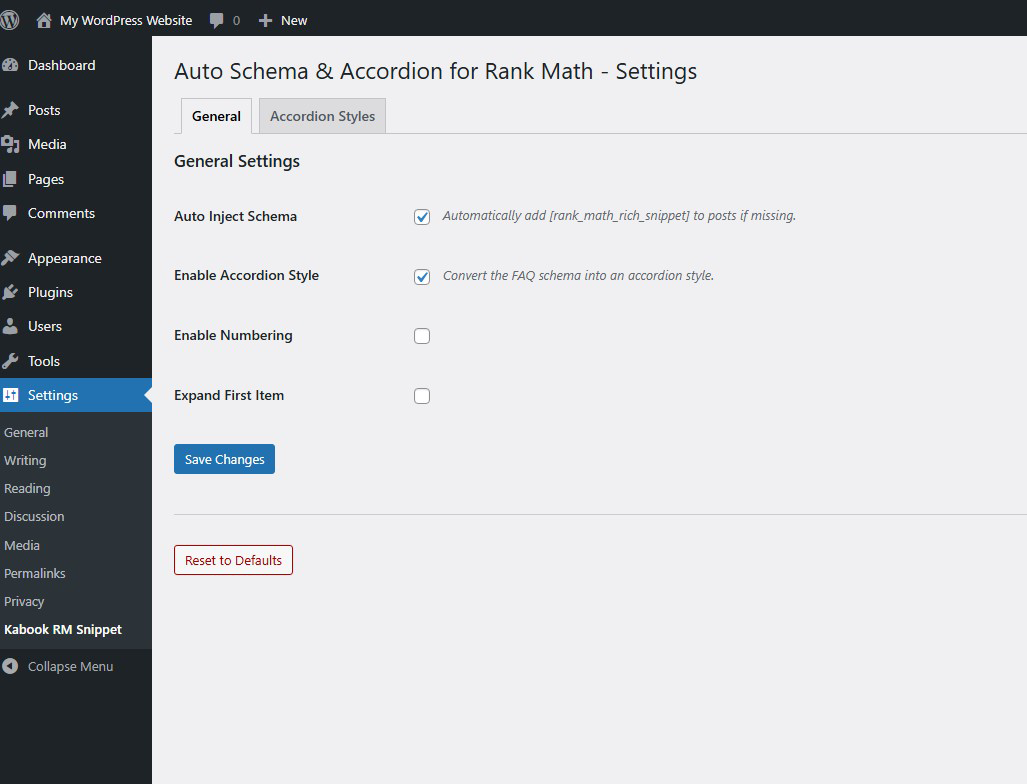
General Settings: Enable or disable auto-injection and other core features.

Style Customization: Easily change colors and styles to match your theme.
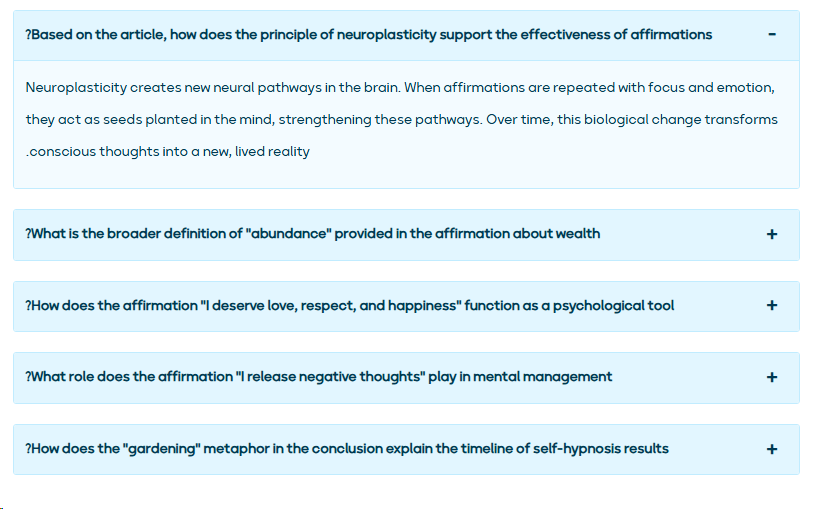
Frontend Example: How the FAQ Accordion looks to your visitors.
Changelog
1.0.0
- Initial release.