

KD Quiz – Interactive Quiz
Embed a lightweight, card-style quiz with AJAX rotation and scoring to boost engagement anywhere on your site.
Plugin info
Maintenance & Compatibility
Maintenance score
Maintained • Last updated 105 days ago
Is KD Quiz – Interactive Quiz abandoned?
Likely maintained (last update 105 days ago).
Compatibility
Similar & Alternatives
Explore plugins with similar tags, and compare key metrics like downloads, ratings, updates, support, and WP/PHP compatibility.
Description
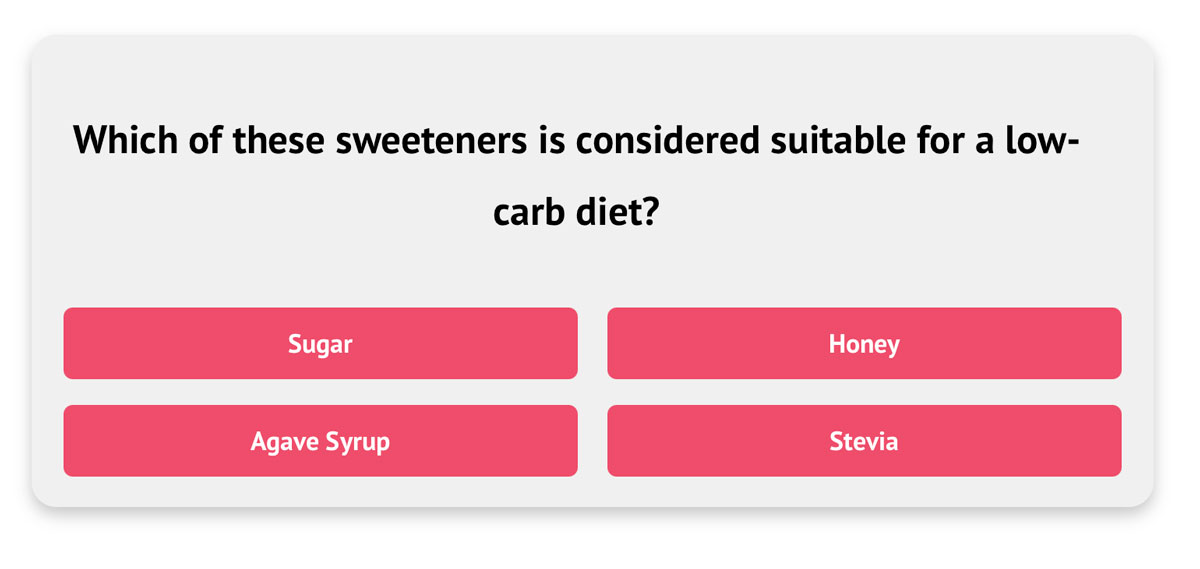
KD Quiz adds an admin-friendly custom post type for quiz questions, plus a front-end shortcode that renders an animated flash card interface. The plugin includes:
- Four default styles with a custom option for bespoke theming.
- AJAX-powered question rotation, view tracking, and scoring without page reloads.
- Optional automatic insertion based on content headings so you can drop quizzes into long-form articles without shortcodes.
- JSON import/export to seed quizzes in bulk from external systems.
All user inputs are sanitized, escaped, and routed through WordPress nonces to protect your admin users and visitors. No third-party services are contacted.
Installation
- Upload the
kd-quizfolder towp-content/plugins/or install it via the WordPress dashboard. - Activate KD Quiz – Interactive Quiz through the Plugins menu.
- Visit Quiz Questions Add New Question to create your first question and mark the correct answer.
- Configure global behaviour under Quiz Questions Settings (question count, styles, auto-insert rules, and text replacements).
- Place the
[kdquiz]shortcode in any post or page, or enable automatic insertion to let the plugin place quizzes after targeted headings. (The legacy[kd-quiz]shortcode continues to work for existing content.)
Frequently Asked Questions
Use Quiz Questions Settings to pick one of the bundled styles or choose Custom and enqueue your own CSS targeting .kdquiz_style_custom.
Yes. Head to Quiz Questions Import Questions, paste a JSON payload with questionText, options, correctOptionId, and explanation, then submit the form.
No. The plugin stores aggregate view and answer counts per question only.
Switches the Edit Question page to enqueue its JavaScript through WordPress core, adds a reusable admin helper script, and rebuilds the packaged assets for 1.4.0.
Review feed
Screenshots
Manage questions and see engagement metrics in the WordPress admin.
Changelog
1.4.0
- Replaces the inline
<script>block on the Edit Question screen with a proper admin enqueue that loads a dedicated asset (includes/kd-quiz-editing.php,assets/kd-admin-answer-sync.js). - Adds a minified build of the new admin helper and updates the npm build chain to regenerate it along with the existing bundles (
assets/kd-admin-answer-sync.min.js,package.json). - Ensures
build-release.shinstalls dependencies when needed, runsnpm run build, and then packages the freshly compiled assets into the release ZIP.
1.3.5
- Escapes any optional
disabled/aria-disabledattributes emitted by the auto-insert settings UI so the markup stays PHPCS-compliant (includes/kd-quiz-settings.php). - Documents the reviewer feedback follow-up in
ReviewFixes.txtand bumps the plugin version metadata to 1.3.5. - Recompiles the front-end/admin assets so the distributed package advertises version 1.3.5.
1.3.4
- Adds an inline JSON example below the importer textarea so editors can copy the expected payload shape (
includes/kd-quiz-import.php). - Adds concise help text under each Quiz Settings control so site owners know how auto-insert and styling options behave (
includes/kd-quiz-settings.php). - Switches the minimum-distance control to pixels, introduces a container selector, and disables the placement fields unless auto insertion is active so automatic quizzes stay within the main content area (
includes/kd-quiz-settings.php,assets/kd-quiz.js). - Replaces the single heading selector with dedicated “insert before”, “insert after”, and “never insert inside” lists so auto placement follows predictable priorities (
includes/kd-quiz-settings.php,assets/kd-quiz.js). - Adds a toggle to enable verbose console logging so you can trace heading selection and offsets while debugging auto placement (
includes/kd-quiz-settings.php,assets/kd-quiz.js). - Documents all security/prefix fixes in
ReviewFixes.txtfor easy reviewer handoff (e.g.ReviewFixes.txt:1). - Rebuilds scripts and metadata so the distributed bundles advertise version 1.3.4.
1.3.3
- Escapes the “Correct choice” status pill output and adds a nonce check to the reset notice flow to address WordPress.org review feedback.
- Replaces the legacy direct SQL migration with
wp_update_post()to respect object caching and coding standards. - Rebuilds the front-end metadata so the packaged assets report version 1.3.3.
1.3.2
- Refreshes the Edit Question admin UI with a clear “Mark as correct” pill and row highlight so the chosen answer stands out.
- Adds helper text and status chips to reinforce which answer will be saved as correct.
- Rebuilds admin styles and the bundled JavaScript for the 1.3.2 release package.
1.3.1
- Improves the JSON import UX by redirecting back to the import screen with contextual error messaging when the payload is missing or invalid.
- Adds nonce-protected status flags so both success and error notices render in the proper admin screens.
- Rebuilds all assets for the 1.3.1 maintenance release.
1.3.0
- Hardened admin reset/import handlers by routing through
admin-post.phpwith nonce and capability checks to satisfy the WordPress.org review. - Standardised on the
kdquizprefix across CPTs, AJAX, styles, and shortcodes while keeping legacy identifiers compatible for existing installs. - Normalised stored style slugs and added a
[kd-quiz]shortcode alias so upgrades require no manual content changes.
1.2.2
- Random fetch fallback to ensure a full question set even when all are marked viewed (keeps VIP-safe query semantics).
- Packaging and i18n: include
/languagesin release; remove discouragedload_plugin_textdomain()call.
1.2.1
- Change plugin name to “KD Quiz – Interactive Quiz” to align with the desired WordPress.org slug
kd-quiz. - Maintenance: rebuild minified assets and package script updates.
1.2.0
- Addressed WordPress Plugin Checker feedback: added translators comments for placeholder strings, ensured proper escaping in admin UI, and sanitized/validated AJAX and form inputs with nonce checks.
- Replaced direct SQL in import duplicate checks with core APIs; tightened import notice handling.
- Removed error_log usage; added
kdquiz_include_failedhook for observability. - Updated “Tested up to” to 6.8 and refreshed front-end metadata; minor copy polish in short description.
1.1.0
- Updated option, meta, and function prefixes to the
kdquiz_namespace to avoid conflicts. - Hardened nonce checks, request sanitization, and output escaping across AJAX handlers and admin forms.
- Refreshed readme to pass the WordPress.org validator and declared testing up to WordPress 6.5.