

Plugin info
Maintenance & Compatibility
Maintenance score
Possibly abandoned • Last updated 523 days ago • 4 reviews
Is Keep the Score abandoned?
Possibly abandoned (last update 523 days ago).
Compatibility
Similar & Alternatives
Explore plugins with similar tags, and compare key metrics like downloads, ratings, updates, support, and WP/PHP compatibility.
Description
Do you need to add a leaderboard or scoreboard to your WordPress site? This plugin makes it dead easy.
To start the process, create a scoreboard or leaderboard by clicking here. Note that you require a paid PRO plan to use this feature.
Once you have added a scoreboard or leaderboard to your post, the scores update automatically: if you add new scores or players, your post will get updated in real-time!
Features:
- Choose between leaderboards, scoreboards, team leaderboards and click counters.
- Leaderboards are animated
- Themes and custom colours included
- Boards are administered via intuitive admin interface that can be used from mobile devices
- Updates to scores are shown automatically
How does it work?
- Install the Keep the Score plugin.
- Create a leaderboard on Keepthescore.com and get its shortcode.
- Add the shortcode to your WordPress post.
See the FAQ below for more details.
Installation
Frequently Asked Questions
You can write us an email here: [email protected]
Yes. You require a paid PRO plan om Keepthescore to use this feature.
These steps happen on Keepthescore.com. Proceed as follows:
- Create a scoreboard or leaderboard by clicking here.
- Click on “Share” button at the top of your newly created leaderboard or scoreboard.
- Click on the “Embed on a website” button.
- Copy the shortcode code to your clipboard using the COPY TO CLIPBOARD button.
- Your shortcode will look like this:
[ keepthecore token="rvfafgignlr" ]. This is what you add to your post in the next step.
Once you have installed and activated the plugin, you can use the “shortcode” to add a board to your post. Shortcodes are a feature of WordPress, which make it easier to quickly add content to your posts.
We’re assuming that you’re using the new block editor (“Gutenberg”), which was released with WordPress 5.0.
- Start a new paragraph and type “/”
- Select
Shortcodefrom the list that appears and press enter. - Paste the code you got from the step above. It should look something like
[ keepthecore token="rvfafgignlr" ] - That’s all. Save your post and your board should be visible.
Once you have embedded your leaderboard or scoreboard, you can update scores (as well as the colors, player names, etc) by logging in to Keepthescore.com and changing your scoreboard there. Your embedded scoreboard on WordPress will update automatically.
Simply deactivate and delete the plugin.
Review feed
Great and easy to use!
Screenshots
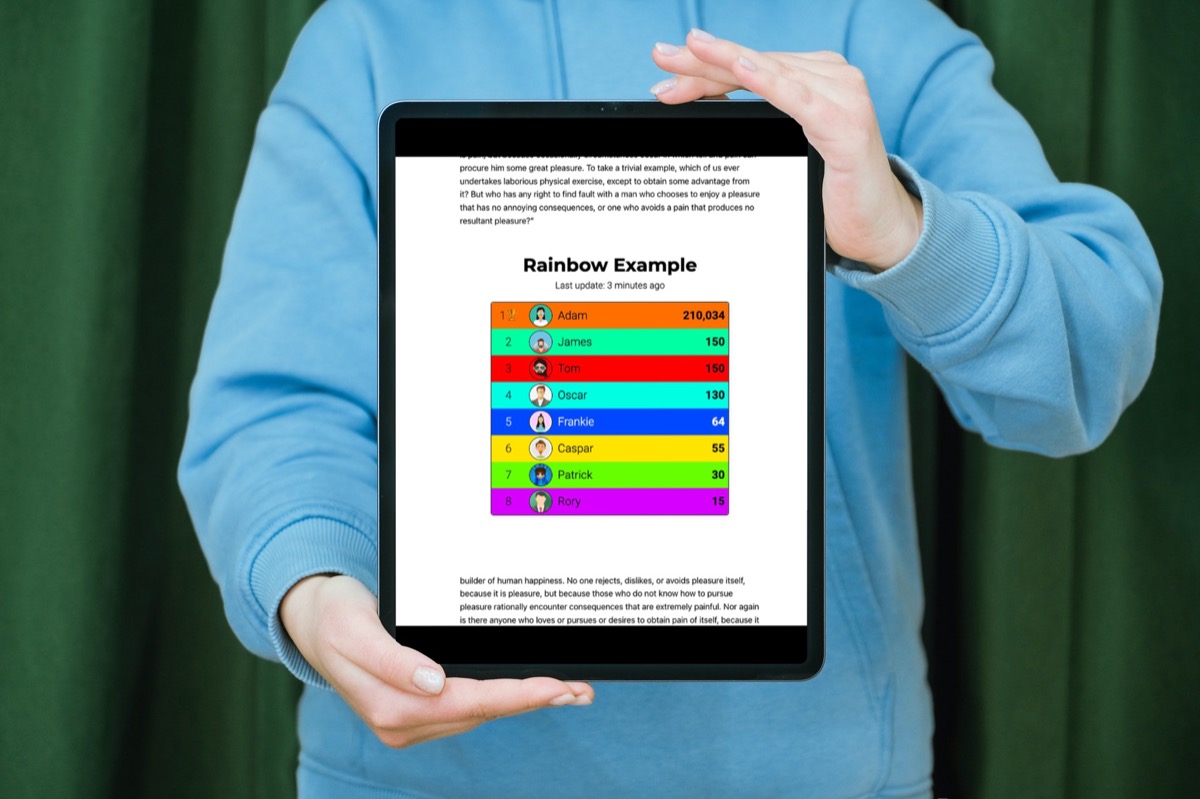
This is a real leaderboard embedded in a WordPress post
Changelog
1.1
- Removed scrollbar
1.0
- Plugin released.