

Kenzap Pricing
A beautiful and easy customizable set of Gutenberg blocks to create pricing table section for the new editor. Easily adjust the following parameters:
Plugin info
Maintenance & Compatibility
Maintenance score
Possibly abandoned • Last updated 1969 days ago
Is Kenzap Pricing abandoned?
Possibly abandoned (last update 1969 days ago).
Compatibility
Similar & Alternatives
Explore plugins with similar tags, and compare key metrics like downloads, ratings, updates, support, and WP/PHP compatibility.
Description
A beautiful and easy customizable set of Gutenberg blocks to create pricing table section for the new editor. Easily adjust the following parameters:
Set background color
Change featured table layout style
Adjust images, fonts, texts, price and currencies
Wide and narrow layout support
Supports 5 different design layouts
Installation
This plugin can be installed directly from your site.
- Log in and navigate to Plugins → Add New.
- Type “Kenzap Pricing” into the Search and hit Enter.
- Locate the Kenzap Pricing plugin in the list of search results and click Install Now.
- Once installed, click the Activate link.
- Go to Pages > Add New > Find Pricing block.
- Adjust Container > Max width setting if elements are not displayed properly.
It can also be installed manually.
- Download the Kenzap Pricing plugin from WordPress.org.
- Unzip the package and move to your plugins directory.
- Log into WordPress and navigate to the Plugins screen.
- Once installed, click the Activate link.
- Go to Pages > Add New > Find Kenzap Pricing blocks.
- Adjust Container > Max width setting if elements are not displayed properly.
Frequently Asked Questions
-
What is this plugin for?
To extend your current theme with pricing section -
Why columns look narrow?
Depending on your front page container layout type you may need to reduce Max width property in Inspector container
Review feed
Screenshots

Pricing layout variation 1

Pricing layout variation 2

Pricing layout variation 3
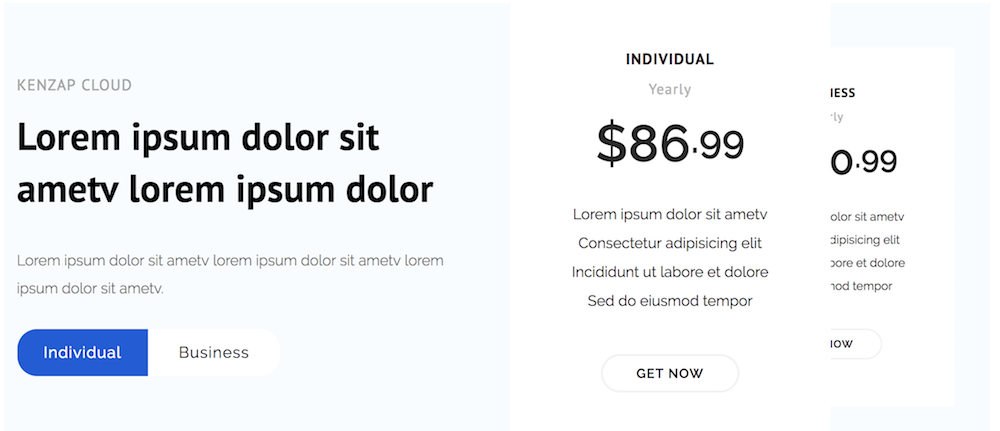
Pricing layout variation 4

Pricing layout variation 5

Changelog
v1.0.0
New: Initial release
v1.1.0
New: Typography settings introduced
Update: Stability improvement, crash fix
v1.1.1
Update: vulnerability fix
Update: fixing demo content preview after block is added
v1.1.2
Update: WordPress 5.5 update