

Kwayy HTML Sitemap
Kwayy HTML Sitemap will generate HTML (not XML) sitemap for your sitemap page. The plugin will show Page, Posts and also Custom Post Types.
Plugin info
Maintenance & Compatibility
Maintenance score
Possibly abandoned • Last updated 1227 days ago • 18 reviews
Is Kwayy HTML Sitemap abandoned?
Possibly abandoned (last update 1227 days ago).
Compatibility
Similar & Alternatives
Explore plugins with similar tags, and compare key metrics like downloads, ratings, updates, support, and WP/PHP compatibility.
Description
Kwayy HTML Sitemap will generate HTML (not XML) sitemap for your sitemap page. The plugin will not only show Page and Posts but also your other Custom Post Type like Products etc. You can also configure to show or hide your Post Types. You just need to create a page for Sitemap and insert our shortcode [kwayy-sitemap] to display HTML sitemap.
Features
- Options (Settings->Kwayy HTML Sitemap Options) to customize settings.
- Very easy to use. Just add
[kwayy-sitemap]to page under HTML section and it will show complete sitemap. - SEO Friendly code output.
- You can sort each Post Type by just Drag and Drop.
- Exclude any post from Sitemap list.
- You can enable or disable each Post Type.
- You can change title of custom post types (added in v3.0)
Support
You can start a new discussion on our official support forum at forum.kwayyinfotech.com
Installation
- Unpack the
kwayy-html-sitemap.zip. - Upload the file to the
/wp-content/plugins/directory. - Activate the plugin through the
Pluginsmenu in WordPress. - Configure the options in admin panel
Settings->Kwayy HTML Sitemap Options. - Done and Ready.
Frequently Asked Questions
- Please add
[kwayy-sitemap]to any page under HTML section to see simple Sitemap with SEO Optimized code.
- You can visit our official support forum at http://forum.kwayyinfotech.com/ and find your solution. If you don’t find any solution than please feel free to start a new discussion.
- Just start a new discussion on our official support forum http://forum.kwayyinfotech.com/ and we will take care of it.
Review feed
Screenshots
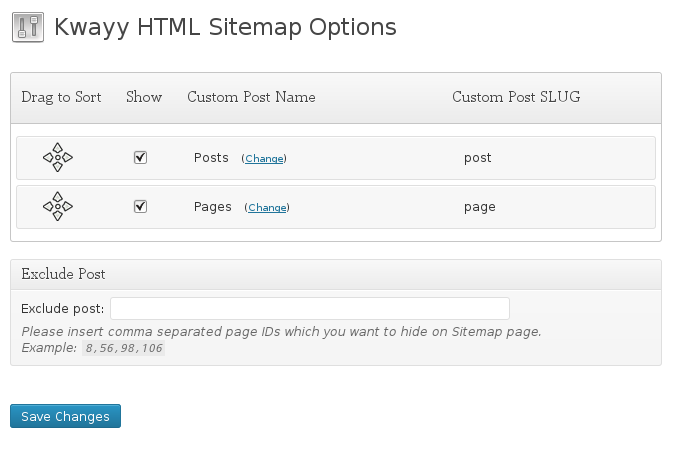
Settings->Kwayy HTML Sitemap Options page.
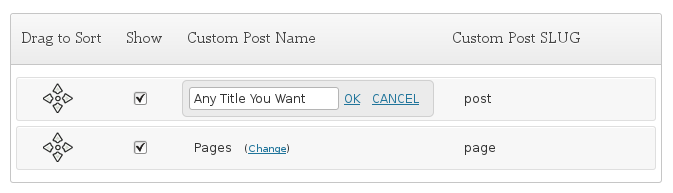
You can change title of any custom post type by just clicking the "Change" link.
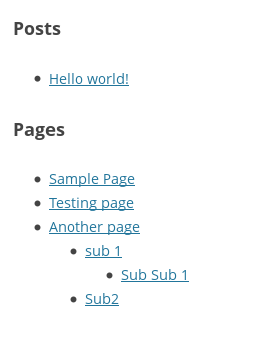
Front view of sitemap page.
Changelog
4.0
- Security bug solved (Thanks to WPScan Security team)
3.1
- Small changes and added “Support Us” block on option page.
3.0
- Added support to change title of custom post type. (see screenshot-2 for details)
2.0
- Added support to exclude post.
- Added css class to post list so you can set your own design.
- Wrap sitemap content in a DIV.
- Redesigned options page.
1.0.8
- Replaced wrong shortcode description with correct details in plugin description
1.0.7
- Added sort order support to list all posts on sitemap page
1.0.6
- Major bug solved (links not working)
1.0.5
- Updated description (Thanks to Ben from tubal-reversal.net)
- We have created support forum on our own hosting at http://forum.kwayyinfotech.com/
- Added link of the support forum in plugin description.
1.0.4
- Updated code to show posts in tree view.
1.0.3
- Bug solved
1.0.2
- Bug solved
1.0.1
- Bug solved
1.0
- Plugin released