

Landingi Landing Pages
Create landing pages without any programming skills and import them to your WordPress site using this plugin.
Plugin info
Maintenance & Compatibility
Maintenance score
Maintained • Last updated 122 days ago • 20 reviews
Is Landingi Landing Pages abandoned?
Likely maintained (last update 122 days ago).
Compatibility
Similar & Alternatives
Explore plugins with similar tags, and compare key metrics like downloads, ratings, updates, support, and WP/PHP compatibility.
Description
Take your WordPress marketing to the next level with Landingi’s powerful landing page builder plugin. Design stunning, high-converting landing pages in minutes without needing any coding experience.
Landingi seamlessly integrates with your WordPress site, allowing you to:
- Drag-and-drop your way to success and build beautiful landing pages with an intuitive builder. No coding required! 400+ fully editable templates.
- Build pages and write content with AI Assistant.
- Boost conversions with powerful A/B testing, advanced forms for capturing leads, and integrations with your favorite marketing tools.
- Track performance with Dashboard and EventTracker add-on.
- Add Unsplash stock images and Iconfinder icons to your pages.
Choose from over 170 in-app, compatible and Zapier integrations to automate your workflow:
E-mail Marketing
- ActiveCampaign
- AWeber
- CampaignMonitor
- E-goi
- Freshmail
- GetResponse
- MailChimp
- MailerLite
- Sare
- SALESmanago
- ConvertKit
- Drip
CRM
- Edrone
- BaseCRM
- HubSpot
- LiveSpace
- Pipedrive
- SalesFlare
- SalesForce
- Zoho CRM
Communication
- CallPage
- Intercom
- LiveChat
- Tawk.to
- Zendesk Chat
Analytics & Tracking
- Google Ads
- Google Analytics
- Google Tag Manager
- Facebook Pixel
- Heap Analytics
- KissMetrics
- MixPanel
- Yandex Metrica
Online Payment Systems
- PayPal
- Stripe
- PayU
Installation
- Upload the entire
landingi-pluginfolder to the/wp-content/plugins/directory. - Activate the plugin through the ‘Plugins’ page.
- Generate a new API Token on your Landingi account: https://new.landingi.com/account/tokens Copy generated API Token to your clipboard.
- Go back to your WordPress ‘Landingi’ » ‘Settings’ menu. Paste your API Token and click Save API Token.
- Now you will find your landing pages on ‘Landingi’ » ‘Available Landings’ page in your WordPress admin panel.
- Click Import next to the one you want to import. Give your landing page desired URL and that is it!
You can read more detailed instruction here.
If you have any questions about the platform or plugin installation feel free to contact our [email protected].
Frequently Asked Questions
Yes. To use this plugin you need an account. If you do not have on, you can sign up here.
Yes. You can import any of the landing pages on your account.
Yes. Changes introduced on the published landing page will be seen at your WordPress page address.
No, using this plugin is completely free of charge. Still, remember that you need an active Landingi account for the landing pages to work.
If you have any questions about the platform or plugin installation feel free to contact our [email protected].
You can report security bugs through the Patchstack Vulnerability Disclosure Program. The Patchstack team help validate,
triage and handle any security vulnerabilities. Report a security vulnerability.
Review feed
Naicu
Screenshots

Create your landing page on your account at Landing platform.
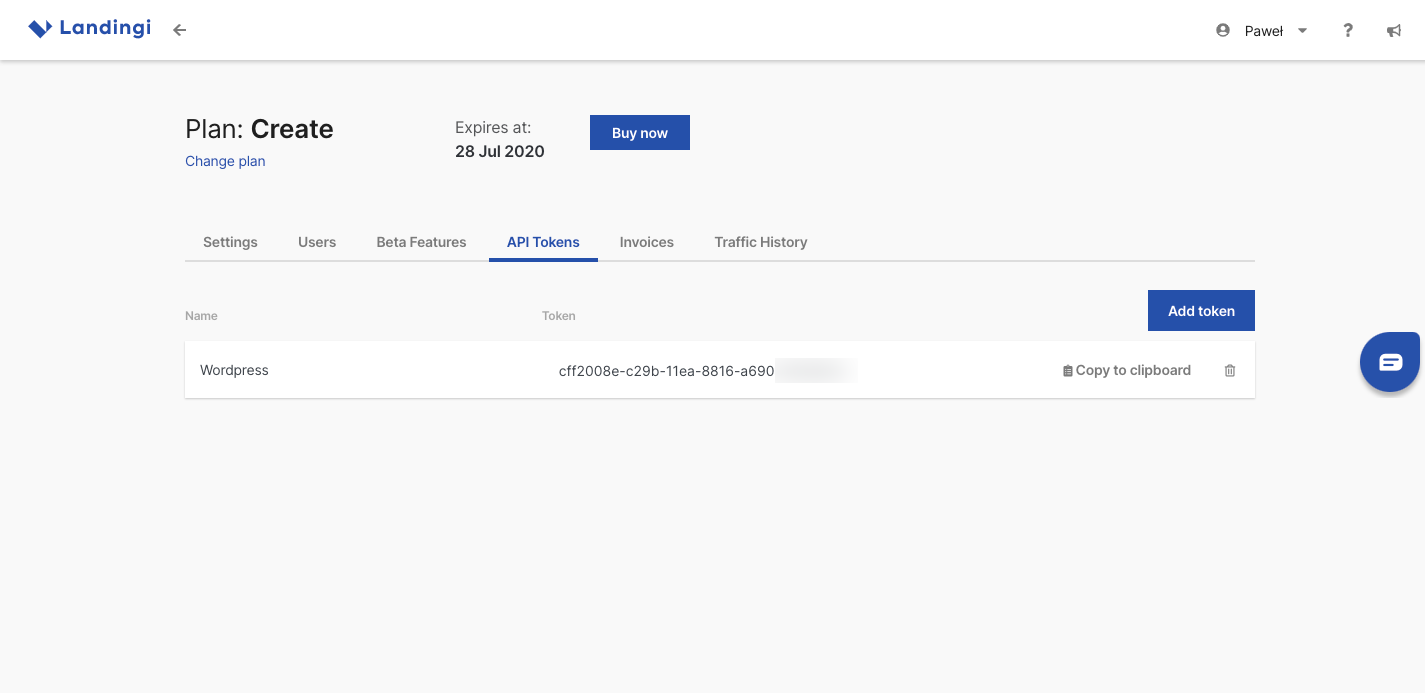
Generate API Token and copy it to the clipboard.
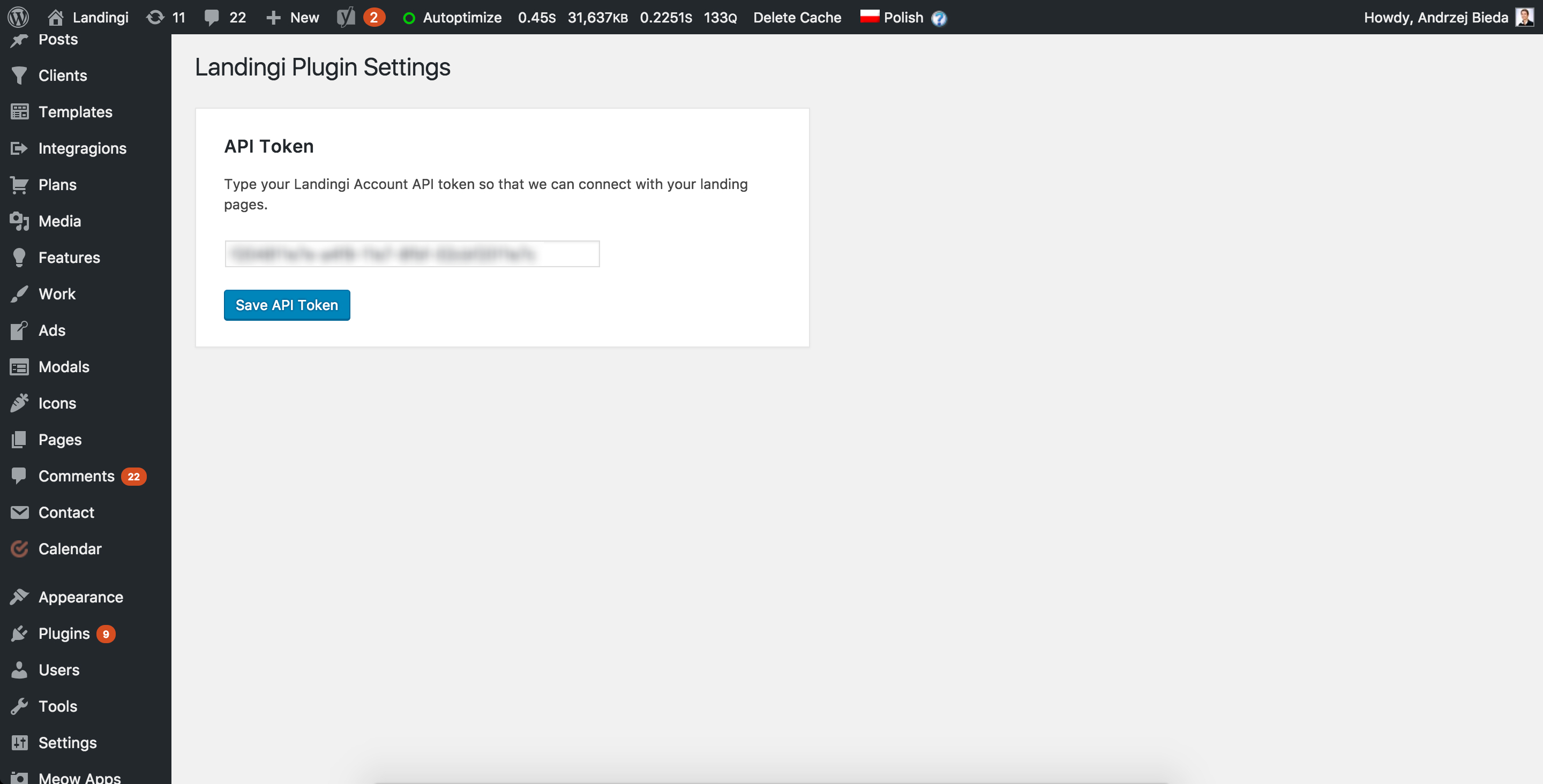
Paste the API Token in your WordPress Landingi Plugin Settings page to connect with your Landingi account.
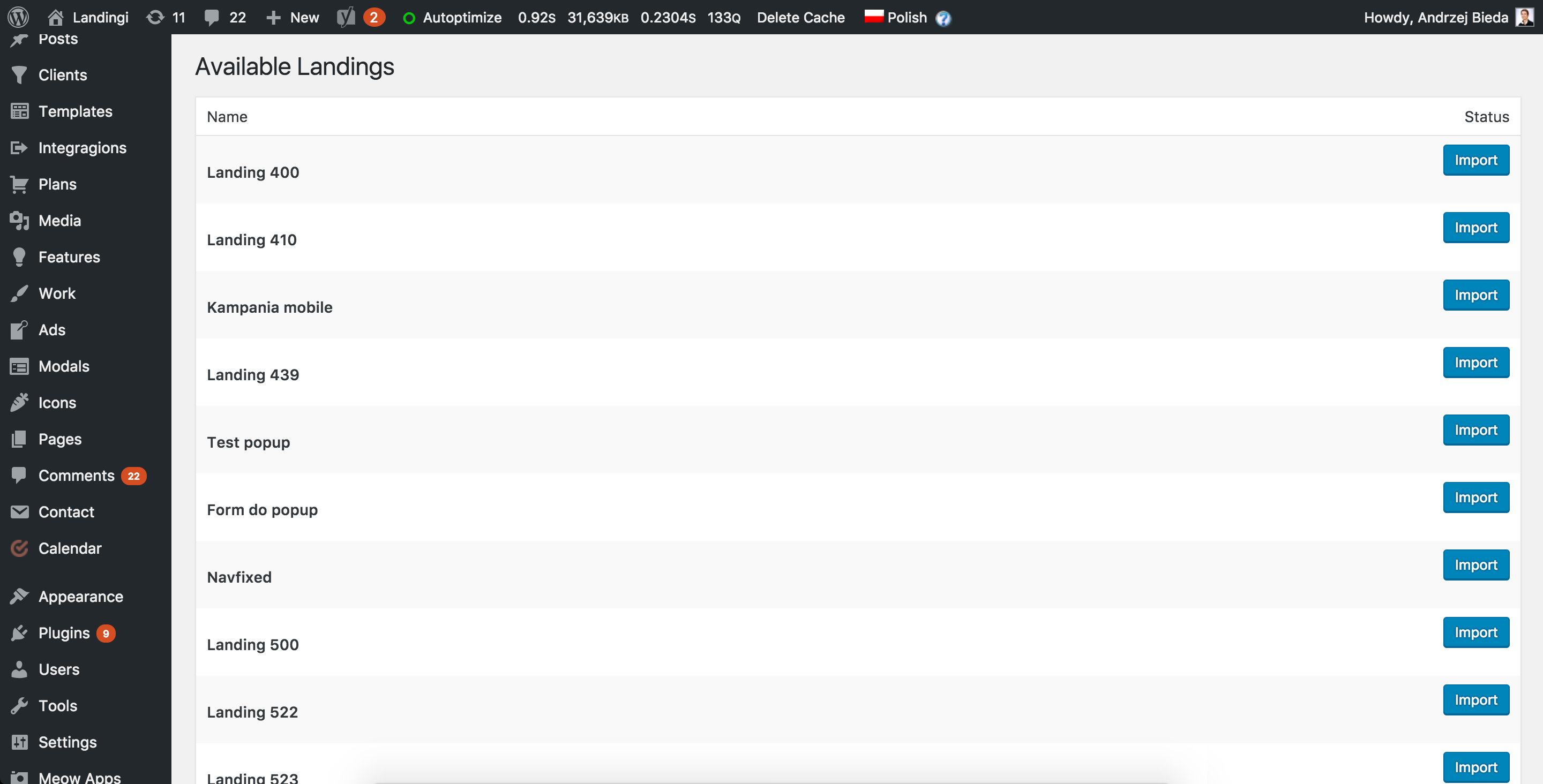
Import any of your landing pages to your WordPress site.

Define a URL address for the landing page, and that is it!