
Language Switcher for Elementor & Polylang
Easily add a customizable language switcher to your Elementor pages and connect translated Elementor templates using Polylang.
Plugin info
Maintenance & Compatibility
Maintenance score
Maintained • Last updated 135 days ago
Is Language Switcher for Elementor & Polylang abandoned?
Likely maintained (last update 135 days ago).
Compatibility
Languages
Similar & Alternatives
Explore plugins with similar tags, and compare key metrics like downloads, ratings, updates, support, and WP/PHP compatibility.
Description
Language Switcher for Elementor & Polylang is a WordPress plugin that helps you add a language switcher to your website and translate Elementor Templates.
This plugin connects the Polylang multilingual plugin with Elementor, making it easier to build and manage a multilingual website visually.
Why Use This Plugin?
Elementor Language Switcher for Polylang provides a seamless integration between Polylang and Elementor. Here’s why it’s a must-have for multilingual Elementor websites:
- Language Switcher Widget
- Translate Elementor Templates Easily
- Link to Translated Page Directly from Elementor Editor
- Place Anywhere on the Page
- Customizable Layout & Display Options
- Saves Time & Enhances Workflow
Key Features
-
Elementor Widget Support: Drag and drop the language switcher widget directly inside Elementor Editor, just like any other widget.
-
Page Linking in Elementor: Get full control to link a page to its translated version. Use Elementor Editor to switch and connect the translated template easily.
-
Three Layout Options: The plugin offers three layout styles, Dropdown, Horizontal & Vertical. Choose how you want the language switcher to appear on your website.
-
Custom Switcher Elements: Enable or disable various elements such as:
- Language Flag – Show a country flag icon next to each language (🇺🇸).
- Language Name – Show the full name like “English”, “Spanish”.
- Language Code – Show short codes like EN, FR, DE.
- Hide Current Language – Option to hide the active language.
- Hide Untranslated Languages – Option to hide languages if the page has no translation in that language.
-
Frontend Display Preview: Instantly preview how your language switcher looks on the frontend.
-
Fully Compatible with Polylang Free and Pro.
-
User-Friendly and Fully Responsive Design.
Check other Polylang Plugin addons
-
AutoPoly – AI Translation for Polylang reduces your translation workload by translating your Gutenberg and Elementor pages, sections, and widgets within a few minutes.
-
Language Switcher – Polylang for Divi is a WordPress plugin that helps you add a language switcher to your website using the Divi Builder. This plugin connects the Polylang multilingual plugin with the Divi theme, making it easier to build a multilingual website.
-
Polylang Duplicate Content addon effortlessly duplicate your original or default language post content into other languages of the same post, making translation process easier.
How to Add the Language Switcher
- Go to your WordPress Dashboard.
- Open the page, post, header, or footer where you want to add the language switcher using Elementor.
- Drag and drop the Language Switcher widget into your desired section (body, footer, header, sidebar, etc.).
- Customize its layout, elements, and translation control settings.
Installation
-
Upload the plugin files to the
/wp-content/plugins/language-switcher-elementor-polylangdirectory, or install the plugin through the WordPress Plugins screen. -
Activate the plugin through the ‘Plugins’ screen in WordPress.
-
Make sure you have both Elementor and Polylang (Free or Pro) installed and activated.
-
Open a page, post, header, or footer with Elementor.
-
Drag the Language Switcher widget into your desired section.
-
Customize layout, language visibility options, and switcher styles in the Elementor panel.
-
Save and preview the changes.
Frequently Asked Questions
This plugin allows you to add a customizable language switcher on Elementor-built websites using Polylang. It also helps link translated templates directly within Elementor.
Yes, this plugin requires the Polylang plugin (Free or Pro) to manage and assign translations.
Absolutely! You can add the language switcher widget in any Elementor section, including headers, footers, sidebars, or even popups.
Yes, you can display flags, full language names, or short codes (e.g., EN, FR). You can also hide the current language or untranslated languages.
Yes, it works with both. The plugin uses the Elementor widget system, which is available in the free version.
Yes. A real-time preview is available within the Elementor editor so you can style and test your switcher visually.
Yes, the language switcher is fully responsive and works on all screen sizes.
You can add an Elementor language switcher by installing the Language Switcher for Elementor & Polylang plugin. Once activated, simply drag the Language Switcher widget into your Elementor layout and connect it with your Polylang language setup. You can display languages using flags, names, or codes—making it easy to build a multilingual site without coding.
Yes, this plugin allows you to translate Elementor templates using Polylang. You can link each version of a translated template directly from the Elementor Editor and control how visitors switch between languages on different pages. It’s the best way to make your Elementor designs multilingual with Polylang.
You can report security bugs through the Patchstack Vulnerability Disclosure Program. The Patchstack team help validate, triage and handle any security vulnerabilities.Report a security vulnerability
Review feed
Screenshots
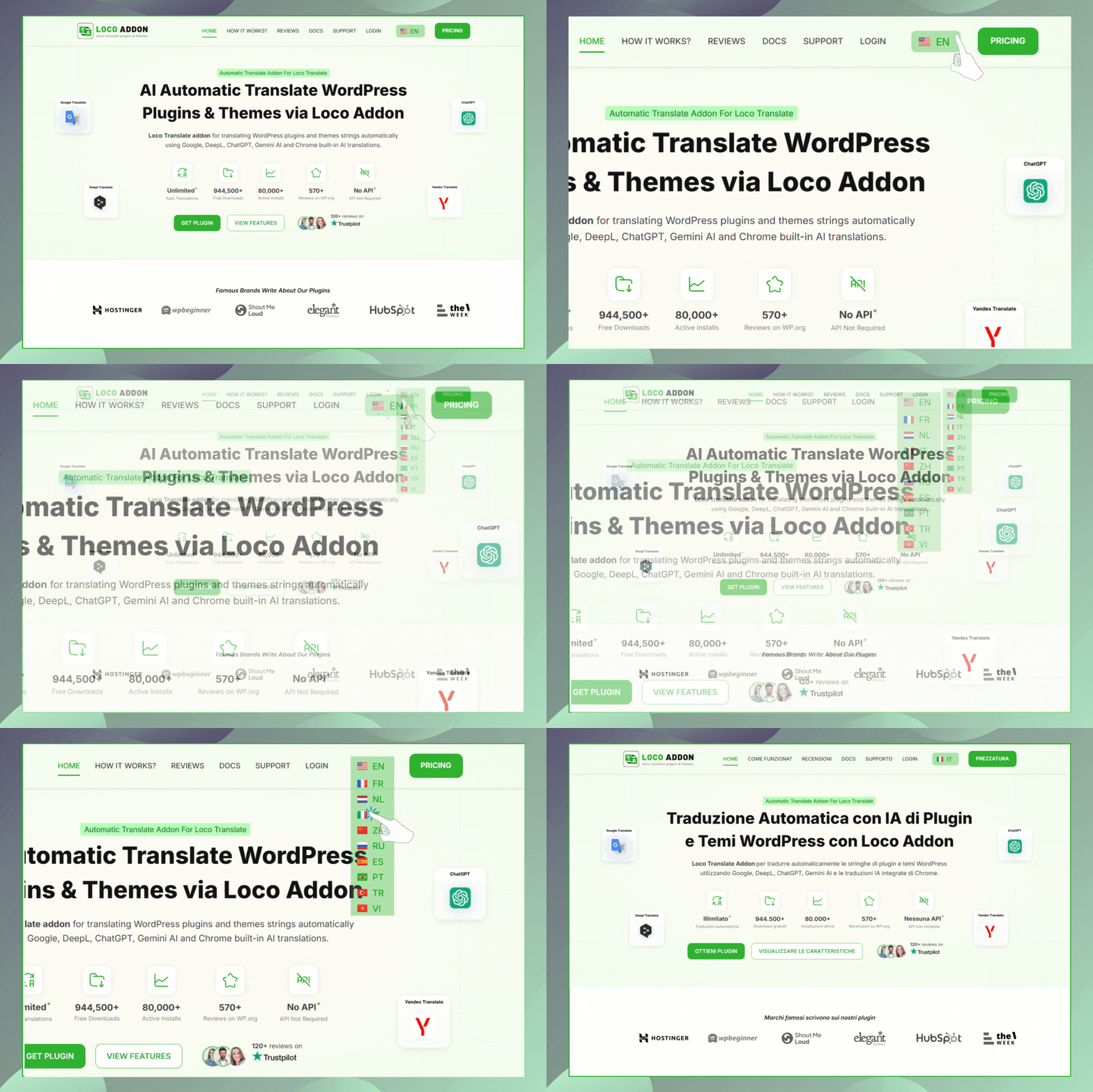
Language Switcher Widget preview.
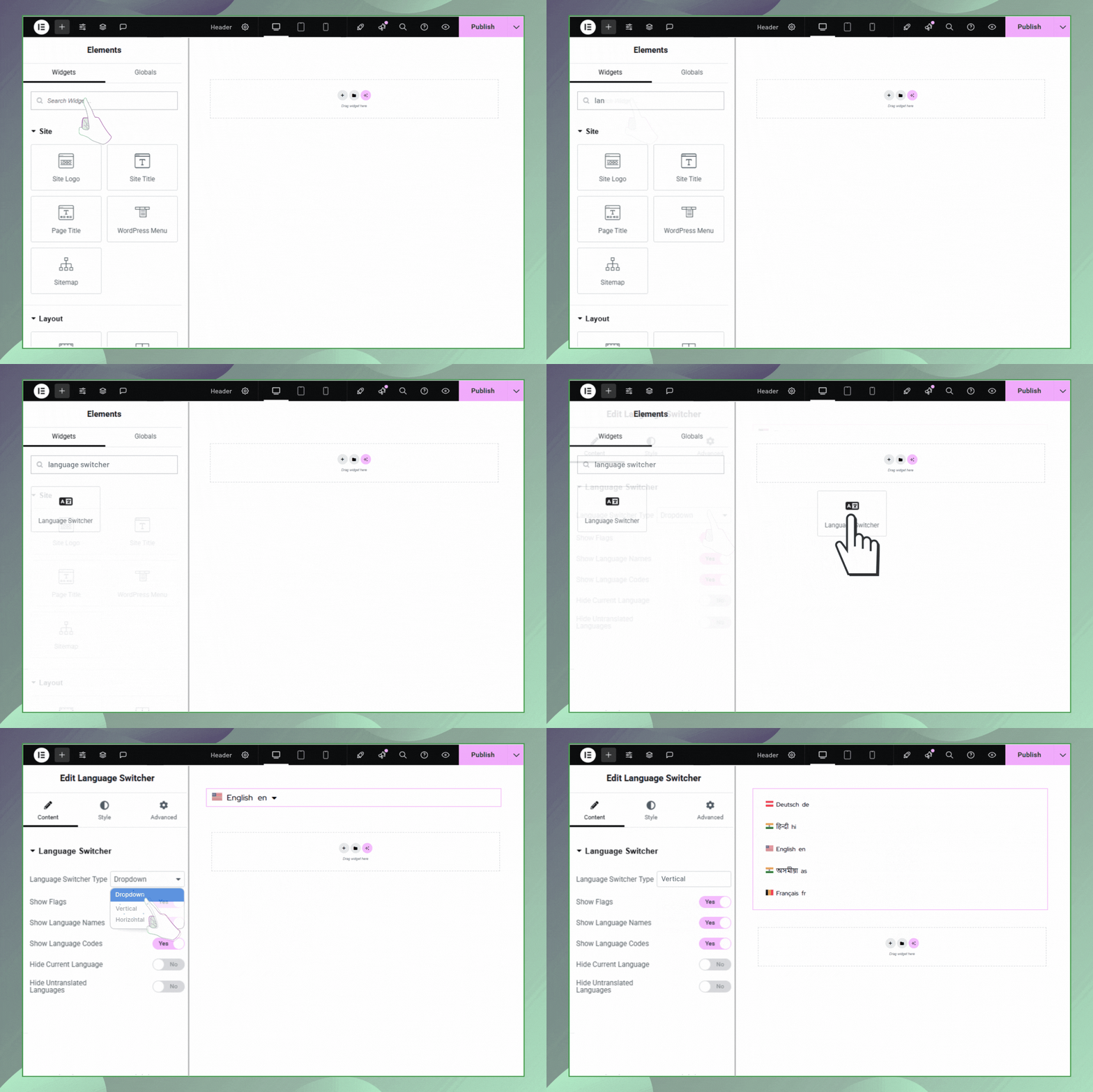
Language Switcher Widget Settings.
Changelog
Version 1.2.3 | 19 November 2025
- Integrated: Get Started Dashboard.
Version 1.2.2 | 28 August 2025
- Fixed: Addressed security vulnerabilities.
- Improved: Enhanced overall code quality.
Version 1.2.1 | 26 June 2025
- Improved: Improved Review notice.
- Tweaks: Added video link and updated content inside the readme.txt file.
Version 1.2.0 | 20 June 2025
- Fixed: Minor issues.
Version 1.1.0 | 10 June 2025
- Fixed: Minor issues.
Version 1.0.1 | 29 May 2025
- Fixed: Minor issues.
Version 1.0.0 | 05 May 2025
- New: Initial plugin release.