

Latest Posts Widget
Adds a widget that shows the most recent posts of your site with excerpt, featured image, date by sorting & ordering feature
Plugin info
Maintenance & Compatibility
Maintenance score
Possibly abandoned • Last updated 3763 days ago • 2 reviews
Is Latest Posts Widget abandoned?
Possibly abandoned (last update 3763 days ago).
Compatibility
Similar & Alternatives
Explore plugins with similar tags, and compare key metrics like downloads, ratings, updates, support, and WP/PHP compatibility.
Description
Latest Posts Widget is a light widget designed to do one thing and do it well: display the most recent posts from your site with various options like excerpt, featured image, date by sorting & ordering feature.
Features
- Option to change ordering of posts.
- Option to show post thumbnail & set dimension by width & height.
- Set how many posts to show.
- Option to show the post excerpt and how long the excerpt should be.
- Option to show the post date.
- Option to show the comment count.
- Multiple widgets.
Contribute
While using this plugin if you find any bug or any conflict, please submit an issue at
Github (If possible with a pull request).
Installation
Automatic installation
Automatic installation is the easiest option as WordPress handles the file transfers itself and you don’t need to leave your web browser. To do an automatic install of Latest Posts Widget,
- log in to your WordPress dashboard, navigate to the Plugins menu and click Add New.
- In the search field type “Latest Posts Widget” and click Search Plugins.
- Once you’ve found plugin, you can install it by simply clicking “Install Now”.
- Then, go to plugins page of WordPress admin activate the plugin.
- Now, goto the Widgets page of the Appearance section and configure the Latest Posts widget.
Manual installation
- Download the plugin.
- Upload it to the plugins folder of your blog.
- Activate the plugin through the ‘Plugins’ menu in WordPress
- Now, goto the Widgets page of the Appearance section and configure the Latest Posts widget.
Frequently Asked Questions
Review feed
Screenshots
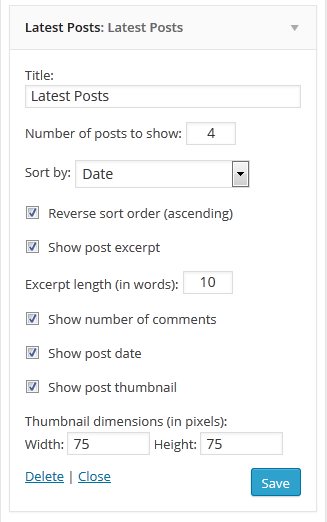
The widget configuration dialog.
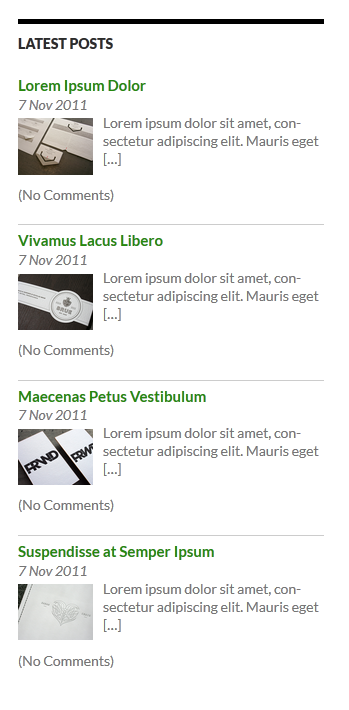
Front end of the widget showing full features of the plugin in a default WordPress Theme.
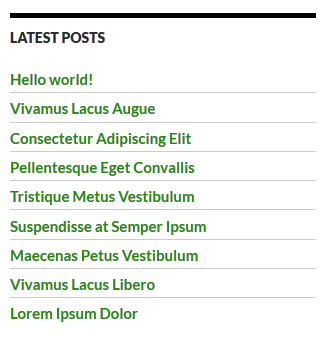
Latest Posts list showing post title only.
Changelog
1.1
- Fixed Thumbnail Issue for few servers
- Added Added PHP5 Constructor
- Compatible with WordPress 4.3
1.0
- Initial Release