

Lead Call Buttons
Make it easy for website visitors to reach you. When enabled adds customizable buttons to the mobile view of the website, i.e. Call, Map, Schedule.
Plugin info
Maintenance & Compatibility
Maintenance score
Possibly abandoned • Last updated 1912 days ago • 12 reviews
Is Lead Call Buttons abandoned?
Possibly abandoned (last update 1912 days ago).
Compatibility
Similar & Alternatives
Explore plugins with similar tags, and compare key metrics like downloads, ratings, updates, support, and WP/PHP compatibility.
Description
Make it easy for website visitors to reach you. When enabled adds customizable buttons to the mobile view of the website, i.e. Call, Map, Schedule.
Special features:
- Generate more leads and calls from every page of your website
- Great for marketers, agencies and designers
- Improve website Customer Support
- Dramatically improve your website with just a few clicks (for free)
- Works with any theme
- Add up to 3 Lead Call buttons, i.e. Call, Make an Appointment, Get Directions, etc.
- Font Awesome Support
- Icon, text, and link is customizable
- Track links with Onclick option
- Hide buttons from specific page or post
- Background and text color is customizable
- Easy setup through admin setting panel
- Compatible with small devices
- Very lightweight
Language
Only available in english.
Installation
- Upload
lead-call-buttonsfolder to your/wp-content/plugins/directory. - Activate the plugin.
- Use “Lead Call Buttons” from wordpress admin menu to configure button icon, text, and link.
Admin panel setup:
- Button Title: The Title you want to display.
- Icon: Font Awesome Icon.
- Link: The Url where it will redirect on click.
- Onclick Code: The tracking code
Frequently Asked Questions
Review feed
Screenshots
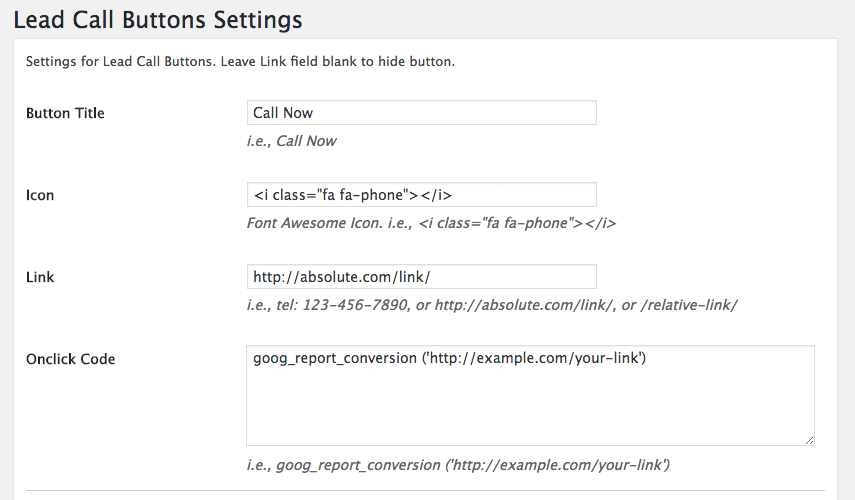
Admin Panel Button Settings
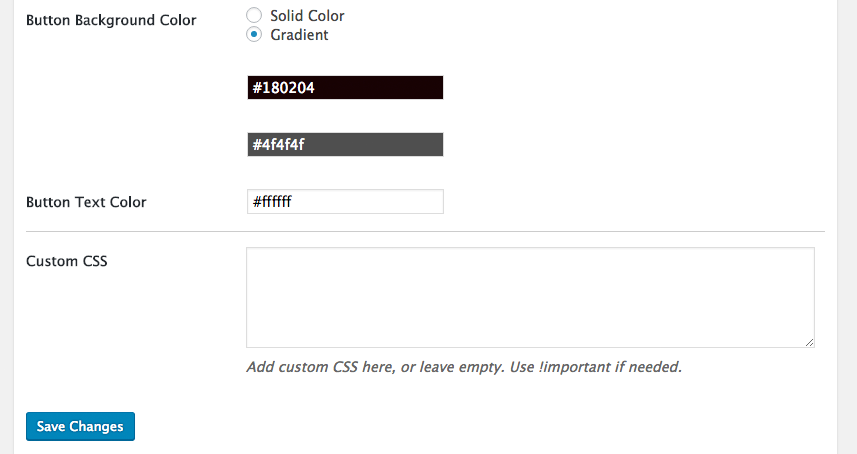
Admin Panel Color Settings

Plugin Preview
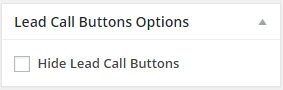
Hide Buttons From Specific Page or Post
Changelog
1.0.1
First released version.
1.0.2
Bug Fix: Addresses an issue where Lead call buttons caused a warning on sites with specific configurations.
1.0.3
Lead call buttons hide option from individual post or page.
1.0.4
Added gradient color option.
1.0.5
Added SSL support.
1.0.6
Added onclick option & ids, to track links.
1.0.7
Added button animation option.