

LeadConnector
LeadConnector: It helps you to add the LeadConnector chat widget and the LeadConnector funnel pages to your WordPress website.
Plugin info
Maintenance & Compatibility
Maintenance score
Maintained • Last updated 127 days ago • Support resolved 50% • 21 reviews
Is LeadConnector abandoned?
Likely maintained (last update 127 days ago).
Compatibility
Similar & Alternatives
Explore plugins with similar tags, and compare key metrics like downloads, ratings, updates, support, and WP/PHP compatibility.
Description
The LeadConnector plugin helps you install the text to chat widget to your wordpress website to drive better conversions. It will also allow you to embed LeadConnector funnel pages to your WordPress website which will help you capture your visitor information like email and phone and make sure you do not miss out on any leads.
3.0.16 – 2025-11-25
- Enhancement: Added support to include WordPress Header and Footer in Funnels via HTML Embed
- Minor copy changes
3.0.15 – 2025-11-24
- Fixed : Fixed UI Breaking in some conditions when a banner is present on top
3.0.14 – 2025-11-10
- Fixed : Embedded HTML Issue
3.0.13 – 2025-11-04
- Feature : Review Widgets, Calendars, Surveys & Quizzes
3.0.12 – 2025-10-28
- Feature : LeadConnector powered SEO capabilities
3.0.10.5 – 2025-09-22
- Resolved : Plugin breaking issue with Advanced Custom Fields
3.0.11 – 2025-09-11
- Implements Added a new feature that allows integration of custom values into WordPress.
3.0.10.4 – 2025-08-26
- Added support for Right-to-Left (RTL) languages in plugin
3.0.10.3 – 2025-08-26
- Added “Purge everything on all domains” option to the CDN Cache dropdown.
3.0.10.2 – 2025-08-05
- Fixed: Login failure in certain scenarios
- Improved: Minor performance and UI enhancements
- Resolved: Compatibility issues with PHP 7.3
3.0.10.1 – 2025-07-03
- Minor copy changes
3.0.10 – 2025-06-20
- Implements Notifications for Usability
3.0.9 – 2025-05-14
- Bug Fixes: Handled warning messages
3.0.8 – 2025-05-14
- Bug Fixes: Resolved errors related to funnels and other minor performance enhancements
3.0.7 – 2025-04-15
- Enhancement: Added Support for embedding funnels bia Native HTML ( This now allows usage of order forms via funnels in WordPress )
3.0.6 – 2025-04-15
- Enhancement: Enabled Support for Multiple Chat Widgets
3.0.4 – 2025-02-26
- Performance Fix: Resolved Performance issues for website which had stale crons
3.0.3 – 2025-02-24
- Security Update: Added Sanitization and Escaping for all the parameters
3.0 – 2025-02-15
- General Fix: Improved Cron Job Scheduling
2.0.5- 2025-02-15
- General Fix: Resolved Chat Widget Getting Disabled Issue
2.0.3- 2025-02-11
- General Fix: Resolved Errors
2.0.2- 2025-02-11
- General Fix: Resolved Cron and Loading screen issue
2.0- 2025-02-01
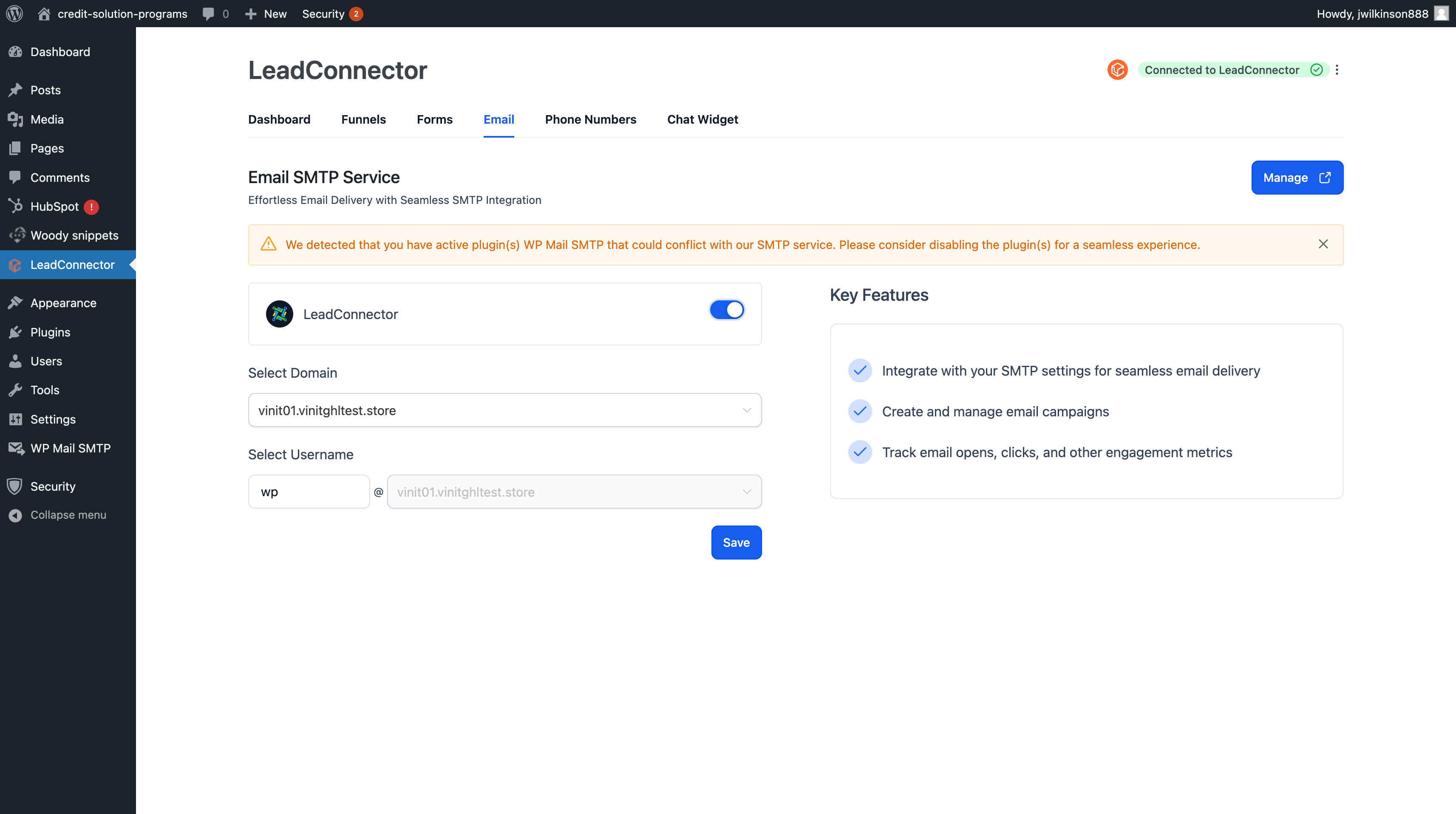
- New Features Added: Introducing LC Forms Integration, LC Email, and Phone Number Tracking Pool—now seamlessly accessible within WordPress to enhance lead generation, email management, and campaign tracking!
1.9- 2024-06-13
- General Fix: Warnings and Errors
- Tracking code: Allowed noscript tag
1.8- 2024-04-23
- Security Updates
1.7- 2022-02-18
- Choose Favicon: New option to use wordpress site’s default favicon for funnel.
1.6- 2021-11-09
- Present correct error if account’s Permalinks set to plain
- Made the plugin compatible with other plugins which stop
chat-widgetinstallations
1.5- 2021-05-28
- Bug fix: Now, the tracking code will work from both funnel and its step level
- Bug fix: Plugin CSS will not conflict with other plugins CSS
1.4- 2021-04-27
- Tracking code support: The tracking code in the funnel can be published in the WordPress post
- Chat-Widget: Theme color support
- Chat-Widget: Compatibility with third-party plugins
- Bug fixes: Non-Ascii char support in meta tags
1.3 – 2021-04-09
- Bug fix: Published funnel page not working if the domain is not connected
1.2 – 2021-03-22
- Bug fixes
1.1 – 2021-03-16
- SEO metadata support: SEO metadata associated with funnel will also be available to the WordPress page
1.0 – 2021-03-08
- Funnel Integration: You can import your funnels from LeadConnector CRM and publish them as wordpress Page
- A New look feel to the Lead-Connector setting page
0.5.0 – 2021-02-28
- Privacy policy update
0.4.0 – 2021-02-10
- Latest chat-widget integration
- Now, the Plugin will fetch the latest settings from your account
0.3.0 – 2020-12-17
- Fix: Remove dependency from jQuery Migrate script
0.2.0 – 2020-12-9
- Introduced
use email fieldcheckbox under text-widget settings to show hide email input field in text widget
0.1.0 – 2020-11-30
- Initial Public Beta Release
Third Party Services
This plugin connects you to the LeadConnector CRM through the APIs and scripts
to render the widgets and generate leads from your website.
In order to use the APIs, this plugin requires you to provide the API key from your LeadConnector Account.
In order to use this plugin, it is highly recommended to read LeadConnector's privacy-policy and Terms of Service
Installation
Minimum Requirements
- WordPress 5.0 or greater
- PHP version 5.6 or greater
We recommend your host supports:
- WordPress 5.5.3 or greater
- PHP version 7.4.9 or greater
- WordPress Memory limit of 64 MB or greater (128 MB or higher is preferred)
Installation
- Install using the WordPress built-in Plugin installer, or Extract the zip file and drop the contents in the
wp-content/plugins/directory of your WordPress installation. - Activate the plugin through the ‘Plugins’ menu in WordPress(This will add new Menu in admin panel’s side menu name
Lead Connector). - Go to Menu > Lead Connector
- It will open a new page which will ask you to provide API key for one of your locations and allow you to enable the widgets
Frequently Asked Questions
Review feed
Screenshots
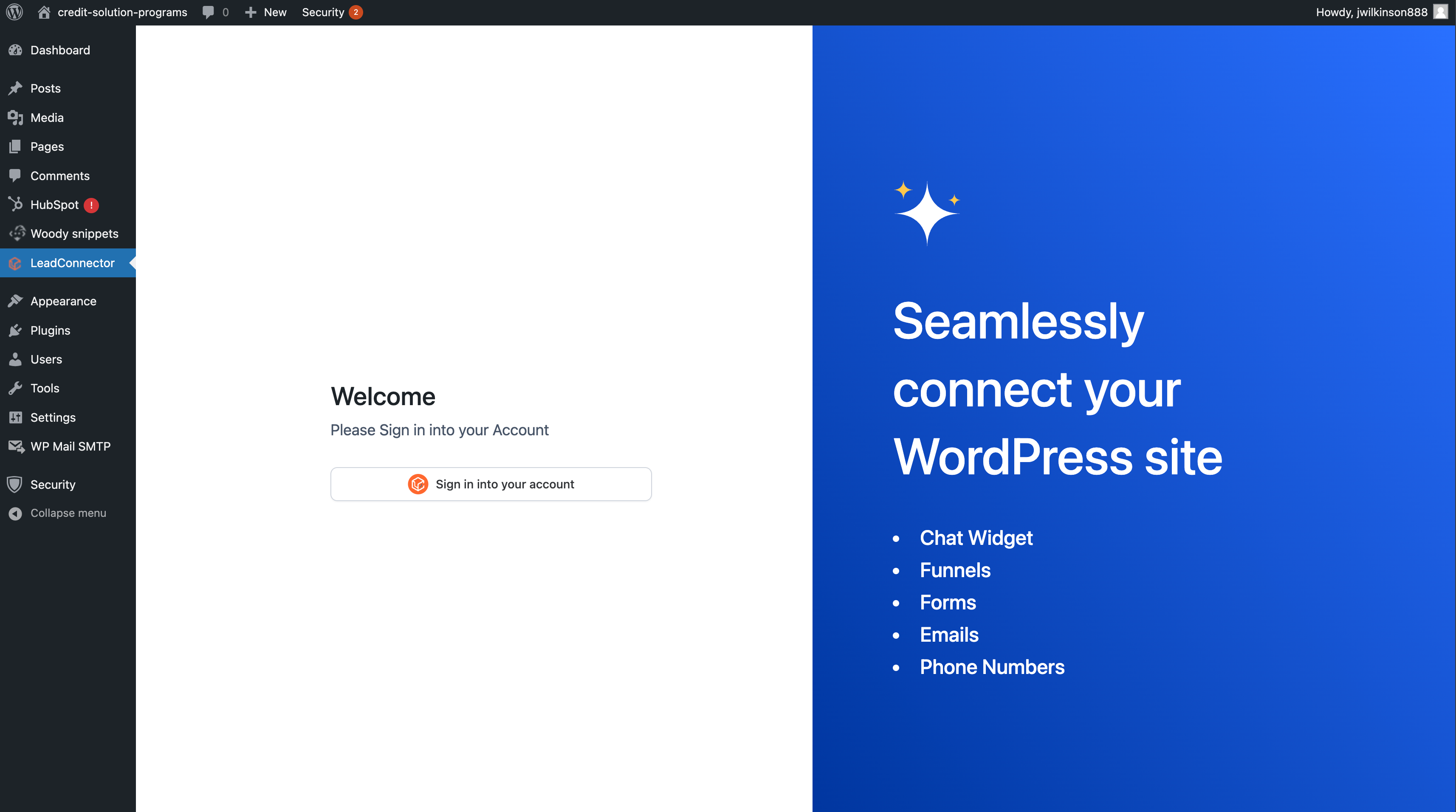
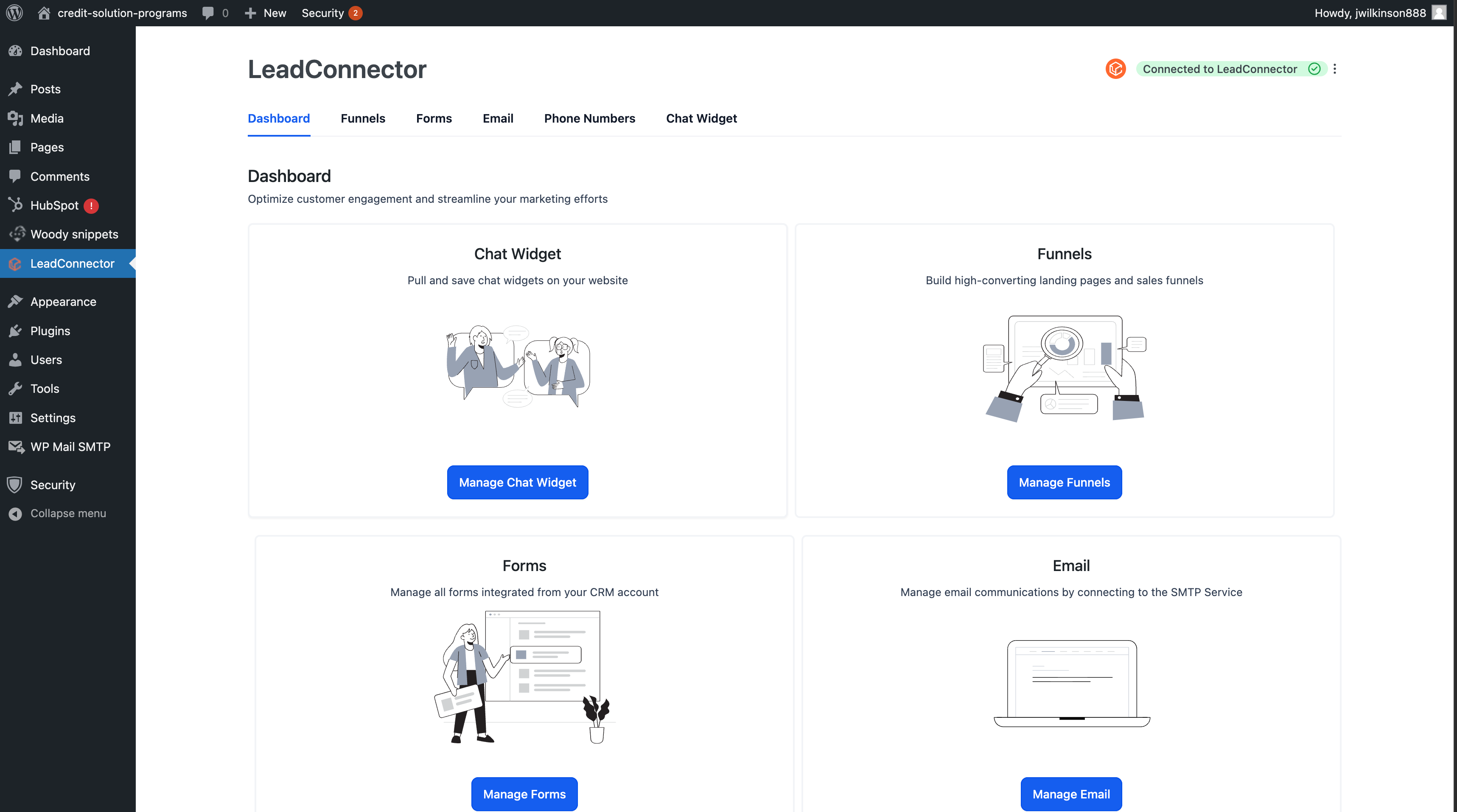
This is how the plugin looks once enabled.
You need to copy in your API key from your location, enable the chat widget.
Preview of the chat widget installed on the website.
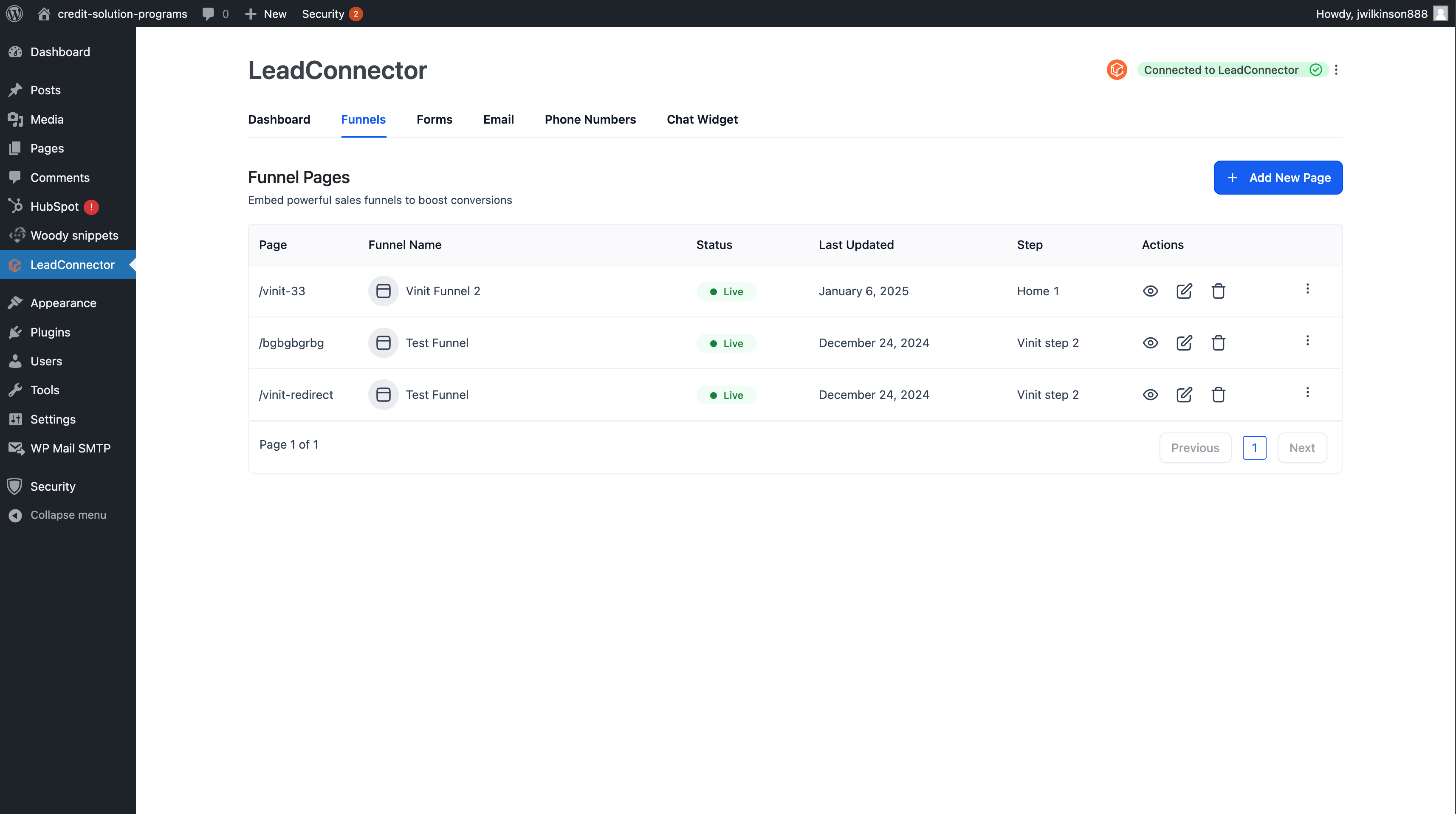
Add and Edit your funnel's steps as WordPress pages
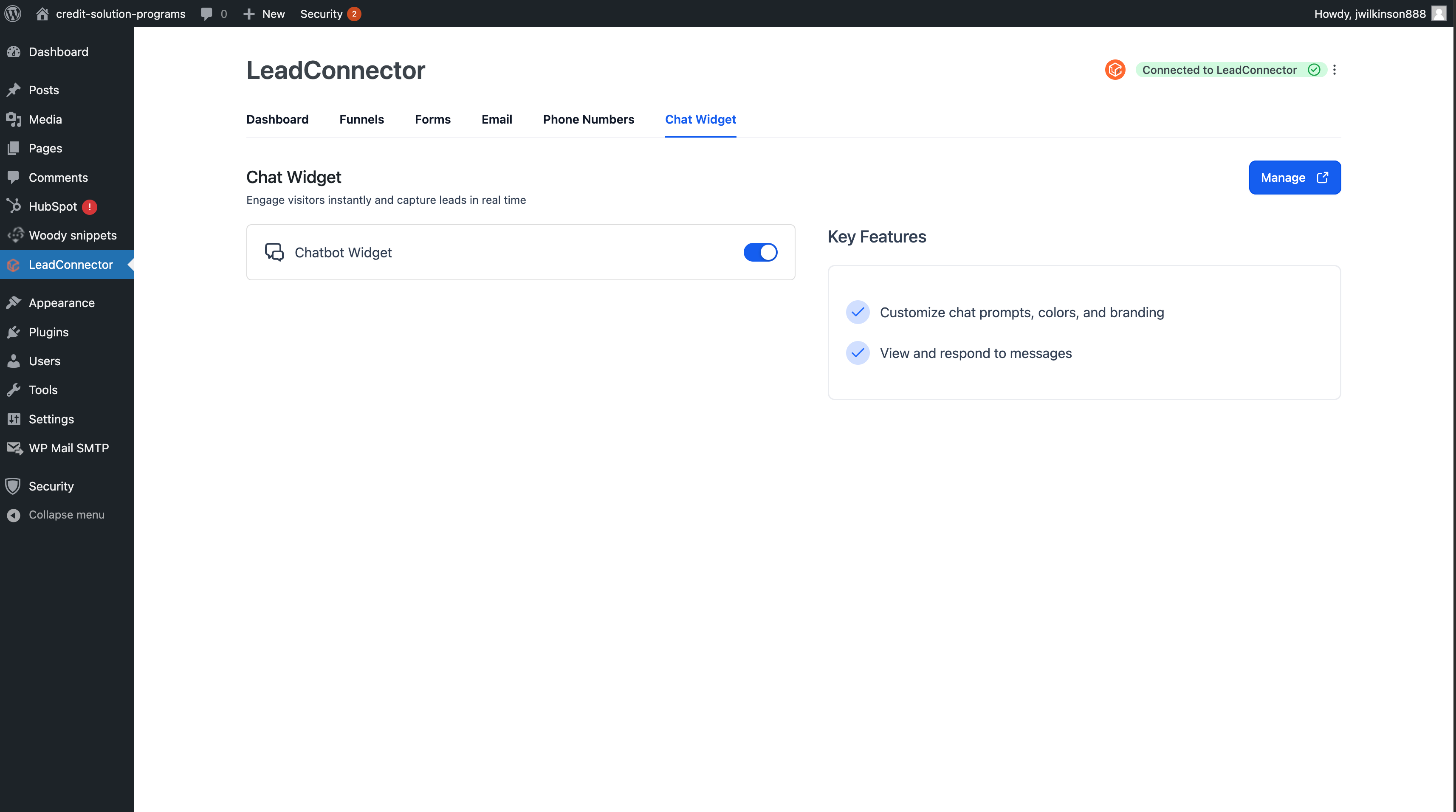
View and Manage All Your Pages
Changelog
3.0.10.4 – 2025-08-26
- Added support for Right-to-Left (RTL) languages in plugin
3.0.10.3 – 2025-08-26
- Added “Purge everything on all domains” option to the CDN Cache dropdown.
3.0.10.2 – 2025-08-05
- Fixed: Login failure in certain scenarios
- Improved: Minor performance and UI enhancements
- Resolved: Compatibility issues with PHP 7.3
3.0.10.1 – 2025-07-03
- Minor copy changes
3.0.10 – 2025-06-20
- Implements Notifications for Usability
3.0.9 – 2025-05-14
- Bug Fixes: Handled warning messages
3.0.8 – 2025-05-14
- Bug Fixes: Resolved errors related to funnels and other minor performance enhancements
3.0.7 – 2025-04-15
- Enhancement: Added Support for embedding funnels bia Native HTML ( This now allows usage of order forms via funnels in WordPress )
3.0.6 – 2025-04-15
- Enhancement: Enabled Support for Multiple Chat Widgets
3.0.4 – 2025-02-26
- Performance Fix: Resolved Performance issues for website which had stale crons
3.0.3 – 2025-02-24
- Security Update: Added Sanitization and Escaping for all the parameters
3.0 – 2025-02-15
- General Fix: Improved Cron Job Scheduling
2.0.5- 2025-02-15
- General Fix: Resolved Chat Widget Getting Disabled Issue
2.0.3- 2025-02-11
- General Fix: Resolved Errors
2.0.2- 2025-02-11
- General Fix: Resolved Cron and Loading screen issue
2.0- 2025-02-01
- New Features Added: Introducing LC Forms Integration, LC Email, and Phone Number Tracking Pool—now seamlessly accessible within WordPress to enhance lead generation, email management, and campaign tracking!
1.9- 2024-06-13
- General Fix: Warnings and Errors
- Tracking code: Allowed noscript tag
1.8- 2024-04-23
- Security Updates
1.7- 2022-02-18
- Choose Favicon: New option to use wordpress site’s default favicon for funnel.
1.6- 2021-11-09
- Present correct error if account’s Permalinks set to plain
- Made the plugin compatible with other plugins which stop
chat-widgetinstallations
1.5- 2021-05-28
- Bug fix: Now, the tracking code will work from both funnel and its step level
- Bug fix: Plugin CSS will not conflict with other plugins CSS
1.4- 2021-04-27
- Tracking code support: The tracking code in the funnel can be published in the WordPress post
- Chat-Widget: Theme color support
- Chat-Widget: Compatibility with third-party plugins
- Bug fixes: Non-Ascii char support in meta tags
1.3 – 2021-04-09
- Bug fix: Published funnel page not working if the domain is not connected
1.2 – 2021-03-22
- Bug fixes
1.1 – 2021-03-16
- SEO metadata support: SEO metadata associated with funnel will also be available to the WordPress page
1.0 – 2021-03-08
- Funnel Integration: You can import your funnels from LeadConnector CRM and publish them as wordpress Page
- A New look feel to the Lead-Connector setting page
0.5.0 – 2021-02-28
- Privacy policy update
0.4.0 – 2021-02-10
- Latest chat-widget integration
- Now, the Plugin will fetch the latest settings from your account
0.3.0 – 2020-12-17
- Fix: Remove dependency from jQuery Migrate script
0.2.0 – 2020-12-9
- Introduced
use email fieldcheckbox under text-widget settings to show hide email input field in text widget
0.1.0 – 2020-11-30
- Initial Public Beta Release
Third Party Services
This plugin connects you to the LeadConnector CRM through the APIs and scripts
to render the widgets and generate leads from your website.
In order to use the APIs, this plugin requires you to provide the API key from your LeadConnector Account.
In order to use this plugin, it is highly recommended to read LeadConnector's privacy-policy and Terms of Service