

Cron Jobs
Easily manage and monitor your WordPress cron jobs from a clean, intuitive interface.
Plugin info
Maintenance & Compatibility
Maintenance score
Stale • Last updated 265 days ago • 6 reviews
Is Cron Jobs abandoned?
Likely maintained (last update 265 days ago).
Compatibility
Developers
Similar & Alternatives
Explore plugins with similar tags, and compare key metrics like downloads, ratings, updates, support, and WP/PHP compatibility.
Description
Cron Jobs is a lightweight yet powerful plugin that simplifies the management of your WordPress cron events.
With this tool, you can quickly view, run, and modify your scheduled tasks (cron jobs) without writing code. It’s ideal for developers, site managers, or anyone needing better control over WordPress’s background processes.
Key features include:
- Run or bulk run selected cron jobs instantly.
- Edit cron job schedule, next run time, and arguments directly from the list view.
- Customize visible columns and preferences via the native “Screen Options” panel.
- Access help and documentation to better understand how WordPress cron works.
Installation
- Upload the plugin to
/wp-content/plugins/leira-cron-jobs, or install it directly via the WordPress Plugin Directory. - Activate it from the Plugins menu in your WordPress admin.
- Navigate to Tools Cron Jobs to start managing your tasks.
- That’s it — happy automating!
Frequently Asked Questions
Not at the moment. Leira Cron Jobs allows you to view, edit, run, and delete existing cron jobs, but not create new ones (yet).
You can modify the schedule, next run time, and the arguments passed to the cron hook.
Currently, no. Managing schedules is not yet supported, but it’s a planned feature for a future release.
Review feed
Great plugin
This plugin is awesome
Screenshots
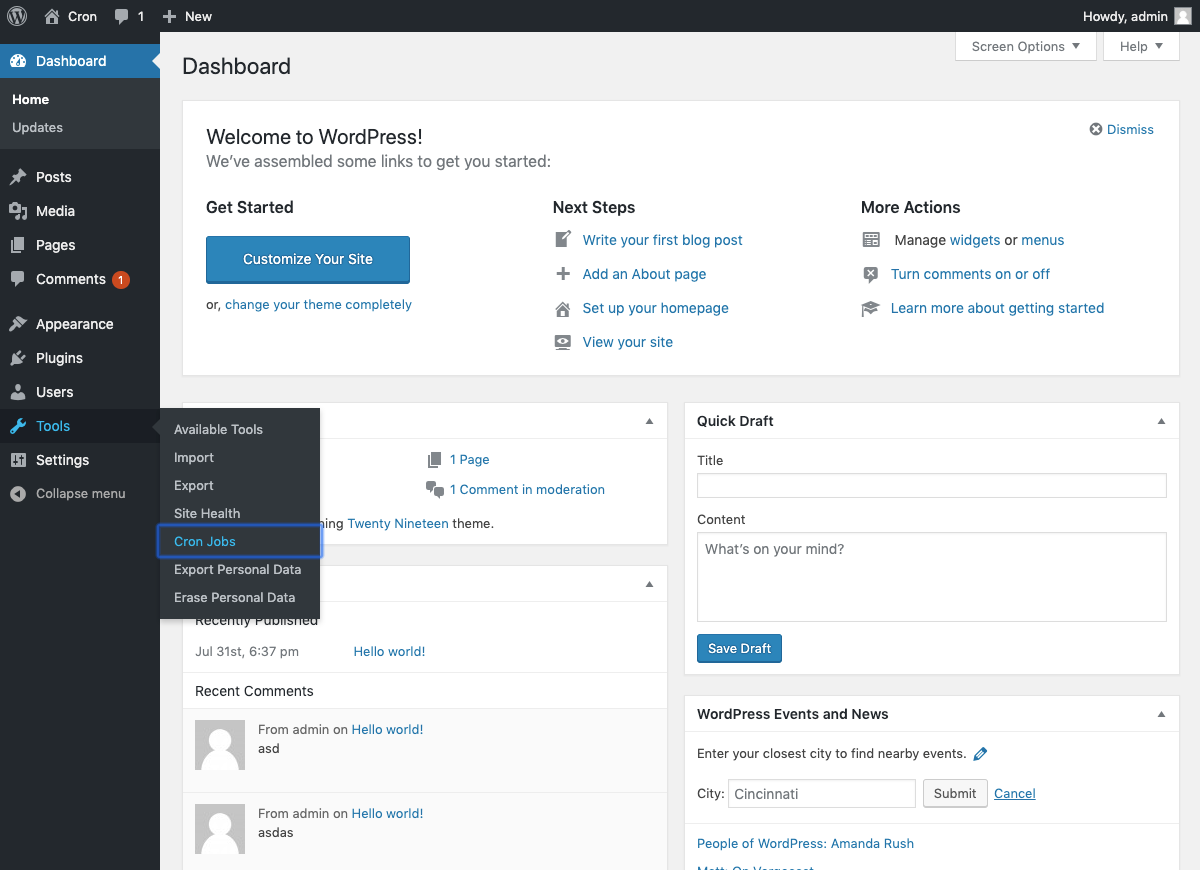
Access the "Cron Jobs" screen from the "Tools" menu.

View a list of all registered cron jobs. Jobs without actions appear highlighted in red.

Quickly edit arguments, schedule, and next run time.

Perform bulk actions on selected cron jobs.

Customize the table view via the "Screen Options" menu.

Helpful overview about WordPress cron behavior.

Detailed "Screen Options" explanation.

Display of WordPress constant statuses related to cron.

Use the search bar to filter cron jobs.

Delete only jobs with missing hooks to prevent breaking functionality.
Changelog
1.2.11
- Improved the plugin’s compatibility with WordPress 6.8
- New method to handle running cron jobs, ensuring better reliability
1.2.10
- Verified compatibility with WordPress 6.6
- Fixed security issue reported by Wordfence
- Improved input sanitization
1.2.9
- Verified compatibility with WordPress 5.9
1.2.8
- Verified compatibility with WordPress 5.7
1.2.7
- Verified compatibility with WordPress 5.6
- Fixed a bug when editing cron job arguments
1.2.6
- Added GitHub Actions for automated deployment
- Updated GitHub Actions for syncing readme/assets
- Bug fix (thanks to ptibogxiv)
1.2.5
- Minor bug fixes
1.2.4
- Minor bug fixes
1.2.3
- Added “Rate us” link in footer
- Improved notification handling using cookies
- Fixed typos
1.2.2
- Added Spanish language support
- Expanded Help tab with more cron job info
1.2.1
- Added legend for blue/red table rows in the Help tab
- Fixed date/time editor styling
1.2.0
- Major plugin refactor for improved performance and maintainability
1.1.2
- Improved table sorting functionality
1.1.1
- Updated screenshot 6
- Source code cleanup
1.0.0
- Initial release