

Maintenance 28/100527d since update
Active installs
100
Downloads
4,777
Reviews
4
Age
7.5y
Plugin info
Total downloads: 4,777
Active installs: 100
Total reviews: 4
Average rating: 5
Support threads opened: 0
Support threads resolved: 0 (0%)
Available in: 4 language(s)
Contributors: 1
Last updated: 9/7/2024 (527 days ago)
Added to WordPress: 8/24/2018 (7 years old)
Minimum WordPress version: 4.6
Tested up to WordPress version: 6.6.4
Minimum PHP version: 7.1
Maintenance & Compatibility
Maintenance score
Possibly abandoned • Last updated 527 days ago • 4 reviews
28/100
Is Light Admin Theme abandoned?
Possibly abandoned (last update 527 days ago).
Compatibility
Requires WordPress: 4.6
Tested up to: 6.6.4
Requires PHP: 7.1
Developers
Similar & Alternatives
Explore plugins with similar tags, and compare key metrics like downloads, ratings, updates, support, and WP/PHP compatibility.
Adminimize
Rating 4.7/5 (253 reviews) • Active installs 200,000
WP Admin Color Schemes
Rating 5.0/5 (2 reviews) • Active installs 1,000
Zephyr Admin Theme
Rating 5.0/5 (4 reviews) • Active installs 300
Romance Admin Color Scheme
Rating 5.0/5 (4 reviews) • Active installs 30
Super Thorough Admin Color Scheme
Rating 5.0/5 (4 reviews) • Active installs 30
Coeur Admin Color Scheme
Rating 5.0/5 (2 reviews) • Active installs 10
Description
This plugin will simplify your administration.
Options:
- General
- White theme
- Dashboard
- Hide Welcome panel
- Hide default boxes
- Add box with your logo and title
- Admin panel
- Remove WordPress logo
- Remove comments information
Installation
- Upload the plugin files to the
/wp-content/plugins/light-admin-themedirectory, or install the plugin through the WordPress plugins screen directly. - Activate the plugin through the ‘Plugins’ screen in WordPress
- Use the “Settings->Light Admin theme” screen to configure the plugin
Frequently Asked Questions
No FAQ available
Review feed
No reviews available
Screenshots

Without plugin -> With plugin

Without plugin
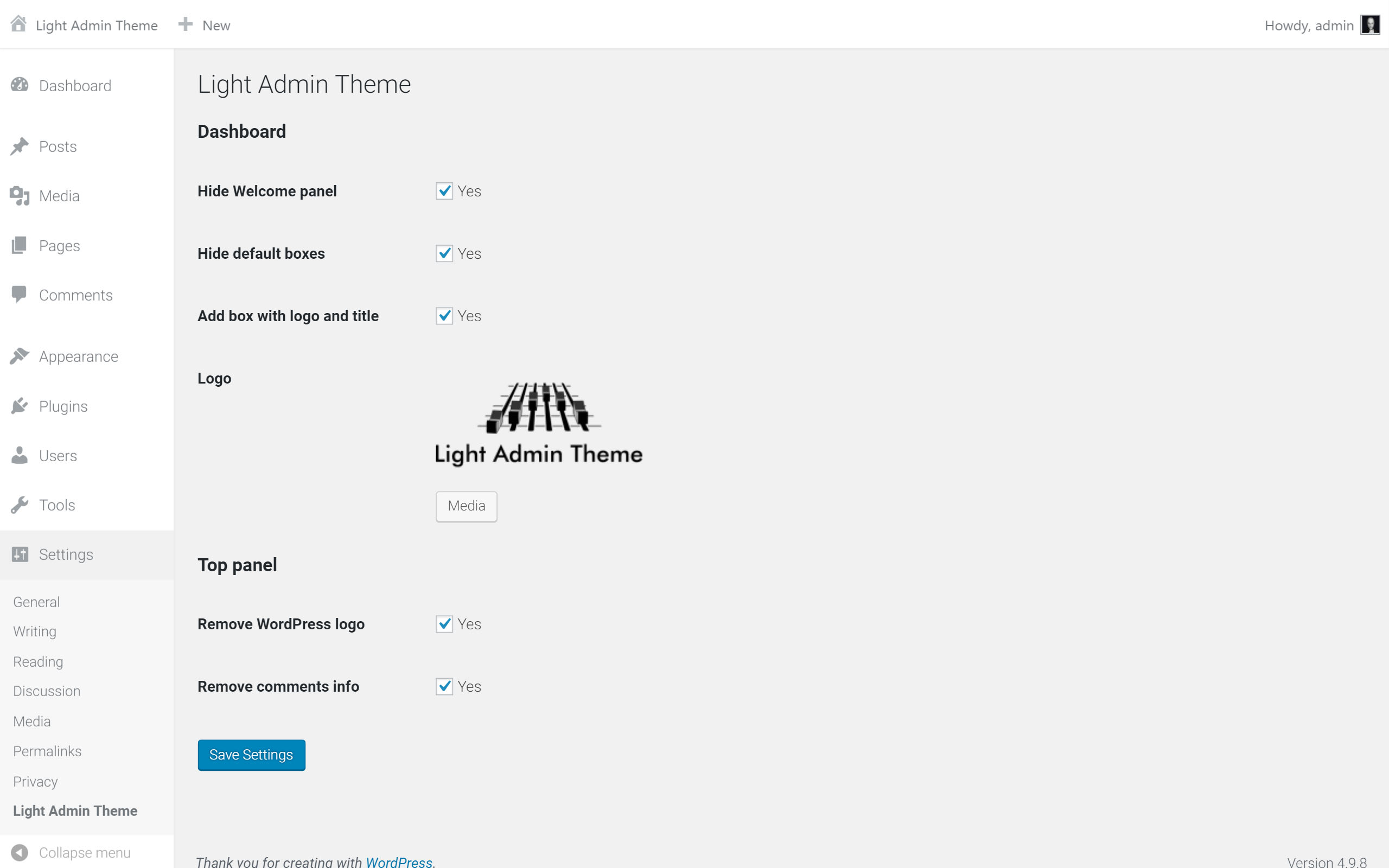
Plugin options

With plugin
Changelog
0.3.2
- Fix problem: “Can’t use thumbnail in post if plugin active”
- Remove default Site healt widget on dashbord if “Hide default boxes” is on.
0.3.1
- Fix problem: “Can’t use method return value in write context”
0.3
- Option for enable/disable white theme
0.2
- Custom logo in login page
- New white design of administration
- Fix problem with save blank parameters in “Settings->Light Admin theme”
0.1
- Basic settings of dashboard, top panel and style.