

Light Modal Block
Lightweight, customizable modal block for the WordPress block editor
Plugin info
Maintenance & Compatibility
Maintenance score
Maintained • Last updated 134 days ago • Support resolved 50% • 11 reviews
Is Light Modal Block abandoned?
Likely maintained (last update 134 days ago).
Compatibility
Languages
Similar & Alternatives
Explore plugins with similar tags, and compare key metrics like downloads, ratings, updates, support, and WP/PHP compatibility.
Description
A simple yet robust solution for creating modals within the WordPress block editor.
Features
- Fully customizable using the native block editor style controls
- Trigger modal on click for any element via CSS selector
- Trigger modal on page load after X milliseconds
- Set cookie to not show modal again on page load until X minutes have elapsed
- Option for user interaction within modal triggers cookie to be set
- Custom modal width
- Optional close button
- API enabled
- Only 2kb gzipped
- Accessibility enabled
- Use modals within the query loop block
Attribution
The Light Modal block uses a modified version of the Micromodal library.
Installation
- Upload the plugin files to the
/wp-content/plugins/light-modal-blockdirectory, or install the plugin through the WordPress plugins screen directly. - Activate the plugin through the ‘Plugins’ screen in WordPress
Frequently Asked Questions
Each modal is given a unique ID, which can be found inside the inspector controls of the block settings. It will look something like: Mk6I8L4haJB
To open a modal:
window.lightModalBlocks.get('modal-id-here').showModal(true);
To close a modal:
window.lightModalBlocks.get('modal-id-here').closeModal();
Paste the following code in your child themes functions.php file or similar:
/**
* Prevents the light modal block from focusing on a specific element when it opens.
*
* @return void
*/
add_action(
    'wp_enqueue_scripts',
    function () {
        wp_add_inline_script(
            'cloudcatch-light-modal-block-view-script',
            'window.lmbFocusableElements = "";',
            'before'
        );
    }
);
The class lmb-open is added to the <body> of the page when a modal is open. You can use the following CSS to prevent scrolling
.lmb-open {
    overflow: hidden;
}
Review feed
Screenshots
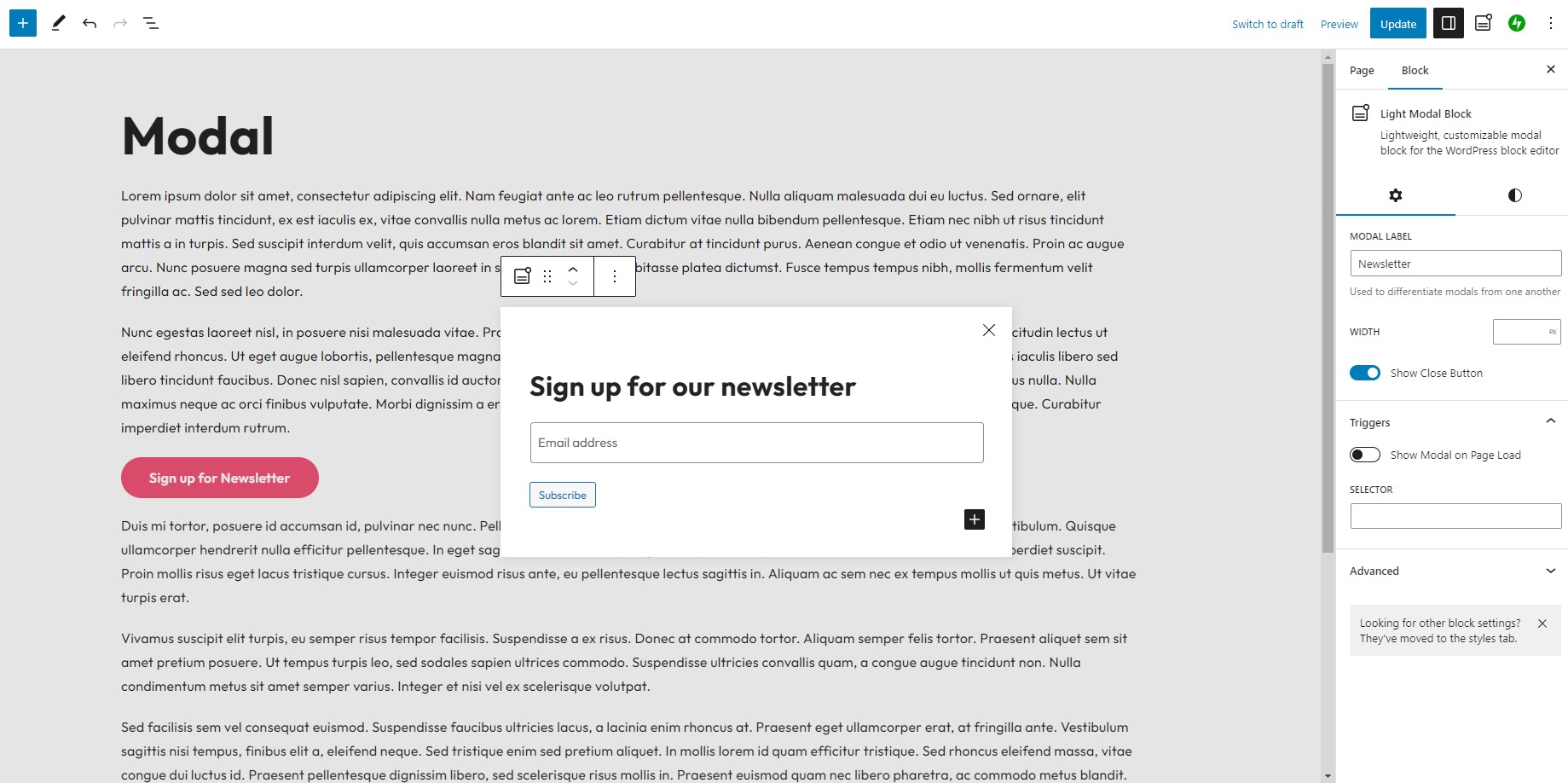
Block editor modal settings

Show Modal block control enabled under the Advanced panel for various blocks

Native block styling enabled for modals

Custom panel reveals all modals enabled on page

Modal in list view
Changelog
1.8.0
- Fix: Show modal on page load no longer requiring delay input
- Enhancement: Control over autoplaying of videos and audio when a modal opens as well as pausing when it closes
1.7.1
- Fix: Unnecessary block editor scripts being enqueued on frontend
1.7.0
- Enhancement: Improve acessibility of modal triggers for the Button block
1.6.0
- Enhancement: Add event listeners for modal ready, open and close
1.5.0
- Enhancement: Add body class
.lmb-openwhen a modal is currently open on the page - Enhancement: Add ability to set cookie on timed modals when user interacts with content in the modal
- Enhancement: Close icon / close background color controls
- Enhancement: Add ability to change/remove focusable elements when a modal is opened
- Chore: Update block to block version 3
- Chore: Update minimum WordPress version support to 6.6
1.4.0
- Enhancement: Support for modals within a query loop block
1.3.2
- Fix: Unique modal ID not generating when duplicating block
1.3.1
- Fix: When editing a pattern with a modal block, open modal by default
1.3.0
- Enhancement: Add support for drop shadows
1.2.1
- Fix: Modal blocks not showing in sidebar or advanced controls if a nested block
1.2.0
- Enhancement: Add typography style controls
1.1.1
- Fix: Block editor toolbar crash
1.1.0
- Fix: Add backdrop color control
- Enhancement: Set cookie to not display modal again until X minutes have elapsed
- Enhancement: API to programatically open and close modal
1.0.1
- Fix: Update CSS styling
1.0.0
- Initial release