

Like and Dislike – like a comment, vote social media post, emoji dislike
Short Description: A plugin that allows users to like and dislike posts in WordPress.
Plugin info
Maintenance & Compatibility
Maintenance score
Possibly abandoned • Last updated 436 days ago
Is Like and Dislike – like a comment, vote social media post, emoji dislike abandoned?
Possibly abandoned (last update 436 days ago).
Compatibility
Similar & Alternatives
Explore plugins with similar tags, and compare key metrics like downloads, ratings, updates, support, and WP/PHP compatibility.
Description
The Like and Dislike plugin adds functionality for users to like and dislike posts in WordPress. This allows users to easily express their opinions and engage with content. Users can also like a comment, making it easier to highlight popular opinions.
With this plugin, you can enable users to vote on social media posts, enhancing interaction and feedback. Additionally, the plugin supports emoji dislike, allowing users to use emojis to express their feelings towards content in a fun and engaging way.
Features
- Allow users to like or dislike posts.
- Customize which posts have the voting feature enabled.
- Vote on posts with simple buttons, like on social media posts.
- Track user interactions using the built-in statistics tab.
- Prevent multiple votes from the same user.
- Emoji-based reactions for more expressive feedback (like/dislike).
Usage
- Download the plugin and upload it to your
/wp-content/plugins/directory. - Activate the plugin through the ‘Plugins’ menu in WordPress.
- Configure settings under the “Like and Dislike” admin menu.
Installation
- Upload the
like-and-dislikefolder to the/wp-content/plugins/directory. - Activate the plugin through the ‘Plugins’ menu in WordPress.
- The like and dislike buttons will be automatically added to your posts and comments.
Frequently Asked Questions
Review feed
Screenshots
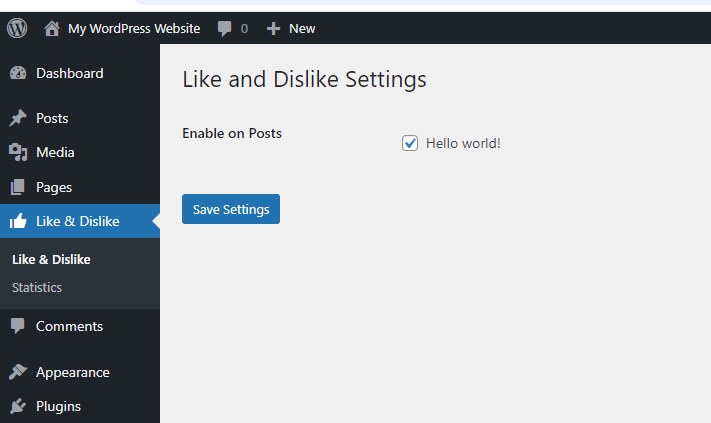
Like and Dislike settings.
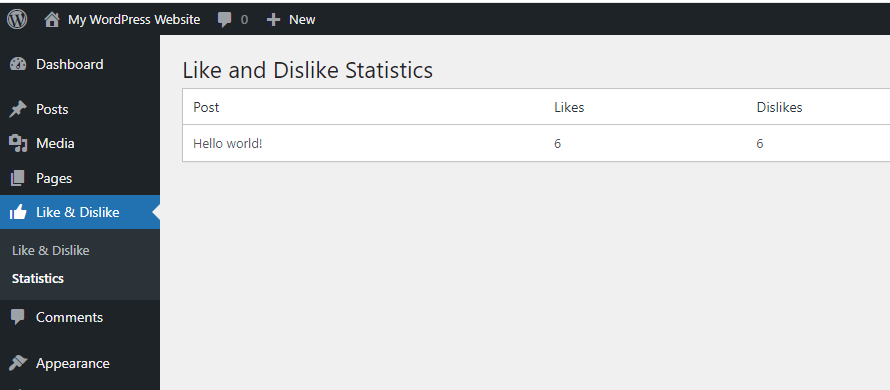
Like and Dislike statistic.

Like and Dislike buttons on a post.
Changelog
1.0
- Initial release of the plugin with features for likes, dislikes, and post engagement statistics.