

Link Grab-O-Matic
Link Grab-O-Matic, is a simple interface to quickly and easily post links to your blog as posts.
Plugin info
Maintenance & Compatibility
Maintenance score
Possibly abandoned • Last updated 5110 days ago • 1 reviews
Is Link Grab-O-Matic abandoned?
Possibly abandoned (last update 5110 days ago).
Compatibility
Similar & Alternatives
Explore plugins with similar tags, and compare key metrics like downloads, ratings, updates, support, and WP/PHP compatibility.
Description
I couldn’t find a simple way to just add links with a short description to my blog without
jumping through a lot of hoops. So I made this simple plugin that makes adding posts to your
to site as a link blog post with just a few steps. That way you could have posts that like
the popular site Daring Fireball
There’s a simple wizard style interface that walks you through the process.
Any image that is used from the source link will be added to the post and set as the thumbnail.
The image isn’t added inline to the post because I want you to have more control of how it
was displayed. However the image will be imported in to the Media gallery for you to insert.
Arbitrary section
Something should maybe go here?
Installation
- Upload the
link-grab-o-maticfolder to the/wp-content/plugins/directory - Activate the plugin through the ‘Plugins’ menu in WordPress
- Click the new ‘Link Grab-o-Matic’ option under the Posts menu from your admin screen
- Rock on!
Frequently Asked Questions
You haven’t asked any yet, but when you do and they become frequent, I’ll put them here.
Review feed
Screenshots
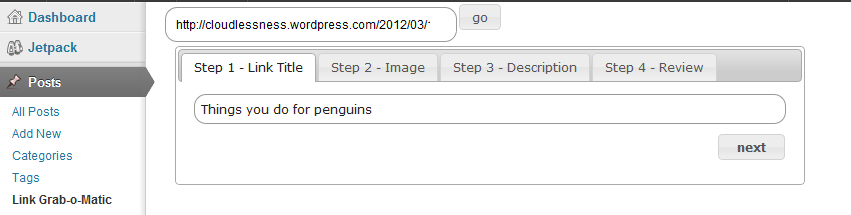
First add a URL.

Select an image from to use.

Select some text to include.

Review and edit before you create a post.
Changelog
1.0
- This is the first version!
1.1
- Fixed several issues
- added options screen under settings to allow for better user defined preferences