

LinkStorm – Internal Linking
LinkStorm is an AI-powered tool designed to boost SEO and improve user navigation by building semantically relevant internal links.
Plugin info
Maintenance & Compatibility
Maintenance score
Possibly abandoned • Last updated 368 days ago
Is LinkStorm – Internal Linking abandoned?
Possibly abandoned (last update 368 days ago).
Compatibility
Similar & Alternatives
Explore plugins with similar tags, and compare key metrics like downloads, ratings, updates, support, and WP/PHP compatibility.
Description
LinkStorm is the ultimate solution for optimizing your internal linking. By leveraging AI, it identifies and inserts internal links that help search engines better understand your site and guide users to the content they need most.
With options for manual approval or full automation, LinkStorm saves you countless hours of tedious work.
Key Features
- Contextual, Relevant Suggestions: LinkStorm analyzes your site’s content to provide contextually relevant anchor texts and link placements.
- Automated Internal Linking: Choose between manual approval or fully automated link insertion for maximum flexibility.
- Enhanced SEO: Build links that distribute link equity effectively and strengthen your site’s structure.
- Click-Depth & Keyword Prioritization: Identify deep pages needing more links and focus on keywords that matter most.
- Anchor Text Optimization: Refine and diversify anchor texts to ensure they’re descriptive, relevant, and SEO-friendly.
- Fix Link Issues: Identify and resolve broken links, redirects, and other interlinking issues.
Additional Resources
- Pricing: Explore our pricing plans.
- Help Center: Documentation and guides.
- Resources: Educational articles about internal linking strategies.
- FAQ: Frequently asked questions.
Installation
- Upload the
linkstormfolder to the/wp-content/plugins/directory or install the plugin through the WordPress Plugins menu directly. - Activate the plugin through the ‘Plugins’ menu in WordPress.
- Sign up to LinkStorm
- Create a project and add your website
- When the analysis is complete, come back to your WordPress dashboard
- Click on the LinkStorm plugin, then on Share API key
Frequently Asked Questions
The LinkStorm plugin automatically adds the LinkStorm snippet to your website’s HTML, saving you from manually editing your code.
The snippet allows LinkStorm to place internal links directly into your website’s content based on your approved link suggestions.
No, all link management, settings, and operations are handled through the LinkStorm web app.
Yes, you can manually add the snippet to your website’s HTML, but the plugin makes this process much easier and faster.
Review feed
Screenshots
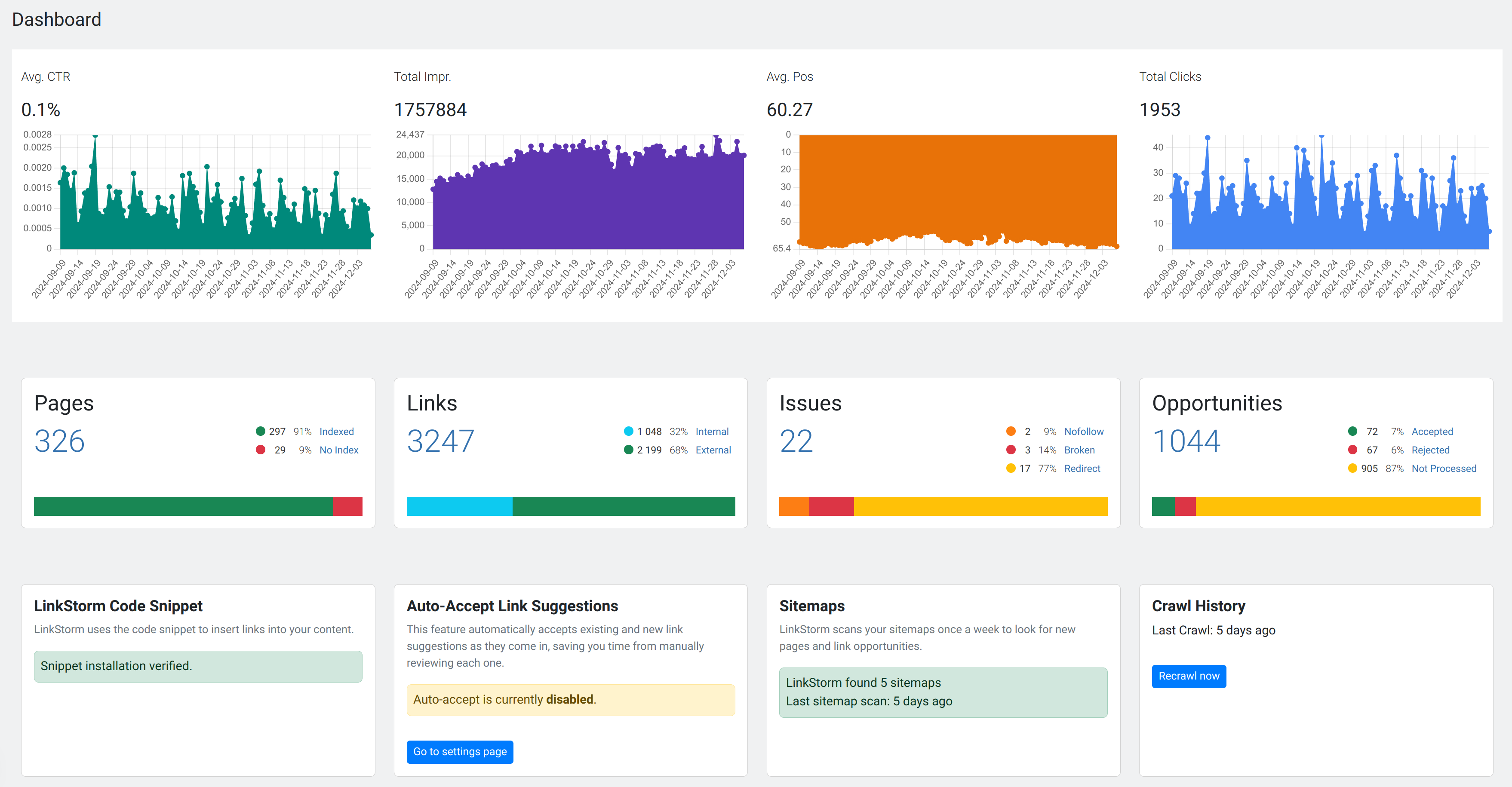
Dashboard: Comprehensive overview of your pages, links, opportunities, anchors, issues, and configuration.
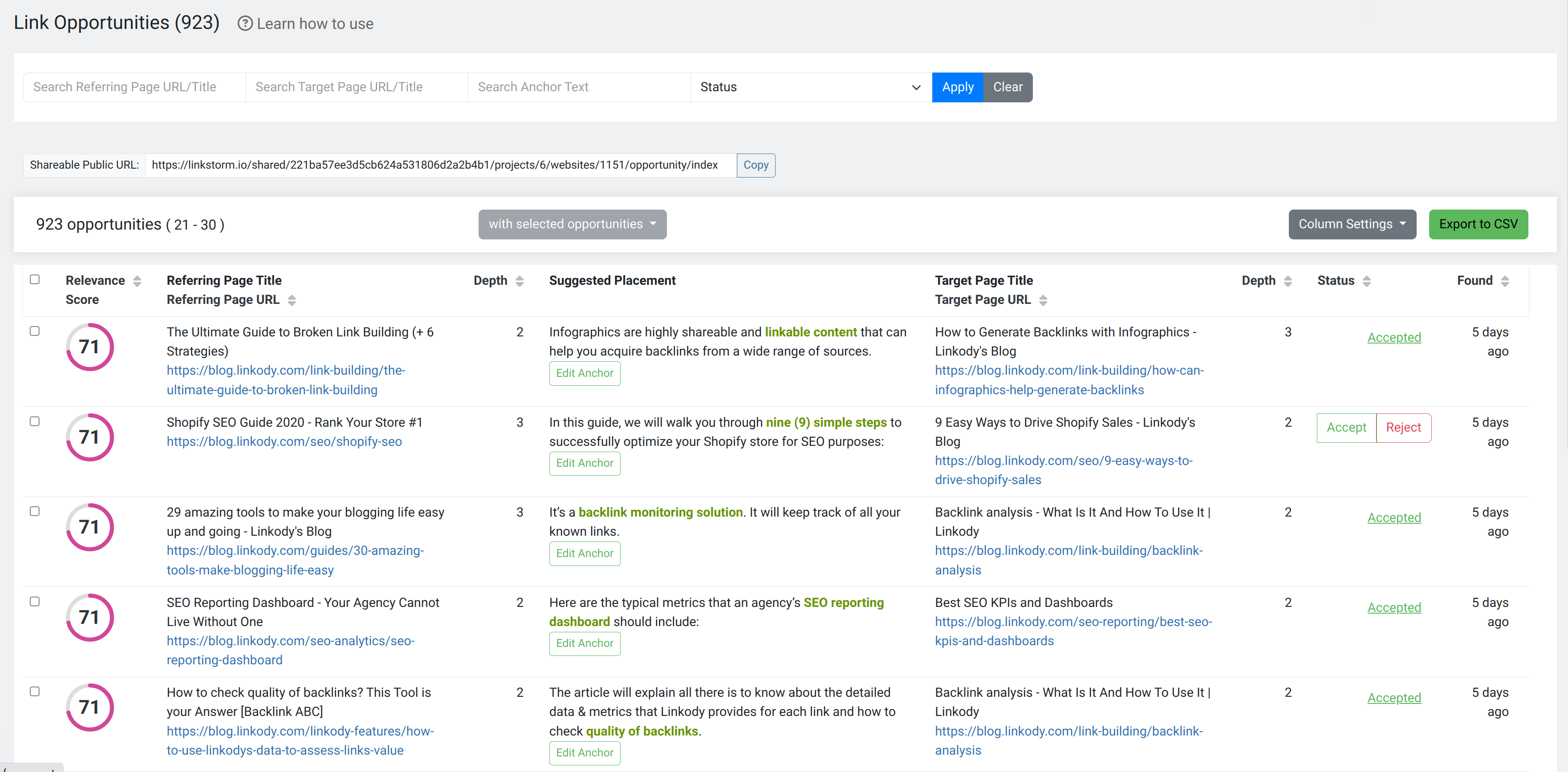
Opportunities Report: Displays LinkStorm internal linking suggestions to improve your site's SEO and navigation.
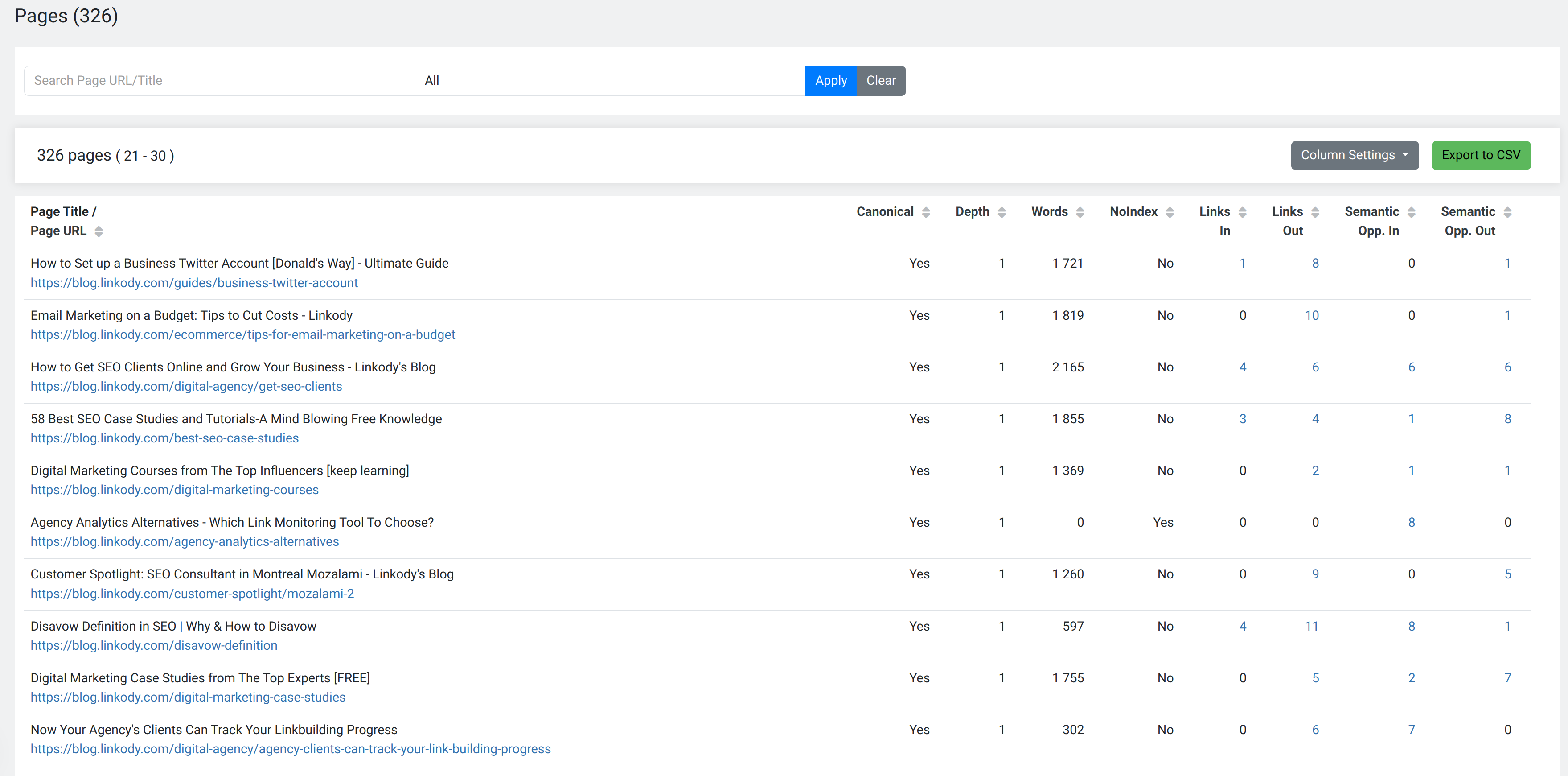
Pages Report: Lists all the pages on your site along with essential information for each page.
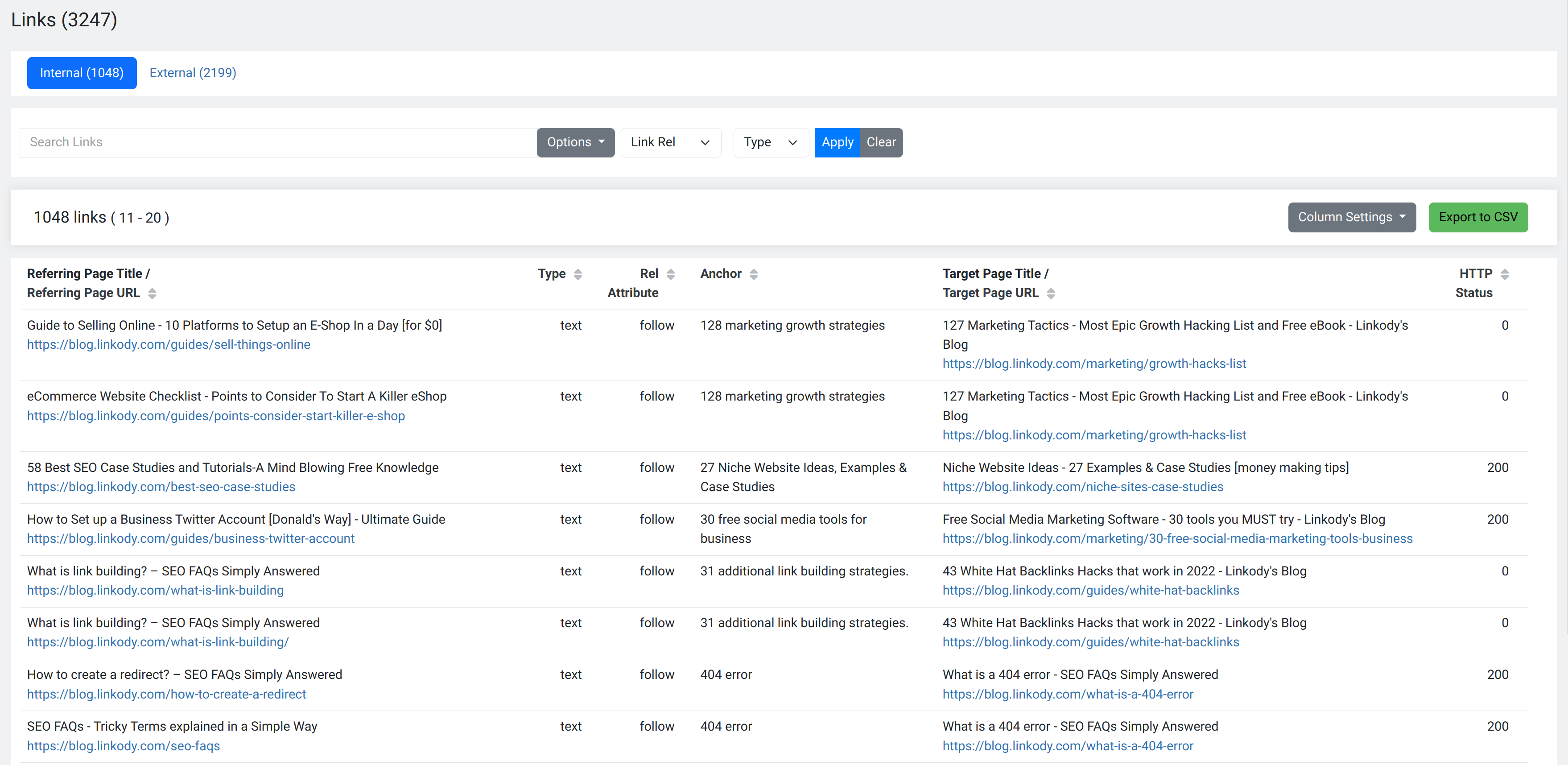
Links Report: Breakdown of your internal and external links, focusing on links within the main content areas (excluding navigation and footer links)
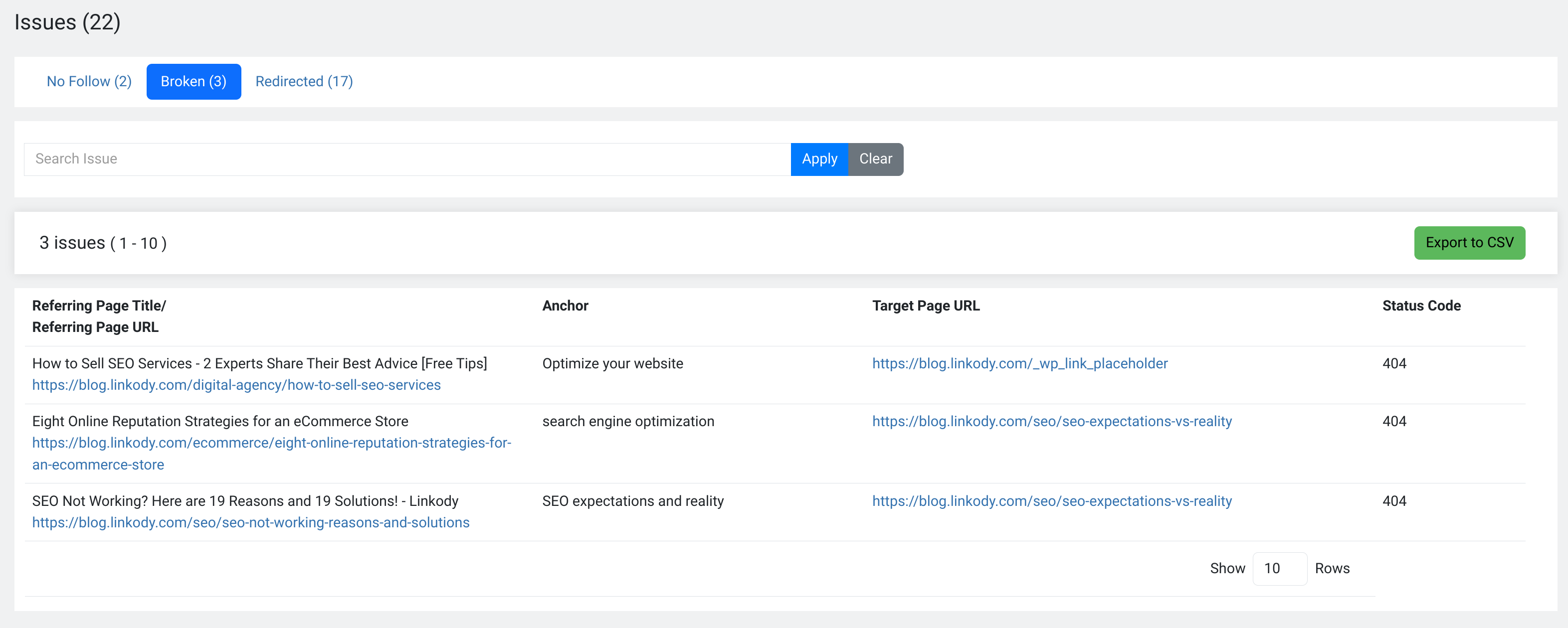
Issues Report: Flags any issues that need attention, such as broken links, nofollow, or redirections.
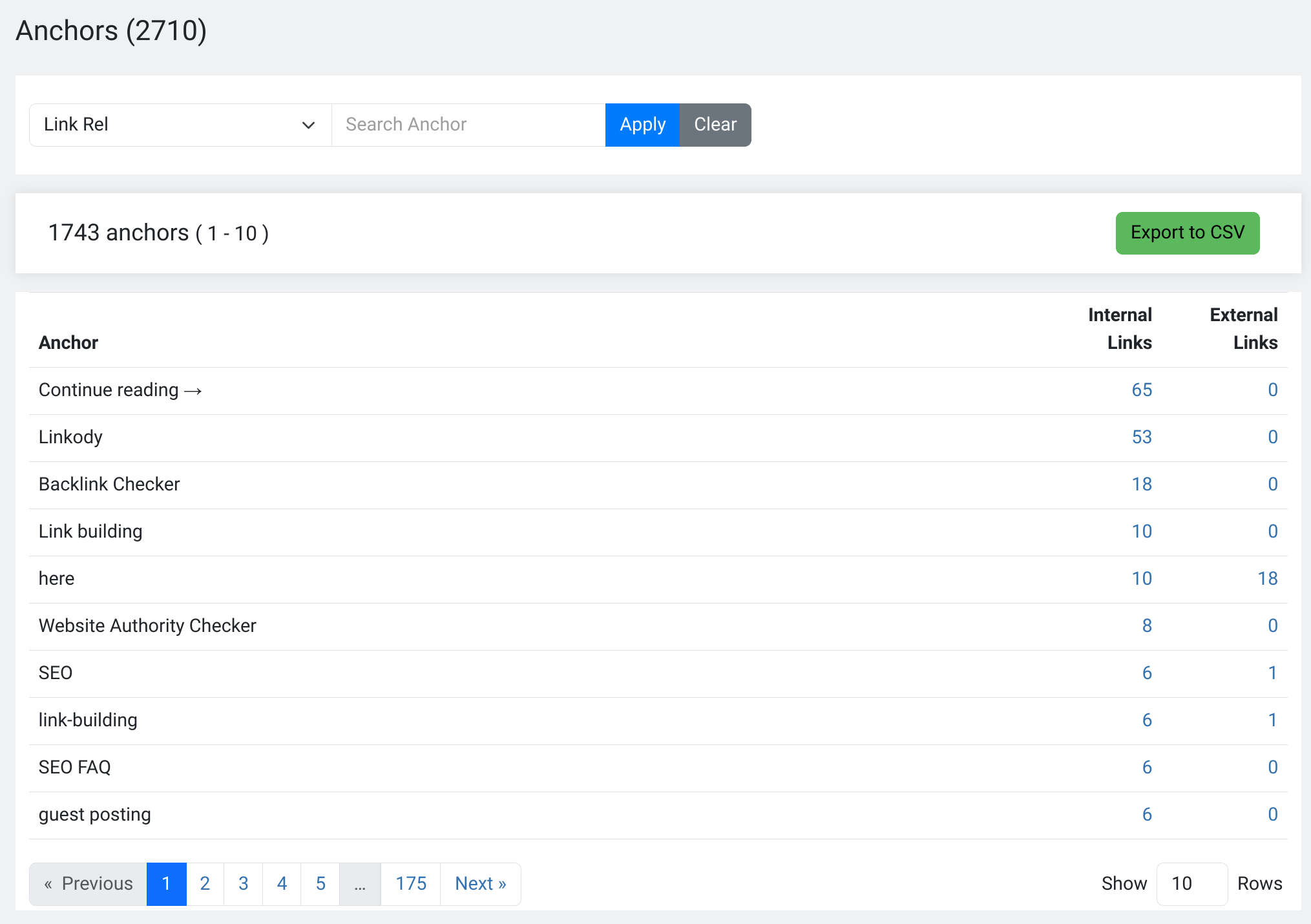
Anchors Report: Shows the distribution of your anchor text across both internal and external links.
Changelog
1.0.3
- Initial release of the LinkStorm WordPress plugin.