

List all URLs
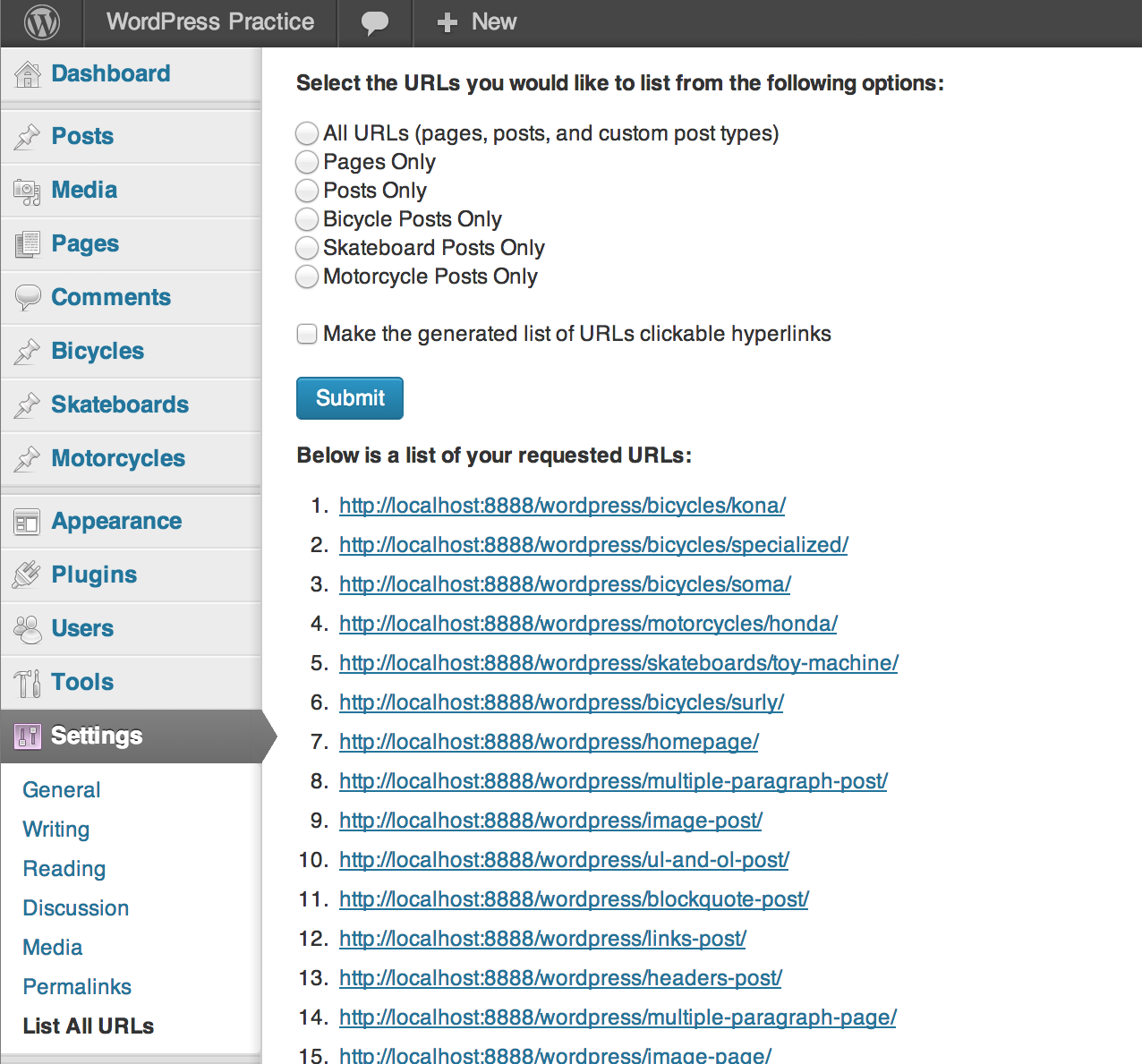
Creates a page in the admin panel under Settings > List All URLs that outputs an ordered list of all of the website's published URLs.
Plugin info
Maintenance & Compatibility
Maintenance score
Maintained • Last updated 161 days ago • 19 reviews
Is List all URLs abandoned?
Likely maintained (last update 161 days ago).
Compatibility
Languages
Similar & Alternatives
Explore plugins with similar tags, and compare key metrics like downloads, ratings, updates, support, and WP/PHP compatibility.
Description
This plugin will add a page to the admin panel that displays a numerically ordered list of all published URLs within a website.
Now, why would such a feature be helpful?
First off, it allows to to quickly check all of your website URLs to ensure they are using valid characters (i.e no % symbols that may have been entered by copying and pasting from another document).
Secondly, let’s say you’re planning on moving your website to a new URL, or perhaps you would like to update many of your website’s existing URLs for better SEO or accessibility. This plugin give you a quick and easy way to view all website URLs on one single screen and can serve as a great starting point for creating a list of 301 redirects as part of an .htaccess file.
If you spot a bug or have an idea of how I can improve my code please let me know.
Installation
- Upload
list-all-urls.phpto the/wp-content/plugins/directory - Activate the plugin through the ‘Plugins’ menu in WordPress
- Go to
Settings > List all URLswithin the admin panel to generate an ordered list of all website URLs.
Frequently Asked Questions
Post a question in the support forum for this plugin and I will try to answer as soon as possible.
Review feed
Screenshots
Changelog
1.0.1
Removal of Feature API integration
Tested on WordPress 6.8.3
1.0.0
Complete rewrite of core functionality
0.2.1
Tested on WordPress 5.2.3 and PHP 7.3
0.2
Added options to sort URLs by post, pages, custom post types, or everything
Added option to turn list of all URLs into clickable hyperlinks
0.1
Initial release