

List Children
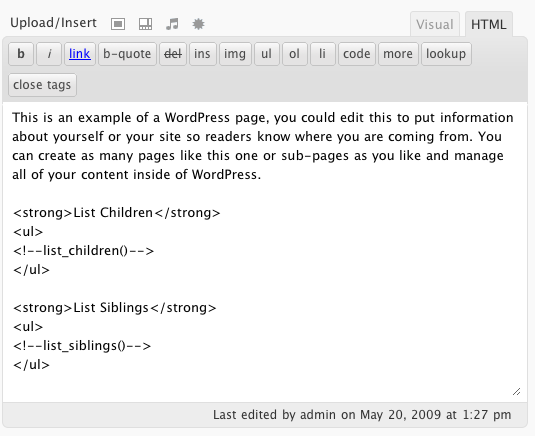
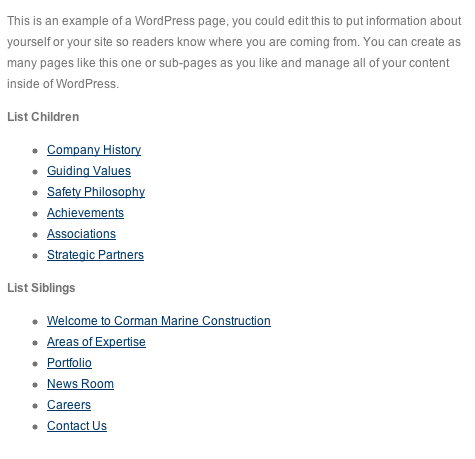
Use an HTML comment to list links of the current page's children or siblings.
Plugin info
Maintenance & Compatibility
Maintenance score
Stale • Last updated 341 days ago • 2 reviews
Is List Children abandoned?
Likely maintained (last update 341 days ago).
Compatibility
Similar & Alternatives
Explore plugins with similar tags, and compare key metrics like downloads, ratings, updates, support, and WP/PHP compatibility.
Description
Use an HTML comment to list links of the current page’s children or siblings.
Common usage is for content sites utilizing WordPress as a simple CMS. Some content hierarchies call for an Overview page followed by multiple subpages, for example, a Services page.
Use the following shortcodes to list children and or siblings of the current page:
Alphabetical listing of current page’s children:
[list_children sort_column=”page_title” sort_order=”asc”]
List of current page’s siblings, ordered by menu order (descending):
[list_siblings sort_column=”menu_order” sort_order=”desc”]
You can use a majority of the attributes from the wp_list_pages() call: https://codex.wordpress.org/Function_Reference/wp_list_pages
The following will no longer work (deprecated):
Installation
- Download and unzip to the ‘wp-content/plugins/’ directory
- Activate the plugin.
Frequently Asked Questions
Of course, use the following:
[list_siblings exclude_me="false"]
Review feed
Screenshots
Changelog
2.0.1
- Clean up plugin description.
2.0
- PHP 7.4 and WordPress 5.6 support
- Removed HTML comment support (deprecated)