

List Stores by Category for Dokan
Create quickly and easily a beautiful dynamic Dokan stores list by category for your marketplace website built with Dokan plugin.
Plugin info
Maintenance & Compatibility
Maintenance score
Possibly abandoned • Last updated 846 days ago • 3 reviews
Is List Stores by Category for Dokan abandoned?
Possibly abandoned (last update 846 days ago).
Compatibility
Similar & Alternatives
Explore plugins with similar tags, and compare key metrics like downloads, ratings, updates, support, and WP/PHP compatibility.
Description
Dokan Lite plugin and Dokan Pro plugin are required to run this plugin. Post a topic in the support section if you need a compatibility with Dokan starter or Dokan Business.
With List Stores by Category for Dokan include stores list by store category in your pages.
With a simple shortcode you can create wonderful stores list by category using Elementor as well.
With one shortcode for each category, create as many lists as you want in the same page and/or different pages!
If you need some customization or improvement, post a topic in the support section.
How to use List Stores by Category for Dokan
-
After installing the plugin you can use this follow shortcode [stores_list_by_category] in any page to generate the list
-
The default shortcode [stores_list_by_category] will show the list of stores from ‘uncategorized’ category
-
To create a list from a specific category you need to pass an extra parameter inside the short code like this [stores_list_by_category name=”your category name”]
-
Please note that you have to add space if your category name has spaces
-
Category names are case insensetive
Installation
This section describes how to install the plugin and get it working.
e.g.
-
Upload the plugin files to the
/wp-content/plugins/plugin-namedirectory, or install the plugin through the WordPress plugins screen directly. -
Activate the plugin through the ‘Plugins’ screen in WordPress
-
Use this shortcode [stores_list_by_category name=”your category name”] in any page to generate the list
Frequently Asked Questions
Yes, he uses the dokan store template
Yes, you can create several lists.
Yes, you can put the shortcodes in the shortcode widget or directly in the wordpress text editor.
Yes, you can contact me at [email protected] for any specific development requests.
Review feed
Screenshots
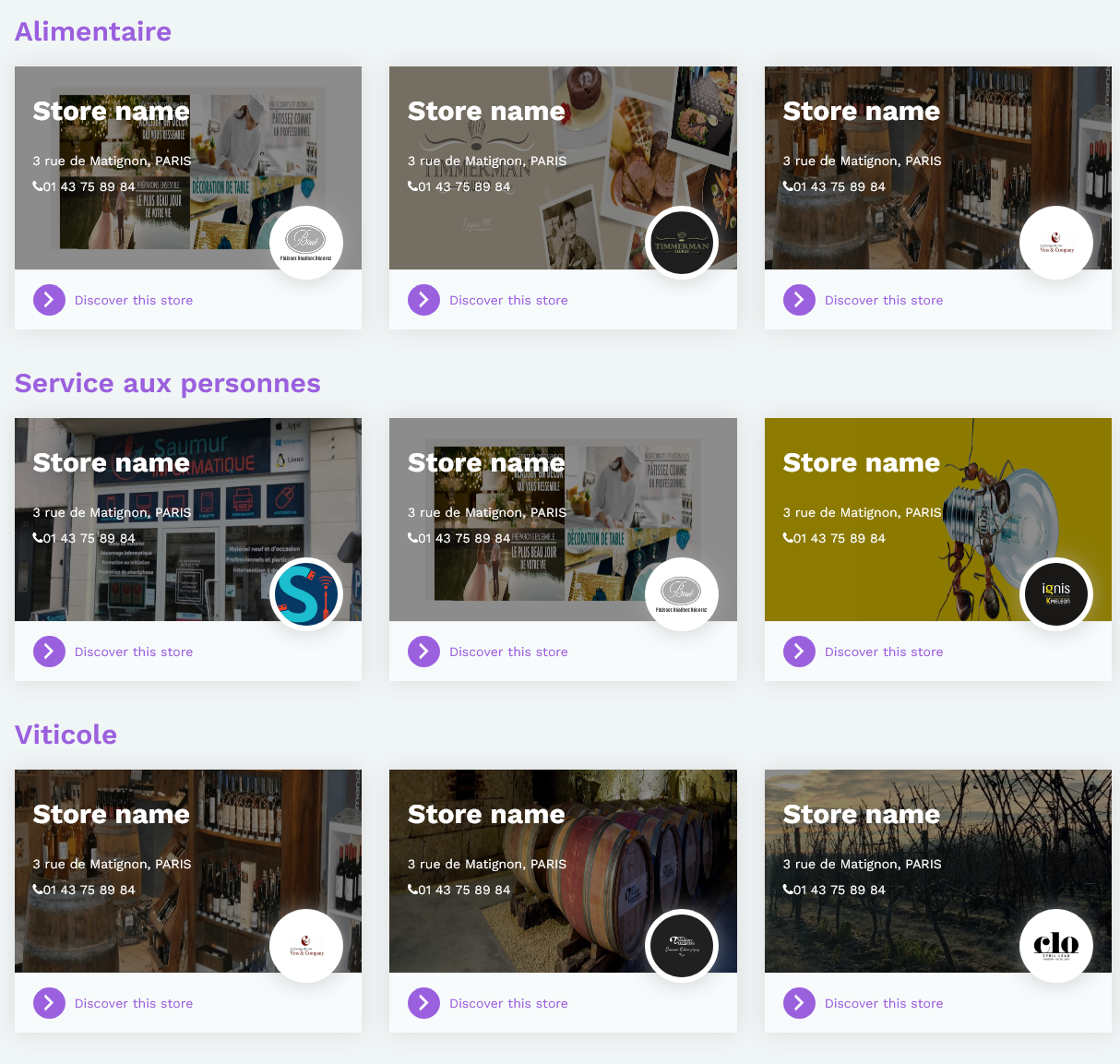
This is the previsualization of the result.
Changelog
2.0.0
- Php errors fixed to works with new wordpress release.
1.0.0
- Initial release of the plugin.