

Lite Maintenance Mode
A simple and customizable maintenance mode plugin with a stylish toggle switch to enable or disable maintenance mode.
Plugin info
Maintenance & Compatibility
Maintenance score
Maintained • Last updated 179 days ago • 3 reviews
Is Lite Maintenance Mode abandoned?
Likely maintained (last update 179 days ago).
Compatibility
Similar & Alternatives
Explore plugins with similar tags, and compare key metrics like downloads, ratings, updates, support, and WP/PHP compatibility.
Description
Lite Maintenance Mode allows you to quickly enable or disable a maintenance/coming soon page for your WordPress site.
Only administrators can see the live site when maintenance mode is active.
Includes:
* Custom heading, subheading, and message
* Background and Logo image upload options
* Stylish ON/OFF toggle button in settings
* Lightweight design with no performance impact
Features
- Enable/disable maintenance mode with a toggle button
- Fully customizable maintenance page content
- Upload and manage background and Logo images
- Supports HTML content in the message field
- Mobile Responsive Design
License
This plugin is licensed under the GPLv2 or later.
Installation
- Go to Plugins > Add New in your WordPress dashboard.
- Search for Lite Maintenance Mode or visit: https://wordpress.org/plugins/lite-maintenance-mode/
- Install and activate the plugin.
- Go to Maintenance in your admin menu to configure settings.
Frequently Asked Questions
Only administrators (manage_options capability) can see the site when it’s enabled.
When maintenance mode is active, the plugin sends a 503 Service Unavailable HTTP header with a Retry-After header to inform search engines that this is temporary.
Yes, you can add your own heading, subheading, message, and upload background/logo images directly from the plugin settings.
Yes, Lite Maintenance Mode works independently of your theme, so it will function with any WordPress theme.
No. Only administrators will see the live site when maintenance mode is enabled. All other users (including logged-in subscribers/editors/authors) will see the maintenance page.
Yes, the plugin is designed to be minimal and performance-friendly with no extra load on your website.
Review feed
Simple, Lightweight, and Works Perfectly
Screenshots
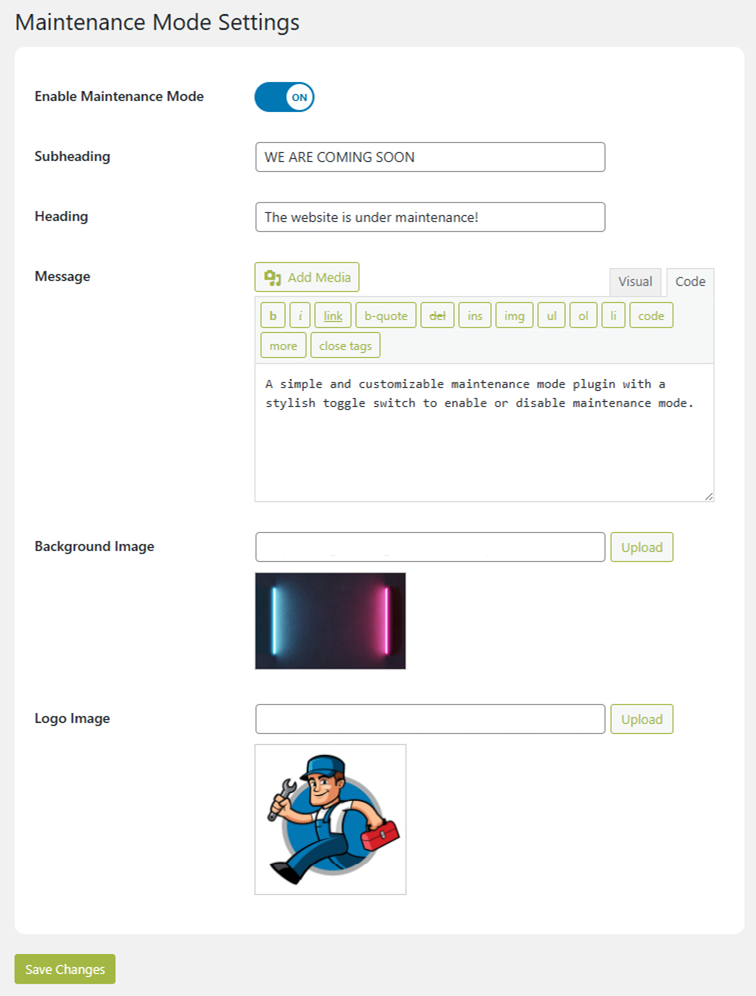
Admin settings page with toggle switch
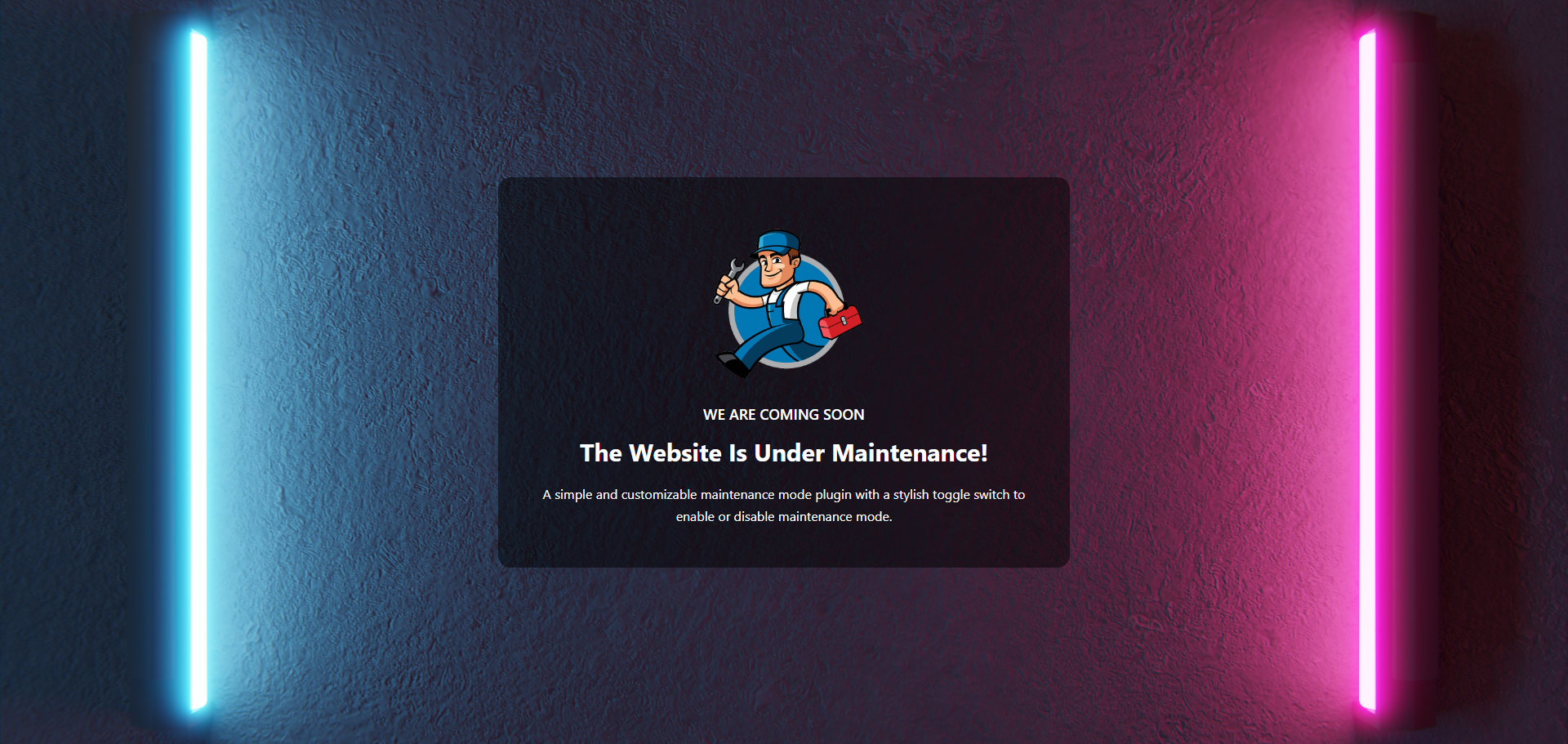
Example maintenance mode page
Changelog
1.0.2
- FIX: Refactored the code to use the standard WordPress
wp_die()function for the maintenance page. - FIX: Removed inline CSS to comply with WordPress.org plugin guidelines.
- REMOVED: Custom content options (heading, message, images) to create a more lightweight plugin.
1.0.1
- Initial release.