

Liteweight Podcast – Host and Embed Podcast Episodes
A lite weight Podcasting plugin for WordPress which contain lots of options and functionality to run your podcasting website.
Plugin info
Maintenance & Compatibility
Maintenance score
Maintained • Last updated 152 days ago • 9 reviews
Is Liteweight Podcast – Host and Embed Podcast Episodes abandoned?
Likely maintained (last update 152 days ago).
Compatibility
Languages
Similar & Alternatives
Explore plugins with similar tags, and compare key metrics like downloads, ratings, updates, support, and WP/PHP compatibility.
Description
WP Podcast is a user-friendly podcasting plugin for WordPress which has lots of options and functionality to run your podcasting website.
Wanna see how it works? Click Here To see demo
Features
- Podcast mp3, wav, and ogg audio file
- HTML5 compatible so it will play audio files in most of the mobile devices.
- Works on all major browsers – IE7, IE8, IE9, Safari, Firefox, Chrome
- The player is responsive.
- Integrated social share icon .
- Shortcode driven. so that you can publish any podcast anywhere in your wordpress.
- Audio file download button and control over it.
- User can change the audio speed using setting icon in the front end.
- 2 Theme included.
- You can add podcast in widget area too.
- Fully customizable and compact.
- You can create unlimited podcast
- User friendly interface
- Powered by html5
Installation
This section describes how to install the plugin and get it working.
e.g.
- Upload
plugin-directoryto the/wp-content/plugins/directory - Activate the plugin through the ‘Plugins’ menu in WordPress
- Use shortcode in page, post or in widgets.
- If you want to use shortcode in your theme template file, Place
<?php echo do_shortcode('YOUR_SHORTCODE'); ?>in the templates
Frequently Asked Questions
You can install as others regular wordpress plugin. No different way. Please see on installation tab.
Absolutely, It is very easy to use and there are no other complex configuration wizard.
You can play .Mp3, .Wav and .Ogg file
The sky is the limit. (Unlimited)
Review feed
useful for podcasting.
Screenshots

Sidebar menu

Create New Podcast

Front end
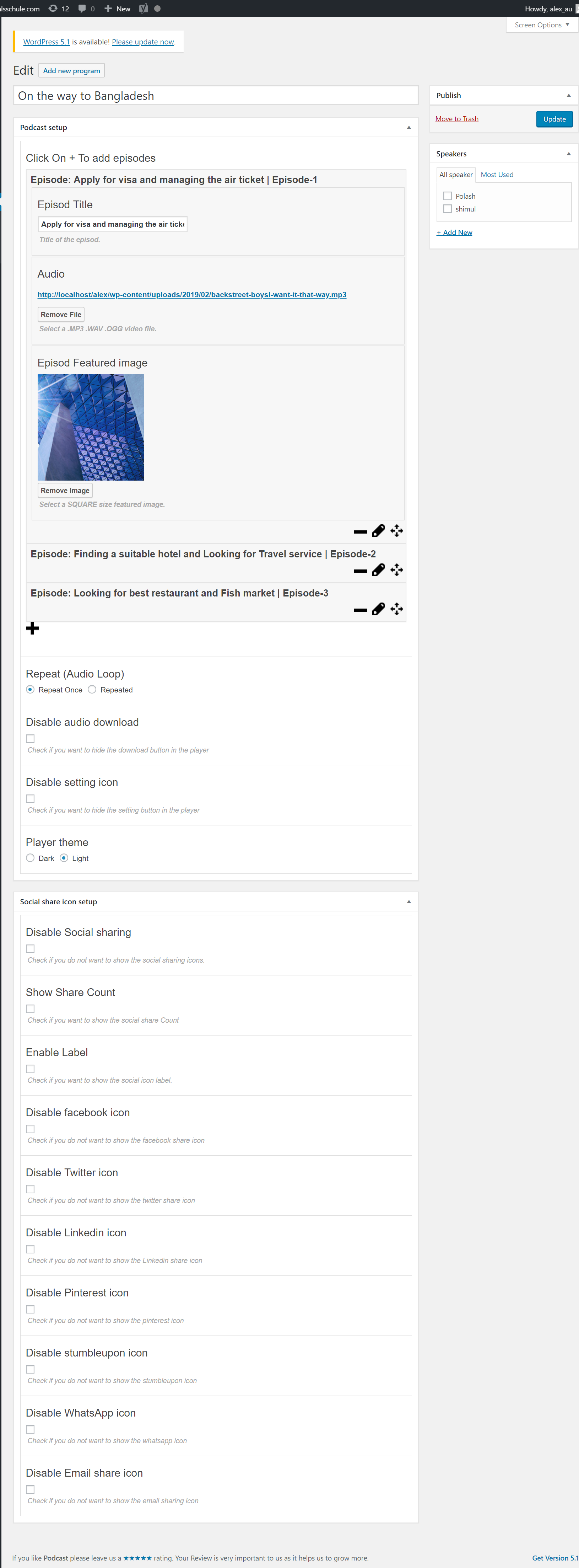
Shortcode

Changelog
2.2.7 – 14 May, 2025
- Improved: Improved Security
= 2.2.6 – 23 Dec, 2024=
* Fixed: jQuery not found in editor
= 2.2.5 – 04/07/2024=
* Tested: WordPress 6.5.5
2.2.4
- Fixed CSS Issue
2.2.3
- Added new podcast skin
2.0.0
- Added Gutenberg Shortcode Generator
- improved code quality
1.3
- Remove jQuery issue for wordpress 5.5 version
- Fix other php warning
1.2
- Shortcode Viewer in The program editor
- Support Responsive Layout.
- Added Ability to disable featured Image
- Added default featured image for podcast.
1.1
- fix review admin notice.
- improved performance.
1.0
- Initial Release