

Live Custom CSS JS Code Editor
Live Custom CSS JS Code Editor allows you to easily add custom CSS, JavaScript, Header, Footer Code to your site, straight from your WordPress Customi …
Plugin info
Maintenance & Compatibility
Maintenance score
Possibly abandoned • Last updated 2210 days ago • 3 reviews
Is Live Custom CSS JS Code Editor abandoned?
Possibly abandoned (last update 2210 days ago).
Compatibility
Similar & Alternatives
Explore plugins with similar tags, and compare key metrics like downloads, ratings, updates, support, and WP/PHP compatibility.
Description
This plugin allows you to add custom site-wide CSS, JavaScript, Header, Footer Code to your WordPress site. The changes appear instantly on your website with help of WordPress Live Customizer.
In your WordPress Dashboard, navigate to Customize > Live Code Editor to get started.
When you Change or Update your WordPress Theme, Your Custom Code isn’t effected from these changes.
NEW FEATURES as Version 1.0.5:
* Add Custom CSS to WordPress Admin dashboard.
* Add Custom JavaScript to WordPress Admin dashboard.
MAIN FEATURES:
- Custom CSS code
- Custom Javascript code
- Custom Header Code (Inside tags)(Google Analytics and Facebook Pixel compatible.)
- Custom Footer Code (Before closing tag aka wp_footer function)
- See Your Changes Immediately on your WordPress Site
- Built in Syntax Code Highlighter
- 16 Color Schemes (Monokai, Chrome, GitHub, Twilight, Dreamweaver, XCode, Eclipse etc. 8 Light, 8 Dark)
- Live Syntax Checking (CSS, JavaScript, HTML)
- Syntax Highlighting
- Line wrapping
- Code folding
- Multiple cursors and selections
- Handles huge code blocks (four million lines seems to be the limit!)
Special thanks to Justin Busa of Beaver Builder for the inspiration.
Installation
- Upload the entire live-code-editor folder to the /wp-content/plugins/ directory, or download and install automatically through your admin panel.
- Activate the plugin through the ‘Plugins’ menu in WordPress.
You will find ‘Live Code Editor’ menu in your WordPress customizer panel.
Frequently Asked Questions
I just installed plugin and nothing happend
Make sure to check out your WordPress customizer panel. ( Appearance > Customize)
You will find Live Code Editor section.
What does this plugin do?
You can easily add custom CSS, Javascript, Header, Footer code to your WordPress site with WordPress customizer. You can instantly see the changes on your WordPress website.
Is this plugin compatible with any theme & plugin?
Yes, Live Code Editor is compatible with any wordpress theme.
Will I lose settings when updating my theme?
Nope, your setting will be there unless you want to remove.
Will I lose settings when change my theme?
Nope, won’t lose settings when change your theme.
Review feed
Screenshots

Live CSS Code Editor
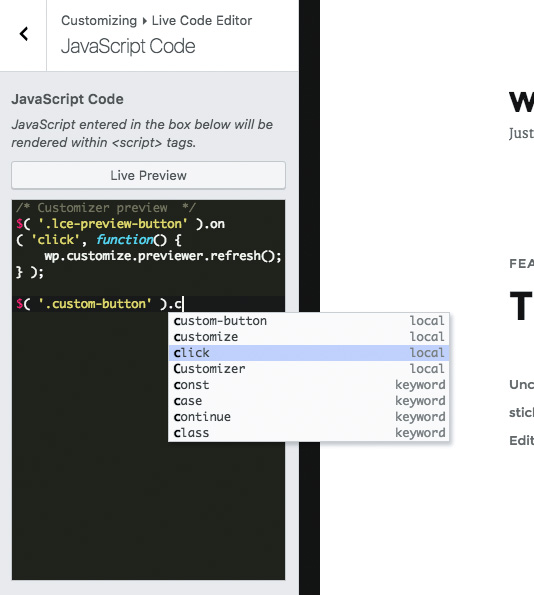
Live JavaScript Code Editor

Live Header Code Editor

Live Footer Code Editor

Code Editor Color Schemes
Changelog
Version 1.0.5
- Added – Add Custom CSS to WordPress admin dashboard option.
- Added – Add Custom JavaScript to WordPress admin dashboard option.
- Improved – Better coding experience for 2K, 4K and 8K monitors.
Version 1.0.4
- Fixes WordPress compatibility.
Version 1.0.3
- Fixes WordPress compatibility.
Version 1.0.2
- Tested up to latest WordPress version.
Version 1.0.1
- Updated text-domain.
Version 1.0.0
- Initial release.