

Locale Auto Switch
Automatically switch the locale according to the locale of the browser.
Plugin info
Maintenance & Compatibility
Maintenance score
Maintained • Last updated 129 days ago
Is Locale Auto Switch abandoned?
Likely maintained (last update 129 days ago).
Compatibility
Developers
Languages
Similar & Alternatives
Explore plugins with similar tags, and compare key metrics like downloads, ratings, updates, support, and WP/PHP compatibility.
Description
Automatically switch the locale according to the locale of the browser.
- Can specify multiple locale of browser.
- Can import and export browser locale and WordPress locale configuration file with CSV.
Installation
- Upload
locale-auto-switchdirectory to the/wp-content/plugins/directory - Activate the plugin through the ‘Plugins’ menu in WordPress
Frequently Asked Questions
none
Review feed
Screenshots
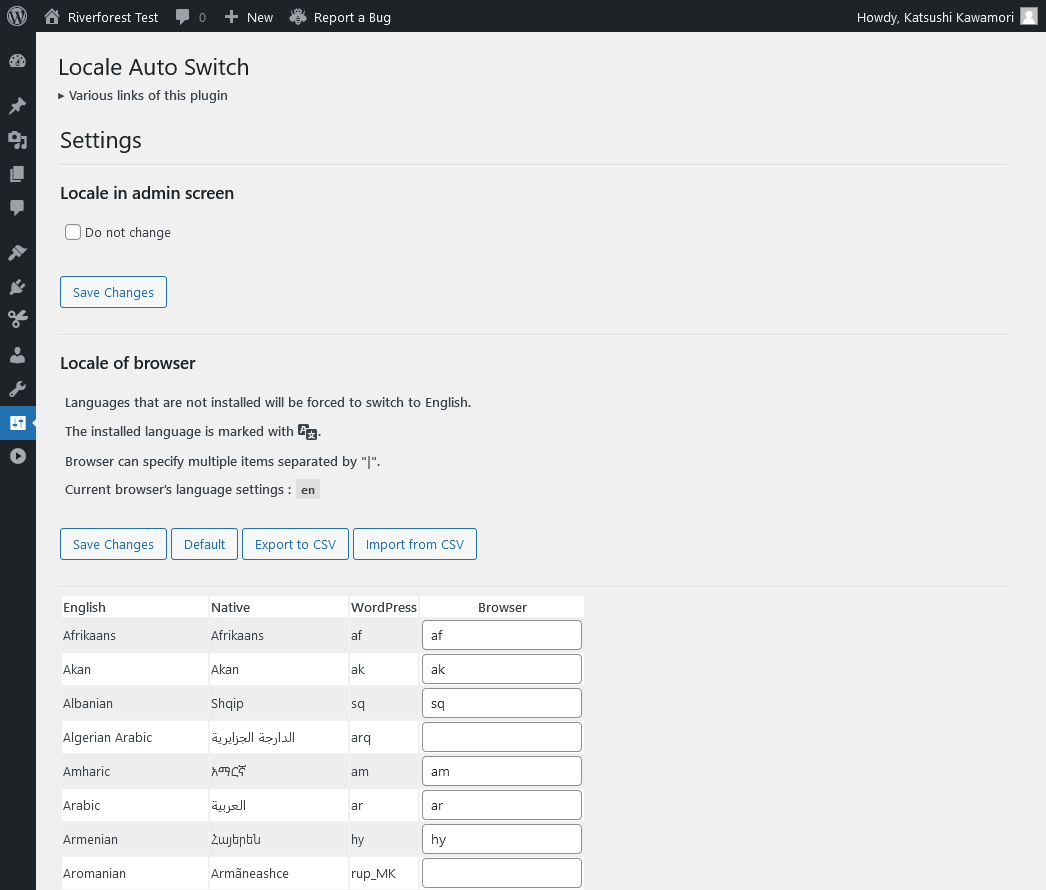
Settings
Changelog
[1.22] 2025/04/14
- Fix – Loading the management screen.
[1.21] 2024/07/09
- Added – Option to not change locale for admin screen only.
[1.20] 2024/03/04
- Fix – Changed file operations to WP_Filesystem.
1.19
Fixed issues with how CSV files are imported and exported.
1.18
Fixed issues with how CSV files are imported and exported.
1.17
Rebuilt blocks.
1.16
Supported WordPress 6.4.
PHP 8.0 is now required.
1.15
Added escaping process.
1.14
Rebuilt blocks.
1.13
Supported WordPress 6.1.
1.12
Rebuilt blocks.
1.11
Supported WordPress 6.0.
1.10
Supported block.
Supported shortcode.
1.09
Supported WordPress 5.7.
1.08
Supported WordPress 5.6.
1.07
Changed management screen.
Added view current browser language settings.
1.06
Fixed language change issue in the admin screen.
Fixed an issue with file name sanitization.
1.05
Conformed to the WordPress coding standard.
1.04
Fixed problem of widget.
1.03
Fixed problem of search for upload directory.
1.02
Fixed problem of Widget.
1.01
Add Widget.
Fixed problem of getting user ID.
1.00
Initial release.