
Maintenance 22/1002865d since update
Active installs
10
Downloads
1,474
Reviews
2
Age
7.9y
Plugin info
Total downloads: 1,474
Active installs: 10
Total reviews: 2
Average rating: 5
Support threads opened: 0
Support threads resolved: 0 (0%)
Available in: 1 language(s)
Contributors: 1
Last updated: 4/15/2018 (2865 days ago)
Added to WordPress: 3/29/2018 (7 years old)
Minimum WordPress version: f
Tested up to WordPress version: 4.9.28
Minimum PHP version: 5.6
Maintenance & Compatibility
Maintenance score
Possibly abandoned • Last updated 2865 days ago • 2 reviews
22/100
Is LocatorLTE – Premium Store Locator abandoned?
Possibly abandoned (last update 2865 days ago).
Compatibility
Requires WordPress: f
Tested up to: 4.9.28
Requires PHP: 5.6
Similar & Alternatives
Explore plugins with similar tags, and compare key metrics like downloads, ratings, updates, support, and WP/PHP compatibility.
No similar plugins found yet.
Description
Can be used as
- Branch/Store/office Locator
- Property Listing
- Office Listing
- Whatever else you can imagine listing on map
Features
- Creates searchable lists in seconds
- Customizeable markers/Icons ? Assign your own marker, or choose one from defaults included.
- Live Suggestion while you type
- Auto Fetching of Longitude/Latitude
- Custom fields Addition option
- Allow users to search by text and location.
- Auto updating lists ? Lists will automatically update when locations are added.
Newly Added Features – version 1.1
- Can Set custom zoom value from settings page
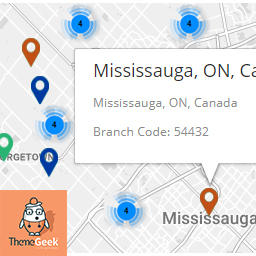
- Clusterization Added – best for large no of markers
- Enable/Disable clusterization from settings page
- Set Custom style for map, matching your website from settings page
Newly Added Features – version 1.3
- Map automatically fits itself around the markers, no matter how many there are, or how big the area they cover
Premium Feature for FREE
Filter Locations By City
- Add cities
- Assign cities to location
- Filter Location by cities dropdown on front-end
Need more custom features ?
- Get in touch with us at, [email protected]
Installation
- Upload
locatorLTE.zipto the/wp-content/plugins/directory - Activate the plugin through the ‘Plugins’ menu in WordPress
Frequently Asked Questions
Installation Instructions
- Upload
locatorLTE.zipto the/wp-content/plugins/directory - Activate the plugin through the ‘Plugins’ menu in WordPress
How to Install
- Upload
locatorLTE.zipto the/wp-content/plugins/directory - Activate the plugin through the ‘Plugins’ menu in WordPress
How to Use Plugin
- To use the plugin, After activating the plugin, place shortcode “[locatorlte]” in any page.
- Plugin will show “Branches” Tab.
- To use map service, you will need to enter Google Map API Key on locatorLTE Settings Page ( Settings > LocatorLTE Settings ).
Review feed
No reviews available
Screenshots

Selected location On Map, along with auto calculated longitude/latitude.
Changelog
1.0
- Initial release
1.1
- Custom Zoom Option Added
- Custom Styles Option Added
- Clusterization Implemented
- Clusterization disable/enable option added
1.2
- Minor Bug fixes
1.3
- Filter By Cities features addition
- Map Bound Feature addition