

Lockee
Add Lockee locks to your WordPress site to gamify your content and engage your visitors in a completely autonomous way.
Plugin info
Maintenance & Compatibility
Maintenance score
Stale • Last updated 246 days ago • 2 reviews
Is Lockee abandoned?
Likely maintained (last update 246 days ago).
Compatibility
Similar & Alternatives
Explore plugins with similar tags, and compare key metrics like downloads, ratings, updates, support, and WP/PHP compatibility.
Description
This plugin allows you to lock the content of posts using a Lockee lock (initially available at https://lockee.fr). You can choose from various lock types and set a code to unlock the content.
With this plugin, you can create gamified experiences on your WordPress site by locking content and requiring users to unlock a lock to access it.
To do this, you can create a lock in the dashboard, choose the type of lock (e.g. numbers, colors, piano keys, etc.), and define the valid codes to enter to unlock the content. Once the lock is opened, the content is displayed.
These locks can be displayed in your posts or pages using a shortcode or a block in the Gutenberg editor. You can also customize the appearance of the lock in the “Lockee settings” page, where you can choose themes and colors to match your site’s design.
You can also embed the lock on other websites using the provided iframe code, allowing you to share your locks with a wider audience.
Each lock includes a statistics feature that records the number of times it has been opened, allowing you to monitor user engagement and the effectiveness of your gamification strategies.
The plugin is self-hosted, meaning it does not rely on external services and is free to use for personal and commercial projects.
WARNING : Although this information is hidden from the public view, please note that the type of lock, the chosen code, and the hidden content are stored in plain text in the WordPress database. It is not recommended to use this plugin to store sensitive information or confidential content. Use it for gamification and content engagement purposes only.
Installation
- Download the plugin from the WordPress repository or upload it directly to your WordPress installation.
- Activate the plugin through the “Plugins” menu in WordPress.
- A new tab “Lockee” will appear in the dashboard, adding the new post type “Lock”. Create new locks by filling in the required fields, including the lock type and code.
- You can display the lock in your posts or pages using a shortcode or a block in the Gutenberg editor.
- Customize the lock appearance in the “Lockee settings” page, where you can choose themes and colors.
- If you have used this plugin before, you can migrate your existing locks to the new post type (in the “Locks Migration” page) or choose to continue using the metabox “Lock” in posts and pages (in the “Lockee settings” page).
Frequently Asked Questions
First, you must create a lock in the dashboard under the “Lockee” tab. Then, you can add a lock using the Gutenberg block or by inserting a shortcode into your post content.
Yes, you can customize the lock’s appearance in the “Lockee settings” page. You can choose different themes and colors to match your site’s design.
Yes, you can embed the lock on other websites using the provided iframe code. This allows you to share your locks with a wider audience. (add /iframe to the lock URL to get the iframe code)
If you have used this plugin before, you can migrate your existing locks to the new post type (in the “Locks Migration” page) or choose to continue using the metabox “Lock” in posts and pages (in the “Lockee settings” page).
Yes, the plugin includes a statistics feature that tracks how many times each lock has been opened. You can view these statistics in the publication edition panel under the “Lock stats” section.
The migration process is an operation that converts your existing locks to the post type “Lock”. It creates a new post type “Lock” for each lock set up in post or page and add this new lock to the original post or page (with a Gutenberg block). Also, it updates shortcodes replacing the old ID to the new one.
If you don’t start the migration process, your existing locks will continue to work as they did before. However, you must activate the option to display the metabox “Lock” in posts and pages in the “Lockee settings” page. This will allow you to continue using the old format without converting your locks to the new post type.
Yes, this plugin is free to use, which allows you to use it for personal and commercial projects without any restrictions. The code is self-hosted and does not rely on external services.
No, the code and the design of Lockee locks are not open source (owned by lockee.fr creator) so you cannot modify or redistribute it. However, you can use the plugin to create and manage locks on your WordPress site without any external dependencies. Thank’s you for respecting thoses terms of use.
You can report bugs or ask questions in the plugin’s support forum on the WordPress repository or by email to [email protected]. We will do our best to assist you and resolve any issues you may encounter.
We appreciate your support! If you find this plugin useful, you can show your appreciation by leaving a positive review on the WordPress repository. Your feedback helps us improve the plugin and encourages us to continue developing it.
Review feed
Screenshots
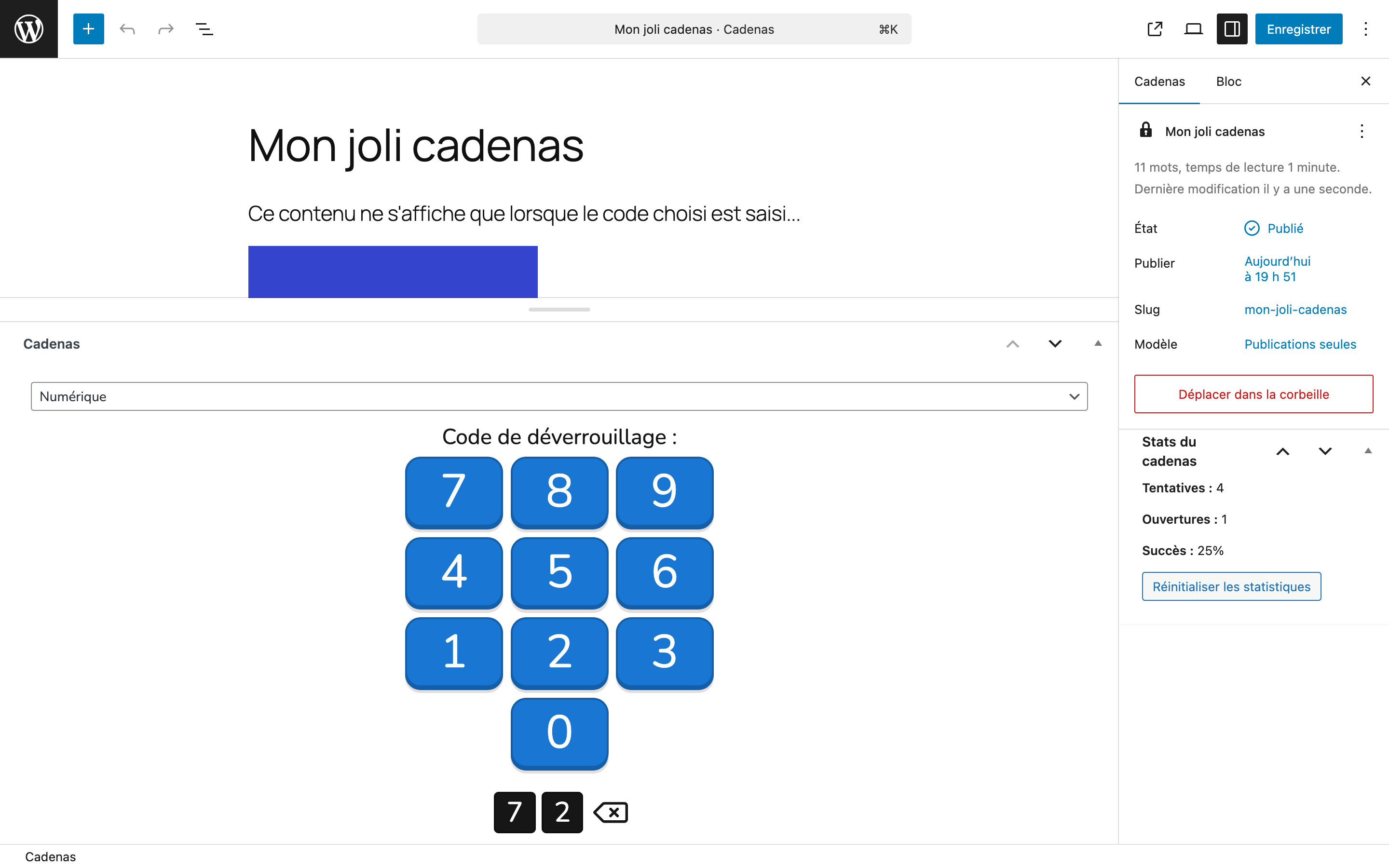
This plugin add a new post type "Lock" in the dashboard, allowing you to add a Lockee lock and content to display when the lock is opened.
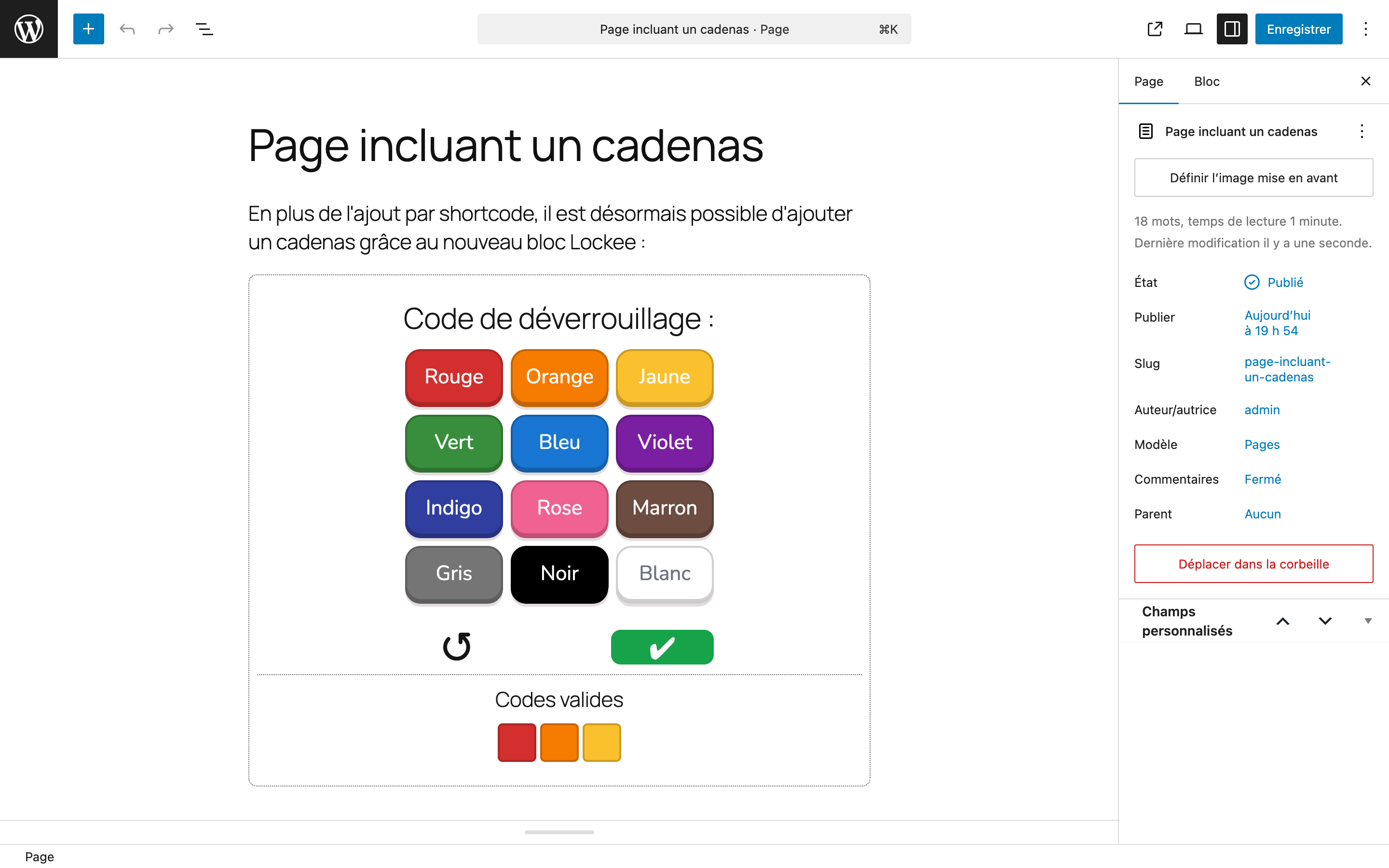
The lock can be displayed in the post or page content with a shortcode ot with a block in the Gutenberg editor.
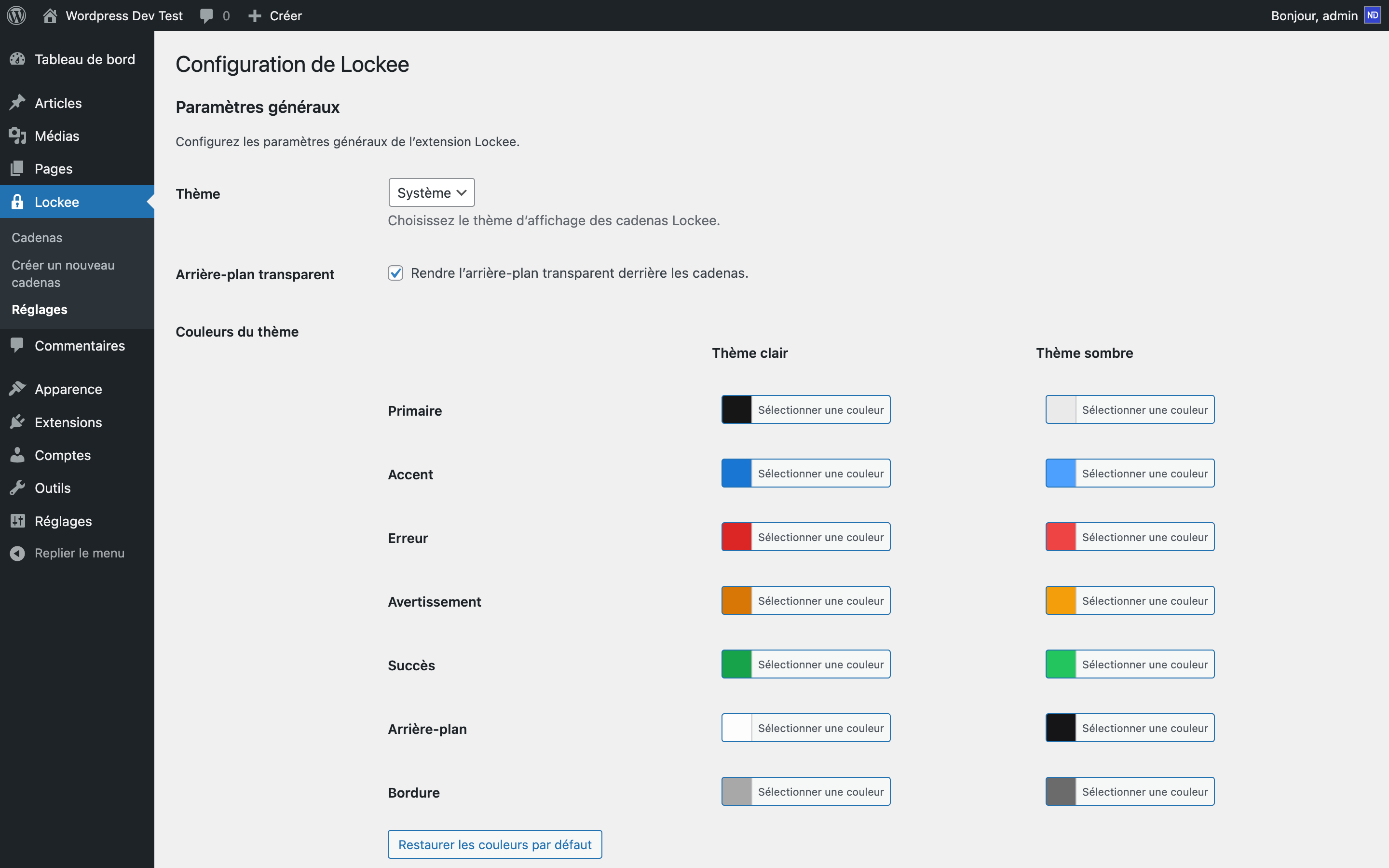
In the settings, you can customize the lock appearance with various options, including theme and colors.
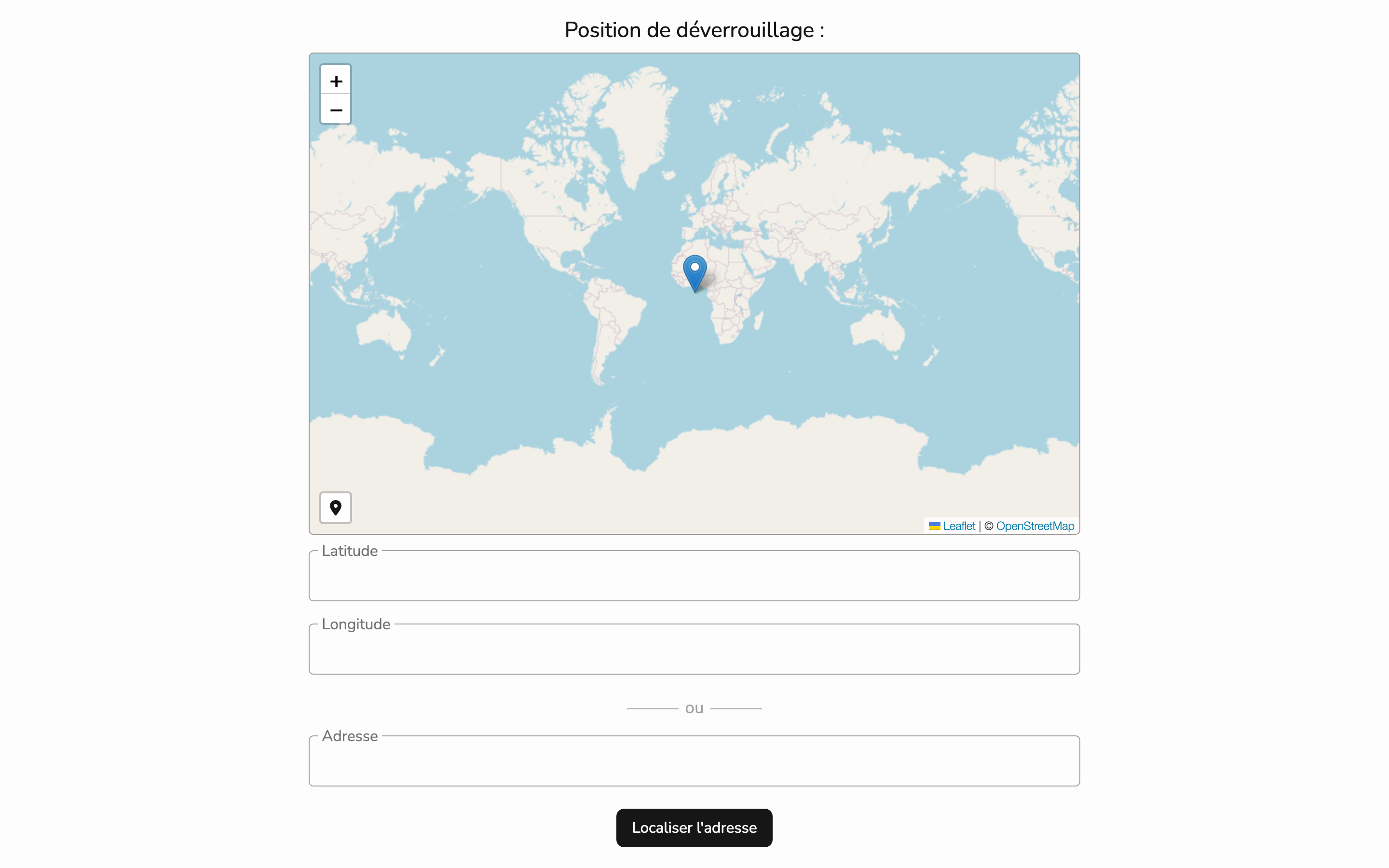
The lock can be added in other website with the iframe code provided below the lock.
Changelog
3.1.7
- Removed iframe tags filtering in “lockee_content” to allow again the use of iframes in the lock content.
3.1.6
- Updated to the last Lockee lock library.
3.1.5
- Fixed some translations.
3.1.4
- Fixed bug in the “Locks Migration” page (using a non-existing function).
3.1.3
- Fixed some translations.
- Fixed bug in the “Locks Migration” page (using a non-existing function).
3.1.2
- Fixed some translations.
3.1.1
- In posts and pages, if “lockee_content” is empty, the post content is used instead (to keep compatibility with the oldest lock format).
3.1.0
- Made migration of old locks to the new post type “Lock” optional.
- Added an option to display the metabox “Lock” in posts and pages.
- Added a migration page with generated log files to rollback the migration if needed.
- Fixed bug with the Password lock (options not recognized).
- Fixed bug with the Geottaged lock display (bad initialisation of the zoom level).
3.0.13
- Fixed bug with the lock selecting option in the Gutenberg editor.
3.0.12
- Fixed bug with the geottaged lock display.
3.0.11
- Fixed some translations.
3.0.10
- Fixed some translations.
- Updated to the last Lockee lock library.
3.0.9
- Fixed some translations.
3.0.8
- Fixed some translations.
- Improved plugin description.
- Add additional tags to improve visibility.
3.0.7
- Fixed some translations.
3.0.6
- Add the ability to change the slug base of the lock post type in the settings.
3.0.5
- Change the icon in the dashboard to the Lockee logo.
- Add new global settings for locks : confetti, sound and backspace button.
3.0.4
- Change the post type ID to “lockee_lock” to avoid conflicts with other plugins on the future.
3.0.3
- System scheme theme changing correctly detected.
- Fixed the lock display in the Gutenberg editor.
- Add option to regenerate the lock links.
3.0.2
Changelog written in English by default.
3.0.1
Fixed some translations.
3.0.0
This version is a major update:
- New “Lock” post type to manage locks.
- New Gutenberg block to add lock to posts and pages.
- Statistics of opening for each lock.
- Customization options for lock appearance.
- Iframe template to embed locks on other websites.
- Migration tool to convert old locks to the new format.
2.2.3
Fixed the stable version (bug when no lock is added).
2.2.2
Fixed the stable version (missing dependency).
2.2.1
Removed unnecessary files.
2.2.0
Added new options and new locks from Lockee.fr.
2.1.5
Fixed various bugs (options not taken into account for certain formats).
2.1.4
Added a shortcode associated with the lock to display it elsewhere on the site.
2.1.3
Added the nunito.css file.
2.1.2
Fixed the “Colors” lock bug and removed Google Fonts (Nunito font integrated).
2.1.1
Removed the /languages folder (not working).
2.1.0
Added localization support for fr_FR, en_US, es languages.
2.0.4
Changed “Lockee lock” to “Cadenas Lockee”.
2.0.3
Display the lock only when a lock type and code have been chosen.
2.0.2
Changed the version number.
2.0.1
Changed the plugin description.
2.0.0
Version entirely in French. New locks available.
1.2.0
Updated the stable version.
1.1.2
Changed languages (voca.js).
1.1.1
Unified the language (English) to allow translation on WordPress.org.
1.1.0
Warning! Major usage change: The page or post content is displayed by default and you must fill in the content to display below the normal content when the lock is correctly opened.
1.0.1
This version has been tested up to WordPress 6.1.
1.0.0
This version allows displaying multiple locks on the homepage or in archives.
0.9.3
This version fixes the label size in piano keys.
0.9.2
This version fixes other bugs: better display for all themes, ajax optimization for the dashboard, display of the lock only on a single theme.
0.9.1
This version fixes encountered bugs (file not updated).
0.9
This version modifies the ajax request processing and updates password locking (ignores types).
0.8
This version increases the ajax request processing speed.
0.5
This is the first version. It may contain bugs.