

Login Activity Tracker
Tracks user login attempts and displays login logs with styled pagination for admins and users.
Plugin info
Maintenance & Compatibility
Maintenance score
Stale • Last updated 234 days ago
Is Login Activity Tracker abandoned?
Likely maintained (last update 234 days ago).
Compatibility
Similar & Alternatives
Explore plugins with similar tags, and compare key metrics like downloads, ratings, updates, support, and WP/PHP compatibility.
Description
Login Activity Tracker records every user login attempt—both successful and failed. It provides an admin panel for viewing all login logs and a user panel for individual login history. The plugin includes color-coded statuses and styled pagination for a better user experience.
Features:
- Logs all login attempts (success & failure)
- Shows login date
- Admin can view all user login activities
- Users can view their own login history
- Super admin login status highlighted
- Color-coded login statuses (success/failure)
- Clean UI with pagination
- Lightweight and secure
License
This plugin is licensed under the GPLv2 or later.
Installation
- Upload the plugin to the
/wp-content/plugins/login-activity-trackerdirectory or install via the WordPress Plugins screen. - Activate the plugin through the ‘Plugins’ screen.
- A database table is automatically created on activation.
- Admins will see a menu titled “Login Tracker” to view all login activities.
- Regular users will see a “My Login History” menu to view their own login logs.
Frequently Asked Questions
Admins (including super admins) can see all login logs. Other users can only view their own login history.
Yes, both successful and failed login attempts are recorded.
Yes. It is tested up to version 6.8.
Review feed
Screenshots
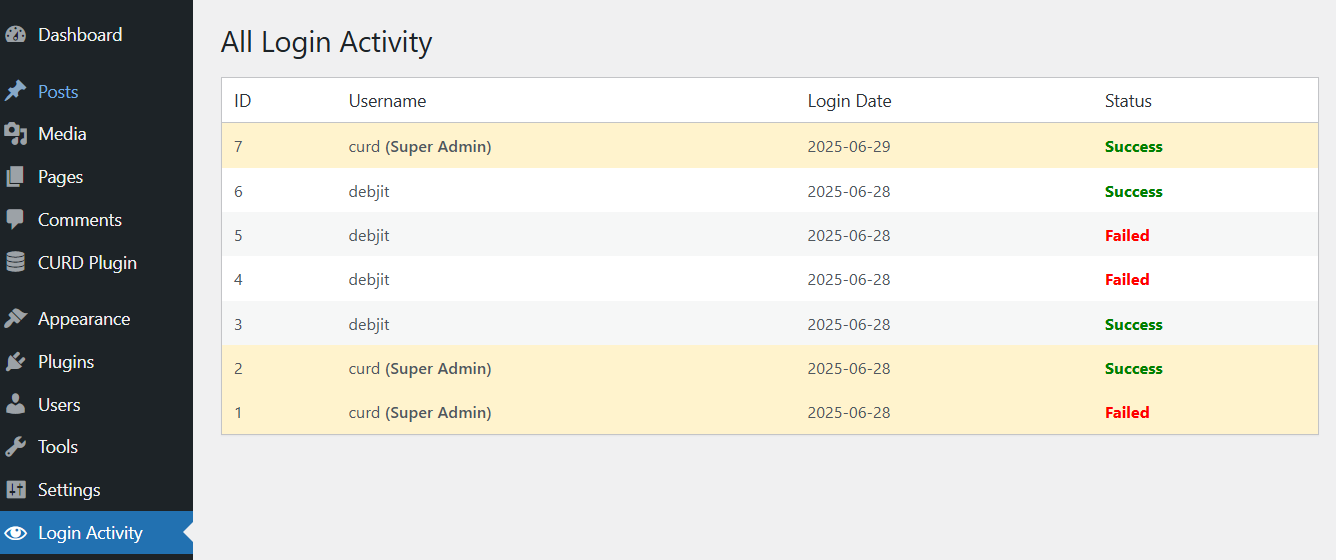
Admin view of all login activity.
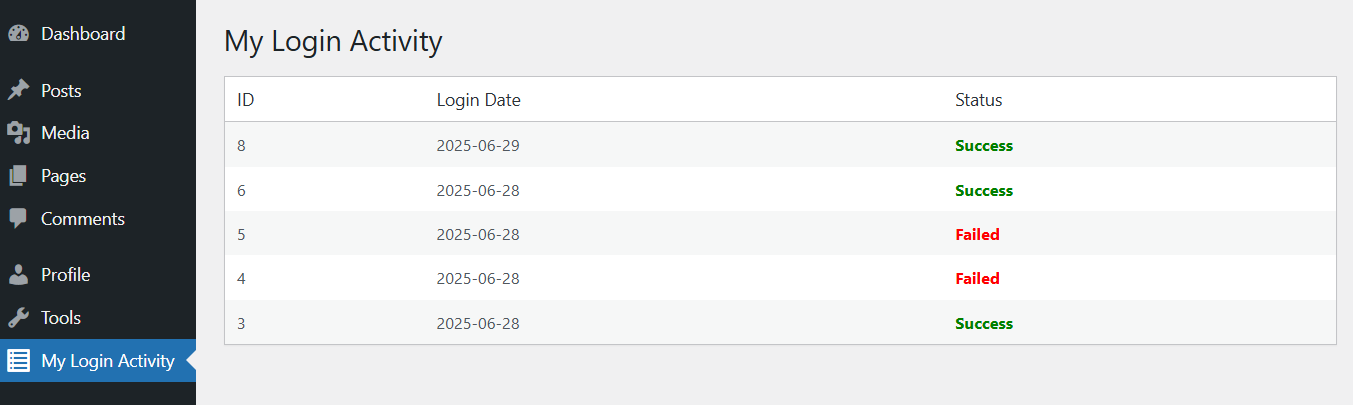
Logged-in user view of their personal login history.
Changelog
1.2
- Added localization support.
- Escaped all output properly to meet WordPress.org guidelines.
- Improved pagination styling and login status color coding.
- Highlighted super admin logins.
1.1
- Fixed IP address sanitization issue.
- Updated database schema for better performance.
1.0
- Initial release.