

m1.MiniWeather
This plugin easily displays a weather widget (icon + temperature) with a destination of your choice.
Plugin info
Maintenance & Compatibility
Maintenance score
Possibly abandoned • Last updated 627 days ago • 3 reviews
Is m1.MiniWeather abandoned?
Possibly abandoned (last update 627 days ago).
Compatibility
Similar & Alternatives
Explore plugins with similar tags, and compare key metrics like downloads, ratings, updates, support, and WP/PHP compatibility.
Description
This plugin easily displays a weather widget with a destination of your choice. No PHP or Shortcode, just a widget.
It caches the requests to the weather database in given intervals.
You will need a free account at https://home.openweathermap.org/users/sign_up .
Font-Icons by Erik Flowers: https://erikflowers.github.io/weather-icons/
Installation
- upload the folder
m1.miniweatherto your directory (wp-config/plugins/) - activate the plugin
- get a free OpenWeatherMap-account (for API-use): https://home.openweathermap.org/users/sign_up
- register an OpenWeatherMap app
- search your location, copy longitude & langitude
- place the widget in your sidebar
- add your API-key, longitude & langitude from OpenWeatherMap to m1.MiniWeather widget
Frequently Asked Questions
Installation Instructions
- upload the folder
m1.miniweatherto your directory (wp-config/plugins/) - activate the plugin
- get a free OpenWeatherMap-account (for API-use): https://home.openweathermap.org/users/sign_up
- register an OpenWeatherMap app
- search your location, copy longitude & langitude
- place the widget in your sidebar
- add your API-key, longitude & langitude from OpenWeatherMap to m1.MiniWeather widget
Review feed
love the design
Screenshots
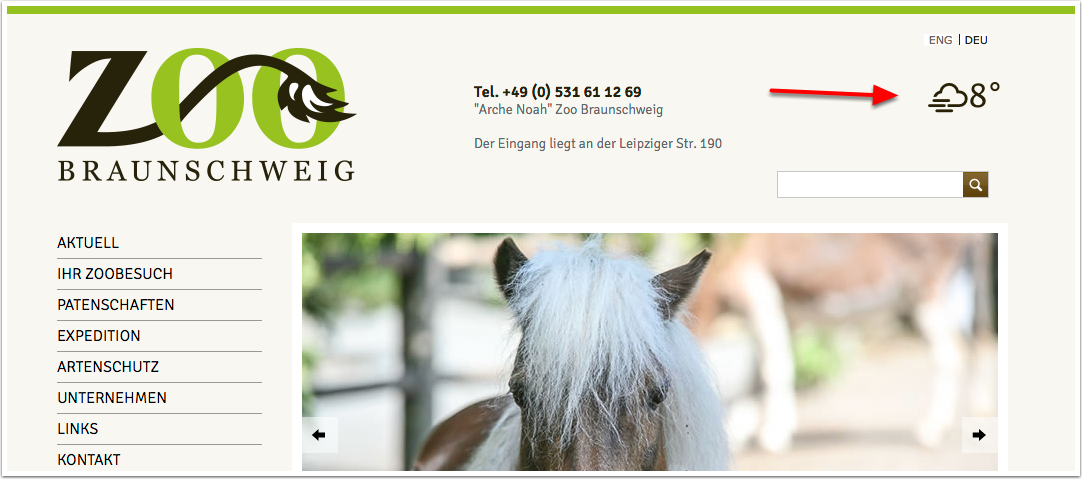
example screenshot
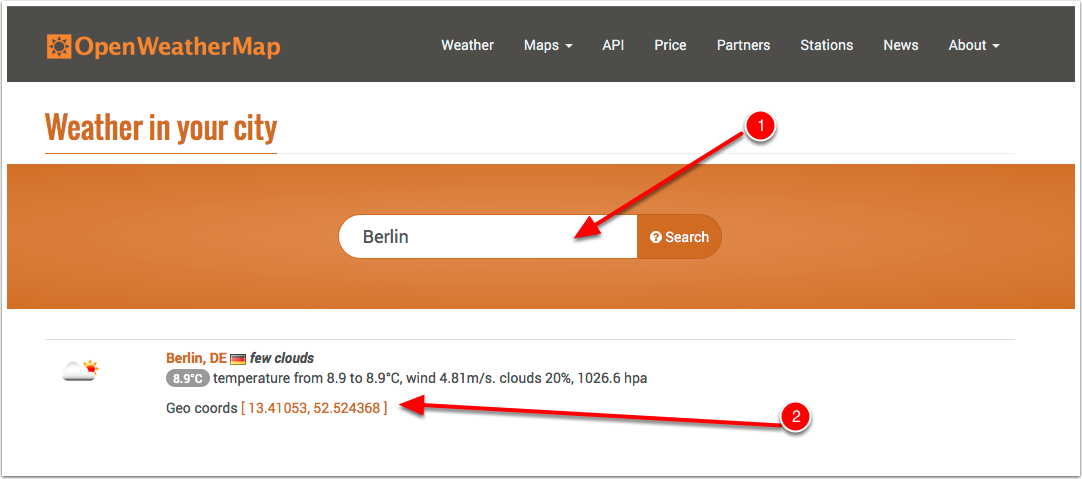
find longitude (e.g. 13.41053) & latitude (e.g. 52.524368)
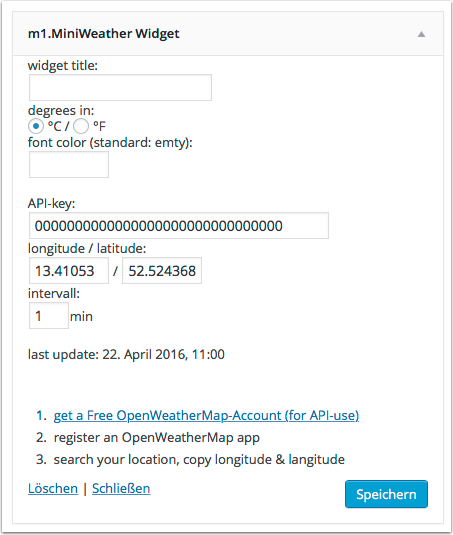
WordPress backend, Widget m1.MiniWeather
Changelog
0.5
- WordPress 6.6 compatibility
0.4
- PHP8.2 compatibility
- WordPress 6.2 compatibility
0.3
- fix: display “C” or “F”
- PHP7 compatibility
0.2
- initial release