

Business Hours With Online/Offline Status
Business Hours With Online/Offline Status is a simple plugin to show Your business hours with online/offline status.
Plugin info
Maintenance & Compatibility
Maintenance score
Possibly abandoned • Last updated 2419 days ago • 1 reviews
Is Business Hours With Online/Offline Status abandoned?
Possibly abandoned (last update 2419 days ago).
Compatibility
Similar & Alternatives
Explore plugins with similar tags, and compare key metrics like downloads, ratings, updates, support, and WP/PHP compatibility.
Description
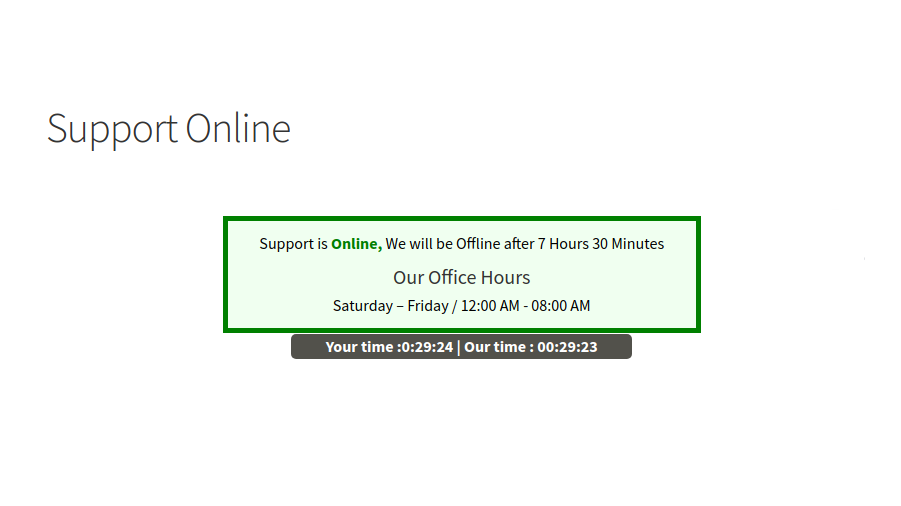
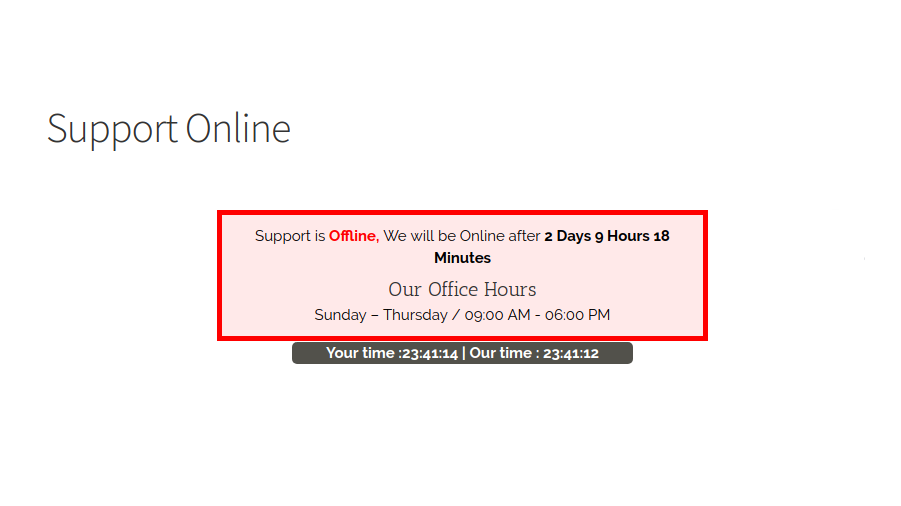
Business Hours With Online/Offline Status is a simple plugin to show Your business hours with online/offline status., If Business Hour is online now it will the status & It will also show after how much hour it will go to offline & also if its in offline then after how much hou/day support will be come online again.
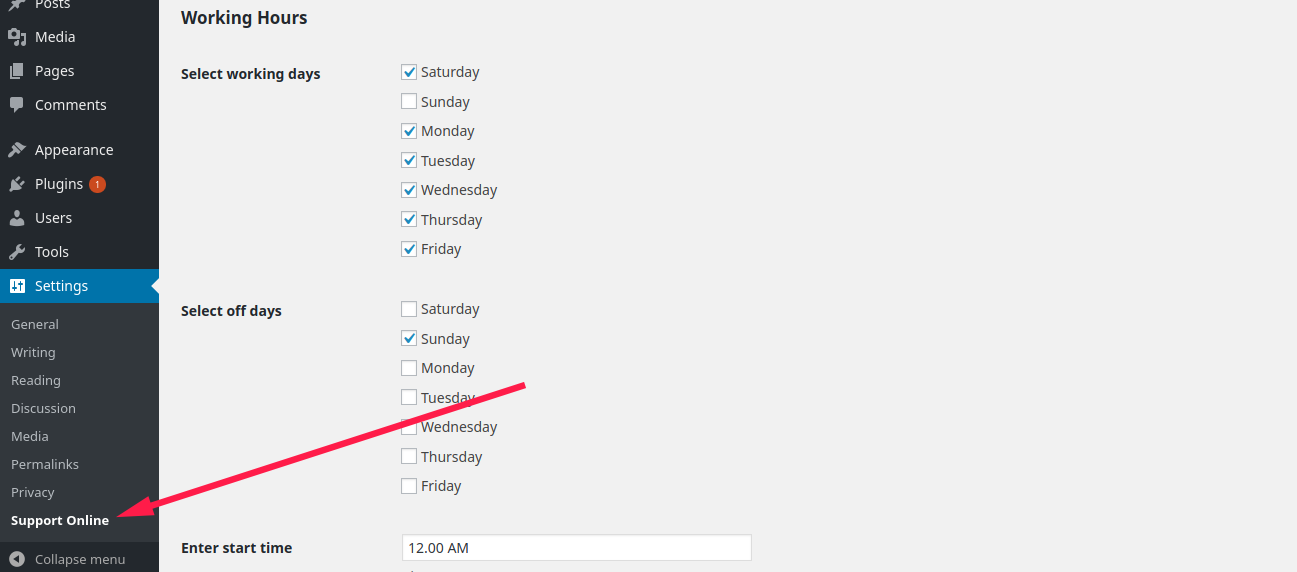
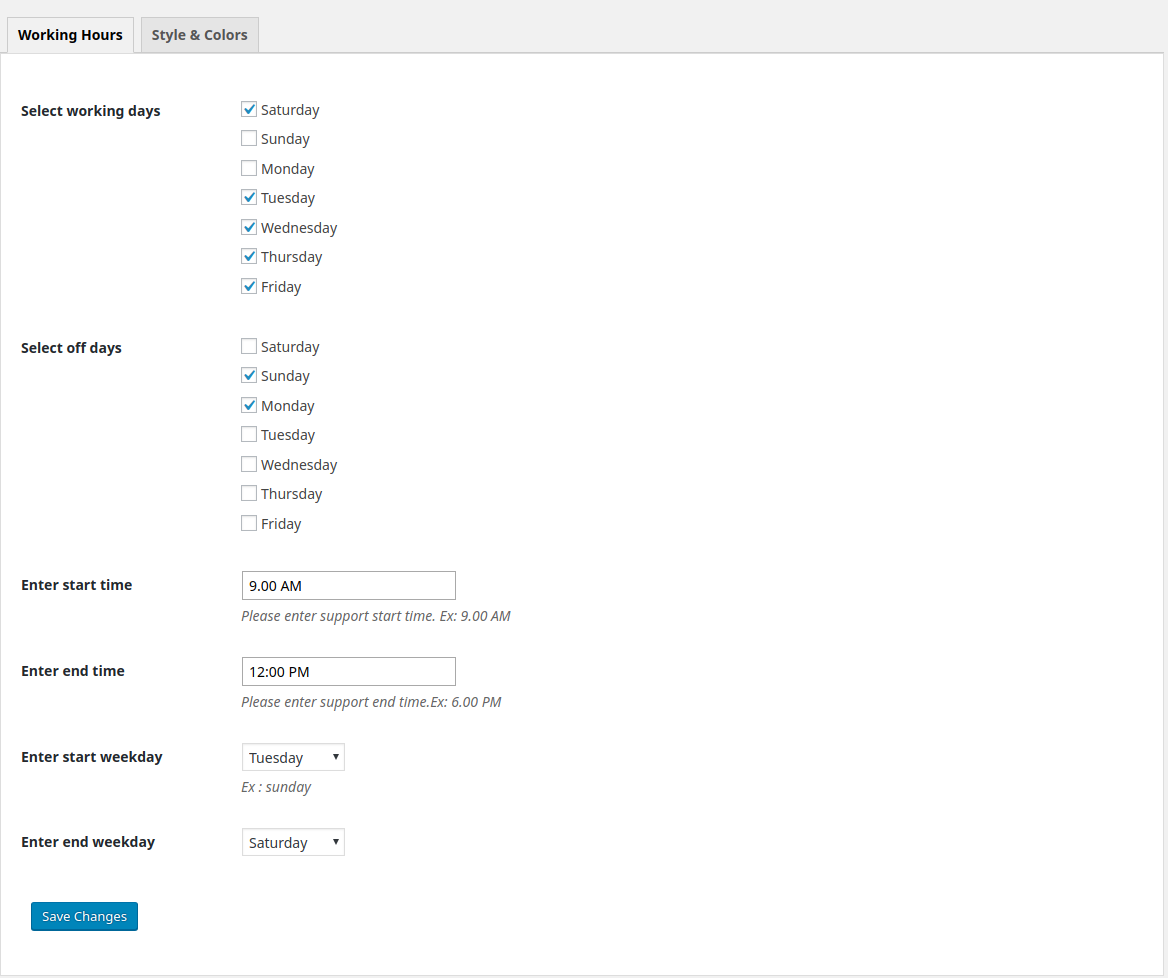
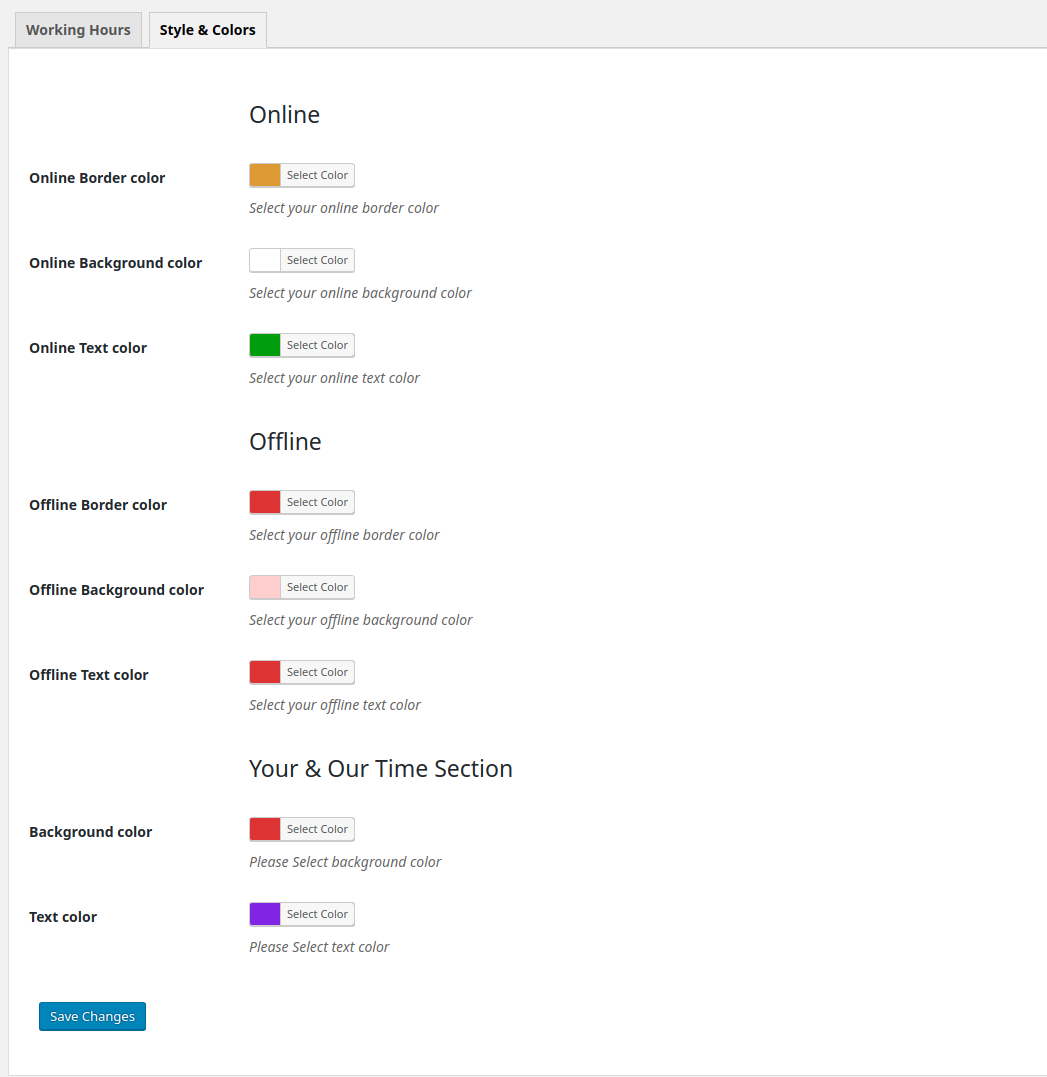
Its very simple to use, you just need to Install and activate this plugin, then go to Settingss -> Support Online from the dashboard, Select Your working and offdays with start & end time and hit the save button.
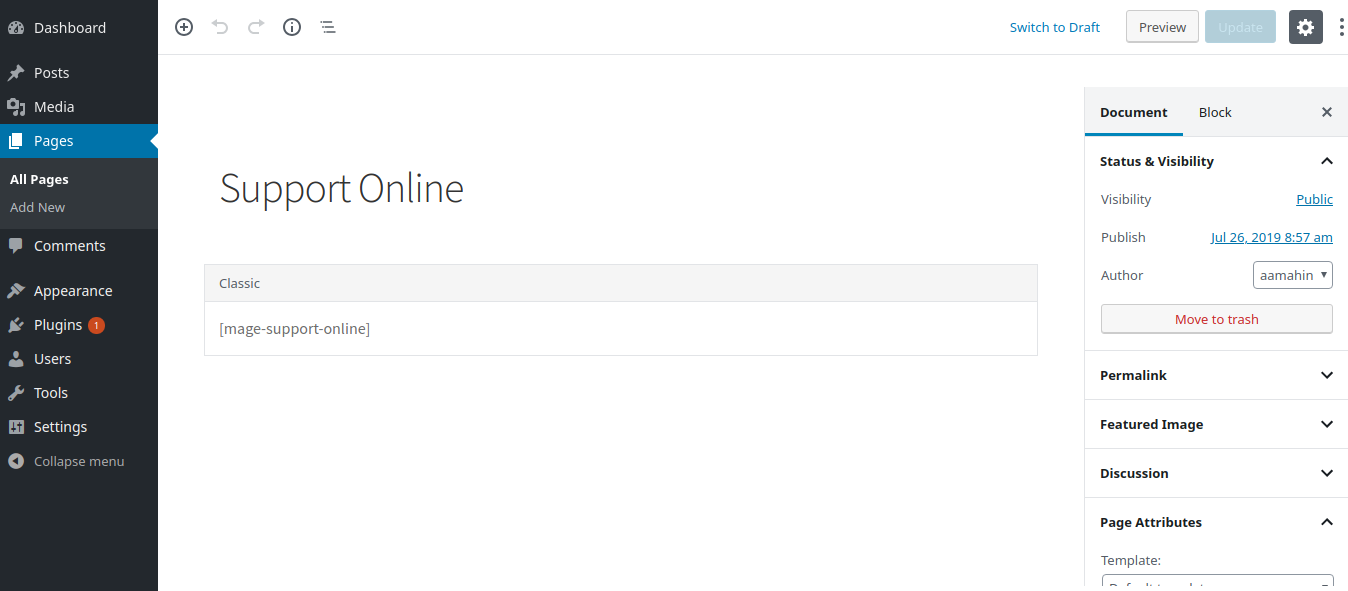
Use [mage-support-online] shortcode to view the support online/offline status, on anywhere in your website.
All major functions are available below:
➡ Very Lightweight
➡ Shortcode Powered
➡ Work Grea with Most of the themes
➡ Responsive Design
➡ Developer fiendly
Shortcodes included with Woocommerce Events Manager
[mage-support-online]
CHECKOUR OUR OTHER PLUGINS
👉 Bus Booking Manager
👉 Bus Ticket Booking with Seat Reservation
👉 Woocommerce Events Manager
Note:
We do best support for our plugin, we have fully confidence that our plugin working very well for any theme. in case you face any problem with our plugin or any customization needed please email us: [email protected]
our support team will back to you shortly.
Installation
Extract the zip file and just drop the contents in the wp-content/plugins/ directory of your WordPress installation and then activate the Plugin from Plugins page.
Frequently Asked Questions
Q.Is Business Hours With Online/Offline Status Free?
A. Yes! Its free.
Q.How can i show support online/offlie status in my site?
A. Please Use [mage-support-online] shortcode to view the support online/offline status, on anywhere in your website.
Review feed
Screenshots
Changelog
1.0.0
Initial Release Date – 24 July 2019
1.0.1
Added Live Clock as Your Time & Our Time Display – 28 July 2019
1.0.5
Removed Bug- 19 Aug 2019