

Mailchimp and Constant Contact Integration
This plugin provides simple MailChimp and Constant Contact integration for WooCommerce. It allows you to subscribe customers to a Mailchimp or Consta …
Maintenance 20/1003765d since update
Active installs
10
Downloads
1,887
Reviews
0
Age
11.7y
Plugin info
Total downloads: 1,887
Active installs: 10
Total reviews: 0
Average rating: 0
Support threads opened: 0
Support threads resolved: 0 (0%)
Available in: 1 language(s)
Contributors: 1
Last updated: 12/11/2015 (3765 days ago)
Added to WordPress: 7/9/2014 (11 years old)
Minimum WordPress version: 3.5.1
Tested up to WordPress version: 4.4.34
Minimum PHP version: f
Maintenance & Compatibility
Maintenance score
Possibly abandoned • Last updated 3765 days ago
20/100
Is Mailchimp and Constant Contact Integration abandoned?
Possibly abandoned (last update 3765 days ago).
Compatibility
Requires WordPress: 3.5.1
Tested up to: 4.4.34
Requires PHP: f
Similar & Alternatives
Explore plugins with similar tags, and compare key metrics like downloads, ratings, updates, support, and WP/PHP compatibility.
FuseWP – WordPress User Sync to Email List & Marketing Automation (Mailchimp, Constant Contact, ActiveCampaign etc.)
Rating 4.9/5 (21 reviews) • Active installs 2,000
Newspack Newsletters
Rating 0.0/5 (0 reviews) • Active installs 1,000
Constant Contact Forms
Rating 2.7/5 (98 reviews) • Active installs 20,000
Constant Contact Forms by MailMunch
Rating 4.2/5 (49 reviews) • Active installs 3,000
Gravity Forms Constant Contact
Rating 3.9/5 (14 reviews) • Active installs 3,000
Constant Contact for WordPress
Rating 2.2/5 (63 reviews) • Active installs 1,000
Description
This plugin provides simple MailChimp and Constant Contact integration for WooCommerce. It allows you to subscribe customers to a Mailchimp or Constant Contact list.
Installation
- Upload or extract the
mailchimp and constant contact integrationfolder to your site’s/wp-content/plugins/directory. You can also use the Add new option found in the Plugins menu in WordPress. - Enable the plugin from the Plugins menu in WordPress.
Usage
- Go to WooCommerce > Settings > Integration.
- Select the service you want to use.
- If you chose Mailchimp:
- Set your MailChimp API Key and hit save. Select your MailChimp list;
- input text which will be displayed in the checkbox on the checkout page and hit save.
- If you chose Constant Contact:
- Set your Constant Contact API Key, Access token and hit save. Select your Constant Contact list;
- Input text which will be displayed in the checkbox on the checkout page and hit save.
- Now customers who select checkbox will be subscribed to the selected list in MailChimp/Constant Contact.
Frequently Asked Questions
No FAQ available
Review feed
No reviews available
Screenshots
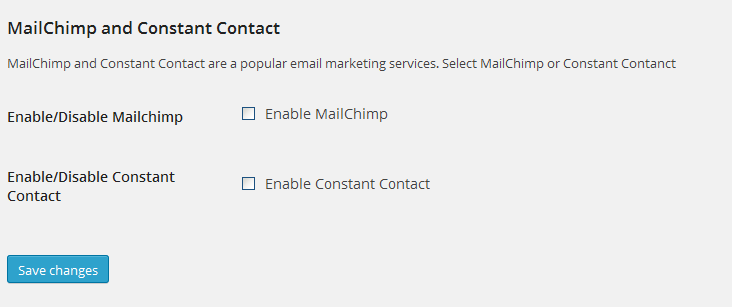
WooCommerce MailChimp and Constant Contact checkbox.

MailChimp options screen.

Constant Contact options screen.

Checkout screen after enable Mailchimp service.