

Maintenance Mode with Timer
A quick, easy way to add and display maintenance mode with countdown timer on your website.
Plugin info
Maintenance & Compatibility
Maintenance score
Stale • Last updated 322 days ago • 1 reviews
Is Maintenance Mode with Timer abandoned?
Likely maintained (last update 322 days ago).
Compatibility
Languages
Similar & Alternatives
Explore plugins with similar tags, and compare key metrics like downloads, ratings, updates, support, and WP/PHP compatibility.
Description
Explore Maintenance Mode with Timer Pro Features | Bundle Deal
A very simple plugin to put your website on maintenance mode with timer. Maintenance Mode allow you to create nice and functional maintenance mode template with timers in a clicks.
Maintenance mode or a coming soon page with countdown timer and responsive layout. Simply enable the maintenance mode from the plugin settings and in few seconds you can put your site in maintenance mode.
What you get when you use the Simple WordPress Maintenance Mode plugin
- Add your logo for branding you on you maintenance mode page
- Customize the maintenance mode message
- Set countdown timer
- Toggle the maintenance mode on and off with a simple checkbox
- Use the maintenance mode page as a coming soon page
- To access the login screen please use yourdomain.com/wp-login.php
Don’t let work on your site without using this maintenance mode plugin. It will let your users know you are temporarily down for maintenance.
PRO Features Include
- 5 attaractive template
- Circle Countdown Timer
- Flip Countdown Timer
- 12+ Timer Design
- Custom CSS option
- Newsletter Subscription form Integration.
- Fully Responsive
- 100% Multilanguage
Installation
- Upload the ‘Maintenance Mode with Timer’ folder to the ‘/wp-content/plugins/’ directory.
- Activate the “Maintenance Mode with Timer” list plugin through the ‘Plugins’ menu in WordPress.
- Enable the maintenance mode from “Maintenance Mode – WPOS” menu in the left side.
- To access the login screen please use yourdomain.com/wp-login.php
Frequently Asked Questions
Review feed
Screenshots
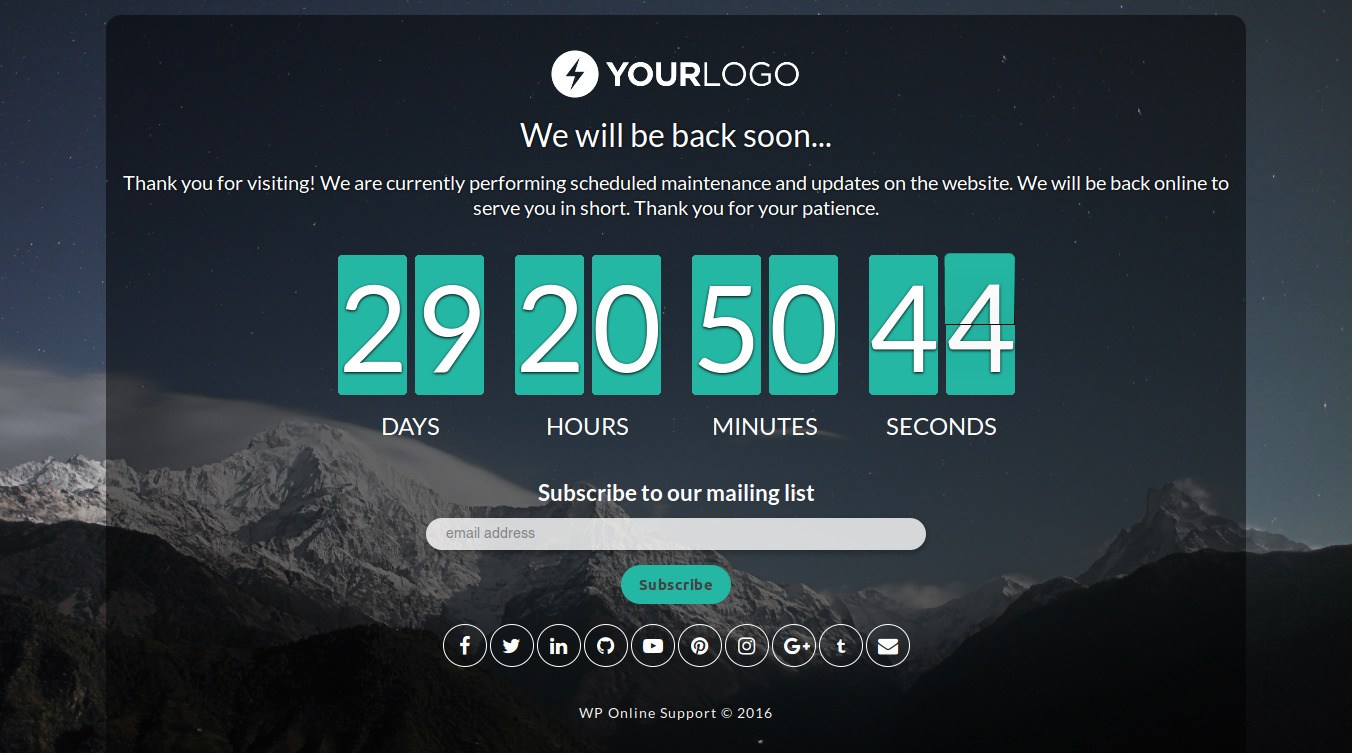
Maintenance mode or a coming soon page with countdown timer
Changelog
1.3 (15 May, 2025)
- [*] Check compatibility with WordPress version 6.8.1
1.2 (22 Aug 2024)
- [*] New – Added nonce security to plugin reset setting.
- [*] Update – Use escaping functions for better security.
- [*] Check compatibility with WordPress version 6.6.1
1.1 (14 Feb 2022)
- [*] Tested up to: 5.9
- [-] Removed some unwanted code and files.
1.0
- Initial release.