

Majestic Before After Image
An Elementor addon for the comparison of two images with a draggable handle. Compare images placing side-by-side.
Plugin info
Maintenance & Compatibility
Maintenance score
Stale • Last updated 205 days ago • 3 reviews
Is Majestic Before After Image abandoned?
Likely maintained (last update 205 days ago).
Compatibility
Languages
Similar & Alternatives
Explore plugins with similar tags, and compare key metrics like downloads, ratings, updates, support, and WP/PHP compatibility.
Description
Majestic Before After Image is an Elementor addon to show the comparison of two images with a draggable handle. It supports both vertical and horizontal orientation. This is the best before and after image comparison plugin to show the differences between two images by placing them side by side.
Visitors can drag the position of the handle to compare the images. Additionally, it supports handle movement on mouse hover. Furthermore, you can enable the text mode and add custom text like Drag, Vs, Swipe, etc, to make it more meaningful to your visitor.
View Demo | View Details | Support
Key Features
- Horizontal / Vertical Orientation
- Handle movement control – Swipe or Hover
- Customizable before and after labels
- Labels visibility – On Hover, Always or Never
- Enable / disable overlay
- Default handle offset position
- Multiple handle styles
- Handle types – Arrows or Text
- Image size option
- Typography and color options
Installation
Using The WordPress Dashboard
- Navigate to the ‘Add New’ Plugin Dashboard
- Select ‘majestic-before-after-image.zip’ from your computer
- Install
- Activate the plugin on the WordPress Plugin Dashboard
Using FTP
- Extract ‘majestic-before-after-image.zip’ to your computer
- Upload the ‘majestic-before-after-image’ directory to your ‘/wp-content/plugins/’ directory
- Activate the plugin on the WordPress Plugins dashboard
Frequently Asked Questions
Yes, this is an addon of the Elementor page builder. so it needs Elementor to be installed and activated to work.
Yes, it works with all themes.
Review feed
Screenshots
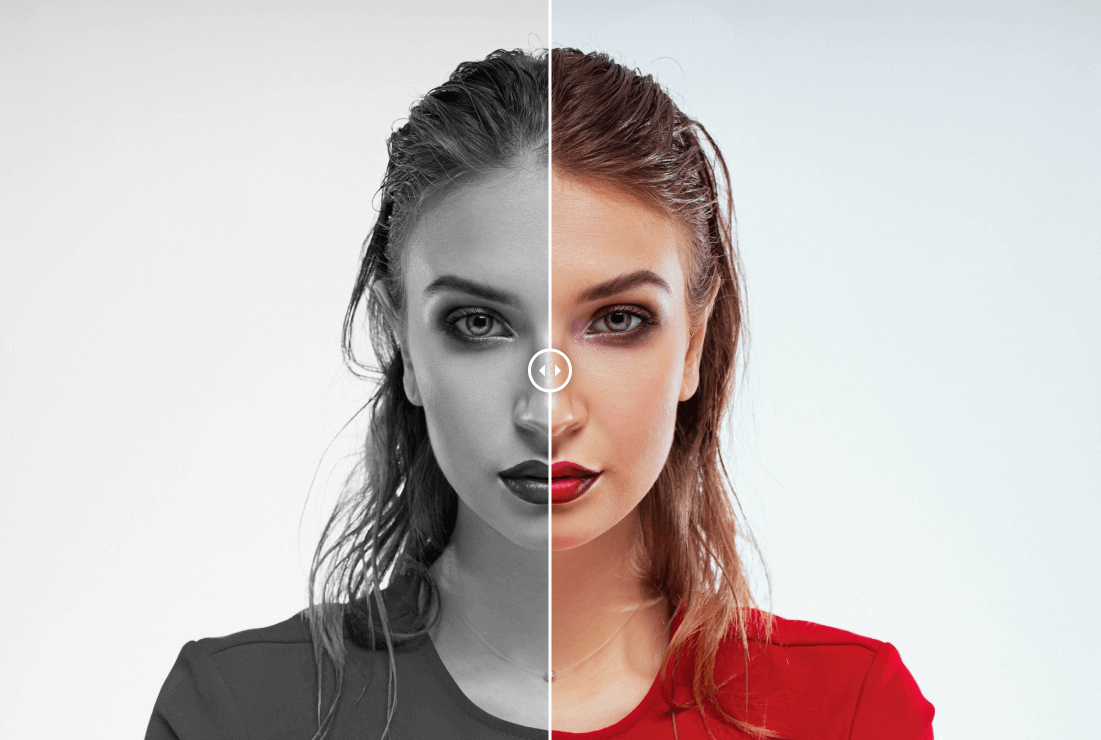
Widget Preview - Horizontal

Widget Preview - Vertical
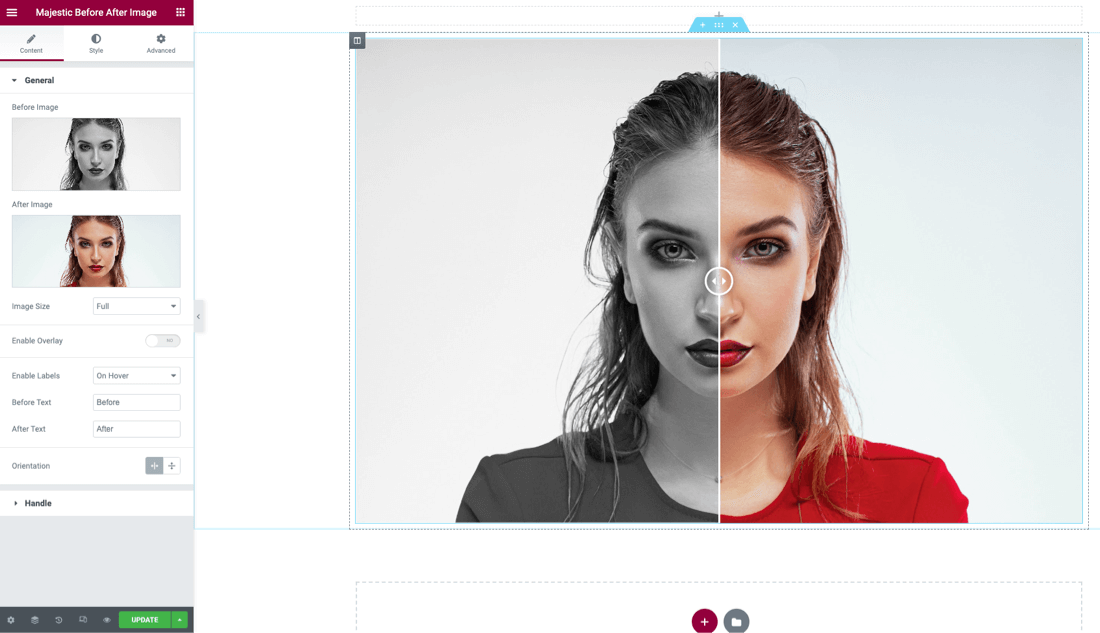
Widget Settings - General

Widget Settings - Handle
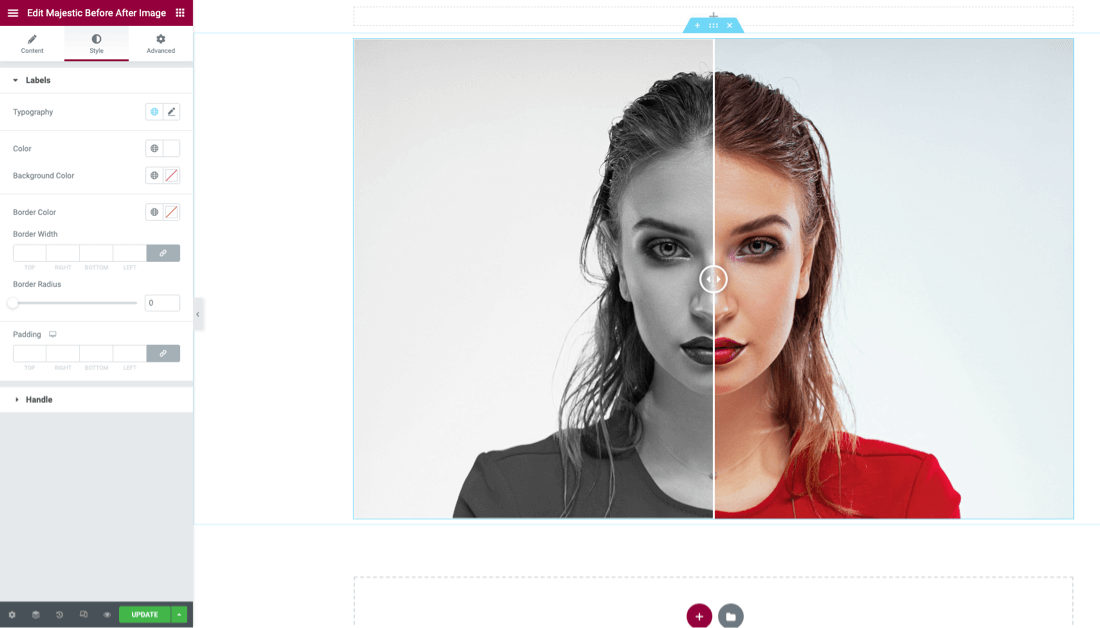
Widget Settings - Style
Changelog
2.0.2 – 08 Sep 2025
- WP Compatibility 6.8
- Admin Page Update
2.0.1 – 27 Nov 2024
- WP Compatibility 6.7
- Update packages
2.0.0 – 31 Jul 2024
- WP Compatibility 6.6
- Upgrade dependencies
1.0.12 – 28 June 2024
- Fix PCP issues
1.0.11 – 17 June 2024
- Update admin page and URL
1.0.10 – 02 August 2023
- Update author info and links
1.0.5 – 25 May 2023
- Update Admin Notice package
1.0.4 – 19 Feb 2023
- Fix PHP 8 issue
1.0.3 – 13 Sep 2022
- Fix PHP issue
1.0.2 – 30 Sep 2022
- Update dashboard
- Minor bug fixes
1.0.1 – 8 Sep 2022
- Update screenshots
- Minor bug fixes
1.0.0 – 1 Sep 2022
- Initial release