

Make Disable Admin Email Verification Prompt| Aims Infosoft
Disable Admin Email Verification Prompt with checkbox option in Genearl in Settings.if you want to disable prompt then tick the chekckbox.
Plugin info
Maintenance & Compatibility
Maintenance score
Stale • Last updated 287 days ago • 2 reviews
Is Make Disable Admin Email Verification Prompt| Aims Infosoft abandoned?
Likely maintained (last update 287 days ago).
Compatibility
Similar & Alternatives
Explore plugins with similar tags, and compare key metrics like downloads, ratings, updates, support, and WP/PHP compatibility.
Description
WordPress 5.3 introduced an admin email verification screen that will be shown to periodically after an admin has logged in.This feature to periodically prompt administrators to verify the site’s administration email address. This plugin disables that prompt.
**NOTE : This plugin requires WordPress 5.3 or greater.
Installation
Minimum Requirements
- WordPress 5.3 or greater is recommended
- Upload
make-disable-admin-email-verification-promptfolder to the/wp-content/plugins/directory. - Activate the plugin through the ‘Plugins’ menu in WordPress.
Frequently Asked Questions
No, this plugin not used without WordPress 5.3 or later vesrions.
If so, please use the support forum to ask!
Review feed
Good Plugin
Screenshots
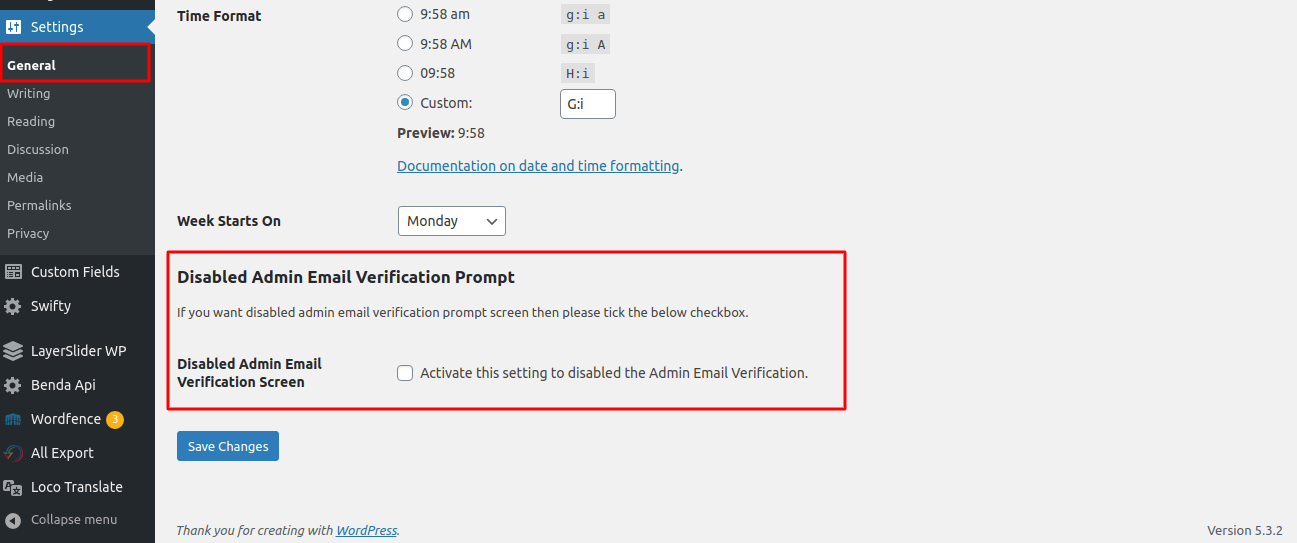
Display in Genearl in Settings Page.

Frontend Disable admin email verification prompt screen.
Changelog
1.0.6
- Tested upto latest wordpress version 6.6
1.0.5
- Tested upto latest wordpress version 6.3
1.0.4
- Change readme.txt file
1.0.3
- Tested upto latest wordpress version 6.0
1.0.2
- Tested upto latest wordpress version 5.9
1.0.1
- Tested upto latest wordpress version 5.6
1.0.0
- Initial release of the plugin