

Make Post Dirty
A useful tool for populating the block editor title and content. Never have to manually type content to test a feature.
Plugin info
Maintenance & Compatibility
Maintenance score
Maintained • Last updated 156 days ago
Is Make Post Dirty abandoned?
Likely maintained (last update 156 days ago).
Compatibility
Similar & Alternatives
Explore plugins with similar tags, and compare key metrics like downloads, ratings, updates, support, and WP/PHP compatibility.
Description
As a WP engineer, you may often find yourself creating posts to test a feature you’re working on. This can get very tiresome, especially if you always have to create a title and content for every single post just to enable you accurately test a new feature.
This plugin makes it super easy for you to populate the title and content of your new post, so that you can just focus on testing out your new feature. It’s that simple!
✔️ Features
The plugin provides the following capabilities:
✔️ Toolbar Icon: To populate post, click on this icon.
✔️ Settings: An options page for configuring the plugin settings.
✔️ Custom filters: make_post_dirty_settings, manage_post_dirty_admin_fields.
✔️ Available in multiple langauges such as Arabic, Chinese, Danish, Hebrew, Hindi, Russian, German, Italian, Croatian, Spanish & French languages.
✔️ Easy to work with.
✔️ Backward compatible, works with most WP versions.
✨ Getting Started
-
Create a New Post.
-
Locate the ‘Make Post Dirty’ icon at the top-right section of the block editor.
-
Click to populate the block editor title and content.
You can get a taste of how this plugin works, by using the demo link.
🔌🎨 Plug and Play or Customize
The Make Post Dirty plugin is built to work right out of the box. Simply install, activate and start using.
Want to add your personal touch? All of our documentation can be found here. You can override the plugin’s behaviour with custom logic of your own using hooks.
Contribute
If you’d like to contribute to the development of this plugin, you can find it on GitHub.
Installation
- Go to ‘Plugins > Add New’ on your WordPress admin dashboard.
- Search for ‘Make Post Dirty’ plugin from the official WordPress plugin repository.
- Click ‘Install Now’ and then ‘Activate’.
- Create a New Post.
- Locate the ‘Make Post Dirty’ icon on the top toolbar by your right.
- Click to populate the block editor title and content.
Frequently Asked Questions
Review feed
Screenshots
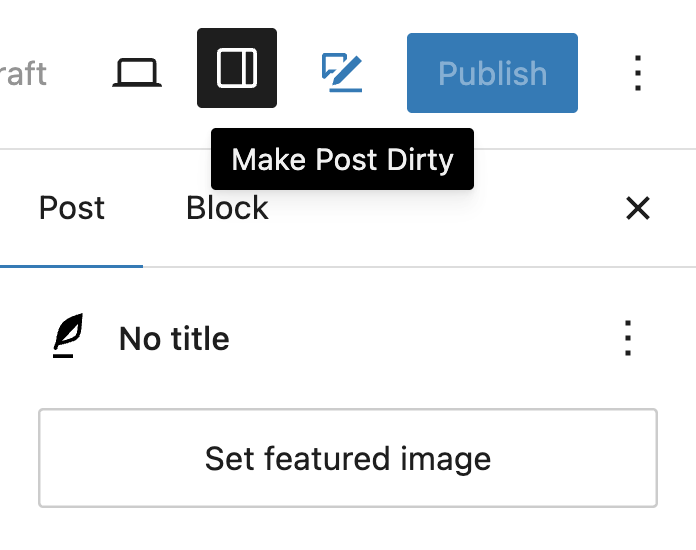
Toolbar Icon - Locate icon on the top toolbar.
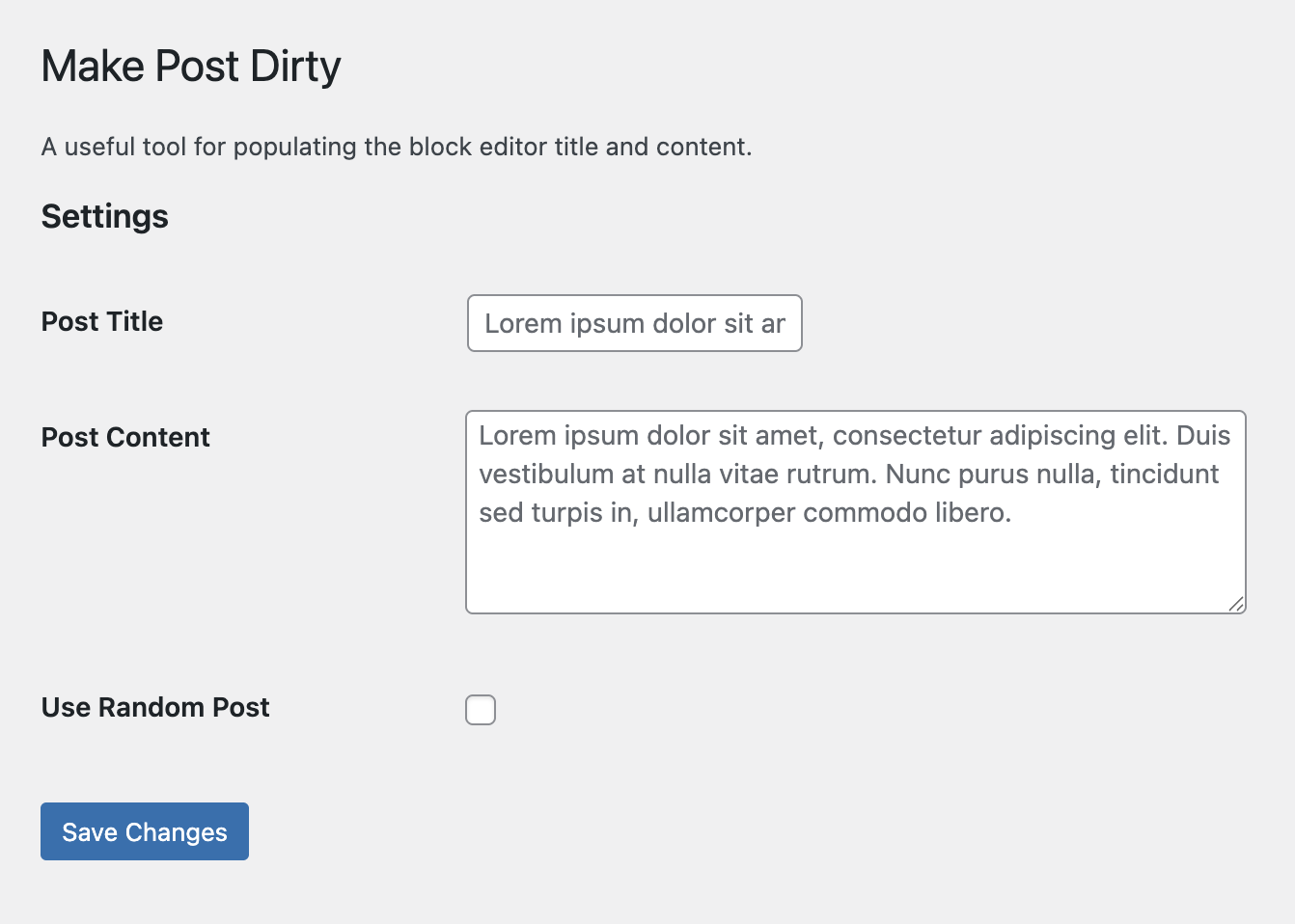
Settings - Configure plugin settings here.
Changelog
1.0.0
- Initial plugin release.
- Added toolbar icon for populating post title and content.
- Added plugin options page for configuring plugin.
- Added custom filters
make_post_dirty_settings,make_post_dirty_admin_fields. - Available in 11 international translations – French, Spanish, Hebrew, Hindi, Arabic, Danish, Croatian, Russian, Italian, German & Chinese.
- Update README docs.
- Tested up to WP 6.8.