
Manual Completions TutorLMS
Manual Completions for Tutor LMS lets you check completion as well as manually mark courses, lessons and quizzes as complete.
Plugin info
Maintenance & Compatibility
Maintenance score
Stale • Last updated 203 days ago
Is Manual Completions TutorLMS abandoned?
Likely maintained (last update 203 days ago).
Compatibility
Similar & Alternatives
Explore plugins with similar tags, and compare key metrics like downloads, ratings, updates, support, and WP/PHP compatibility.
Description
Manual Completions for Tutor LMS provides a very simple interface to check completion as well as manually mark courses, lessons and quizzes as complete.
You can use it for single completions as well as for bulk completions of hundreds of users. In one click, get all the enrolled users in the course.
You can also upload a CSV files with user_id, course_id, lesson_id, quiz_id. To quickly list all the completions, and then process them in bulk in any order you want.
You can also bypass completions blocked by GrassBlade xAPI Companion for xAPI Contents.
Tracking:
– If you have an LRS, you can see tracking data, including the user id and name of the admin who marked the lesson complete.
Requirements to use this plugin:
To use this plugin you need these two plugins:
1. Tutor LMS
2. GrassBlade xAPI Companion
Other Manual Completion Plugins:
– Manual Completions for LearnDashLMS
– Manual Completions for LifterLMS
– Manual Completions for LearnPress
Related Plugins for TutorLMS:
* Experience API for TutorLMS
* Visibility Control for TutorLMS
Installation
This section describes how to install the plugin and get it working.
- Upload the plugin files to the
/wp-content/plugins/manual-completions-tutorlmsdirectory, or install the plugin through the WordPress plugins screen directly. - Activate the plugin through the ‘Plugins’ screen in WordPress
- Go to WP ADMIN > GrassBlade > Manual Completions for Tutor LMS or (WP ADMIN > Tutor LMS > Manual Completions)
Frequently Asked Questions
Review feed
Screenshots

Manual Completions page

Checking Completion status
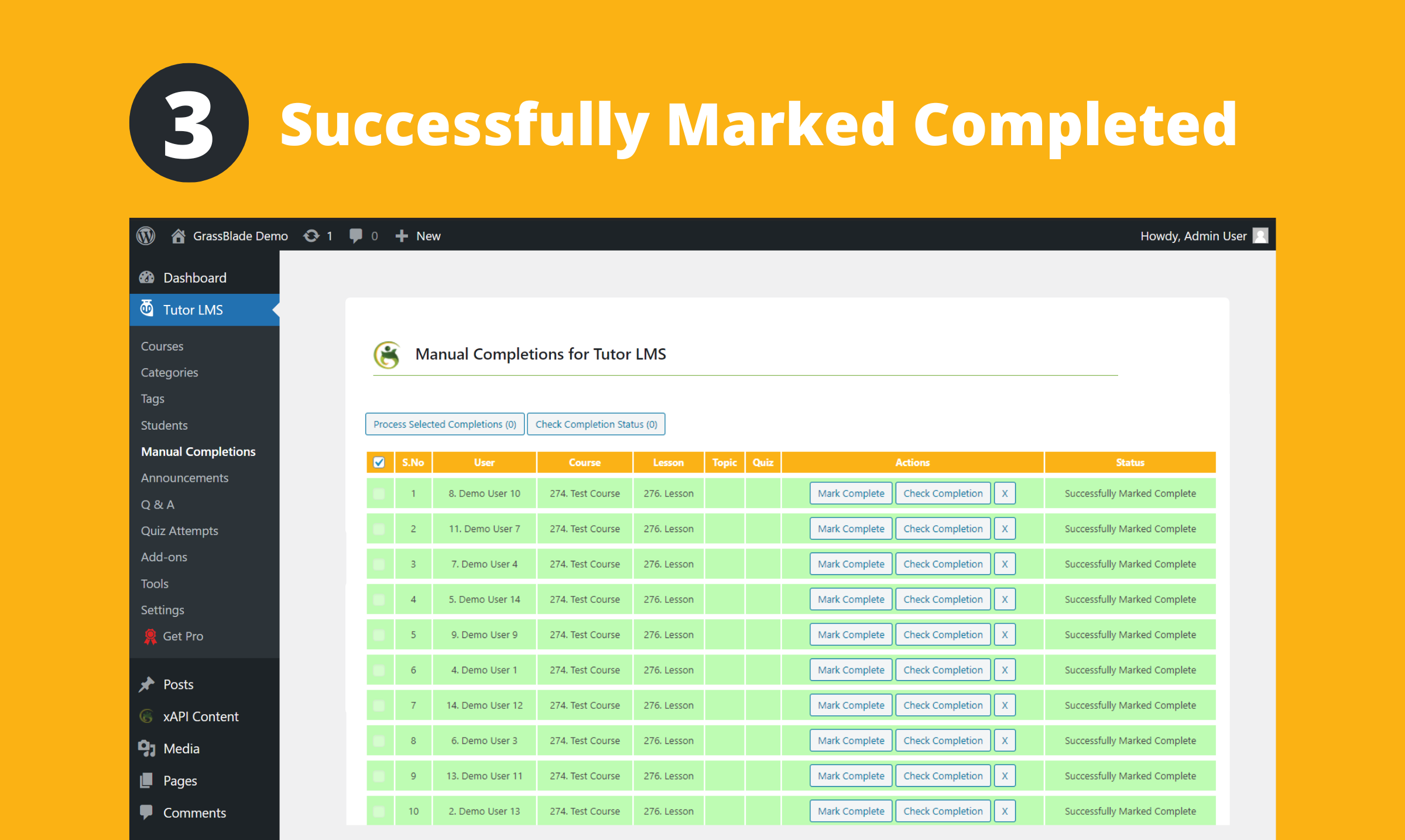
Marking Completions

Status Reported in the LRS (if you have an LRS)

CSV Upload Format

Get all enrolled users
Changelog
1.3
- Release version on WP Repo
1.0
- Initial Commit